Search for vacation rental smart home ideas and you will find the same article over and over: ten gadgets in a list — smart lock, thermostat, colour-changing bulbs, voice assistant, sensors of every kind — all given equal weight, as if every purchase paid back the same. What those copy-paste listicles never tell you is the one thing that matters: where to start. Which device actually earns back the time and money you put into it, and which one is just a toy.
This guide does the opposite. It ranks smart home categories by the concrete return they deliver to the person running the rental. The rule is simple: first comes whatever removes trips to the property and physical presence, then whatever cuts the bills, then whatever protects the place — and at the bottom, whatever can safely wait.
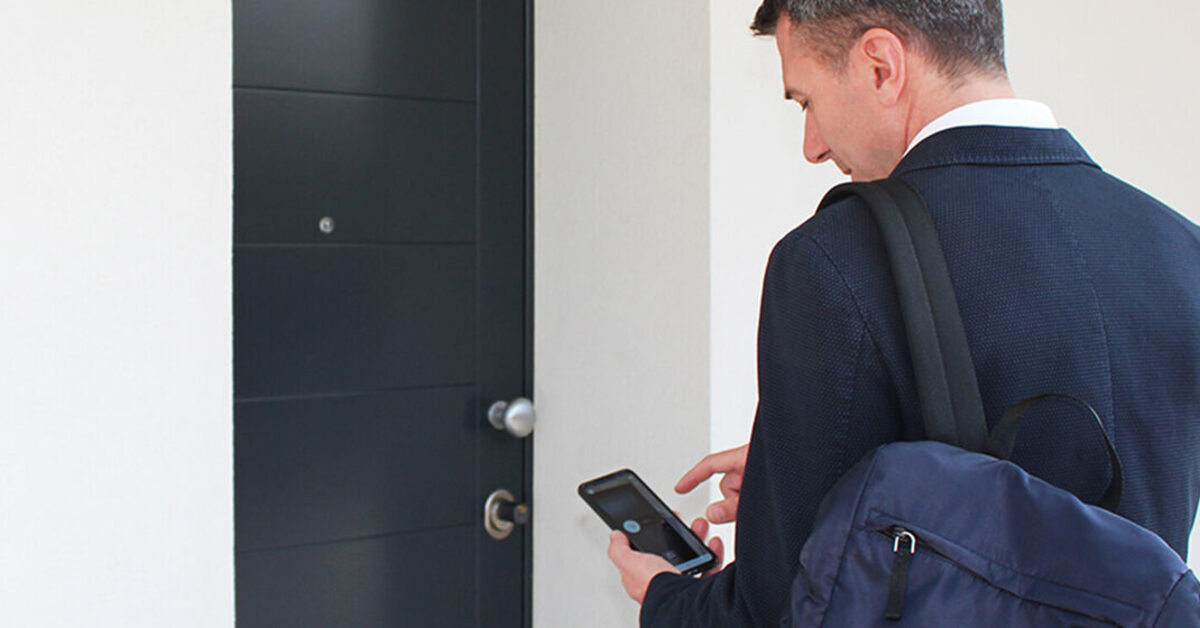
Here is the conclusion up front: the category with the highest return is access. A keypad like 1Control PAD that gives each guest a PIN for the gate or garage valid only for the dates of their stay, a smart lock like DORY on the door and a gate opener like SOLO on the driveway replace you — not a light switch. Everything else comes after.
The ROI ranking: three questions before any purchase
Before buying anything for your rental, run the device through three questions:
- Does it eliminate a trip or a wait? Every key handover, every late arrival, every tradesperson to let in costs your time — or the time of someone you pay.
- Does it work for any guest, with zero instructions? Someone arriving tired at 11 pm will not read a manual, and will not happily install an app.
- Do you pay once, or forever? Many "host-grade" devices hide the useful features behind a subscription; on one or two units, the monthly fee quietly eats the return.
| Category | What it changes for the host | Priority |
|---|---|---|
| Access (PIN keypad, smart lock, gate opener) | Removes key handovers and trips: self check-in at any hour | High — start here |
| Climate and energy | Cuts the bills between one stay and the next | Medium — second step |
| Noise and security | Prevents parties and damage; protects the outside | Medium-low — with judgement |
| Comfort and scenery (lights, voice, blinds) | Little: guests stay a few nights | Low — last of all |
Tier 1 — Access: the only category that eliminates trips
Most trips to a rental are about keys: handing them over at arrival, collecting them at departure, letting the cleaning team in, rushing over because a guest got the time wrong. No thermostat will ever solve that problem — which is why access comes before everything else.
One PIN per stay: the keypad
The 1Control PAD keypad installs next to the gate, garage door or barrier with no building work and opens it with a 6-digit PIN. What makes it host-grade is the time rules: every PIN has a start and end date, days of the week and time windows, and each code is tied to a specific entrance. In practice, the guest's PIN works from 3 pm on check-in day to 10 am on check-out day — then it simply stops working, with nothing for you to remember. Four PINs are included, and if you run more turnovers or more entrances you can purchase additional ones, up to 1,000. The guest installs nothing: they type the code and walk in. We cover the setup in detail in our guide to keypad code entry for Airbnb guests.

The apartment door: a smart lock built for European doors
On the door itself, the 1Control DORY smart lock swaps in for the existing euro profile cylinder — the standard on UK and European doors — with no drilling and no lock replacement. Forget the US-style deadbolt retrofits that assume American hardware: DORY works with the door you already have. It opens from a smartphone — each guest receives a free share in the app, valid only for the dates of the stay — runs quietly, the battery lasts about a year and — a detail that is not a detail in hospitality — the mechanical key keeps working: no guest is ever locked out by electronics. For the full selection criteria, see our guide to smart locks for rental properties.
Gate, garage and parking
If the property has a gate, a garage or a parking barrier, 1Control SOLO copies the signal of your existing remote control (it is compatible with 800+ models, fixed and rolling code) without touching the control board: no wiring, no Wi-Fi needed at the gate. From then on the gate opens from the app, and you can share access with guests and staff via their phone number, free of charge, with time windows, expiry dates and a full opening history.
The piece that closes the loop: remote control
Out of the box, PAD, DORY and SOLO work over Bluetooth — that is, nearby. For hosts managing from another city there is 1Control LINK: a bridge that connects to the property's router (2.4 GHz Wi-Fi or Ethernet) and needs to sit within Bluetooth range of the devices. With LINK you open any entrance from anywhere, check the access history in real time and connect the whole setup to Alexa, Google Home, CarPlay and Android Auto. It is the difference between "smart home" and remote management: if a guest has a problem at the door at 10 pm, you fix it from your sofa.
A note on cost, because it drives the ROI: all of these devices install without building work and are a one-off purchase — no subscription, no monthly fee per guest or per door. You can see the typical configurations on the 1Control solutions page for B&Bs and vacation rentals.
Manage every guest entrance through one access system
Explore the 1Control solution for front doors, shared entrances, gates, guests and staff. Start with the hospitality setup; if you need a smart lock, then check your door for DORY.
Tier 2 — Climate and energy: the savings between stays
Second place goes to a category 1Control does not make, so we speak as observers: smart thermostats, connected radiator valves, energy-monitoring plugs. For a host the benefit is real but different from the domestic one: it is not comfort, it is not heating (or cooling) an empty house. Switching everything off at check-out and warming the place up a few hours before the next arrival, remotely, cuts the heaviest line of a seasonal property's bills.
Two honest caveats: the payback depends on your climate and booking calendar, and many of these devices depend on the property's Wi-Fi or lock scheduling behind a subscription — the tier-1 question applies here too.
Tier 3 — Noise and security: useful, with judgement
Third place for the devices that protect the property — again, not 1Control products. Noise monitors for short-term rentals measure decibel levels without recording audio and alert you when the level stays high: they exist to prevent unauthorised parties, and make most sense if the flat is in an apartment building. Many run on a subscription: budget for it.
On security, the rule is clear-cut: cameras and video doorbells belong outside only, and always disclosed in the listing. Indoor cameras are banned by the booking platforms and invade guests' privacy — this is not a grey area, it is a prohibition. A disclosed video doorbell at the entrance, on the other hand, lets you verify arrivals without intruding on the stay.
What is just a gadget (for a host)
Colour-scene lighting, a voice assistant in every room, motorised curtains, connected fridges: they may make sense in the home you live in, almost never in the home you rent out. A guest stays two nights and will not learn your voice routines. If your goal is your own home, see our guide to a smart home without a home automation system instead. Here the point is sharper: every pound or euro spent on scenery is one not spent where the return actually is.
The guest-proof configuration
A vacation rental smart home works when guests do not have to understand it. A few practical rules:
- Guests enter with a PIN, not an app. The keypad code needs no installation and no sign-up; the app remains an option for those who prefer it, never a requirement.
- Everything physical keeps working. Normal light switches, a mechanical backup key in the lock: the electronics add, they do not replace.
- The thermostat has limits set. Guests adjust the temperature within a range you decide; they do not rewrite the schedule.
- Permissions expire on their own. PINs valid for the exact dates of the stay, shares with an expiry: at check-out the house "locks itself" again with no action from you.
- Cleaners and maintenance get their own codes, recurring and limited to days and time windows — and the history shows who came in and when, stay by stay.
If the property also has a shared pool or wellness area, the same time-window PIN logic applies to its gate or door: we cover it in our guide to pool access control for guests.
A second home you don't rent out? Same toolkit
Everything above is written for hosts, but the same toolkit earns its keep in a second home you don't rent out — the seaside flat you reach six weekends a year, the family holiday home that sits empty all winter. The problem is identical; only the names change: instead of guests and cleaners, it is the gardener, the pool maintenance company and the occasional plumber.
- A PIN for the gardener or the pool technician. The keypad's time rules work for maintenance exactly as they do for check-ins: a code valid only on Tuesday mornings, revoked in a tap when the contract ends — and no physical key ever leaves your hands.
- Arrive keyless after months away. The gate opens from the app as you pull in and the smart lock opens from your phone — no hunting through drawers for the "holiday home keyring", no spare key hidden under a flowerpot.
- Let a plumber in without a 300 km round trip. With SOLO on the gate and the LINK bridge on the router, you open remotely while the technician stands at the entrance — a burst pipe no longer costs you a day of driving.
- Know the gate opened — and closed. A door sensor paired with LINK reports when a gate or door opens and closes, so you can check from home that everything was shut after a visit. To be honest about the limit: it records the event, not the person — it tells you that it opened, not who opened it.
- The tool shed. The LOCO smart padlock covers the shed or the pool equipment room: it opens from the smartphone, and access can be shared and revoked from the app like every other entrance.
None of this turns the house into an alarm system — that is a different product category, with different promises. What it removes is the same thing it removes for hosts: the trips whose only purpose is a key.
Frequently asked questions
Where should a vacation rental host start with smart home tech?
With access: it is the only category that eliminates trips and key handovers. A PIN keypad with validity tied to the dates of the stay, a smart lock with a mechanical backup key on the door and, if needed, a smart gate opener cover 90% of a host's day-to-day operations.
Do I need a wired home automation system for a holiday rental?
No. Devices like 1Control PAD, DORY and SOLO install without building work and without touching the electrical system: the keypad is wireless, the lock replaces the existing euro profile cylinder and the gate opener copies your remote without wiring into the control board. You pay once, with no subscription.
Do guests need to install an app to get in?
Not for the gate or garage: with the keypad the guest receives a 6-digit PIN and types it in — no app, no registration. For the front door with DORY, the guest uses a free time-bound share in the 1Control app; if they would rather not install it, you can open the door for them remotely with LINK. The 1Control app remains the host's console, for creating codes, sharing access and checking the history.
How many PIN codes can I create for guests?
PAD includes 4 PINs, each with validity dates, days and time windows; if you manage more turnovers or more entrances you can purchase additional PINs, up to 1,000. App shares via phone number are free.
Can I install cameras inside a vacation rental?
No: indoor cameras in living areas are banned by the booking platforms and violate guests' privacy. Outdoor cameras (entrance, parking) are generally allowed if disclosed in the listing; for the rules that apply to your specific property, check with a professional.
Does the setup keep working if the internet goes down?
1Control devices work locally over Bluetooth: the PIN on the keypad and nearby smartphone opening keep working with no connection. The internet is only needed for the remote features via LINK — if the property's Wi-Fi drops, guests still get in.
Does this work for a second home I don't rent out?
Yes — the toolkit is the same, only the people change. A PIN with time windows lets the gardener or pool technician in on the days you decide, SOLO with the LINK bridge opens the gate remotely for a plumber, a door sensor reports openings and closings (the event, not the person), and the LOCO smart padlock covers the tool shed. You arrive keyless after months away, and every access can be revoked in a tap.
Conclusion
A vacation rental smart home is not a list of ten gadgets: it is a ranking of priorities — access first, then climate and energy, then noise and security, scenery last. For the legal side of receiving guests without being there, read our guide to self check-in legal requirements; and if you want to see the typical configurations for a property like yours, start from the 1Control solutions for B&Bs and vacation rentals.