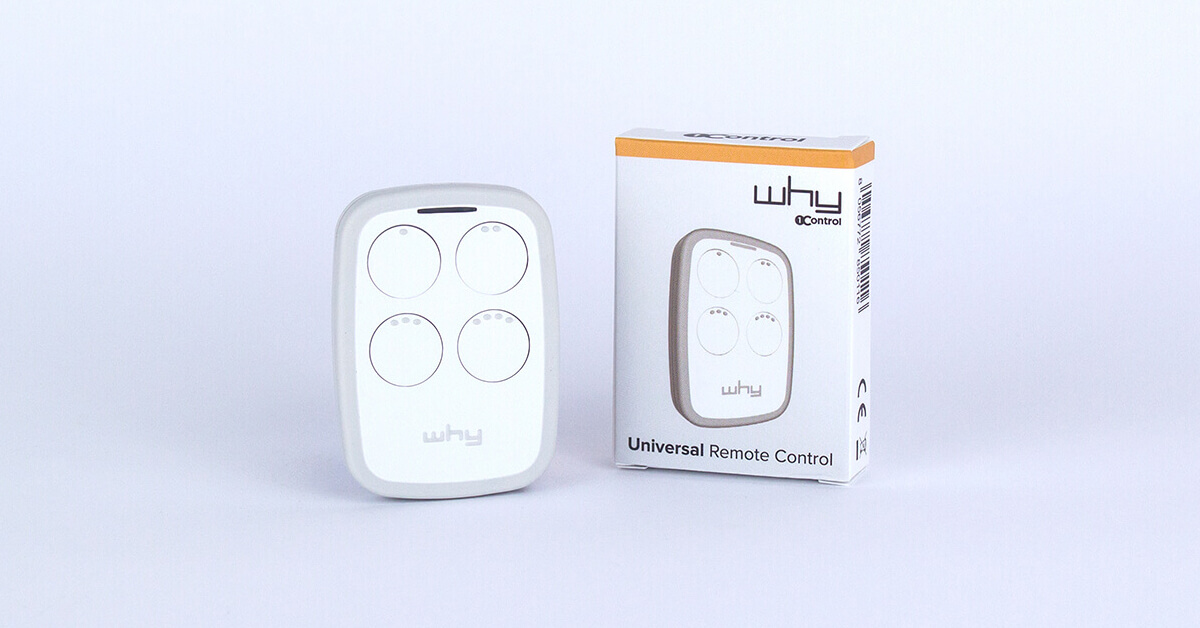
Short answer. A universal gate remote does not “work with everything”: it copies the signal of the remote you already own, without opening the gate's control board. Which one to buy comes down to a single piece of information — the band your original remote transmits on.
- 433 or 868 MHz (virtually every installation from 2000 onwards, fixed code or rolling code) → 1Control WHY: 4 buttons, 800+ copyable models, CR2032 cell and a memory that survives the battery change.
- Quartz 15-50 MHz (1980s-90s installations, telescopic metal antenna: Cardin, Telcoma, Aprimatic, Allmatic) → 1Control QZERO.
- You would rather open from the phone, authorise other people and revoke access → 1Control SOLO, walked through in how to open a gate with your smartphone.
Not sure which band yours uses? The WHY/QZERO compatibility check asks for brand and model and answers in thirty seconds. If the remote in your hand has stopped working, start with gate remote not working instead: half the time it is the battery.
A universal gate remote is today one of the most common searches among people who own an automatic gate and need an additional transmitter. The reasons are always the same: the original remote was lost, dropped somewhere in the garden and never found again, a partner needs one for their own car, or the manufacturer no longer sells the model — and a replacement original costs more than a new gate. The good news: in the vast majority of cases, a 4-button universal gate remote like 1Control WHY copies the signal of the original remote in less than a minute, without touching the gate controller, without an app and without an installer.
In this complete guide — written for people starting from zero who want to actually understand how this product category works — we cover what a universal gate remote does, the difference between 433 and 868 MHz, between fixed code and rolling code, why there is a dedicated product (QZERO) for older quartz remotes in the 15-50 MHz band, and when it makes sense to switch to the smartphone with 1Control SOLO. Along the way we link the 1Control compatibility pages, so you can check your own gate model in 30 seconds.
A methodological note up front: if your goal is simply to "duplicate a remote" you already have in hand, the short answer is a physical universal gate remote — WHY or QZERO depending on the band. If instead you need to authorise several people (family members, employees), share access on a time-limited basis, keep an access log or revoke a lost remote in real time, then a Bluetooth device with an app like SOLO is the better tool. The two paths are not mutually exclusive: many households end up using both.
What a universal gate remote actually is
A universal gate remote is a portable radio transmitter that, unlike an "original" remote (the one supplied by the manufacturer of the gate controller), is designed to copy the signal of hundreds of different models and work with the majority of gate automation systems on the market. The difference is not in the radio physics — that is the same for everyone — but in the firmware: a universal gate remote "listens" to the original remote, recognises the chip and the encoding algorithm, and replicates it.
To place this category in the market, it helps to distinguish three types of product:
- Original/manufacturer remote: supplied by the gate automation maker (FAAC, Nice, Came, BFT, Hörmann, Somfy, Sommer, and so on). Works only with that brand, and often only with a specific series. Expensive, available only through authorised resellers.
- Generic universal remote: £5-15 at the supermarket or hardware shop. Copies only fixed code, i.e. older remotes. Does not work with the rolling code transmitters installed in the last 10-15 years.
- Advanced universal remote: like 1Control WHY or 1Control QZERO. Copies both fixed code and rolling code from hundreds of models, in the 433-868 MHz band (WHY) or 15-50 MHz (QZERO), with 4 independently programmable buttons. This is the category that makes sense today for around 90% of residential use cases.
Not to be confused with another operation: programming a new remote directly on the gate control board. That process requires opening the controller (usually on top of the gate pillar or inside a weather-proof enclosure), putting it into learning mode and registering the new remote — typically an installer's task. Signal copying, on the other hand, does not touch the controller and works regardless of the brand: for most users it is the simpler path.
Want a new remote without calling an engineer?
Check in seconds whether your brand and model are supported: 1Control WHY copies or replaces your remote without opening the control unit and without touching the system. One-off purchase, no subscription.
58,00€ 49,00€ VAT included
- 1,500+ reviews on Amazon, Facebook and Trustpilot
- Secure payments
- 2-year warranty
Frequencies and encoding: the theory that makes the difference
When comparing universal gate remotes, two technical parameters decide whether the product will work or come back as a return: the frequency band and the encoding type. It is worth spending two minutes on these, because they tell you in advance which of the two 1Control products is right for your gate.
433 MHz and 868 MHz: the European standard bands
The majority of residential gate remotes sold in Europe over the last 25 years operate in two bands: 433.92 MHz (the most widespread, used by almost every brand) and 868.3 MHz (more modern, used by some Hörmann, Somfy and Nice product lines and by recent automations, where it reduces interference in densely populated areas). Both are licence-free ISM bands, regulated only for duty cycle and transmission power. 1Control WHY covers the entire 433-868 MHz range, so it works with about 90% of gates installed from the 2000s onwards.
Fixed code: the old standard, still alive
Fixed code remotes send the exact same radio code every time a button is pressed. The most common chips are HCS, MM53200, PT2262, SC2260 and EV1527: different "languages", same principle — "I transmit X, the receiver opens if X is in its whitelist". They are simple, cheap, and only as secure as a basic key lock: anyone who intercepts the code (with the right device) can replay it. Fixed code is still found on many sectional doors, communal garage doors and light commercial gates. Copying it is trivial: any universal remote, even a £5 one, can clone it.
Rolling code: the modern security standard
Rolling code remotes (KeeLoq from Microchip, AES, proprietary dynamic codes) change the transmitted code on every button press. The new code is computed from a cryptographic algorithm and a sequence counter shared between the remote and the receiver: someone who intercepts a code cannot reuse it — it will have already expired by the next round. Rolling code has been the standard on residential automations from around 2010 onwards, and it is used by virtually every premium brand.
Copying a rolling code requires a device that does not just listen, but recognises which algorithm is in use and replays it in sync with the controller. 1Control WHY supports rolling code copy for more than 800 models: this is the feature that sets it apart from supermarket universal remotes, which usually only handle fixed code and therefore "don't work" with newer gates.
Low-frequency quartz remotes (15-50 MHz)
A small — but important — slice of the market does not operate in modern ISM bands but on much lower frequencies: 26-40 MHz, typically 27.12 / 30.9 / 40.68 / 49.86 MHz. These are the quartz remotes, often recognisable by their extendable metal antennas or bulkier housings containing internal quartz crystals. They were the "old standard" of the 80s and 90s and you still find them on many historic communal garages, commercial parking barriers and gates of villas built in that era. Typical brands: Cardin (the older series, before the move to 433 MHz), Telcoma, Allmatic, Aprimatic, Roger, certain older BFT series.
WHY does not cover this band, because it is specialised on 433-868 MHz. For quartz remotes 1Control has developed a dedicated product: QZERO — identical in ergonomics (4 buttons, CR2032 battery, no app, no technical installation), but with a transceiver tuned to quartz frequencies. We look at both in detail in the next section.
1Control WHY: the universal gate remote for 90% of cases
1Control WHY is a 4-button universal gate remote operating in the 433-868 MHz band, completely physical and independent from apps, smartphones and the internet. It is built for people who want exactly what they want: an extra remote that works like the original, without any drama. It lives in a pocket, in the car or on a keyring, and is used in the same way as a manufacturer-branded remote.
The technical highlights worth knowing:
- 4 buttons, 4 remotes in 1: each button stores a different remote — even from different brands and frequencies. Driveway gate + pedestrian gate + garage + office barrier, all in a single 19-gram device.
- Compatibility: more than 800 models, both fixed code (HCS, MM53200, PT2262, SC2260, EV1527) and rolling code (KeeLoq, AES, proprietary dynamic codes). Covered brands include FAAC, Nice, Came, BFT, Hörmann (BiSecur HS-BS, HSE, HSM), Somfy, Sommer, Beninca, Cardin, Avidsen, Telcoma, Aprimatic, Allmatic, Roger and many more. The WHY/QZERO compatibility page lets you verify a specific model in 30 seconds.
- Band 433-868 MHz: covers the entire modern European residential spectrum.
- CR2032 battery: the classic 3 V coin cell, replaceable in 10 seconds. Found in any supermarket, corner shop or electronics retailer. No special tools required.
- Non-volatile memory: changing the battery does not erase the stored codes. It is a detail that matters: many cheap universal remotes wipe their memory on battery change, forcing you to re-program everything.
- Dimensions and weight: 42×58×10 mm, 19 g. Fits in jeans pockets and on keyrings without bulk.
- Made in Italy: designed and manufactured in Italy by 1Control, patented. Not a rebranded OEM device.
- One-off purchase, pack of 2 remotes, often less than a single branded rolling code original.
One feature deserves a dedicated note: the rolling code copy. A rolling code transmitter does not just send a fixed code — it negotiates a dynamic sequence with the controller. WHY contains the firmware needed to recognise and replicate that sequence for the 800+ supported models. This is what makes it work with gates installed after 2010-2015, where generic €5-10 universal remotes simply fail.
WHY is not a "smart" device: no Bluetooth, no smartphone dialogue, no remote control over the internet. That is a deliberate design choice. People who want smartphone integration, access logs and time-limited sharing should look at 1Control SOLO (see below). But for anyone who simply wants "another remote that works with my gate", WHY is the most direct answer.
1Control QZERO: for quartz remotes in the 15-50 MHz band
1Control QZERO is the answer to a specific problem WHY does not solve: low-frequency quartz remotes, still installed on a good share of older gate automations. If your gate was automated in the 80s or 90s and has never been replaced, the original remote probably works on one of these frequencies: 27.12 — 30.9 — 40.68 — 49.86 MHz. Typical brands of this category: Telcoma, Cardin (older series), Allmatic, Aprimatic, Roger, certain older BFT lines.
Recognising a quartz remote is not always obvious for an end user: it usually has an extendable metal antenna, a bulkier housing than usual, and inside a small metal cylinder (the quartz crystal that gives the device its name). If your remote matches that description, it is almost certainly a quartz model and WHY will not copy it — not because of a product flaw, but because it operates on a different band.
QZERO mirrors WHY's winning formula on ergonomics (4 buttons, CR2032 battery, no app, no installer), but with a transceiver tuned to the 15-50 MHz range. It is available in two colours (white and black), copies fixed code in the quartz band, and is programmed using the same "hold both remotes together and press the buttons" procedure as WHY.
If you are not sure which category your gate falls into, the WHY/QZERO compatibility page only needs the brand and model of the gate (or the original remote) to immediately tell you the right product. When in doubt, contact 1Control support before buying: a quick check beforehand is cheaper than a return afterwards.
WHY or QZERO: how to choose in 30 seconds
Choosing between WHY and QZERO is a matter of frequency band, not "quality" or "completeness": the two products cover complementary market segments. The practical rule is simple.
| Criterion | 1Control WHY | 1Control QZERO |
|---|---|---|
| Frequency band | 433-868 MHz | 15-50 MHz (quartz) |
| Typical year of installation | 2000-2026 (the vast majority) | 1985-2000 (older systems) |
| Example brands covered | FAAC, Nice, Came, BFT, Hörmann, Somfy, Sommer, Beninca, Avidsen | Telcoma, Allmatic, Aprimatic, Roger, Cardin (older series), older BFT lines |
| Fixed code | Yes | Yes |
| Rolling code | Yes (800+ models) | Not applicable in the quartz band |
| Buttons / automations | 4 | 4 |
| Battery | CR2032 (non-volatile memory) | CR2032 (non-volatile memory) |
| App / smartphone | No | No |
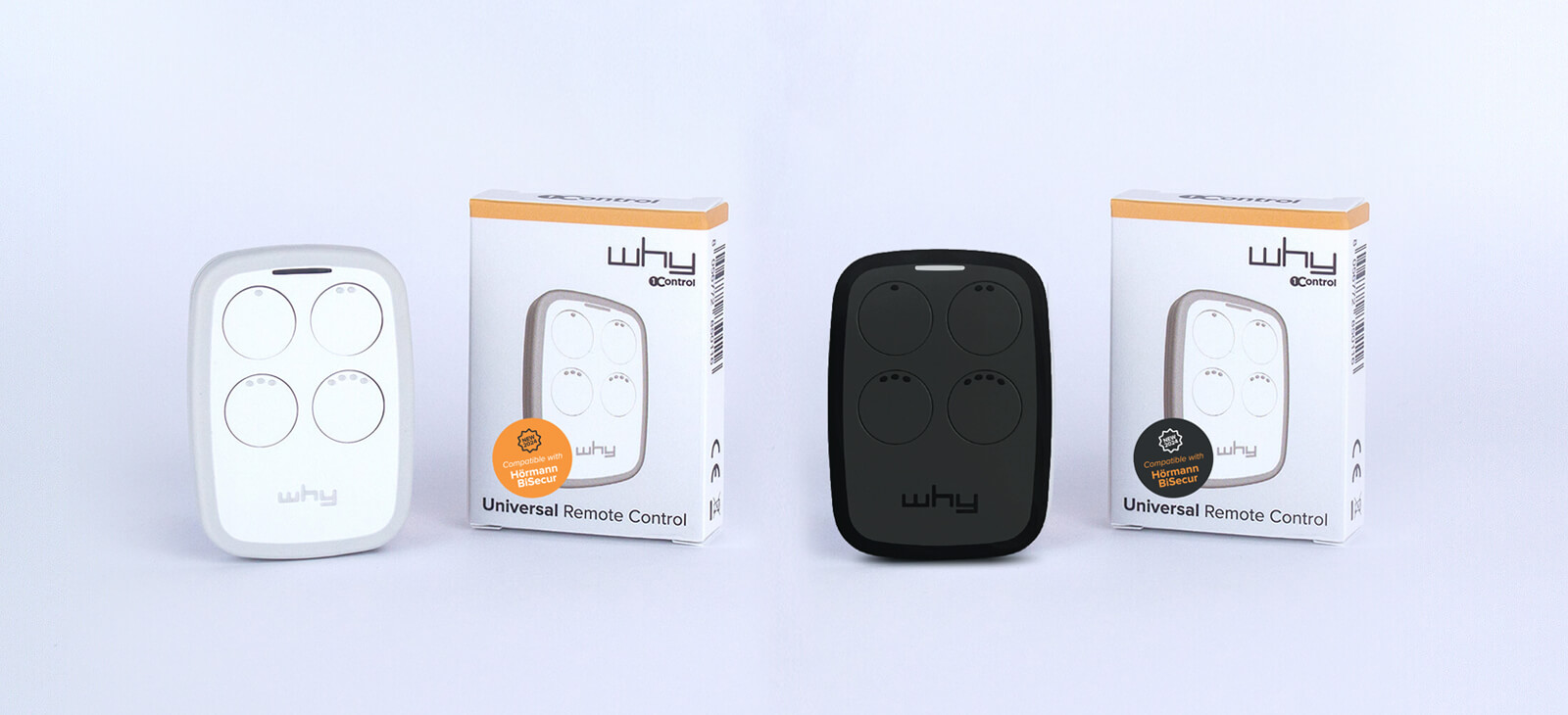
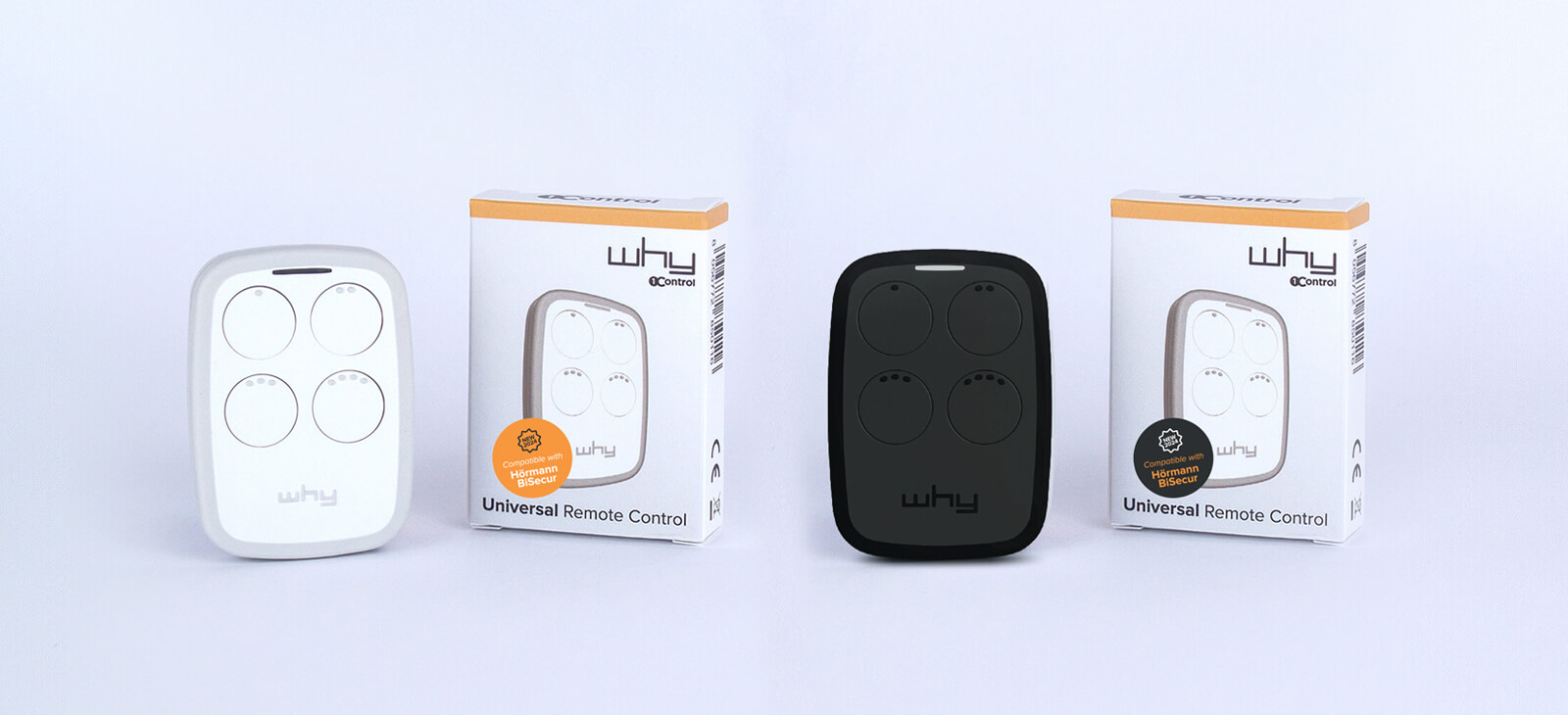
| Available colours | White, black | White, black |
In practice: if your gate was installed — or the automation modernised — in the last 25 years, the answer is almost always WHY. If on the other hand your original remote has an extendable metal antenna and comes from a vintage installation, that is the moment to look at QZERO. When in doubt, the WHY/QZERO compatibility page is the fastest starting point: just enter the brand of the automation and the model of the remote, and you have the right product in 30 seconds.
Universal gate remote vs smartphone: WHY or 1Control SOLO?
There is an alternative to the physical universal gate remote: using the smartphone as a gate remote. This is the territory of 1Control SOLO, a compact Bluetooth gate opener that is mounted near the gate (with the bracket included, no wiring to the controller) and talks to the free 1Control app for iOS and Android. Once the original remote has been copied into SOLO, every authorised smartphone opens the gate like an extra remote would. In other words: SOLO is the bluetooth gate opener that turns your phone into your gate remote.
It is worth comparing the two paths directly, because they address different needs.
| Criterion | WHY (physical remote) | SOLO (Bluetooth gate opener + app) |
|---|---|---|
| Number of users | 1 (one device per person) | 10 standard, up to 500 with upgrade |
| Time-limited sharing | No | Yes, free |
| Access log (who and when) | No | Yes |
| Remote revoke if lost/stolen | No (requires action on the controller) | Yes, instantly from the app |
| App / smartphone required | No | Yes |
| Internet required | No | No (local Bluetooth); yes with optional LINK |
| Range | As original remote (30-50 m line of sight) | 15-20 m smartphone↔SOLO; 30-40 m SOLO↔gate |
| Smartwatch / voice assistants | No | Apple Watch, Wear OS, Siri, Google Assistant, Alexa, CarPlay, Android Auto |
| Remote opening (miles away) | No | Only by adding LINK (Wi-Fi gate opener bridge) |
| Learning curve | Zero (it is a remote) | 5 minutes the first time |
| Cost | One-off purchase, pack of 2 | One-off purchase, no subscription |
Cases where the physical WHY remote is the right choice: a second person in the household who does not want to use the smartphone (older parents, children, occasional drivers), a backup in the car or in a drawer, a second gate at a parent's place or a holiday home, daily use for motorbike riders who do not want to pull out the phone in the rain or on the motorway.
Cases where SOLO is the right choice: managing several people with different permissions (family, guests, employees, cleaners, contractors), the need for an access log for security or short-term rental management, opening from Apple Watch or an Android smartwatch instead of the phone, control from miles away (with LINK).
The two products are not mutually exclusive: for many residential users the best combination is SOLO + WHY. SOLO for daily smartphone-based use, WHY as a physical backup kept in the car, in a drawer, or handed to a family member who prefers a classic remote.
Programming: how to copy a remote into WHY
Copying a remote into WHY uses the "universal contact-copy" procedure, the same approach found on professional universal remotes. It takes three steps and less than a minute per button.
- Hold the two remotes together: keep WHY in direct contact with the original remote (cases touching), antenna against antenna if the original remote has a visible antenna.
- Press and hold both buttons at the same time: the button on WHY where you want to store the remote (1, 2, 3 or 4) and the button on the original remote you want to replicate. Hold both buttons down.
- Wait for the LED confirmation: the WHY LED blinks with a specific pattern (typically 3 quick flashes) to confirm the copy. At that point you can release the buttons.
From that moment, pressing the WHY button you used to store the remote controls the gate exactly as the original remote did. The original remote keeps working normally (the copy does not "use it up"). The buttons that are still empty stay available for further programming: you can use them for a pedestrian gate, a garage, a parking barrier or a second gate — up to 4 functions per WHY.
Brand-specific notes worth knowing: with FAAC remotes only the master transmitter can be copied (not slave models). With Hörmann BiSecur, after copying the signal there may be a manual confirmation step required directly on the gate motor (a button on the receiver) — that is a security feature, not a defect. The exact procedure per brand is documented in the WHY manuals at 1control.eu/why-manuals/en/.
Important: copying does not require any action on the gate controller. You do not need to open the electrical panel, you do not need to put the controller in learning mode — the entire procedure happens between the two remotes.
When a remote cannot be copied: recent proprietary protocols
There is a small slice of recent remotes that no universal remote on the market can clone (not just WHY): proprietary protocols designed specifically to prevent copying. The typical cases:
- Recent Somfy io-homecontrol and Telis models: for the latest generations with proprietary dynamic codes, universal copying does not always work. Check the compatibility page before buying.
- FAAC controllers with installer lock: in some installations the installer may have enabled a lock that prevents over-the-air copying. This can be solved either with manual registration on the controller, or by adding the SOLO KIT, which wires into the button inputs on the board and lets you drive the gate from WHY or from a smartphone without going through the radio signal.
To avoid wasted purchases, 1Control provides an open compatibility check: enter the brand and model of your gate automation and immediately get "compatible" or "compatible with the SOLO KIT add-on" as a result. In edge cases it is worth contacting support before ordering — a check up front is cheaper than a return. In all other cases — the vast majority of gates installed in the last 25 years — WHY (433-868 MHz) and QZERO (15-50 MHz) cover the use case without issue.
Troubleshooting common problems
When a universal gate remote works only "half the time" — the gate sometimes opens, sometimes does not, or the range is noticeably reduced — there are almost always three root causes.
Reduced range
If the remote only works at 5-10 metres when it should reach 30-50, the culprit is almost always the receiving antenna of the gate, not the transmitter. The antenna is the black or red wire coming out of the motor or the control board, usually 17 cm long: it has to be extended, free and ideally pointing upwards. If it is coiled, crushed or trapped in a metal enclosure, the range collapses. Low transmitter batteries also reduce range — the first thing to try is always a fresh battery.
Remote not responding after a battery change
On many cheap universal remotes, swapping the battery wipes the memory and forces you to re-program every button. WHY (and QZERO) have non-volatile memory: changing the battery preserves the stored codes. If WHY stops working after a battery change, check polarity (CR2032 with + facing the case) and that the contacts are clean. No re-programming required.
Gate opens only occasionally
In areas with radio interference (proximity to amateur radio stations, cell masts, blocks of flats with many remote installations), the transmission can degrade. Quick test: try the remote from a different position, closer to the gate. If it works there, you have an interference issue; in that case it is worth either fitting a more sensitive receiving antenna on the gate, or moving to a remote in the 868 MHz band (less crowded than 433 MHz in busy areas, where the automation supports it).
Frequently asked questions
Which universal gate remote is compatible with my gate?
The two pieces of information you need are the brand of the gate automation (FAAC, Nice, Came, BFT, Hörmann, Somfy and so on) and the model of the original remote. The WHY/QZERO compatibility page shows immediately whether your model is covered. In short: if the gate was installed from the 2000s onwards, in the vast majority of cases it is compatible with WHY (433-868 MHz). If the installation dates back to the 80s or 90s and the remote has an extendable antenna, you likely need QZERO (15-50 MHz). When in doubt, contact 1Control support with a photo of the remote.
Does 1Control WHY work with Hörmann BiSecur (HS-BS)?
Yes. WHY copies the HS-BS series of Hörmann BiSecur (as well as HSE and HSM) for the vast majority of gate motors. On some of the very latest BiSecur devices with Smart-Pairing, a manual confirmation step on the motor may be required after the copy. Before buying we recommend checking the WHY compatibility page, which lists each BiSecur model precisely.
What is the difference between fixed code and rolling code?
Fixed code remotes (chips such as HCS, MM53200, PT2262, EV1527) send the same code every time a button is pressed. They are cheap but easy to intercept and replicate. Rolling code remotes (KeeLoq, AES and proprietary algorithms) compute a new code on every press — that has been the security standard on gate automations from around 2010 onwards. WHY handles both schemes and copies more than 800 rolling code models: that is exactly what sets it apart from supermarket universal remotes at €5-10, which are usually limited to fixed code only.
Can I control several gates with a single universal remote?
Yes. 1Control WHY has 4 buttons and each one stores a different original remote. A typical setup: button 1 for the driveway gate, button 2 for the garage, button 3 for the gate at the holiday home, button 4 for the parking barrier at work. Brands, frequencies and encoding types can be different on each button, as long as every original remote falls in the 433-868 MHz range (for older quartz remotes 15-50 MHz: QZERO).
If I replace WHY's battery, do I lose the stored codes?
No. WHY and QZERO have non-volatile memory: changing the battery preserves all four stored remotes. Insert a fresh CR2032 with the correct polarity (+ facing the case) and the device is ready again — no re-programming needed. This is a key difference from many cheap universal remotes, which reset the memory on every battery change.
My remote is a quartz model (Cardin, Telcoma, Aprimatic) — do I need QZERO?
Yes. Quartz remotes typically operate at 27.12 / 30.9 / 40.68 / 49.86 MHz and are recognisable by an extendable metal antenna. They are common on older installations from Cardin (older series), Telcoma, Aprimatic, Allmatic, Roger and some older BFT lines. WHY does not cover this band — that is what QZERO is for, with identical ergonomics (4 buttons, CR2032, no app) but tuned to 15-50 MHz.
How much does 1Control WHY cost and where can I buy it?
1Control WHY is sold in a pack of 2 remotes, often for less than a single branded rolling code original — and it copies 800+ models instead of just one product line. Available directly at 1control.eu and at authorised resellers. Each box contains 2 WHY remotes, pre-installed CR2032 batteries and lanyards. For quartz installations 1Control QZERO is currently on promo, also in a pack of 2 remotes and sold on the same terms.
Universal gate remote or smartphone app: which is better?
Both have their place. WHY is the right choice when you need a second physical remote in a pocket or in the car, you do not want an app, you share the gate with grandparents or children, or you want a low-maintenance backup (the CR2032 lasts years). 1Control SOLO — a smart gate opener with Bluetooth and a free app — is the right choice when you want to share the gate with multiple users, give time-limited access, keep an access log, or open from Apple Watch, Siri, Alexa or Google Home. Many households end up combining both: SOLO for daily use, WHY as a physical backup.
Can I use my phone as a gate remote?
Not on its own. A smartphone does not transmit on 433, 868 or 15-50 MHz, so no app can open a gate by itself — it always needs a bridge device that speaks the automation's radio language. There are three families of bridge: the automation manufacturer's own module (works only with that brand's controllers), Wi-Fi or GSM relays (need network coverage at the gate, sometimes a subscription), and Bluetooth devices that copy the existing remote, such as 1Control SOLO, which work with the gate you already have, offline and with no monthly fee. The full setup path is in how to open a gate with your smartphone.
How do you program a universal remote to a gate?
You don't program it on the gate: you copy it from the original remote. Hold the two handsets side by side, press and hold the button on the new one until the LED blinks, press the button on the original, wait for the confirmation. No control board to open, no code to enter, no installer. On WHY the operation takes under a minute per button and repeats identically for each of the 4 buttons, even across different brands. The full procedure, including the rolling-code variants and the cases where the receiver still asks for an authorisation step, is in gate remote programming guide.
Conclusions
For anyone looking for a universal gate remote, the question is not "which product is the best in absolute terms" but "which one matches my actual use case". In a market full of generic universals that only copy fixed code, two 1Control devices clearly cover residential and small-business needs: WHY for the 433-868 MHz band (more than 800 models, both fixed code and rolling code) and QZERO for the 15-50 MHz quartz band of older systems. Same form factor (4 buttons, replaceable CR2032 battery, non-volatile memory), same philosophy (no app, no internet, no installer), price aligned with a branded original remote.
For anyone who also wants smartphone-based user management, an access log, time-limited sharing and remote opening from miles away, the complementary product is 1Control SOLO — a bluetooth gate opener that pairs with the free 1Control app, optionally extended by the LINK Wi-Fi bridge for control over the internet. Together the three products cover the full spectrum: from "I just need another remote in my pocket" to "I have 50 employees with different permissions and I need to log who opens the gate, and when".
The first step, in any case, is the compatibility check: the WHY/QZERO compatibility page only needs the brand and model of the gate automation to point you to the right product. For less standard situations — lost remote, gate with no working original, doubts about the encoding type — getting in touch with 1Control support upfront is faster and cheaper than guessing.