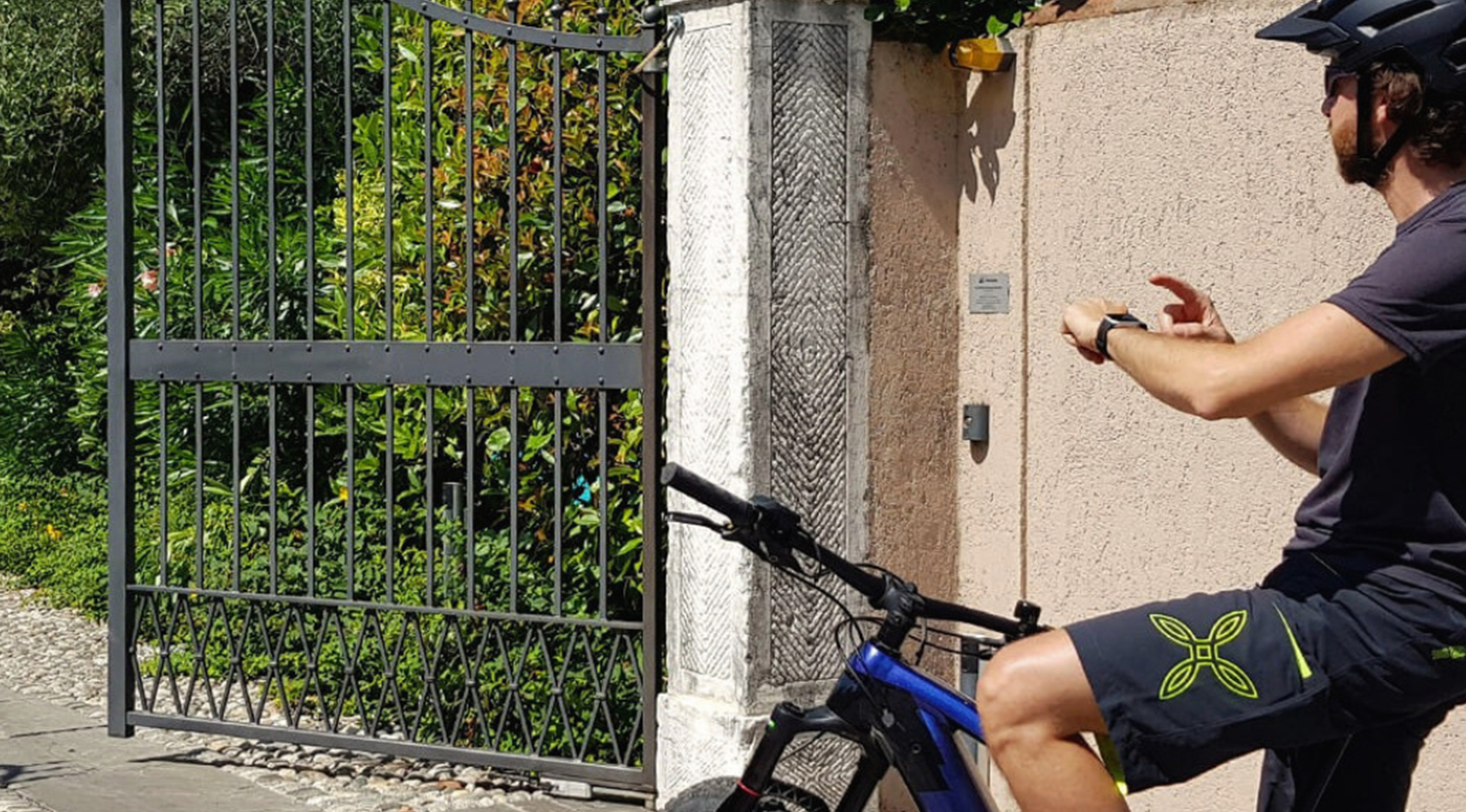
Short answer. Two clean paths, and they do not exclude each other. Put the opener on the phone with a Bluetooth bridge that copies your existing remote (1Control SOLO), or replace the lost handset with a universal physical remote (1Control WHY). Neither touches the gate's control board, and both keep your original remotes working.
- Choosing between the two physical models — 433-868 MHz or quartz 15-50 MHz — is covered in which universal gate remote to choose.
- The full smartphone setup, step by step, is in how to open a gate with your smartphone.
You walk up to the gate and the remote is gone. Maybe the battery is flat, maybe a family member took it out with their car, maybe it slipped out of a pocket on holiday. Whatever the reason, you cannot get in — and the original handset that the installer gave you years ago costs €40-€60 to replace, when the model is even still in production. The good news is that opening an automatic gate without the remote is no longer a workaround: it is the modern default, and you have two clean paths to choose from.
The first path uses your smartphone as a gate opener: a small Bluetooth device sits near the gate motor and replicates the original remote's radio signal whenever an authorised phone sends the open command from the free 1Control app. You install nothing on the gate's control board, you do not need an electrician, and one device covers everyone in the house. This is the role of 1Control SOLO. The second path replaces the lost remote with a universal physical handset that copies the original signal and behaves like any traditional opener — no app, no Wi-Fi, no internet. This is the role of 1Control WHY.
This guide walks through both paths, explains how a smart gate opener actually works (Bluetooth versus Wi-Fi, fixed code versus rolling code, what 800+ remote model compatibility really means), compares the smart options against the cheap supermarket universals that fail on modern gates, and ends with a step-by-step setup procedure plus a decision table you can use to pick the right device for your case.
Open the gate without the original remote: four real options
Forget the "lock yourself out" stories: today there are four clean, legitimate ways to open an automatic gate when you do not have the original remote in hand.
- Use your smartphone as the opener — install a small Bluetooth device near the gate (1Control SOLO), copy the original remote signal once, and from then on every authorised phone opens the gate.
- Use a universal physical remote — copy the original signal into a 4-button handset (1Control WHY) that lives in your pocket or car like any traditional opener.
- Open with a PIN, no app and no remote — install a smart keypad (1Control PAD) next to the gate so guests, cleaners or short-term renters open it just by typing a 6-digit code.
- Add remote internet access — pair the Bluetooth device with a small Wi-Fi bridge (1Control LINK) so you can open from anywhere, talk to Alexa or Google Home, and use CarPlay or Android Auto from the dashboard.
The three options are not mutually exclusive. Many households run SOLO for daily app-based control and keep a WHY in the car as a backup; many businesses pair SOLO with LINK so the cleaner can be let in remotely. The right combination depends on who needs to open the gate, how often, and from where. Before any choice, two practical reminders: any of these solutions is meant to be installed on a gate, garage, up-and-over door or barrier you own or are authorised to operate; and none of them changes the safety rules of your existing automation — they only change how the open command is sent.
Open the gate with the smartphone app
The most common modern setup is to turn the smartphone you already carry into a gate opener. Searches for "gate opener app", "open gate with phone app" and "smart gate opener" all describe the same use case: tap a button on the phone, the gate opens. The trick is that the phone does not actually transmit the radio signal — that is impossible on standard iPhone or Android hardware, which has no 433-868 MHz transmitter. What does the work is a small device installed near the gate that holds the copied signal and fires it when an authorised phone sends the command.
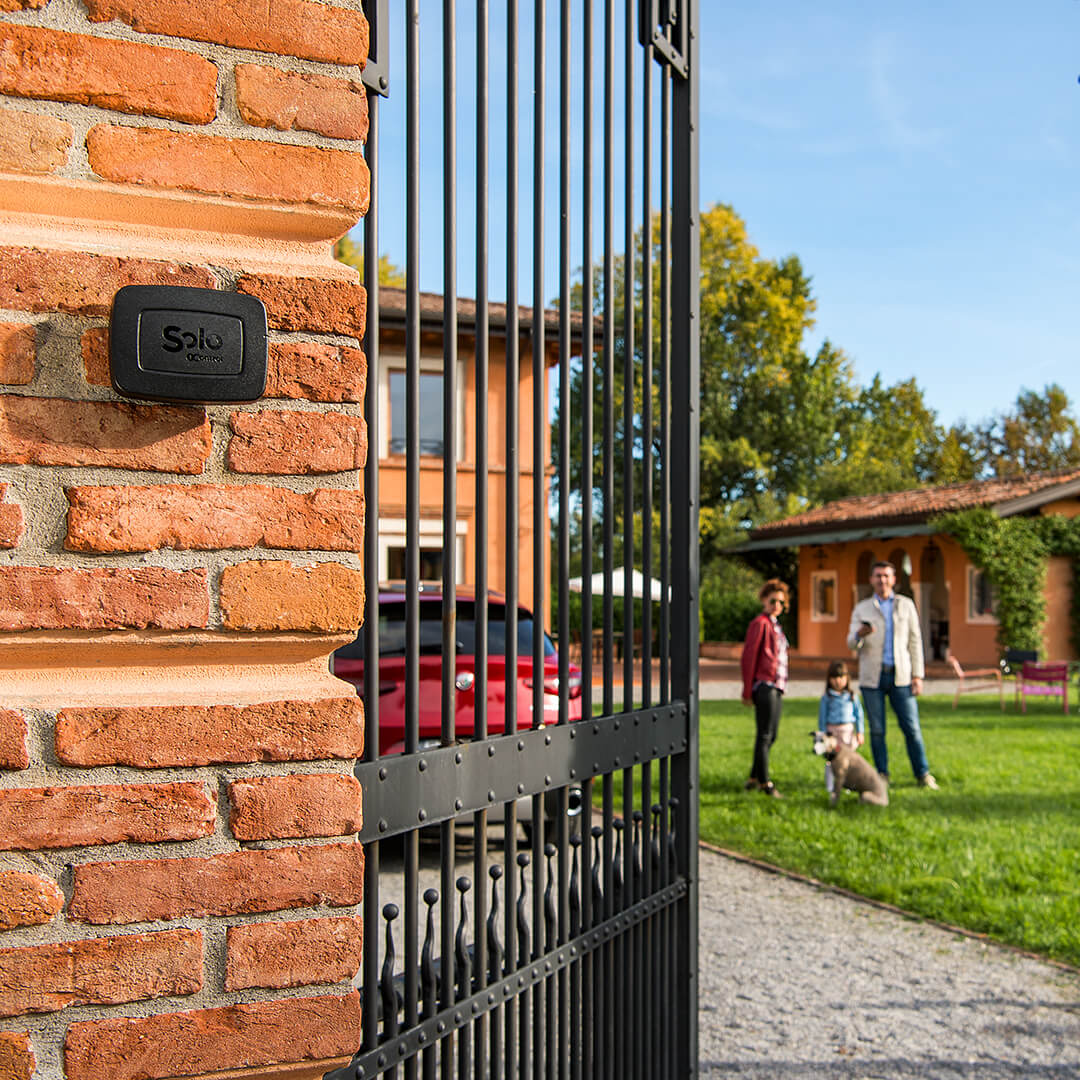
That device is 1Control SOLO: a patented, Italian-made Bluetooth gate controller that copies the signal of 800+ remote models and pairs with the free 1Control app on iOS and Android. The phone talks to SOLO over Bluetooth Low Energy; SOLO talks to the gate's receiver via the original remote's exact radio signal. The original remote keeps working, so adding SOLO does not deactivate any opener you already have.
iPhone or Android: same experience
The 1Control app is identical on iOS and Android. Sign-up runs on your phone number with an SMS one-time code — no email, no password to remember, no recurring subscription. The app also runs on Apple Watch and Wear OS, so a wrist tap opens the gate while you are still in the car. Voice opening through Siri, Google Assistant and Alexa is supported (Alexa requires the optional LINK accessory described later). CarPlay and Android Auto put a SOLO open-gate tile right on the dashboard.
Setup in under 10 minutes, no electrician
Adding SOLO does not require any wiring on the gate's control board. The device runs on two type C alkaline batteries (typically 2+ years at 10 openings a day), mounts near the motor with the included bracket, and is rated IP66 for outdoor weather exposure. The first-time setup runs through the app: pair SOLO over Bluetooth, hold your original remote next to it, press the remote button, and the signal is recorded in seconds. From then on, any phone you authorise becomes another opener — no extra hardware, no per-user fee for the first 10 users (additional users can be added with a one-off in-app purchase).
You can verify your gate or garage automation upfront with the 1Control SOLO compatibility checker: pick the brand of your remote (FAAC, Nice, Came, BFT, Hörmann, Somfy, Beninca, Cardin, Sommer, Avidsen and many more) and the configurator confirms whether SOLO can copy that model. This step prevents the most common "cheap universal remote" failure mode — buying a €5 supermarket clone, finding out it only handles fixed code, and discovering your modern gate runs on rolling code.
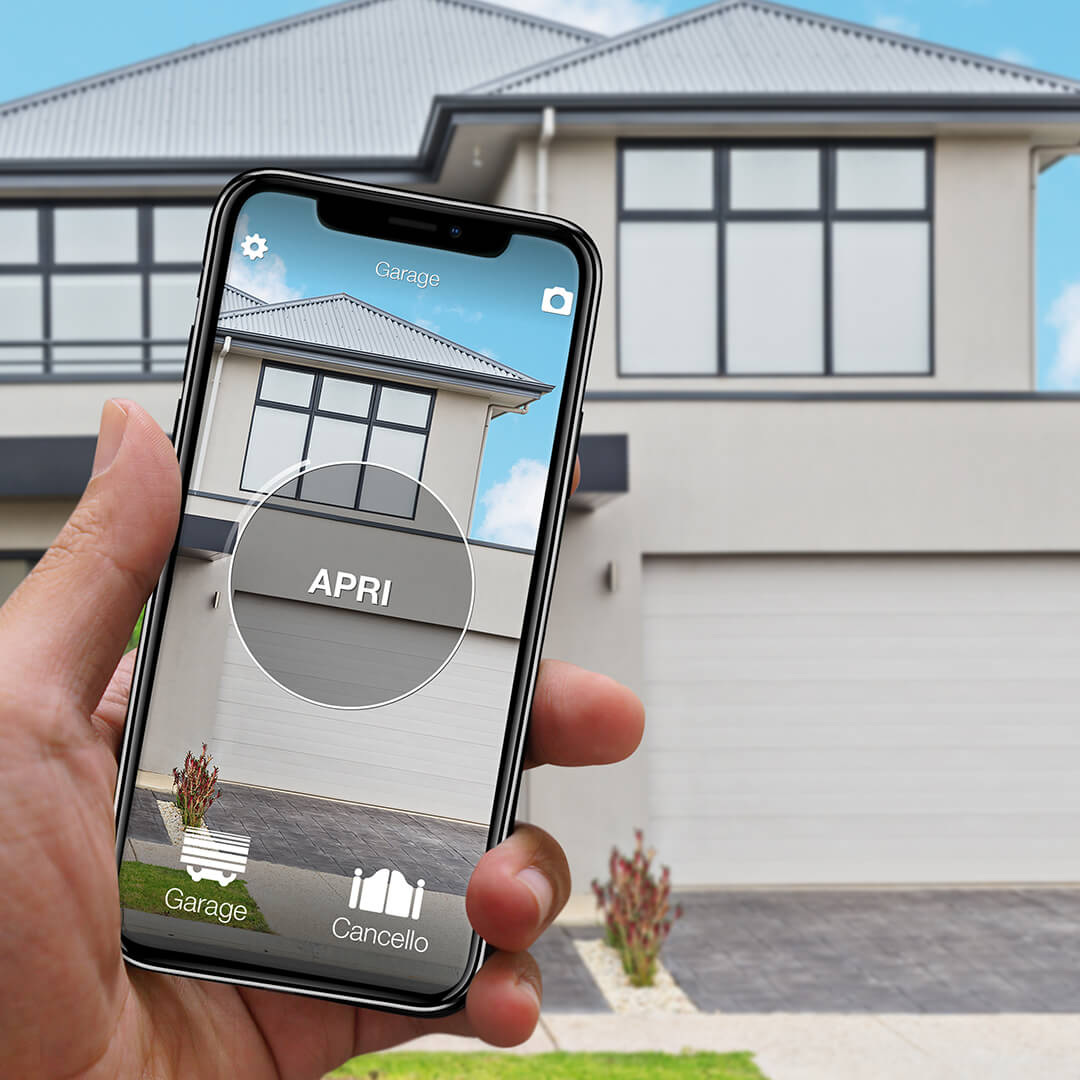
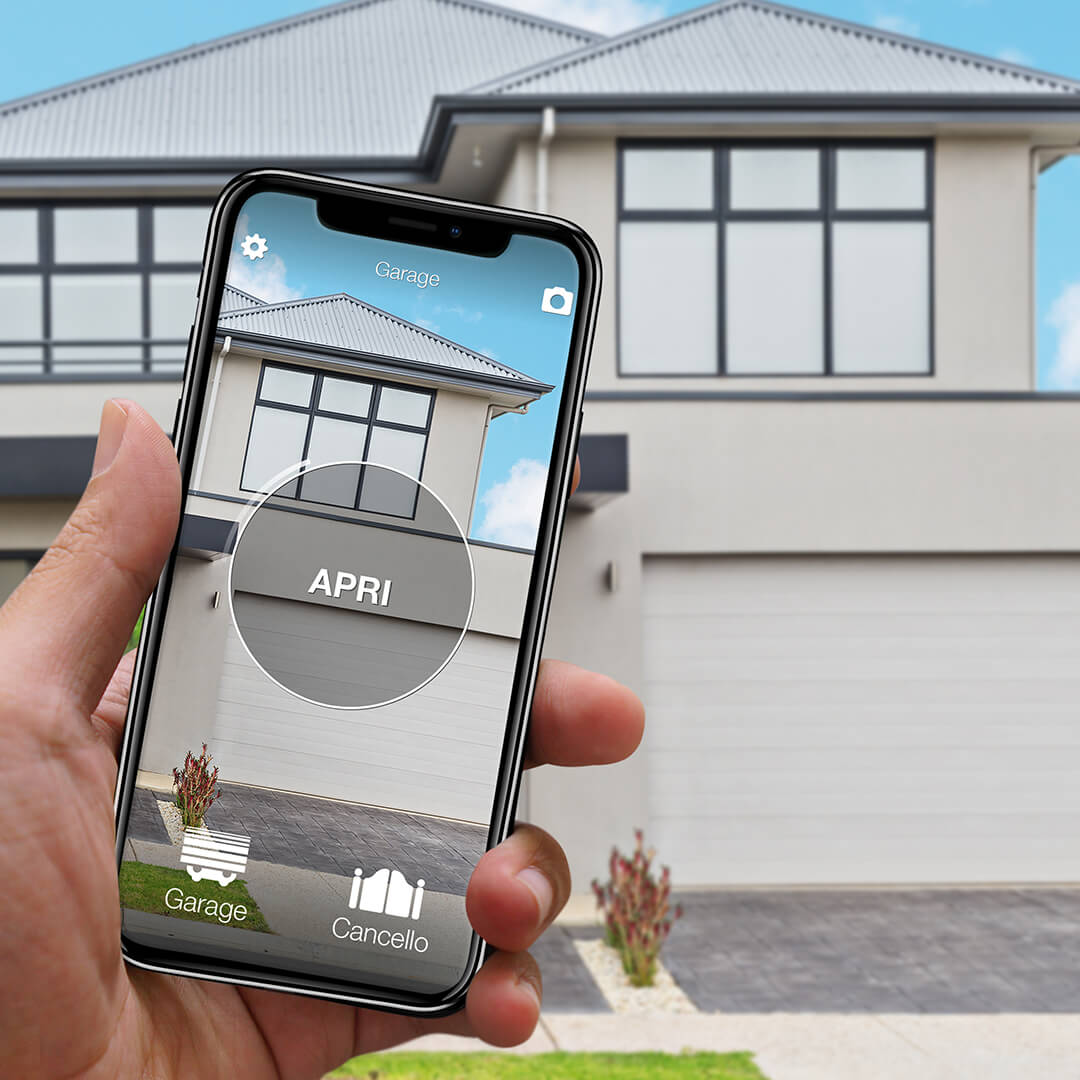
Check whether SOLO supports your gate remote
Choose the brand and model you already use. If it is compatible, you can continue directly to the correct SOLO product page.
139,00€ 109,00€ VAT included
- 1,500+ reviews on Amazon, Facebook and Trustpilot
- Secure payments
- 2-year warranty
Bluetooth gate openers: local control without internet
"Bluetooth gate opener" is the right phrase for what SOLO does day to day. Bluetooth Low Energy is the protocol that lets the smartphone and SOLO talk to each other directly, without any router, Wi-Fi network or internet connection in between. For a gate parked at the end of a long driveway, in a basement garage, or on a property where the Wi-Fi simply does not reach, this is a critical feature: the open command does not depend on a network being online.
Three points matter when comparing a Bluetooth gate opener to a Wi-Fi-only one:
- Speed and reliability. Bluetooth LE pairing is local and near-instant: the open command travels phone → SOLO → gate in under a second. A Wi-Fi-only opener has to round-trip through the cloud (phone → mobile network → cloud server → home router → device → gate), which adds latency and a single point of failure if the cloud is down.
- Privacy. A Bluetooth-only opener never sends your gate activity to a cloud. The open events are local. SOLO does record an access log inside the app, but it is stored against your account, not sold or sliced for analytics.
- Range and positioning. Phone-to-SOLO range is typically 15-20 metres in the open, less through reinforced concrete. SOLO is designed to be mounted close to the motor, so the signal reaches you wherever you usually open the gate from (the road, the driveway, the car). For longer reach, a 5-20 metre wired external antenna is available as an accessory.
SOLO comes in four variants tuned to different households and gate counts. The mini-table below summarises the differences so you can pick the right one without digging through the spec sheet.
| Variant | Users | Automations | Best for |
|---|---|---|---|
| SOLO MINI | 2 | 1 (extendable to 4 via a one-off in-app upgrade) | Single user, single gate, lowest entry price |
| SOLO standard | 10 | 4 | Family home with multiple entry points |
| SOLO EVO | 50 (up to 500 via upgrade) | 4 | Small offices, B&B, retail, condominium |
| SOLO AUTO | 1 (car-mounted) | 6 | Drivers managing multiple gates from the car (LINK not supported) |
If you are unsure which variant fits, start from the 1Control SOLO product page: the configurator helps pick by user count and automation count, and bundles with WHY or LINK are visible at checkout.
Wi-Fi gate openers: when you actually need one
"Wi-Fi gate opener" usually means one of two different things — and conflating them is the reason many buyers end up with the wrong product. The first meaning is "an opener I can trigger from anywhere over the internet". The second meaning is "an opener that uses Wi-Fi as its local radio". They sound the same, but the right hardware is not the same.
For the first meaning, the answer with 1Control is to keep SOLO as the device that talks to the gate, and add 1Control LINK as a small Wi-Fi bridge that connects SOLO to your home network. LINK plugs into a USB-C power supply inside the house (or in any sheltered indoor spot within Bluetooth range of SOLO), pairs to your 2.4 GHz Wi-Fi or Ethernet, and from then on the 1Control app can send open commands from anywhere with a data connection — across town, on holiday, from a different country. This is the right architecture for letting in a courier, a cleaner or a guest while you are out, or for adding voice assistants and dashboard integrations.
For the second meaning — a "Wi-Fi-only gate opener" with no Bluetooth at all — the trade-offs are usually worse. A Wi-Fi-only opener installed at the gate needs Wi-Fi coverage to actually reach the gate, often a separate power supply, and breaks immediately if the home router is down. The Bluetooth-plus-LINK architecture keeps the gate side battery-powered and offline-capable, with the Wi-Fi part safely indoors near the router.
Voice assistants, CarPlay and Android Auto
Once LINK is installed, the SOLO ecosystem adds:
- Amazon Alexa — "Alexa, open the gate" with a voice PIN if you want the extra security layer.
- Google Home — same flow, integrated through the 1Control Action.
- Apple Siri shortcuts — Siri can trigger an open command from anywhere, not just within Bluetooth range.
- Apple CarPlay and Android Auto — gate, garage and barrier tiles right on the dashboard.
- Multi-device hub — one LINK can control up to 5 SOLO/DORY/LOCO devices in the same property (typical 25 m Bluetooth range).
Apple HomeKit, Matter and Home Assistant are not supported at the time of writing; the LINK product page lists current and upcoming integrations.
Smart vs traditional gate openers
"Smart gate opener" is a marketing umbrella that covers very different products: aftermarket smart relays, OEM Wi-Fi modules sold by gate brands, smartphone-app openers like SOLO, and replacement smart receivers. They look similar in a search result but they are not interchangeable. The table below lays out the trade-offs across the four most common categories.
| Criterion | 1Control SOLO (+ LINK) | OEM extra remote | OEM Wi-Fi module | Generic smart relay |
|---|---|---|---|---|
| Install difficulty | None on the gate (battery, Bluetooth) | None — it is just another remote | Wires onto the control board (electrician) | Wires into the gate motor circuit |
| Internet on the gate | Not required (Bluetooth local); LINK adds Wi-Fi indoor | Not required | Required at the gate | Required at the gate |
| Multi-user sharing | 10-500 users, time windows, log, revoke remotely | 1 per remote | Often capped, weak sharing UX | Often capped, varies by app |
| Compatibility scope | 800+ remote models, fixed and rolling code | Tied to one gate brand | Tied to one gate brand | Generic dry-contact, ignores radio |
| Battery / power | 2+ years on alkaline C cells | Coin cell, lasts years | Mains | Mains |
| Privacy default | Local Bluetooth, cloud opt-in via LINK | No data | Always cloud | Usually cloud |
| Voice / dashboard | Alexa, Google Home, Siri, CarPlay, Android Auto (with LINK) | None | Limited to brand app | Varies |
| Original remote stays active | Yes | Yes | Yes | Yes |
The gate-controller market is fragmented because gate motors are: dozens of brands (FAAC, Nice, Came, BFT, Hörmann, Somfy, Beninca, Cardin, Sommer, Avidsen and counting), most of which sell their own branded remotes and Wi-Fi accessories that only work on their own automations. SOLO sits at a different layer: instead of replacing the receiver, it copies the radio signal that the receiver already trusts. That is why one SOLO can serve a multi-brand setup — driveway gate from one brand, garage from another, courtyard barrier from a third.
Universal remote: the no-app alternative
The smartphone path is not for everyone. Older relatives, kids who do not have a phone yet, second drivers of the family car, motorbike riders who do not want to fish a phone out of a pocket in the rain — for all these cases, what is actually needed is just another remote. A physical handset that copies the original signal and works exactly like the opener you have always used. That is the role of the universal gate remote.
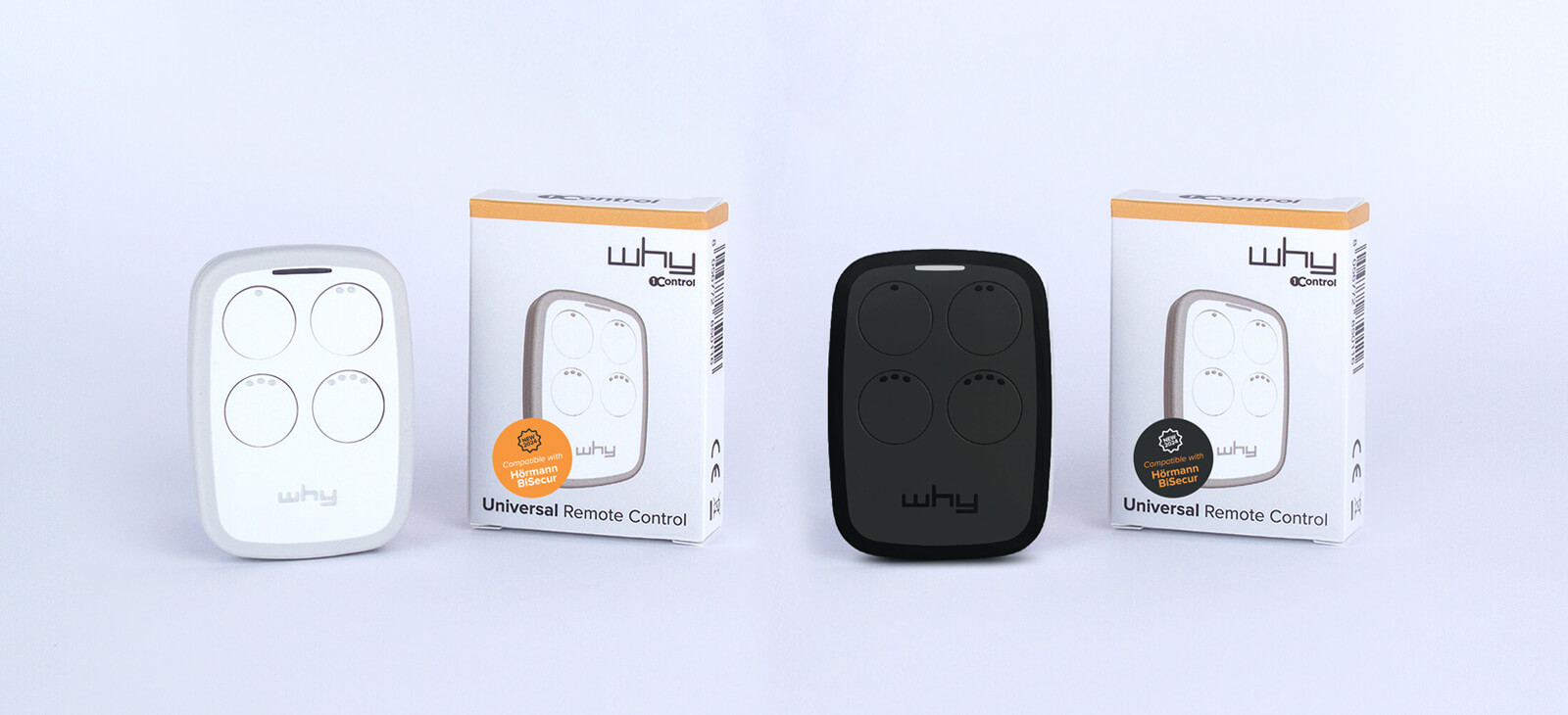
1Control WHY is a 4-button universal remote built in Italy that copies fixed-code and rolling-code remotes in the 433-868 MHz band, supporting 800+ models. Each of its four buttons can store a different opener, so a single WHY can replace four separate remotes — typical case: driveway gate + pedestrian gate + garage door + courtyard barrier, all in one pocket-sized handset that runs on a CR2032 coin cell (widely available, replaceable in seconds).
The reason WHY is worth more than the €5 universals on the supermarket shelf is the rolling-code support. Cheap universals only copy fixed code, which is what gates installed up to the early 2010s used. Anything installed in the last 10-15 years is almost certainly rolling code — KeeLoq, AES, brand-specific dynamic protocols — which a fixed-code universal cannot reproduce. WHY handles both. That is also why WHY is a sensible physical backup even for households that already use SOLO: keep one in the glove box, and a flat phone battery never becomes a locked-out gate.
If you only need a physical replacement for a lost or out-of-production remote, WHY is usually the most pragmatic choice. If you want digital sharing, time windows and access logs, the smartphone path with SOLO is the right one. Many 1Control customers buy both: SOLO as the daily driver, WHY in the car for the rare day the phone is dead.
PAD: open the gate with a PIN, no app and no remote
There is a third path that the smartphone-vs-handset debate often misses: a smart keypad. 1Control PAD is a battery-powered, weatherproof keypad that mounts near the gate, garage, up-and-over door or barrier and opens the automation when an authorised person enters a 6-digit PIN. Just like SOLO, PAD copies the original remote signal — no wiring to the control board, no electrician, no internet at the gate. Unlike SOLO, the person opening does not need a smartphone at all.
Three use cases make PAD the right tool out of the box. First, short-term rentals and B&Bs: the guest receives a code, self-checks in, and the code expires automatically on the checkout day — no key handoff, no app install, no in-person meeting. Second, cleaners, gardeners and recurring contractors: each person gets a personal PIN with time windows ("Tuesdays 9-12 only") and the admin sees who came in and when, against the same access log used by SOLO. Third, older relatives, kids and one-off guests who struggle with apps or simply do not want them: four digits stay easier than unlocking a phone.
PAD supports up to 1000 distinct PINs with the same time-window controls as the app shares, manages itself from the admin's 1Control app in minutes, and works alongside SOLO/DORY/LOCO in the same account and same audit log. It is the pragmatic answer whenever distributing the app to every visitor is the wrong shape of solution.

Sensors and accessories for smart gate setups
Once the basic open-the-gate-with-the-phone problem is solved, a typical smart gate setup grows around three accessory categories — and "sensor gate" search traffic shows that buyers actively look for the pieces that make the system more than a one-trick remote replacement.
- External antenna for SOLO — a 5 m or 20 m weatherproof cable antenna that extends the Bluetooth reach when SOLO has to be mounted inside a metal box, in a basement, or far from the usual opening point.
- Magnetic open/closed sensor — a third-party reed sensor wired through the SOLO inputs that tells the app whether the gate is currently open or closed. Useful for "did I leave the gate open last night?" peace of mind.
- Multi-device LINK hub — one LINK can act as the bridge for up to 5 SOLO/DORY/LOCO devices in the same property, so you can manage a driveway gate, a front door smart lock, and a bike-shed padlock all from the same app and same internet bridge.
For property managers, the sensor side is often more interesting than the remote replacement side. Knowing when the gate was opened, by whom, and whether it is currently closed is what turns a smart opener into a basic access-control system. SOLO's access log gives the first half of that out of the box; gate-position sensors close the loop.
Sharing access with family, staff and guests
This is the feature that physical remotes simply cannot match. With a traditional opener, every additional person needs an additional handset: ordered, programmed onto the control board, paid for, handed over, and — if the relationship ends — physically retrieved or invalidated through the control unit. With SOLO and the 1Control app, the unit of access is a phone number on a list. Add it, set the rules, revoke it. No hardware moves.
For each person you authorise, the app lets you configure:
- Permanent or time-bounded access — give the gardener access only during June, the cleaner only on Tuesdays and Fridays, the courier only between 8 a.m. and 6 p.m.
- Per-automation permissions — let the building manager open the courtyard barrier without giving them access to your private garage.
- Instant remote revocation — fired contractor, lost phone, ended rental: tap revoke in the app and access disappears immediately.
- Audit log — see who opened which automation, when, from which phone.
For B&B owners, short-term rental hosts, small offices and retail businesses, this changes how access is run end-to-end. The gate stops being a thing where you keep handing out and chasing back physical copies, and becomes something you operate like a digital service — without changing anything on the gate motor itself.
Compatibility: will it work on my gate?
The honest answer for any gate-opener product is "almost always, but check first". For SOLO and WHY the supported list covers 800+ remote models in the 433-868 MHz band, including all the major brands — FAAC, Nice, Came, BFT, Hörmann (including most BiSecur models), Somfy, Beninca, Cardin, Sommer, Avidsen — and both fixed-code and rolling-code chips (HCS, MM53200, PT2262, SC2260, EV1527 on the fixed-code side; KeeLoq, AES and brand-specific dynamic protocols on the rolling-code side).
A small number of recent proprietary protocols are intentionally non-clonable — for example some Hörmann BiSecur Smart-Pairing models and certain installer-personalised FAAC receivers. In those cases, no universal remote on the market can copy the signal, and the only path is to program a brand-new dedicated remote on the control board. Quartz-based remotes in the 15-50 MHz band are also outside the supported range, but those are very rare in modern installations.
The pragmatic check before any purchase is the compatibility configurator: pick your remote brand and model, and the page tells you whether SOLO supports it. Same logic applies to WHY through the WHY compatibility page. This 30-second check saves the disappointment of buying a generic universal and discovering it cannot reach your gate.
Made in Italy, patented, privacy-first
Three positioning points often get lost in the smart-gate noise but matter for buyers who care about more than the lowest price tag.
Made in Italy and patented. SOLO, WHY, DORY and PAD are designed and built in Italy under 1Control patents. Hardware service, replacement parts and warranty handling stay inside the EU, which avoids the long-tail support gap that often comes with cheap imported gate gadgets sold under three different brand names on the same online marketplace.
Device-first, no-cloud-by-default. SOLO works fully offline over Bluetooth: the app on your phone talks to the device near the gate without going through any cloud. Cloud features are opt-in via LINK. This is the opposite of the architecture used by many "smart" gate openers that require cloud connectivity even for the local open command — meaning a cloud outage can lock you out of your own driveway. SOLO has no such failure mode.
One app for the whole 1Control ecosystem. The same 1Control app manages SOLO (gates), DORY (front-door smart lock), LOCO (smart padlock), PAD (PIN keypad) and LINK (Wi-Fi bridge). User management, sharing rules, access logs and notifications are unified — so adding a smart lock later does not mean installing yet another app.
How much does a smart gate opener cost?
Pricing varies by region and by promotional bundle, so the live figures live on each product page. Every 1Control device is a one-off purchase, with no subscription on any variant — SOLO standard, EVO, MINI and AUTO, plus WHY and LINK. The 1Control app is free on iOS and Android, the first 10 SOLO users are included, additional users and extra SOLO MINI automations are one-off in-app purchases. There is no monthly subscription on any 1Control product — features paid once stay paid.
The hidden costs that smart gate openers usually avoid are worth flagging too: no electrician (Bluetooth, no wires on the control board), no separate Wi-Fi module purchase (LINK plays that role optionally), no mandatory cloud subscription, no per-user fee for normal household sizes, no replacement of the original remote. The total cost of "make the gate open from my phone" usually lands at the SOLO price plus a few minutes of setup.
Frequently asked questions
Can I open my gate with my phone without a remote control?
Yes — install a small Bluetooth device like 1Control SOLO near the gate motor, copy the original remote signal once with the free 1Control app, and from then on every authorised phone opens the gate. SOLO talks to the gate using the same radio signal as the original remote, so the gate's control board does not have to be touched. The original remote keeps working too.
Does 1Control SOLO need Wi-Fi to work?
No. SOLO talks to the smartphone over Bluetooth Low Energy and to the gate over the original remote's radio frequency — neither uses Wi-Fi. The gate side is fully offline. Wi-Fi only enters the picture if you add the optional LINK accessory, which acts as a bridge so you can open the gate from anywhere over the internet, talk to Alexa or Google Home, and use CarPlay or Android Auto.
Will SOLO work with my old gate remote?
Almost certainly yes. SOLO supports 800+ remote models on the 433-868 MHz band, including all major brands (FAAC, Nice, Came, BFT, Hörmann, Somfy, Beninca, Cardin, Sommer, Avidsen) and both fixed-code and rolling-code chips. A handful of recent proprietary protocols (some Hörmann BiSecur Smart-Pairing models and certain installer-personalised FAAC receivers) are non-clonable on purpose. The compatibility configurator on the SOLO product page tells you in 30 seconds whether your specific model is supported.
What happens to my gate access if my phone battery dies?
Two backups. First, the original remote keeps working — copying it onto SOLO does not deactivate it. Second, many SOLO users keep a 1Control WHY universal remote in the car as a physical backup, exactly for the dead-battery scenario. WHY is a 4-button handset that copies the same 800+ remote models and runs on a CR2032 coin cell, so it never depends on the phone.
Can I open the gate from anywhere in the world?
Yes, with the LINK accessory. SOLO alone gives you Bluetooth opening within ~15-20 metres of the gate. Add LINK indoors near your router, and SOLO becomes reachable through the 1Control app from anywhere with a data connection. This is the right setup for letting in a courier or a cleaner remotely.
Can I share access without giving out my password?
Yes. The 1Control app lets you authorise other people by phone number. They install the free 1Control app, sign up with their own number, and you grant them access from your account. You never share a password. You can configure permanent or time-bounded access, restrict to specific automations, and revoke access instantly.
Does it work with rolling-code remotes?
Yes. Both SOLO and WHY copy rolling-code remotes (KeeLoq, AES and brand-specific dynamic protocols) as well as fixed-code remotes. This is the main reason 1Control products work with the vast majority of gates installed in the past 10-15 years, where cheap supermarket universals — limited to fixed code — typically fail.
How long do the batteries last?
SOLO runs on two type C alkaline batteries that typically last more than 2 years at 10 openings a day. WHY runs on a CR2032 coin cell that lasts years. The 1Control app shows battery status for SOLO so you can plan replacement before it runs out, and the gate's original remote always remains as a backup.
Is the 1Control app free?
Yes. The 1Control app is free on iOS and Android, runs on Apple Watch and Wear OS, and integrates with Siri, Google Assistant, Alexa, CarPlay and Android Auto. There is no subscription. The first 10 users on a SOLO are included; additional users can be added with a one-off in-app purchase.
Can I use voice assistants like Alexa or Google Home?
Yes, with the LINK accessory. LINK bridges SOLO to your home Wi-Fi or Ethernet, which enables voice commands through Amazon Alexa, Google Home and Apple Siri, plus dashboard tiles in CarPlay and Android Auto. Without LINK, SOLO is limited to local Bluetooth opening from a paired phone or smartwatch.
Pick your path
Three clean defaults work for almost everyone. If you want the most flexible setup — multi-user sharing, time windows, instant revocation, voice assistants, dashboard integration, remote opening from anywhere — start with SOLO, and add LINK the day you actually need remote internet access. If you only want a physical replacement for a lost remote, or a backup that does not depend on a smartphone, start with WHY. If your scenario is "people who do not have the app need to open" — B&B guests, cleaners, occasional visitors — add PAD, the smart keypad with a 6-digit PIN. Many households end up running more than one: SOLO as the daily driver, WHY in the glove box, PAD on the gate post for guests. Either way, opening the gate without the original remote is no longer a workaround — it is the modern default.