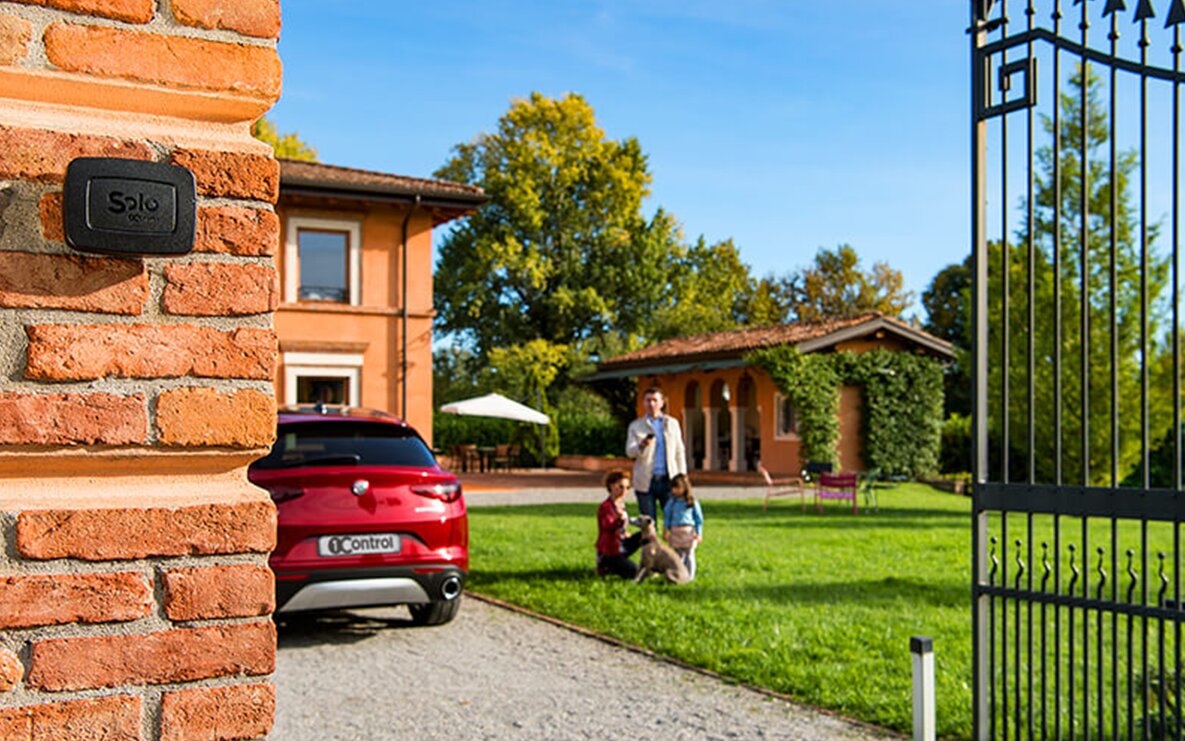
In short: a smart home does not have to begin with a full installation, wiring or building works. The most useful first step is making one access you use every day smarter — the driveway gate, the garage, the front door or the padlock on the shed — with a Bluetooth device that typically adds to what you already own and, for local use, works even without the internet.
If you are starting from scratch, the right question is not "which smart-home system should I install?" but "which problem do I want to solve first?". Do you want to open the gate with your phone? Do you want to give temporary access to a family member, a guest or a contractor? Do you want to control the front door without replacing the whole lock? In all of those cases the 1Control ecosystem lets you start in a modular way, without changing the gate controller, pulling cables or locking yourself into a single installation.
Want to start with the simplest step? Take a look at 1Control SOLO to open gate and garage from your smartphone, or 1Control DORY if the first access you want to make smart is your front door.
This guide explains what "smart home" really means for someone just getting started, which devices to evaluate first, what costs to expect, and how to avoid the most common mistake: buying a pile of disconnected smart products that solve very little and make daily life more complicated.
What "smart home" really means — in plain terms
In everyday language, "smart home" gets used for anything that can be controlled from a phone or that behaves automatically. In a stricter sense, traditional home automation is a structured installation: a central controller, cabling, scenes, technical configuration and often a project planned before or during a renovation.
A modern smart home is far more modular. It does not start from the wiring; it starts from the devices: a smart gate opener, a smart lock, a hub for remote control, a PIN keypad, a Bluetooth padlock. Each element solves one specific problem and can be added when it is actually needed.
For a beginner this distinction matters. If you are renovating a house from scratch and you want to integrate lighting, climate, blinds, alarm and complex scenes, a full home-automation system can make sense. If you simply want to improve how you enter your home, your garage or a short-let property, starting with dedicated smart devices is faster, less invasive and much easier to manage.
Where to start when you own nothing yet
The best place to start is from the access you use most often or from the problem that bothers you the most. For many homes that means the gate or the garage: the remote runs flat, gets forgotten, breaks, or needs to be duplicated for every family member. For others the pain point is the front door: guests, children, cleaners or short-stay rentals all demand more flexible key management.
A practical roadmap to begin a smart home looks like this:
- Make one daily access smart — usually the gate or the front door — because that is where the benefit is felt immediately.
- Check compatibility with what you already have: the existing gate remote, the European cylinder of the door, the distance between devices and your phone.
- Add remote control only if you really need it. Not everyone needs to open from far away, but people who manage guests, contractors or short lets usually do.
- Consolidate inside a single app, avoiding separate products that each demand their own account and interface.
The strength of a modular approach is that you can stop the moment your problem is solved. You do not have to buy everything at once, and you do not have to turn your home into a building site.
First step: making the gate or garage smart
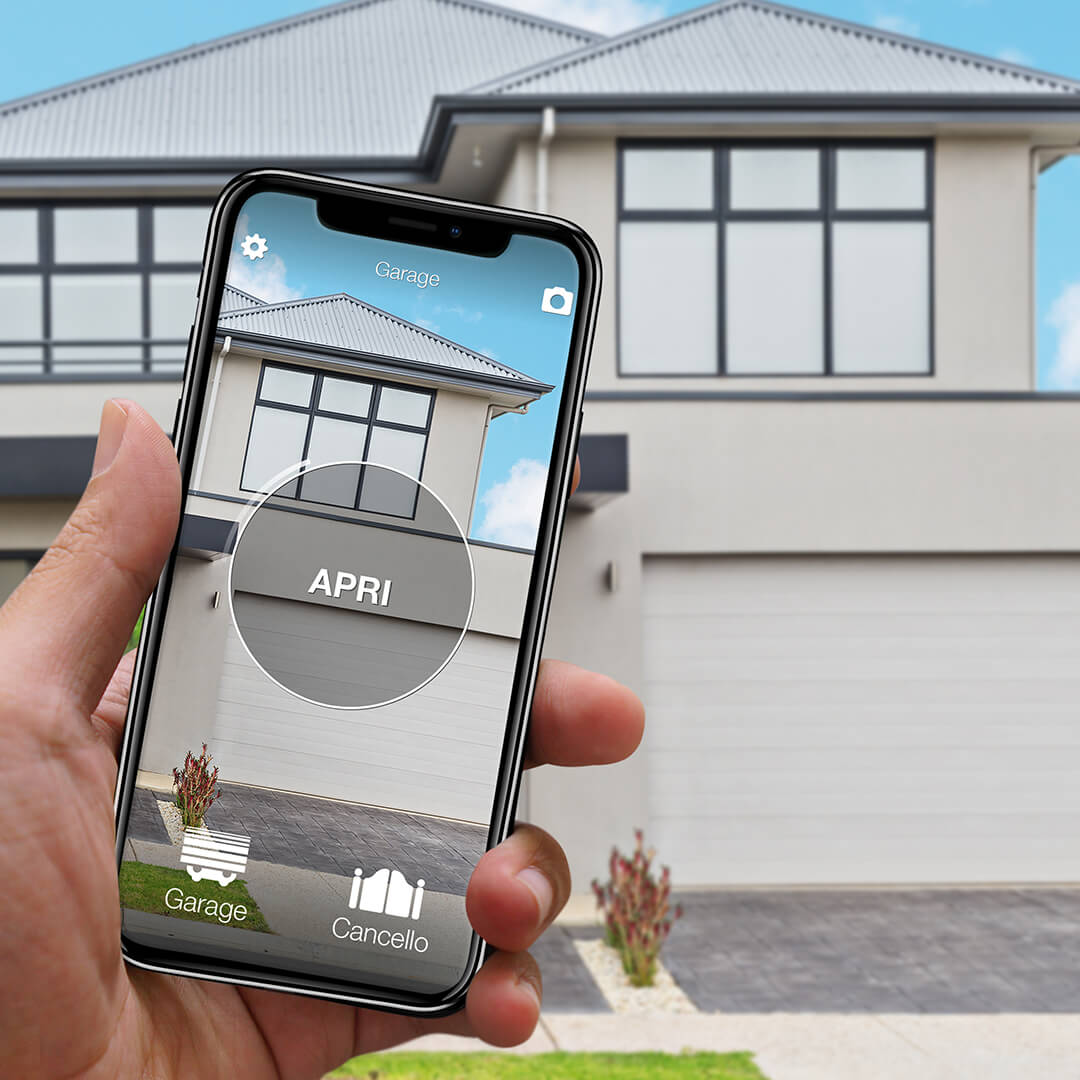
For most people, the easiest way into a smart home is to replace the gate remote with a smartphone. 1Control SOLO is built for exactly this: it is a Bluetooth smart gate opener that copies the signal of your original remote and replays it when an authorised user sends the command from the 1Control app.
The practical difference compared to generic add-on modules is concrete: SOLO is not wired into the gate controller, needs no cabling and does not require an electrician in the standard setup. It runs on type-C alkaline batteries with an average life of about two years, and talks to the smartphone over Bluetooth Low Energy. For local opening, no internet connection is needed.
SOLO is compatible with more than 800 remote models, both fixed-code and rolling-code. Before you order it is still worth checking your specific model — the device works by copying the existing remote, so compatibility matters. Once the signal is copied, your original remote keeps working: the smartphone is added alongside, it does not replace what you already use. If you want to dig deeper, there is a dedicated guide on smart gate openers and a practical walk-through on how to open the gate with your phone without a remote.
Want to open your gate from your phone?
Check in seconds whether your system is compatible with 1Control SOLO: it fits existing gates and garage doors, one-off purchase, no subscription.
139,00€ 109,00€ VAT included
- 1,500+ reviews on Amazon, Facebook and Trustpilot
- Secure payments
- 2-year warranty
Second step: making the front door smart
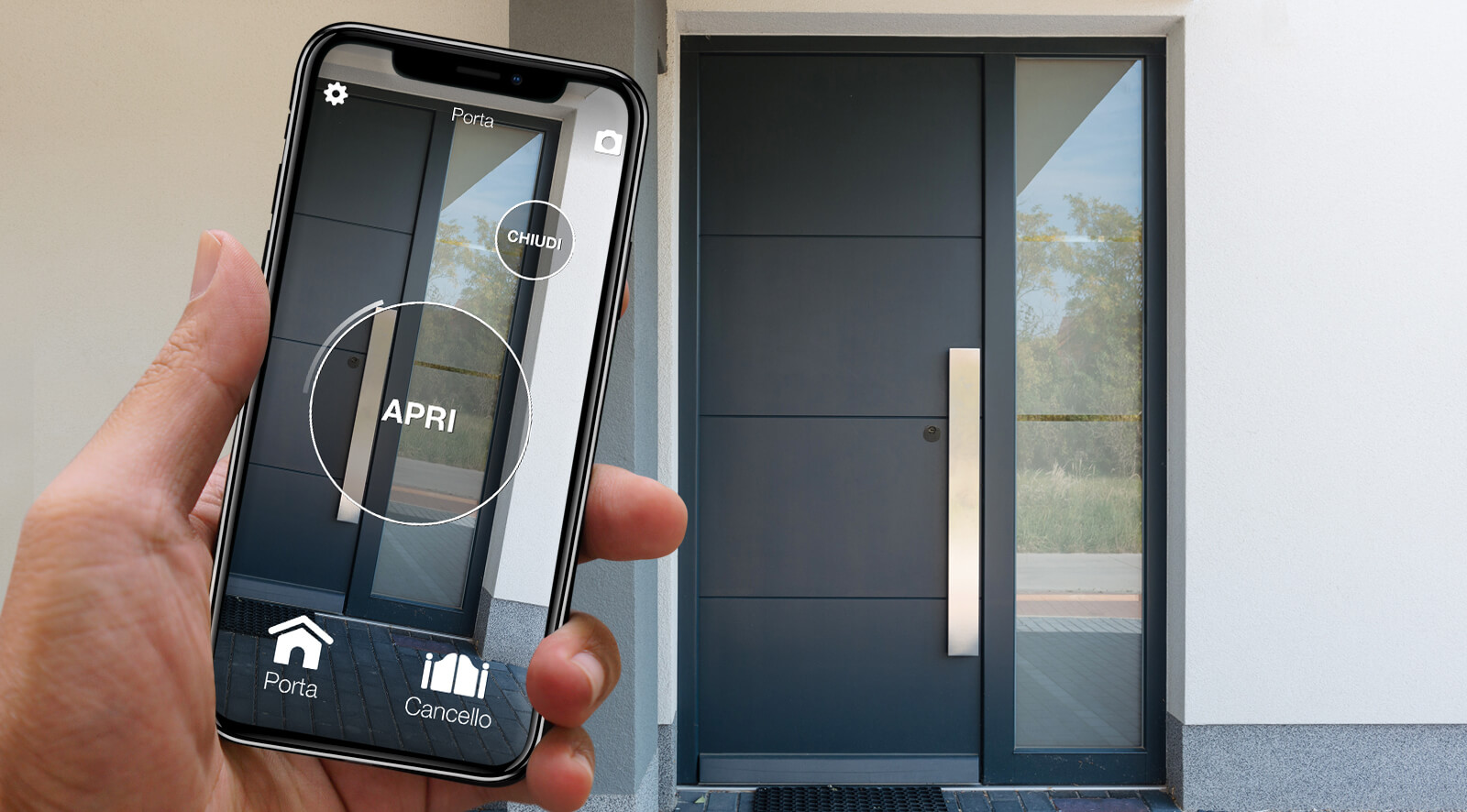
The front door is the second natural step of a smart home for everyday living. Here the problem is not just "opening with the phone" — it is keeping the security, the daily routine and a solution acceptable to every member of the household. A smart lock that locks you out when the batteries die, or that buzzes loudly every time the motor turns, quickly turns into a daily irritation.
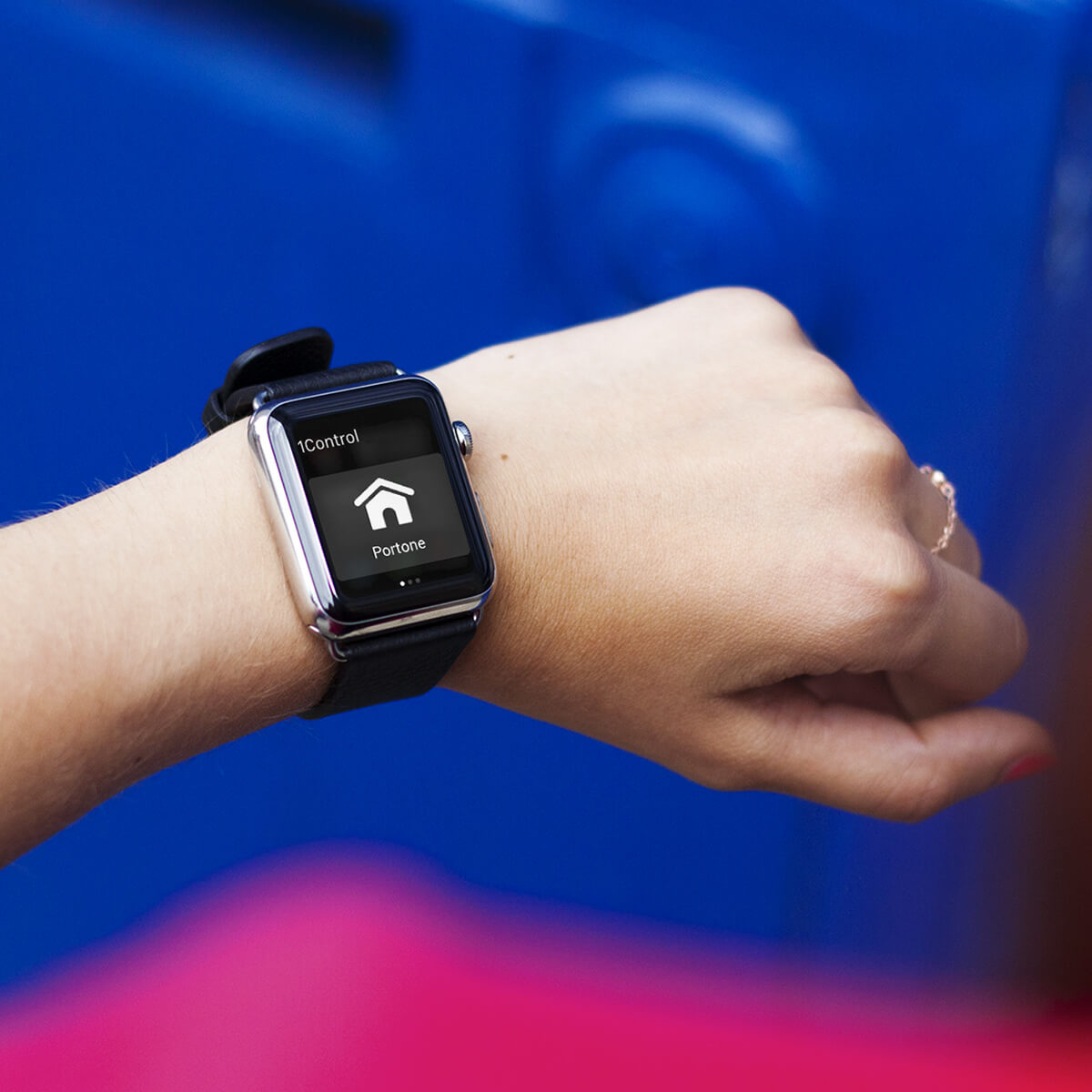
1Control DORY is designed with a different approach: it integrates a high-security European cylinder, opening from smartphone and smartwatch, and — crucially — a traditional mechanical key as a permanent backup. If the batteries run flat, the door still opens with the standard key. That is a decisive point for anyone who wants to introduce a smart lock without giving up familiar, predictable behaviour.
DORY runs for about one year on its batteries — significantly longer than the typical one-to-three-month figure of motor-on-the-key smart locks — and it is engineered to be quiet. It does not require structural changes to the door: the only check needed is on the cylinder type and dimensions. For a wider overview, the dedicated smart lock buyer's guide covers ecosystem, total cost and risk in more depth. Mechanical key, long-life battery and Made-in-Italy build are the three things that distinguish DORY in a market crowded with white-label devices.
Padlocks, keypads and shared access — the small upgrades that matter
Once the gate and the front door are smart, a beginner smart home can extend to secondary accesses. One example is 1Control LOCO, a Bluetooth smart padlock recharged over USB-C, well suited to bikes, scooters, lockers, cellars and shared spaces. It opens from the app and lets you manage who can use it without duplicating physical keys. A single full charge is good for hundreds of openings.
Another common case is access by PIN code. 1Control PAD is a wireless smart keypad that can drive gates, garages, overhead doors and barriers via a secret code. It is the right tool when you do not want to force everyone to use a smartphone: occasional guests, contractors, older relatives or shared building accesses often prefer a simple PIN.
The thread running across the 1Control ecosystem is user management. From the app the administrator can create free shares to other people, setting start date, expiry and time windows. This is what turns a smart home from a "gadget" into a real tool: it is not only about opening with your phone, it is about deciding who can enter, when, and from which access.
Smart home in rentals, apartments and homes you do not own
One of the most common worries when people consider a smart home is the fear of having to change things that already work. In a lived-in home you do not always want to chase walls, replace gate controllers or juggle electrician, locksmith and building manager. In a rented home structural work is usually off-limits altogether. In a shared building it is even more delicate, because the gate or the garage may be shared with other residents.
A system that works on top of existing accesses is much easier to adopt. SOLO copies the compatible remote and does not disable the other remotes that still circulate. DORY focuses on the door cylinder and keeps the mechanical key. PAD adds a PIN with no wiring on the gate controller. LINK stays optional and is only needed when you want remote control or smart integrations. No drilling, no cabling, no installer required for the standard cases.
The result is a progressive smart home: you can improve the way you enter and leave without imposing the same change on everyone else. People who prefer a smartphone use it, anyone who wants to keep using a remote or a metal key can do so, and the administrator of the device keeps full control of the shares.
Quick comparison: which access to make smart first
The table below helps you choose the first step based on the real need, without buying devices you will not use.
| Need | 1Control solution | Why start here |
|---|---|---|
| Open gate or garage from a smartphone | SOLO | No cabling, works locally over Bluetooth, the original remote keeps working |
| Manage the front door | DORY | Smart lock with mechanical key backup, long battery life and quiet operation |
| Open an access with a PIN code | PAD | Convenient for guests, contractors and people who do not want to use an app |
| Protect bikes, lockers or shared spaces | LOCO | Rechargeable Bluetooth padlock, managed from a smartphone and easy to share |
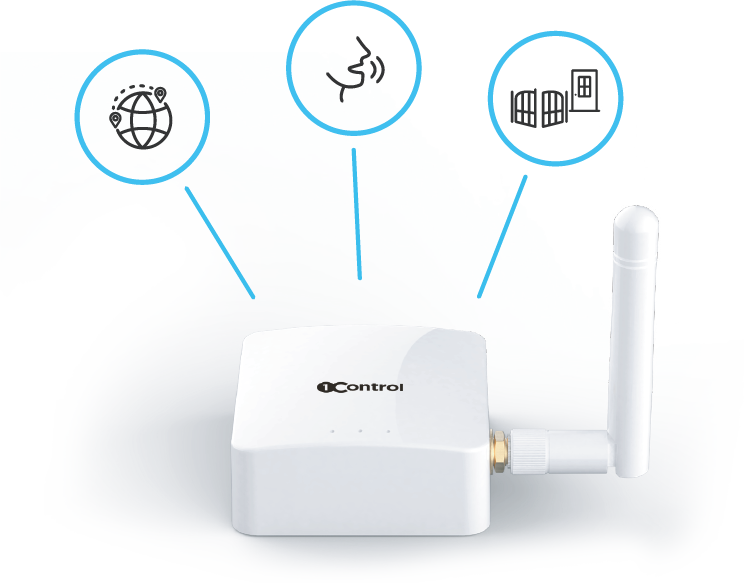
| Open from far away or use voice assistants | LINK | Wi-Fi / Ethernet bridge to Bluetooth LE for remote control and smart integrations |
When to add remote control with LINK
Not everyone needs remote control from the start. If you open the gate only when you arrive in front of it, or the door only when you are already on the doorstep, local Bluetooth is enough. Remote control over the internet becomes relevant when you need to open from far away: parcel deliveries, short-let guests, family members without keys, technicians, suppliers, or business accesses.
1Control LINK is the bridge between your home or office network and the 1Control devices. It connects to the internet over Wi-Fi 2.4 GHz or wired Ethernet, then talks to SOLO, DORY and LOCO over Bluetooth Low Energy. This detail is important: LINK is not a Wi-Fi device on its own and does not turn your accessories into Wi-Fi-only products. It adds an optional remote layer on top of the local Bluetooth behaviour, without replacing it.
With LINK you can open from far away and use integrations such as Amazon Alexa, Google Home, Siri Shortcuts, Apple CarPlay and Android Auto where supported. Before installing it, two conditions are worth checking: a stable network in the spot where LINK will sit, and a reasonable distance to the 1Control devices — typically within about 25 metres in clear line of sight, less when walls and obstacles get in the way.
What it really costs to get started
The cost depends on what you want to make smart. The advantage of a modular system is that you do not pay upfront for a full installation. You can start with a single device, see whether it solves the daily problem, and add the rest only when it makes sense. There is no monthly subscription on the core devices: 1Control is a one-off hardware purchase, and the app is free.
Before you order, three practical checks are worth doing:
- Gate or garage compatibility: identify the original remote and check whether it is among the models supported by SOLO or PAD.
- Door compatibility: check the cylinder type, dimensions and door configuration before choosing DORY. The online compatibility tool walks you through the measurements.
- Distance and network: think about where each device will sit, whether local Bluetooth is sufficient and whether LINK would have a stable signal for remote control.
These checks prevent the wrong purchase. A smart home done well is not a race to add devices: it is a sequence of coherent choices that match how you actually live — how you enter, who needs access, where you want to control from and how much you want to depend on the internet.
Frequently asked questions
Do I need Wi-Fi at home to use a smart home?
For local opening, no. 1Control SOLO, DORY, PAD and LOCO all work over Bluetooth Low Energy when your smartphone is near the device. Wi-Fi only comes into play when you want remote opening, voice assistants or cloud notifications through LINK. A beginner smart home can start with no internet involved at all.
Can I install a smart home myself, or do I need an electrician?
For 1Control devices, in the standard setup you can install everything yourself. SOLO and PAD mount with adhesive or screws and use batteries — no wiring to the gate controller. DORY is a Euro cylinder swap, about ten minutes with an Allen key. LOCO is a self-contained padlock. LINK plugs into a power socket near your router. No electrician is needed in the typical case.
What happens if the batteries die?
The system is designed to warn you well before that happens, with low-battery notifications in the app. Even in the worst case, DORY keeps a permanent mechanical key as a backup, so the door always opens. For SOLO, the original gate remote keeps working alongside the smartphone, which means a flat battery is not a lockout.
Will my old gate remote and house key still work?
Yes. SOLO copies the existing remote signal without disabling the original remote: it is added, not replaced. DORY replaces the cylinder but ships with five mechanical keys that always work. The smart layer sits on top of what you already use, which is exactly what makes the system safe to adopt in a real household.
Is a smart home safe from hackers?
1Control devices use Bluetooth Low Energy encryption between the device and the smartphone, plus an 8-digit administrator PIN distinct from the daily opening flow. Local opening does not route through the cloud, which reduces the attack surface compared with cloud-only smart locks. As with any connected product, keeping the app updated and not sharing administrator credentials are the basic hygiene rules.
Can I use Alexa or Google Home with 1Control?
Yes, by adding LINK to your setup. LINK enables Amazon Alexa, Google Home, Siri Shortcuts, Apple CarPlay and Android Auto for SOLO and DORY. Without LINK the devices still work locally over Bluetooth, but voice assistants and remote control are not available. Apple HomeKit is not supported today; Home Assistant and Matter are on the roadmap.
Is a smart home worth it if I rent rather than own?
Often yes, because the 1Control approach is reversible. SOLO does not modify the gate controller; DORY only swaps the existing cylinder, which can be reinstalled at the end of the tenancy with no trace on the door; PAD and LOCO are self-contained. Check the tenancy agreement first, but in most cases the smart home you build can move with you to the next address.
Conclusion
A smart home becomes genuinely useful when it starts from everyday moments: opening the gate, getting into the garage, dealing with the front door, giving access to someone you trust, securing a padlock or opening from far away when you are not on site.
1Control stands out because it does not force a full installation and it does not push everything to the cloud. The approach is device-first: each product works locally by default, with the internet remaining optional through LINK. That way you can start small, stay compatible with the gates, doors and remotes you already own, and build a smarter home one access at a time — Made-in-Italy hardware, patented technology, one app, no vendor lock-in.