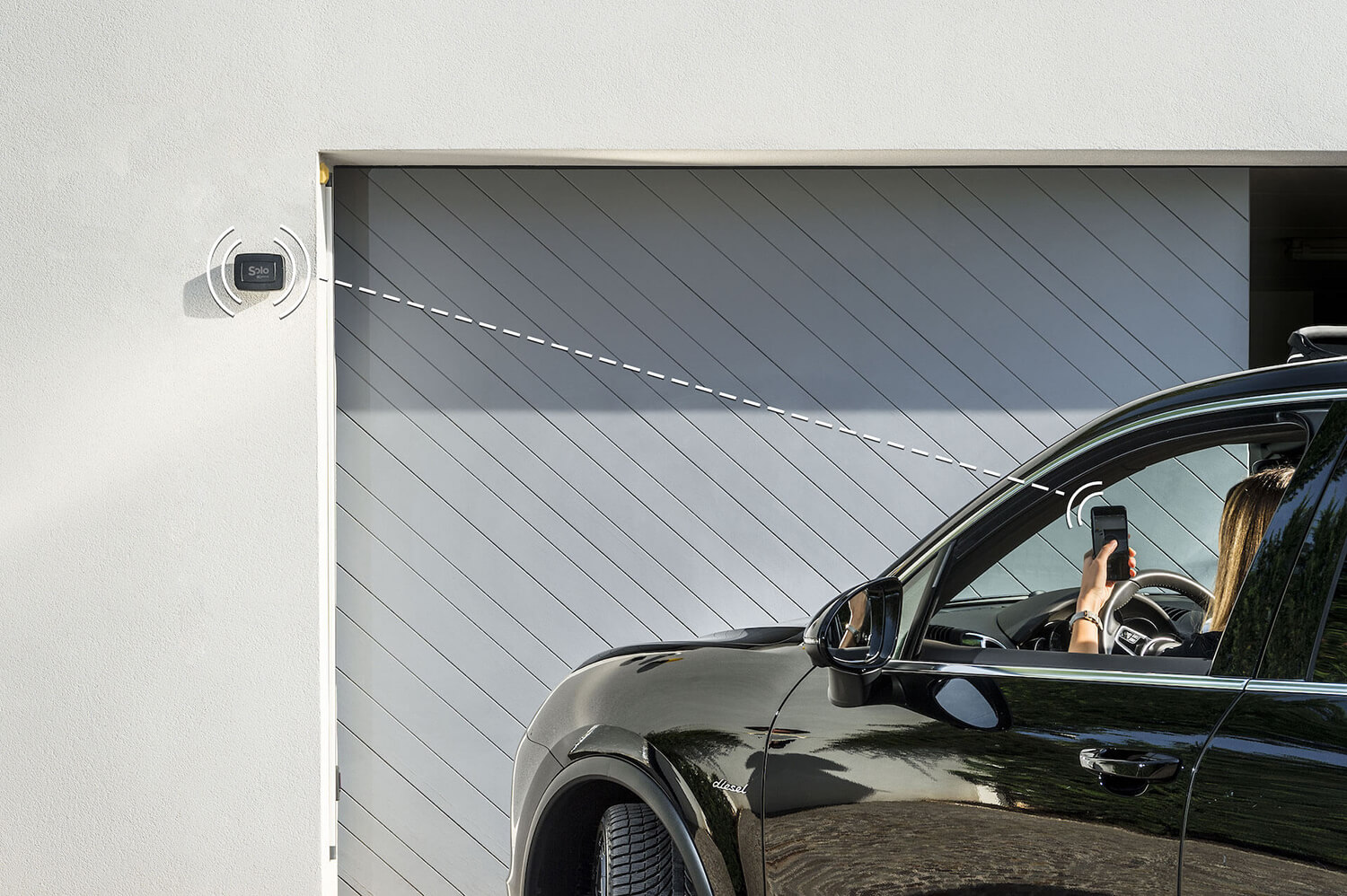
In short: smart home and home automation often get used as if they were the same thing. In this guide we draw the line like this: home automation is typically a designed, wired installation, usually part of a renovation; a smart home is modular — individual devices added to what already exists, with no building work. There are exceptions both ways (wireless automation systems, wired smart setups), but understanding the difference before you spend can save you time, money and weeks of works you never needed.
This guide unpacks what "home automation" really means, how it differs from a modular smart home, what each approach actually costs, and — most importantly — how to decide which one fits your situation. If your home is already lived in and you want to start from the access points (gate, front door, padlocks), the answer is almost always the modular smart home: with 1Control SOLO you make your gate smart in about fifteen minutes, with no electrician and no wires.
Smart home vs home automation: the answer in 30 seconds
The cleanest technical distinction is this:
- Home automation: a centralised installation that integrates lighting, heating, security, A/V and access through a single control system. It requires dedicated wiring (or a BUS protocol such as KNX), a control panel, a designer and an installer. You plan it at construction or major-renovation time.
- Smart home: a collection of independent devices (smart devices) that work on their own, with no fixed installation. You buy them one at a time, fit them yourself and control them from a smartphone or voice assistant. They require no building works.
In other words: home automation is a project, a smart home is a journey. The first is a single decision you make once; the second grows step by step on a home you already live in.
What "home automation" really means: the wired installation
The term home automation — sometimes called domotics in continental Europe — describes a fully integrated system that controls every function of the house from one place. It is the technological evolution of the traditional electrical installation: instead of isolated switches you have devices networked together, dialoguing through a common bus.
How a traditional home-automation system actually works
A classic wired home-automation system is built from four parts:
- A control panel (gateway, home server) that acts as the brain.
- A communication bus — wired (KNX, LonWorks, Konnex) or wireless (Z-Wave, Zigbee) — that links every device to the panel.
- Actuators: the devices that physically execute commands (relays for lights, motors for blinds, valves for radiators).
- Sensors and user interfaces: thermostats, presence detectors, in-wall keypads, the control app.
The upside is full integration: a single scene can switch on the hallway lights, raise the living-room temperature and disarm the alarm at once. The downside is complexity: you need a design phase, a building site and a specialist who programs the scenes.
How much it costs and how long it takes
Home-automation budgets vary widely with the level of integration, but realistic UK and EU reference figures look like this:
- Entry-level system (light and blind control across 4–5 rooms): roughly £5,000 to £10,000 / €6,000 to €12,000, fully installed.
- Mid-range system (lights + climate + security + access): £13,000 to £25,000 / €15,000 to €30,000.
- High-end system (full integration with A/V, multi-room scenes, energy monitoring): well above £25,000 / €30,000, sometimes multiples of that.
Lead times range from one week of work on a pre-wired house to several weeks of building site on a property you have to rewire from scratch. It is a long-payback investment that makes sense only at specific points in a property's life.
When traditional home automation still makes sense
Wired home automation is the right call when at least one of these conditions is true:
- You are building a new house and you can route the bus cabling during first-fix wiring.
- You are running a major renovation that already includes a full rewire of the electrics.
- You want a fully integrated system and you are happy to invest several thousand pounds or euros up front.
- You accept the dependency on a specialist installer for every future change to the system.
If none of those is true, a modular smart home is almost always the more rational choice — and on access points in particular it is almost always the only sensible choice.
What a smart home is today: modular devices, no construction
The smart home in the modern sense is a bottom-up approach: instead of designing an integrated installation, you buy single smart devices that each do one specific thing well. A smart lock replaces the cylinder in your door. A Bluetooth box drives your gate by copying the signal from the existing remote. A connected bulb screws in where the old one used to live.
Each device is self-contained: it has its own app, its own batteries (or USB power), its own firmware. Integration, if you want it, arrives through voice assistants (Alexa, Google Home, Siri) or multi-protocol hubs. But it is not required to make the device useful.
Device-first: standalone with optional gateway
The best smart-home devices follow a device-first principle: they work locally, with no cloud dependency for the basic operations. The cloud is optional, never compulsory. That has three meaningful advantages:
- They work without internet. If your broadband drops, the door still opens. If the manufacturer shuts its servers, the device keeps doing its job.
- They are faster. The command travels directly from phone to device over Bluetooth, with no round-trip to a remote server in another country.
- They are friendlier to privacy. Who comes in and out stays on your phone and the device itself, not in a cloud database you can't see.
When you want remote control (opening the door from outside the home, integrating Alexa, viewing the access log), you add a hub. In the 1Control ecosystem that role belongs to LINK: a small bridge that puts Bluetooth devices on the internet when needed, while leaving them local by default. No forced cloud, no vendor lock-in.
1Control: gate and door smart in minutes, no wiring
The clearest example of the modular approach is ours: 1Control doesn't ask you to rewire anything. We work on the points you use every day, where the daily payoff arrives within the first week — the access points.
- Automatic gate: SOLO adds smartphone opening in about fifteen minutes, with no electrical work and without disturbing your existing remote (which keeps working as before).
- Front door: DORY replaces the existing Euro cylinder in about ten minutes. No drilling, no wiring, no changes to the door, frame or handle — and the mechanical key stays as a permanent backup.
- Padlocks, bikes, lockers: LOCO replaces a traditional padlock with a smart one, rechargeable via USB-C.
Three purchases, three devices, three points of the home suddenly easier to manage. With no building site, and with no project. If you are coming at it from the smart-lock side, our complete smart-lock buyer's guide goes deeper on cylinders, ecosystems and TCO.
A smart home, in 2026, means one precise thing: adding intelligence to a house you already live in, device by device, with no building site and no installer to rely on for future changes.
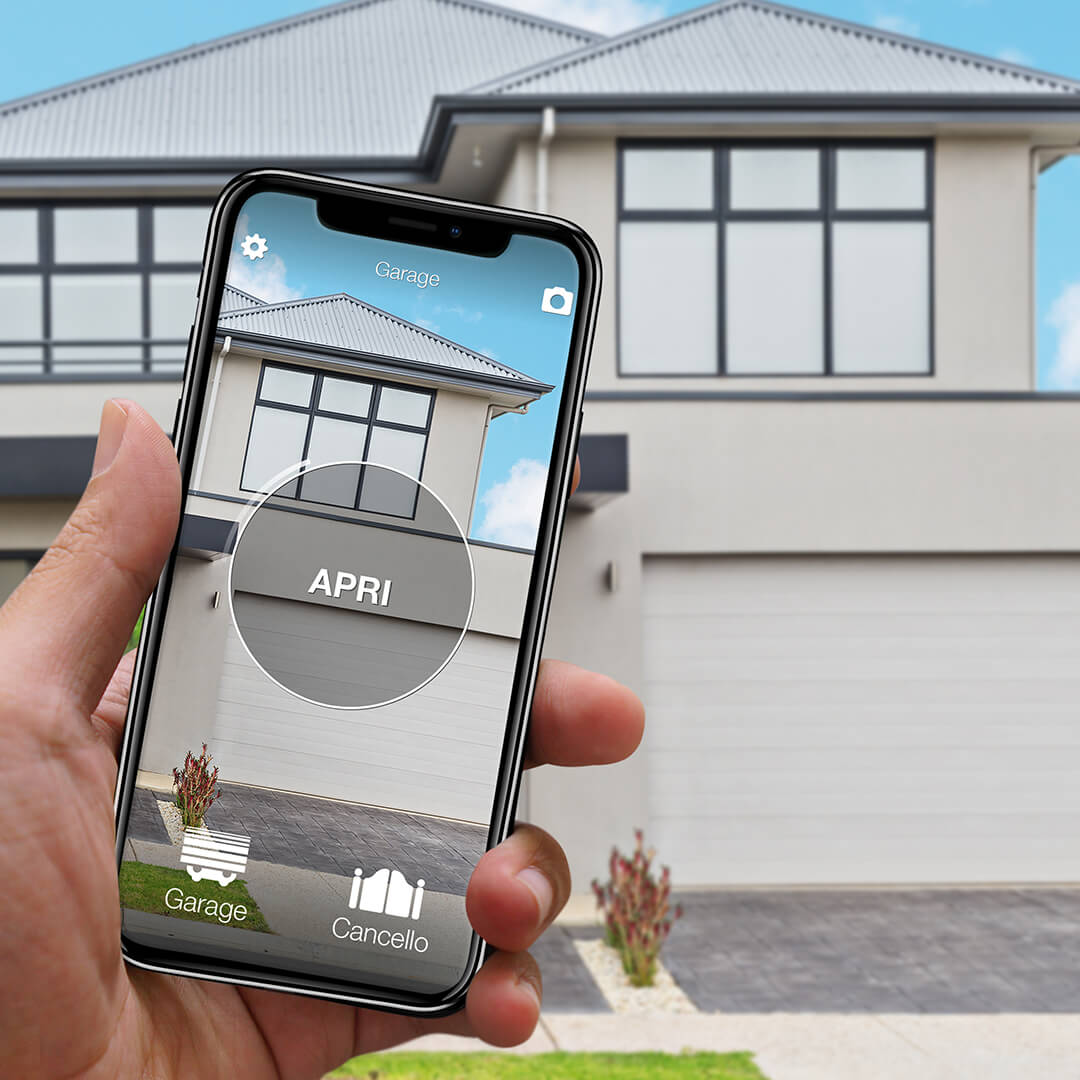
Want to open your gate from your phone?
Check in seconds whether your system is compatible with 1Control SOLO: it fits existing gates and garage doors, one-off purchase, no subscription.
139,00€ 109,00€ VAT included
- 1,500+ reviews on Amazon, Facebook and Trustpilot
- Secure payments
- 2-year warranty
Smart home vs home automation: side-by-side comparison
Eight criteria are enough to size up the decision honestly:
| Criterion | Traditional home automation | Modular smart home (1Control) |
|---|---|---|
| Up-front cost | £5,000 to £25,000+ / €6,000 to €30,000+ | One-off purchase, starting from a single device |
| Installation | Building site, electrician, weeks of work | DIY, 10–30 minutes per device |
| Structural changes | Yes — first-fix wiring and chases | None |
| Scalability | Locked in at project stage | Add one device at a time |
| Works without internet | System-dependent (often partial) | Yes, fully local over Bluetooth |
| Vendor lock-in | Heavy (changing system = redoing the install) | Low (each device is independent) |
| Remote control and voice | Included, configured by the installer | Optional via LINK + Alexa / Google / CarPlay |
| Maintenance | Specialist technician on call | Battery swap or over-the-air firmware |
One number worth holding onto: on access points (gate plus front door), a 1Control setup typically costs 5–10% of what an equivalent wired home-automation install costs on the same scope. The interesting question, then, is no longer "smart home or home automation": it is "which one for which part of the house, and in which order".
Which one fits you? Three real-world scenarios
The right answer depends on your home, your budget and how much patience you have for installers. Three profiles cover the vast majority of buyers.
Rented flat or existing home you don't want to drill
If you rent or you live in a home that is already finished, traditional home automation is off the table: you can't rewire the place — and even if you could, sinking thousands of pounds into a property you don't own makes no financial sense. A modular smart home is built for this scenario. You swap the door cylinder for DORY (and when you move out you take it with you and refit the original), you add SOLO to the gate with zero electrical work, and you have an intelligent home that follows you. Every 1Control device is removable and reusable: there are no permanent modifications to undo. UK landlords increasingly accept smart locks for this reason — installation is identical to a normal cylinder change.
New build or major renovation
If you are building from scratch, or you're inside a renovation that includes a full electrical rewire, it's worth costing wired home automation for lighting, climate, blinds and intrusion alarm. That is the moment when the cabling cost is marginal, and the benefits of an integrated system show up over decades of use. Even here, though, access points (gate and front door) usually stay outside the home-automation system, because they involve dedicated motors and locking mechanics. Combining wired automation indoors with standalone smart devices on the access points is the norm, not the exception — and you can still tie the lot together under one voice assistant via Alexa or Google Home.
You just want to start small (and not lock yourself in)
If you have no prior experience with the connected home and you want to find out what actually changes in daily life before you commit, start with a single device. The practical advice is to start either from the gate (no more digging for the remote, painless sharing with the family) or from the front door (walking in with shopping in both hands, handing a PIN to the cleaner). If you want a wider primer before you choose, read our smart home without home automation guide and the smart gate opener guide.
What you can make smart with 1Control (and how quickly)
Let's get concrete. Here is what you can make smart today, with a single app, starting from the most critical points of the house.
Automatic gate → SOLO (~15 minutes, no cables)
1Control SOLO is a Bluetooth smart gate opener. You position it near the gate (or in the glovebox of your car with the SOLO AUTO version) and it copies the signal of your existing remote: it is compatible with over 800 remote models, fixed-code and rolling-code. It doesn't wire into the gate control board, it doesn't connect to mains: two type-C alkaline batteries, included in the box, last around two years in normal use.
The original remote keeps working — SOLO adds, it doesn't replace. For a deeper look at the alternatives (Bluetooth, Wi-Fi, hub-based), the smart gate opener guide and the open the gate with your phone walkthroughs cover the trade-offs.
Front door → DORY (~10 minutes, mechanical key backup)
1Control DORY is a smart lock for the Euro profile cylinder that fits almost every European front door, composite door and security door. Swapping the cylinder is the same operation you'd do to change your keys: one screw on the side, the old cylinder slides out, DORY slides in. No drilling, no wires.
Three things to weigh up, because few smart locks on the market offer them together:
- Mechanical key backup, always active. If the batteries run flat (or you've left your phone at the office), you open the door with the traditional key. You are never locked out — a deliberate design choice that takes the typical smart-lock failure mode off the table.
- About one year of battery life. Most motorised smart locks (Yale Linus, Nuki, August) swap batteries every two to three months because they physically rotate the key on every cycle. DORY uses two CR2 lithium cells and lasts around a year in normal household use — the difference comes from the architecture, not the battery size.
- Silent operation. No motor hum, no audible click on unlock. It matters at 6 a.m. when the rest of the household is asleep.
For everything you might want to know about cylinder grades, ecosystem choices and five-year cost of ownership, read the full smart lock and keyless entry buyer's guide.
Remote access and voice → LINK (Wi-Fi ↔ Bluetooth bridge)
1Control LINK is the optional hub of the ecosystem. It connects to your home network over Wi-Fi (or Ethernet) and acts as a bridge between the internet and the Bluetooth devices — SOLO, DORY and LOCO. The important detail is that SOLO and DORY remain Bluetooth devices and continue to work locally; LINK adds remote control and voice integration on top, only when you need them.
With LINK plugged in, you can:
- Open the gate and the front door from anywhere with a data connection.
- Use Alexa ("Alexa, open the gate"), Google Home and Siri Shortcuts voice commands.
- Open from the car with Apple CarPlay or Android Auto.
- See the access log and receive real-time notifications when someone enters.
Apple HomeKit isn't supported today; Home Assistant and Matter are on the roadmap. Worth knowing if you have a strong preference for one ecosystem.
Bikes, lockers, sheds → LOCO (USB-C rechargeable)
For the "outside the home" points — bicycles, gym lockers, garden sheds, sports lockers — 1Control LOCO is a Bluetooth smart padlock with USB-C charging. Same app as the other devices, same user-sharing logic. One single charge covers around 500 unlocks, and the casing is weather-resistant from −20 °C to +50 °C.
If your needs sit on the universal-remote side rather than the smartphone side — you want a physical four-button fob that copies your existing remotes — look at 1Control WHY instead. The universal gate remote guide walks through the choice.
Frequently asked questions
Are smart home and home automation the same thing?
No. Home automation is an integrated installation that requires design, cabling and a specialist installer. Smart home is a collection of modular devices that work independently, with no fixed install, and that you control from your smartphone. Home automation is a construction-time decision; a smart home is a journey you can start today on a house you already live in.
How does 1Control's cost compare to a wired KNX system?
A traditional home-automation system starts at around £5,000–£10,000 / €6,000–€12,000 fully installed for a small entry-level scope. With 1Control you can make your gate and front door smart with two one-off purchases (SOLO + DORY), plus LINK if you want remote control and voice. On access points specifically, that lands at roughly 5–10% of the cost of an equivalent wired install on the same scope — with no installer and no building works.
Can I use 1Control if I already have a home-automation system?
Yes. 1Control devices are self-contained and they do not interfere with any existing home-automation system. Via LINK they integrate with Alexa or Google Home, so you can drop the gate-open and door-open commands inside scenes you've already configured in your wired system (for example a "leaving the house" scene that switches off the lights, lowers the blinds and opens the gate as you drive out).
Do I need an electrician to install SOLO or DORY?
No. SOLO mounts on a wall or post with a bracket and runs on batteries — there is nothing to wire in. DORY replaces the existing Euro cylinder with the same procedure you would follow to change your keys: one side screw, the old cylinder out, DORY in. The 1Control website has step-by-step videos for both, and most customers complete the install on a Saturday morning without help.
Does it work without internet?
Yes, locally over Bluetooth. SOLO, DORY and LOCO talk directly to the smartphone over Bluetooth Low Energy: no data connection is needed to open the gate or the door. Internet (and the LINK hub) only come into play if you want to open from outside the home, integrate Alexa, or view the access log in the cloud. If your router is down, the front door still opens normally.
What happens if DORY's batteries die?
You open with the traditional mechanical key, exactly as you would with a non-smart lock. DORY is designed precisely so it cannot lock you out: the cylinder keeps a mechanical section that works with flat batteries. The CR2 cells last around a year in normal use and the app warns you well in advance when it is time to change them.
The bottom line: hybrid is the future
Traditional home automation and modular smart home aren't really competitors: they answer different needs and they show up at different moments in a property's life. Home automation makes sense when you are building or running a major renovation and you want a fully integrated system. Modular smart home makes sense in every other case — and in most homes that's where we live.
If your house is already lived in and you want to start from the points you actually use every day, start from the access points. The gate and the front door are the fastest way to find out what really changes in daily life. Made in Italy, patented, gateway-free by default, with one unified app for the whole ecosystem: that is our take on a smart home — no building works required.