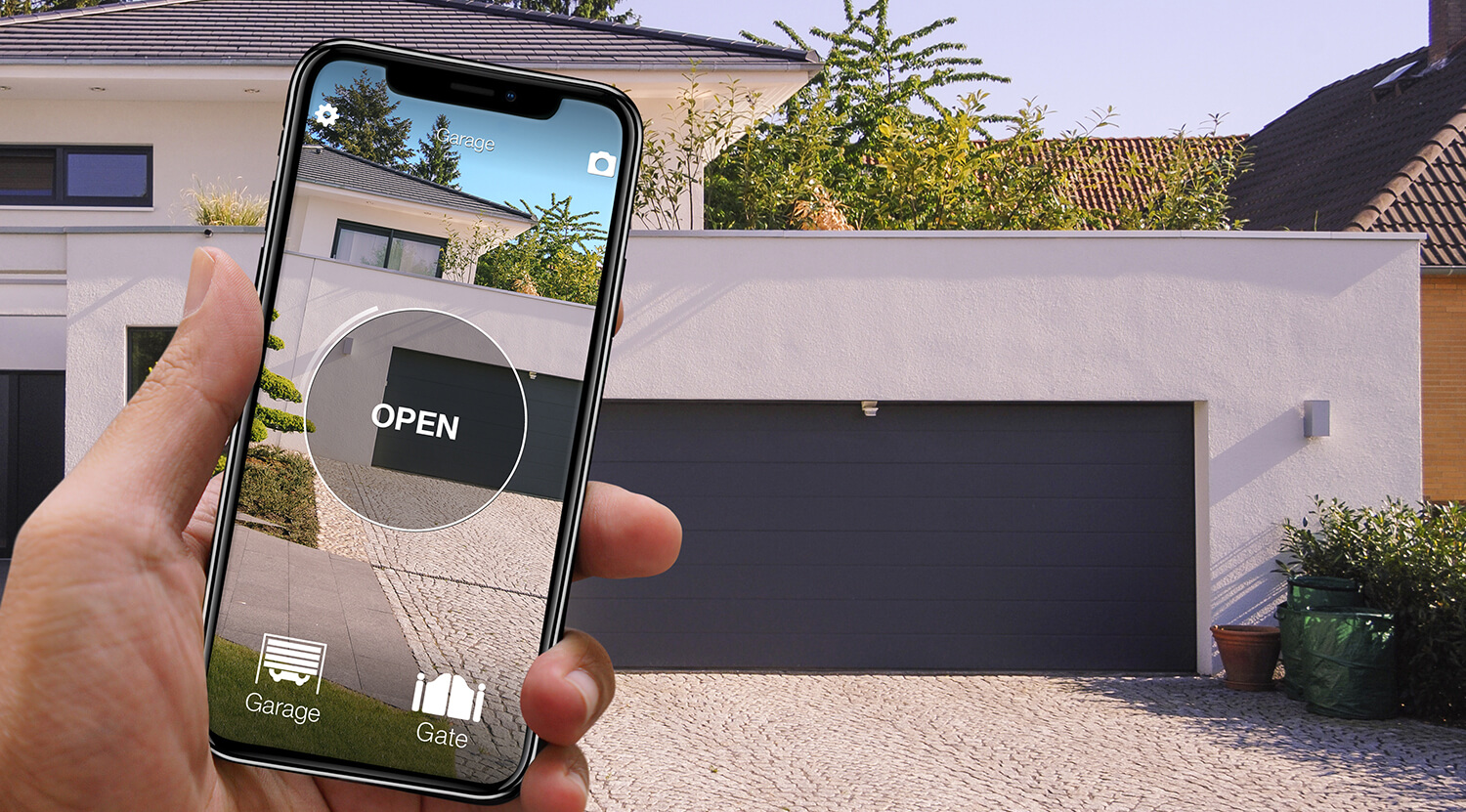
A smart gate opener is a device that turns an existing automatic gate into one you can operate from a smartphone, smartwatch or voice assistant — without touching the control board, without calling a technician and without throwing away the remotes you already use. It is one of the most popular “light” smart-home upgrades today: Bluetooth gate opener, Wi-Fi gate opener, gate opener app, universal gate remote. The substance is always the same: take a “dumb” automatic gate and make it intelligent, ideally in fifteen minutes, with the kind of toolbox you already keep at home.
This guide collects everything you need to choose a smart gate opener today: the three technologies on the market (Bluetooth, direct Wi-Fi, hub), the costs, the installation, compatibility with your gate brand, and how to share access with family, holiday-let guests or a small business team. Every concrete example is built around 1Control SOLO, the Made-in-Italy Bluetooth smart gate opener that copies the signal of 800+ remote control models without requiring an Internet connection or any modification to the existing installation.
Want to know right away if it is the right solution for you? Discover 1Control SOLO or check whether your remote is compatible before you buy.
What is a smart gate opener and how it differs from a traditional remote
A smart gate opener is a small electronic device that sits — functionally, not physically — between you and the radio receiver of your gate's control board. A traditional remote does one thing: you press the button, the transmitter emits a radio wave, the control board recognises it, the motor starts. A smart gate opener adds another channel: instead of emitting the signal only when you press a physical button, it also emits it when you ask it to over Bluetooth, over Wi-Fi, via a voice assistant or from a remote app.
The practical difference compared with a traditional remote is threefold. Multiple identities: every user can have their own “virtual remote” without duplicating physical transmitters. Audit and control: the app knows who opened the gate and at what time — something that is structurally impossible with a remote forgotten on the kitchen counter. Time-limited sharing: you grant access to whoever needs it, only for as long as needed, and revoke it with a tap. A gifted remote does not “switch itself off” unless you reprogram the control board; a digital access does.
Under the hood, the main technologies are three. Bluetooth Low Energy (BLE): the device talks over direct radio with a nearby smartphone, without going through the Internet. Direct Wi-Fi: the device connects to the home network and to a cloud on its own, which unlocks remote control. Bluetooth plus a separate Wi-Fi hub: the device stays Bluetooth for everyday use and a small hub bridges it to the Internet only when needed. SOLO uses this last architecture with the optional LINK Wi-Fi hub, for anyone who also wants remote opening and smart-home integrations.
Want to open your gate from your phone?
Check in seconds whether your system is compatible with 1Control SOLO: it fits existing gates and garage doors, one-off purchase, no subscription.
139,00€ 109,00€ VAT included
- 1,500+ reviews on Amazon, Facebook and Trustpilot
- Secure payments
- 2-year warranty
How it actually works: copying the remote signal
The most misunderstood technical point about smart gate openers is their relationship with the gate's control board. Many people assume that SOLO or a similar device talks to the motor or reprograms the electronic board: it does not. SOLO copies the radio signal of the original remote and replays it on the air when you ask it to from the app. From the control board's point of view, nothing has changed: it keeps receiving exactly the same signal it receives when you press the physical button. That is why you don't need an electrician, you don't need to open the board, and you don't need any “official” compatibility with the manufacturer of your existing automation.
The “copy” process happens the first time you set the device up. The 1Control app guides a contextual procedure: you select the brand and model of your remote, you press the remote's button close to SOLO for a couple of seconds, and SOLO learns the frequency, the protocol and the code. From that moment, every command sent from the app produces the same signal that the button used to send. For fixed-code remotes the code is always the same; for rolling-code remotes SOLO synchronises with the control board and uses the correct sequence on every opening, exactly like the original remote does.
The numbers. SOLO is compatible with more than 800 remote control models, both fixed-code and rolling-code: it covers the vast majority of residential and commercial accesses, from swing gates to parking barriers, from underground garage doors to tilting doors. A pre-purchase compatibility check takes seconds on the SOLO compatibility page, by entering the model of the remote you use today. The right question is not only “what brand is the gate?”, but “what remote do I use today?”.
Bluetooth, Wi-Fi or hub: which to choose
Choosing the technology is not a matter of personal preference, it is a function of how you actually use your gate. There is no “best technology” in the abstract: there is the one best suited to your real-world use cases. The three families have very different trade-offs in terms of battery life, range, Internet dependency and total cost.
| Technology | Battery | Range | Remote opening | Internet dependency |
|---|---|---|---|---|
| Pure Bluetooth | Excellent (1–2 years) | ~10–20 m | No | None |
| Direct Wi-Fi / cloud | Poor (weeks to months) | Worldwide | Yes | Total (router + cloud) |
| Bluetooth + Wi-Fi hub (SOLO + LINK) | Excellent on the device | Worldwide (via hub) | Yes | Only for remote features |
Pure Bluetooth is the most sustainable choice in terms of battery: the BLE chip uses so little power that SOLO comfortably reaches one and a half to two years of operation on two standard alkaline C-type batteries. The trade-off is range: the smartphone has to be roughly ten to twenty metres from the device, with reasonable line of sight. For the vast majority of households this is plenty: you drive up to the gate, tap the button in the app or use a widget, and it opens. It is exactly like a remote, only on the phone.
Direct Wi-Fi is the opposite: global range and control from anywhere via the cloud, but with much higher power draw and a hard dependency on the network. If your Wi-Fi goes down or the manufacturer's cloud goes offline, app opening can stop working even when you're at home. That is why many pure Wi-Fi gate openers require mains wiring and professional installation.
The Bluetooth + separate Wi-Fi hub architecture is the compromise that today dominates the category. The local device stays Bluetooth (long battery life, no network load) and a small hub installed in the house bridges to the Internet only when needed. SOLO + LINK implement exactly this scheme: SOLO at the gate, LINK on the home router over 2.4 GHz Wi-Fi or Ethernet cable. The benefit is clear: battery life of a pure Bluetooth device, remote capability of a Wi-Fi device, and a local Bluetooth fallback if the hub or the Internet drop.
Installation: 15 minutes, no technician needed
The biggest selling point of a smart gate opener like SOLO is that installation is something you do yourself. There are no cables to run to the control board, no power supply to wire in, no parameters to change inside the gate logic. The device works by talking on the air to the original remote and to the gate — not through the wiring. The practical consequence is that installation takes about fifteen minutes from box-opening to first opening from the app, with no drilling and no work on the existing automation.
The step-by-step looks like this:
- Download the 1Control app (free, iOS and Android) and create an account.
- Insert the two C-type batteries into SOLO and switch it on.
- Pair SOLO with the smartphone via Bluetooth from inside the app.
- Copy the original remote signal: select brand and model of your remote in the guided wizard, then hold the remote's button near SOLO for a couple of seconds. SOLO learns the protocol and code.
- Mount SOLO near the gate using the supplied adhesive pad or screws — no drilling required on most installations.
- Open the gate from the app as a first test, then add any other automations (up to four channels on most SOLO models).
If you also want remote opening, voice assistants and CarPlay/Android Auto, add LINK on your home router and pair it with SOLO once: from then on the gate is reachable from anywhere, while SOLO keeps its long Bluetooth battery life.
Compatibility with gates and brands
The compatibility question with a smart gate opener is not framed the way most people expect. With traditional remote replacements you ask “does this remote work with my gate brand?”. With SOLO you ask “does SOLO know how to copy the remote I use today?”. The answer is yes for more than 800 remote control models, fixed-code and rolling-code, across nearly every brand sold in Europe and the UK. Among the supported brands you'll find FAAC, Nice, Came, BFT, Hormann, Sommer, Somfy, Cardin, Avidsen, Ditec and many more.
The right move before buying is to use the SOLO compatibility page, where you select the brand and model of your remote and instantly check whether SOLO supports it. This is the most reliable form of compatibility check, because the device speaks to the original transmitter, not to the gate. Two identical gates with different remotes can have different compatibility results, and conversely, two gates of different brands but with the same remote will both work.
If you'd rather keep a physical button while still consolidating multiple openings on a single transmitter, you can pair SOLO with WHY, the 1Control physical universal remote: WHY copies up to four different remotes on its four buttons, so you can replace several old transmitters with a single device that lives on your keyring or in the car.
User management and time-limited sharing
One of the practical reasons people upgrade from a traditional remote to a smart gate opener is that the second the gate becomes digital, the access becomes manageable. Each member of the family installs the 1Control app on their phone, accepts the share you send them, and from that moment they have their own personal opening — with their own name in the audit log, their own permissions, and their own revocable access.
The depth of management depends on the SOLO version: SOLO MINI is meant for 2 users (a couple, two flatmates), the standard SOLO supports up to 10 users, and SOLO EVO scales to 50 users for holiday lets, small businesses, building sites and gated communities. Across all versions you can set time-limited shares (for example a cleaner who only needs access on Tuesdays from 9 to 12), permanent shares (family) and one-shot shares for a single visit. You revoke any of them with a tap, without changing codes for everyone else.
The audit log is the other side of the coin. The app records who opened the gate and when, which is the kind of accountability that is structurally impossible with a single shared remote that lives in the glove box. For Airbnb-style short rentals this is often the feature that justifies the whole upgrade: you welcome guests, you grant access for the dates of the stay, you revoke it on check-out, and you have a complete trail of who accessed during the stay.
Remote opening: when you need LINK
SOLO alone is Bluetooth: it opens the gate when the smartphone is within ten or twenty metres of the device, which is the typical scenario when you drive up to your own driveway. As soon as you want to open from somewhere else — the office, holiday, the other side of town — or you want a voice assistant to do it on command, you need to bridge SOLO to the Internet. That is what LINK does.
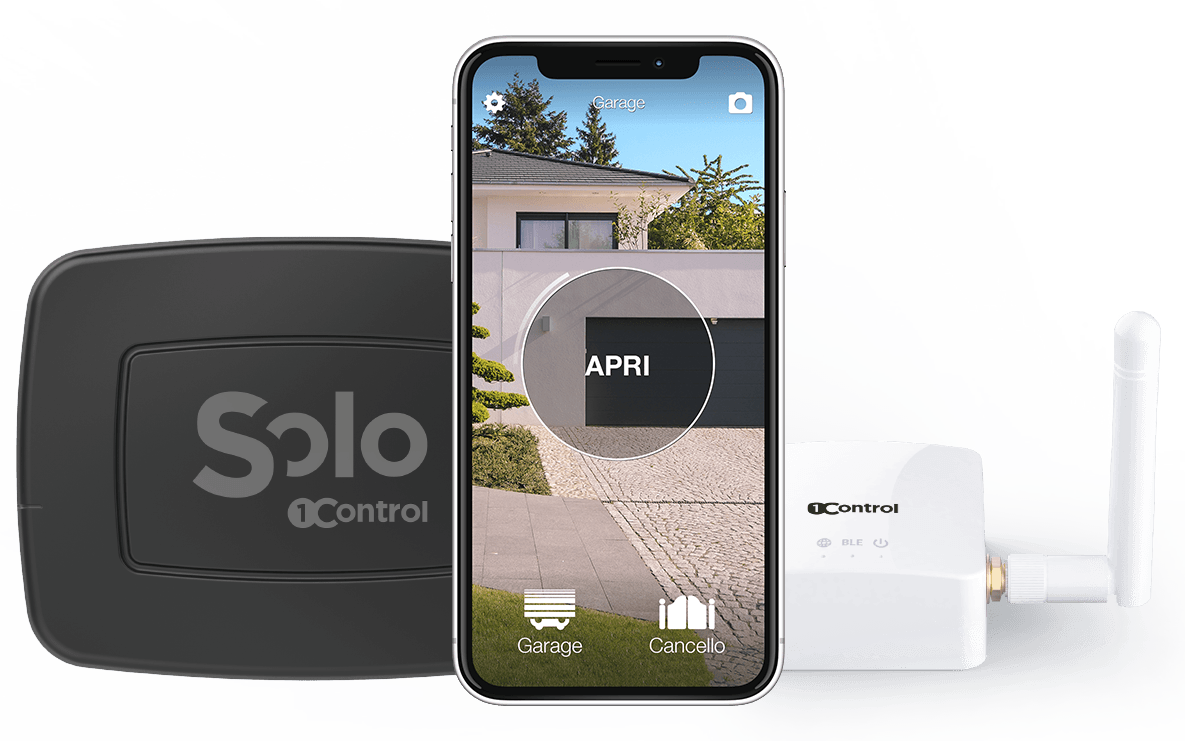
LINK is a small hub that you plug into the wall close to your home router. It connects to the network over Wi-Fi 2.4 GHz or Ethernet cable and talks to SOLO over Bluetooth. Once paired, you get five extra capabilities on top of local Bluetooth opening: remote opening from anywhere with an Internet connection on the phone; Alexa (“Alexa, open the gate”); Google Home; Siri Shortcuts and the Home app on iPhone; and Apple CarPlay / Android Auto, where the open-the-gate command appears directly on the car's infotainment display.
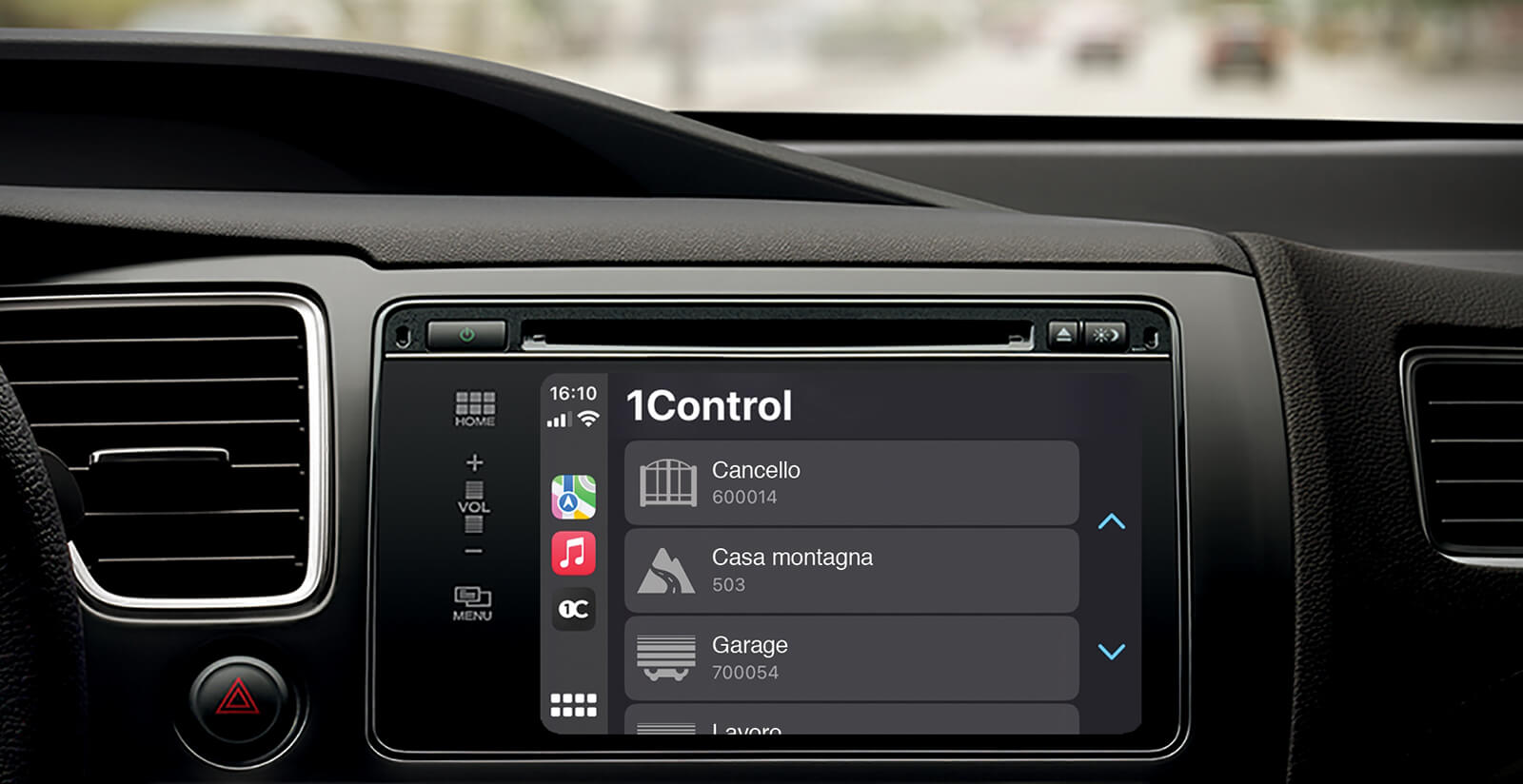
Important practical detail: LINK is optional. SOLO is fully functional without it for local opening, multi-user management, sharing and the audit log. LINK is what you add when remote and voice scenarios become part of your daily routine. LINK is compatible with all SOLO 2nd Generation devices (SOLO MINI, SOLO, SOLO BS and SOLO EVO).
The four versions of SOLO
Not every gate, building or use case has the same needs. To avoid forcing every customer into a single product, 1Control offers four versions of SOLO with different limits on users, automations and power.
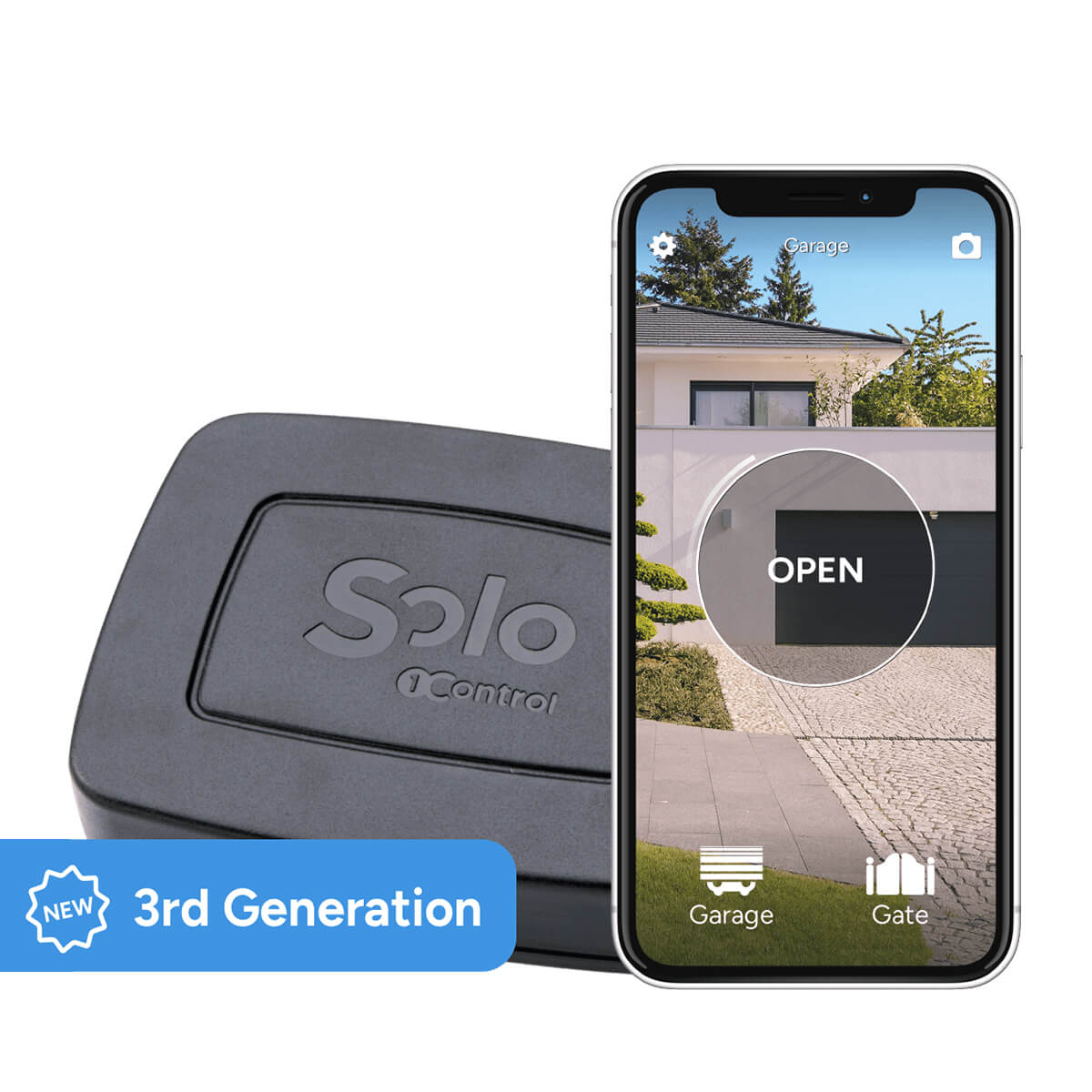
- SOLO MINI — 2 users, 1 automation. The simplest scenario: one gate, two people, no need for multi-user policies. Same Bluetooth tech and battery life as the standard SOLO.
- SOLO — 10 users, up to 4 automations. The reference home setup: a family, a primary residence, possibly a second gate or garage door. Power: two LR14 alkaline C-type batteries, about 2 years of use at 10 openings per day.
- SOLO EVO — 50 users, up to 4 automations. The version for holiday lets, small businesses, gated communities, professional environments. Can also run on 12–24 VDC external power, removing the need to manage batteries in high-traffic installations.
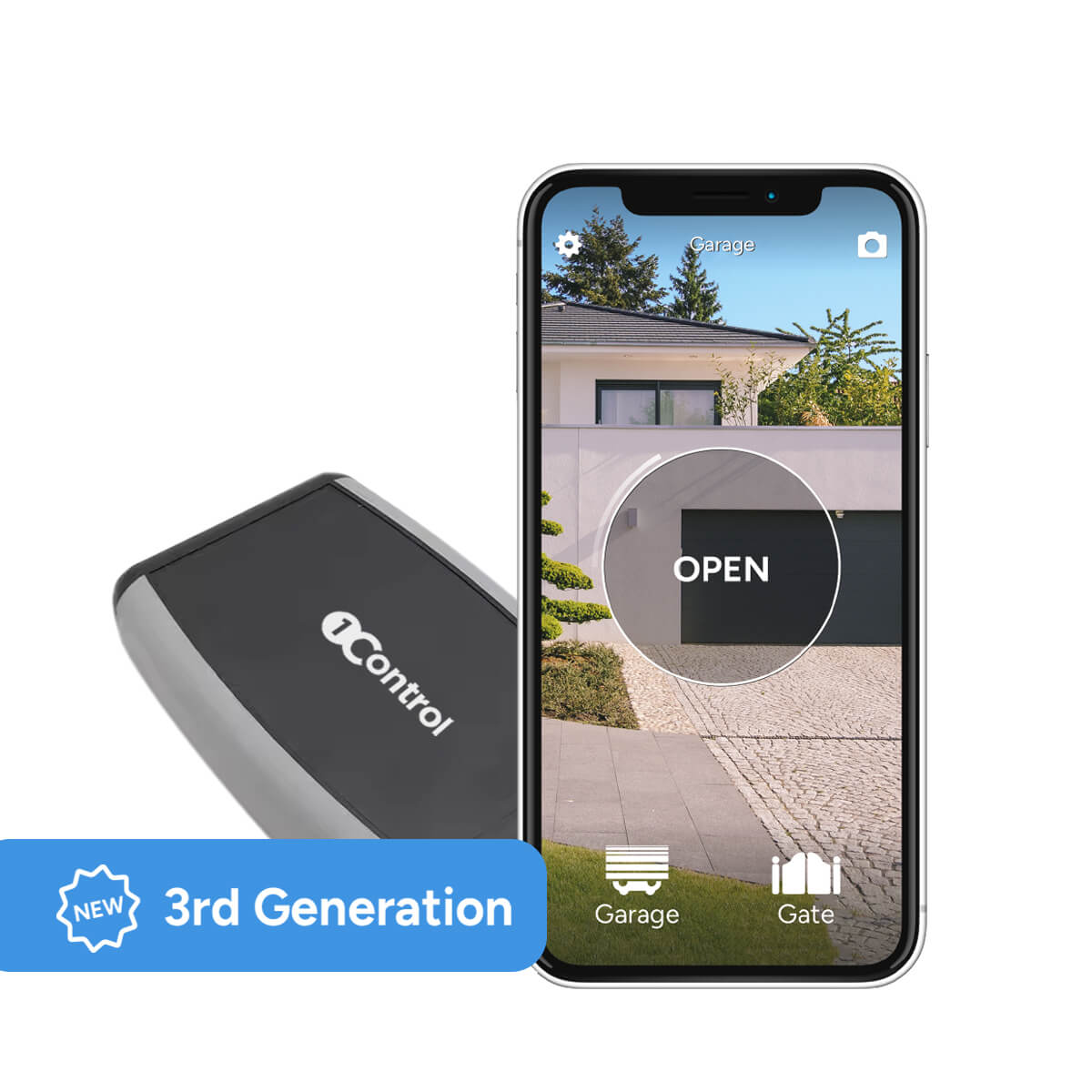
- SOLO AUTO — In-car version, designed to sit on the windscreen or in the glove compartment. Powered by AA batteries pre-installed at the factory. Important note: SOLO AUTO is not designed to be installed near the gate and is not compatible with LINK.
Smart gate opener vs traditional remote: when to choose what
A smart gate opener is not a replacement for the traditional remote in every scenario. There are situations in which the physical remote is still the better choice, and recognising them honestly saves time and money. The good news is that with SOLO you don't have to pick: the smartphone becomes an additional remote, not a substitute, and the existing transmitters keep working.
Choose a smart gate opener when at least one of these is true: you live in a household with more than one regular user and you want to stop duplicating remotes; you rent a property short-term and you need to grant time-limited access without handing physical objects around; you would benefit from an audit log of who opened the gate and when; you want voice control or remote opening; you want to integrate the gate with CarPlay or Android Auto.
Keep relying on the traditional physical remote (or buy a universal one like WHY) when: you genuinely never want to depend on a phone for opening; the gate is at a property with no smartphone-equipped users; you have very intermittent access patterns where battery life of a remote that lives in a drawer for months beats the convenience of an app. The best answer in many homes is in fact “both”: SOLO for the daily “phone in hand” usage, the old remote left in the car as a backup.
How much does a smart gate opener cost
The cost of a smart gate opener depends on three variables: which SOLO version fits your scenario, whether you add the LINK hub for remote opening, and whether you buy a single unit or a bundle. Without quoting prices that will go out of date, the practical rule is this: upgrading an existing working gate with SOLO is significantly cheaper than replacing the control board and the motor, and orders of magnitude cheaper than installing a brand-new smart automation from scratch.
Two cost drivers worth being aware of. First, there is no subscription: 1Control SOLO does not charge a monthly fee for the app, for multi-user features, for the audit log or for remote opening (once LINK is connected). What you pay is the device, once. Second, batteries are standard alkaline C-type — one of the cheapest battery formats on the market — not proprietary, not glued in, not requiring a service appointment to replace. Total cost of ownership over five years is a fraction of what most cloud-locked gate openers cost over the same horizon.
If you're comparing options across the smart-home ecosystem — gate, door and padlock — the 1Control product range is built to share the same app and the same LINK hub: SOLO at the gate, DORY at the door for a smart lock, and LOCO for a Bluetooth smart padlock. Buying a coherent ecosystem rather than three disconnected devices is also a cost lever, especially on installation effort.
Security: users, signal and fallback
Security questions on a smart gate opener fall into three areas, and they should be addressed openly. The first is communication security. SOLO talks to the smartphone over Bluetooth Low Energy with modern encryption, the same family of protocols used by current keyless car systems and contactless payments. The radio signal that SOLO replays to the gate is the rolling-code or fixed-code signal of the original remote, which is exactly as secure as the remote you already use today — no better, no worse.
The second is access control. With a traditional remote, anyone who picks up the transmitter can open the gate, and there is no way to know who did it. With SOLO, every user has their own profile in the app, every opening is logged, and shares can be revoked instantly. You can also set time-limited shares, which mean a guest's access works only on the dates and hours you defined, with no need to coordinate physical handovers.
The third is operational resilience. SOLO doesn't depend on Wi-Fi or the cloud to open the gate locally: in a power cut, in an Internet outage or in a remote area without coverage, the local Bluetooth opening still works. And because the original remote keeps working in parallel, you always have a physical fallback if the phone is flat or lost. Batteries in SOLO last about two years; the app warns you well in advance before they need replacing, which you can do in minutes with two off-the-shelf C-type batteries.
Frequently asked questions
What is a smart gate opener?
A smart gate opener is a small device that turns an existing automatic gate into one you can operate from a smartphone, smartwatch or voice assistant, without replacing the control board or motor. It sits near the gate, copies the signal of the original remote and replays it on demand from the app, leaving every existing physical remote fully operational.
Does 1Control SOLO work without Wi-Fi?
Yes. SOLO talks to the smartphone over Bluetooth Low Energy and needs no Wi-Fi or cloud connection for local opening. It works in underground garages, isolated properties and areas without mobile coverage. An Internet connection (via the LINK hub) is only required if you want remote opening, voice control through Alexa, Google Home or Siri, or remote access to the audit log.
Which remotes can 1Control SOLO copy?
SOLO is compatible with more than 800 remote control models, both fixed-code and rolling-code. Most major brands sold in Europe and the UK are supported, including FAAC, Nice, Came, BFT, Hormann, Sommer, Somfy, Cardin, Avidsen and Ditec. You can check compatibility before purchase on the SOLO compatibility page by entering the model of your existing remote.
Can I open my gate with SOLO when I'm away from home?
Yes, but you need the LINK Wi-Fi hub connected to your home network over Wi-Fi 2.4 GHz or Ethernet. LINK bridges the Internet and SOLO, enabling remote opening from anywhere, Alexa and Google Home integration, Siri shortcuts and one-tap opening from Apple CarPlay and Android Auto. Without LINK, SOLO opens only when the smartphone is within about ten to twenty metres of the device.
How long do SOLO batteries last?
About two years with normal daily use (the benchmark is 10 openings per day). SOLO runs on two standard alkaline C-type batteries (LR14), easy to find in any supermarket and user-replaceable in a few minutes with no technician. The replacement does not affect the warranty. SOLO EVO can also be powered by 12 VDC, which eliminates battery maintenance in high-traffic scenarios like holiday lets, multi-tenant buildings or car parks.
Does SOLO replace the original gate remote?
No. SOLO copies the remote's signal but does not disable it. Existing physical remotes keep working in parallel with the app, so the smartphone becomes an additional remote, not a substitute. Anyone without the app can carry on using their existing remote, and if your phone runs out of battery the gate is still operable with the original transmitter.
How much does a smart gate opener cost?
The cost depends on the SOLO version you choose, the number of users and gates to manage and whether you add LINK for remote opening. For current prices, bundles and offers, check the 1Control product pages. As a rule of thumb, if the existing automation already works well, adding SOLO is far less invasive and far cheaper than replacing the control board and the motor.
Is 1Control SOLO compatible with my gate brand?
It depends on the original remote, not just the gate brand. SOLO repeats the remote signal and does not talk directly to the control board, which is why it can work with a very wide range of gates, garage doors, tilting doors and parking barriers already installed. The accurate check is on the SOLO compatibility page, by entering the brand and model of the remote currently in use.
In summary: how to choose and where to start
A smart gate opener made in Italy like 1Control SOLO is today the most sensible way to make an existing gate intelligent: no building work, no control-board replacement, no electrician, no cloud subscription. Bluetooth for everyday openings, long-life batteries, support for 800+ remote control models, and a complete fallback on the original remote, which keeps working. When you need them, the LINK hub adds remote features — Alexa, Google Home, Siri, CarPlay, Android Auto, opening from anywhere — without compromising the device's battery life.
The practical starting point is the compatibility check: brand and model of your remote, looked up on the dedicated page. If the check is positive, installation takes a few minutes and requires no technical skills. If you'd rather keep a physical universal remote alongside the smartphone, the matching product is WHY, the 1Control universal remote that copies up to four remotes on its four buttons. For the full smart-home ecosystem — gate, door and padlock on a single app and a single hub — SOLO is just the first step.