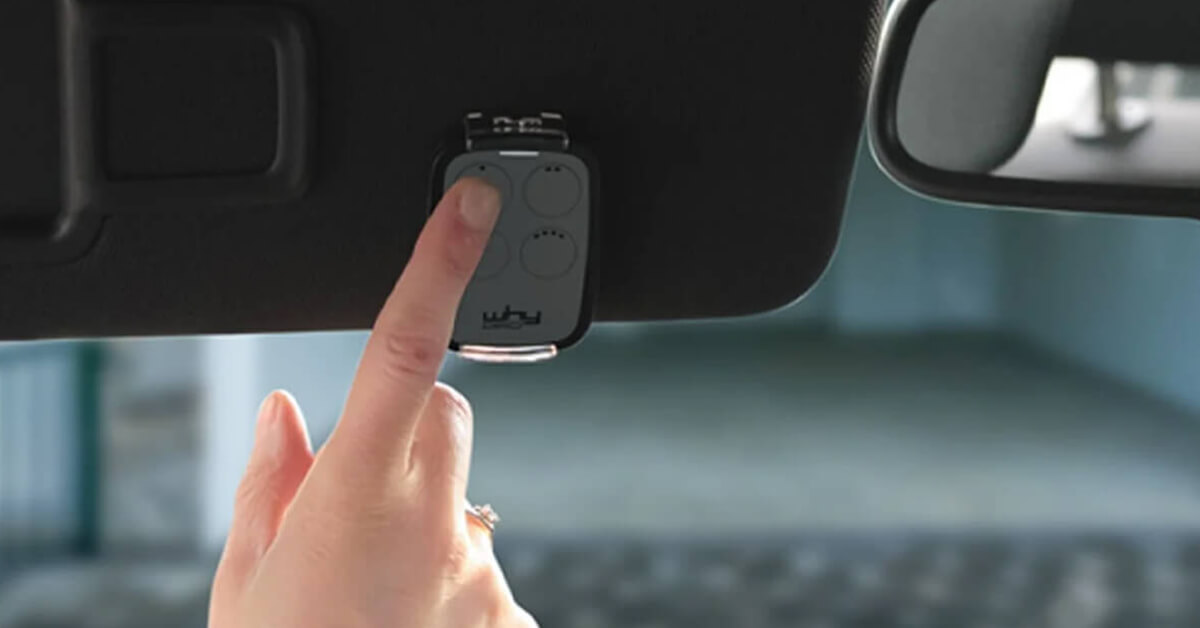
Short answer. This page is the decision tree: the five checks that tell you which universal gate remote to buy, in the order that actually matters — exact model, frequency, encoding, learning procedure, number of gates.
- If you want the full background on how the category works — bands, fixed code versus rolling code, quartz remotes, brand-by-brand compatibility — read the complete universal gate remote guide.
- If the phone is a better fit than a button: how to open a gate with your smartphone.
- If your current remote simply stopped working, diagnose before you buy: gate remote not working.
A universal gate remote looks like a straightforward purchase: pick a model, copy the old transmitter and you're back to opening the gate, garage, up-and-over door or barrier as if nothing happened. In practice, the choice depends on three technical details that don't jump out at first glance — frequency, encoding type, and how closely the universal remote matches your original model.
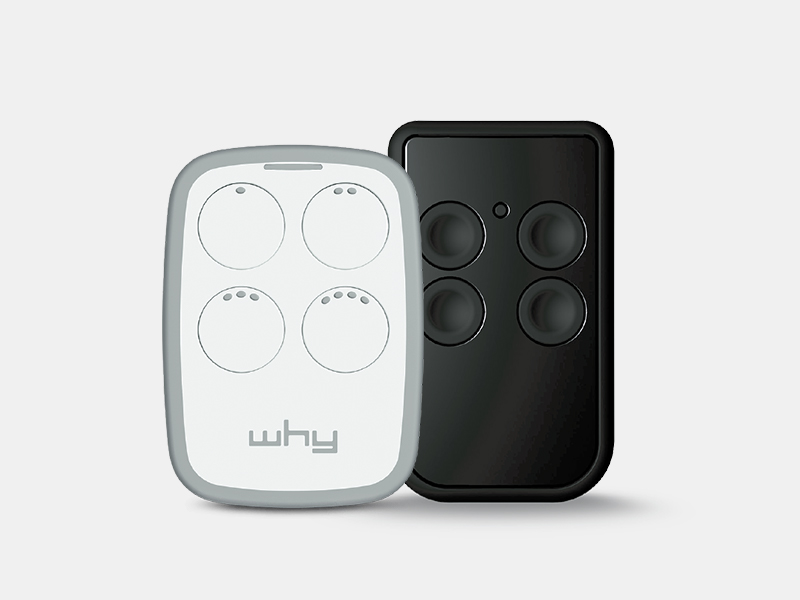
If you need a physical remote that works without an app and without an internet connection, 1Control WHY is the 1Control option built to replace or sit alongside the original transmitter. It has 4 buttons, stores up to 4 different remotes at the same time and supports more than 800 models in the 433-868 MHz band, both fixed code and rolling code. For older quartz remotes operating between 15 and 50 MHz, the right product is 1Control QZERO.
This guide walks through how to choose a universal gate remote without relying on guesswork — without buying the one that "looks like the old one" or has the same brand printed on the case. The aim is to decide before clicking buy whether you need WHY, QZERO, a brand-original from the gate manufacturer, or a smart approach like 1Control SOLO on your smartphone.
What a universal gate remote actually is
In everyday language, "universal gate remote" describes a transmitter that copies the signal of another remote. In the gate automation industry, though, "universal" doesn't mean compatible with every installation that exists. It means compatible with a wide but defined list of models, frequencies and encoding schemes.
A gate remote doesn't behave like a TV remote. When you press a button, the device transmits a radio signal that the gate controller (the receiver inside the motor housing) has to recognise as authorised. If the frequency is wrong, if the encoding isn't supported, or if the controller requires an explicit pairing step, the gate won't open even though the LED on your new remote blinks confidently.
So the first question isn't "does this remote look like mine?" — it's "does this remote support my exact original model?". Verifying the model on the manufacturer's compatibility list is the single step that prevents the majority of wasted purchases.
Want a new remote without calling an engineer?
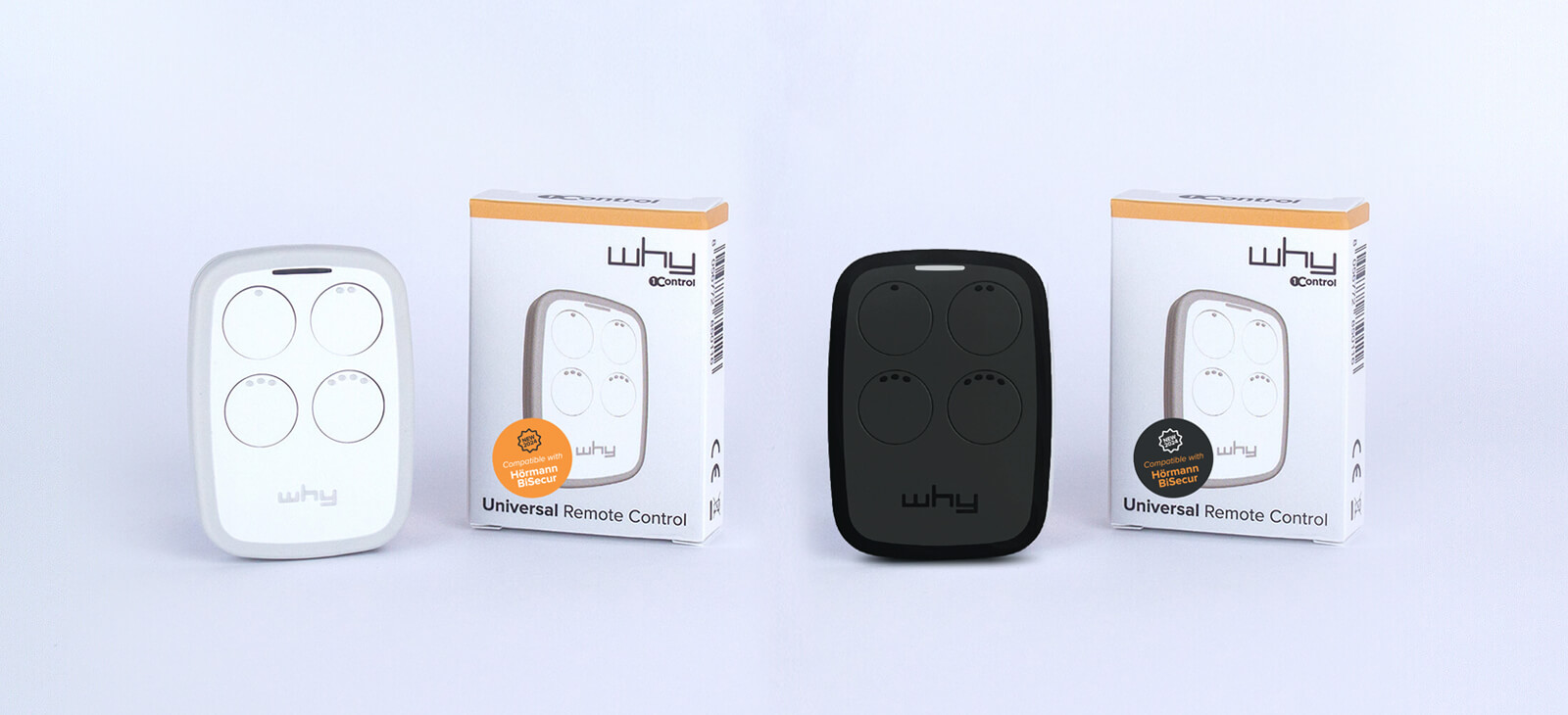
Check in seconds whether your brand and model are supported: 1Control WHY copies or replaces your remote without opening the control unit and without touching the system. One-off purchase, no subscription.
58,00€ 49,00€ VAT included
- 1,500+ reviews on Amazon, Facebook and Trustpilot
- Secure payments
- 2-year warranty
The criteria to check before you buy
A good universal gate remote is chosen starting from the data on the original transmitter. If the old remote still works, keep it to hand: brand, model, any internal label, LED colour, number of buttons and frequency are all clues that help narrow down the right family.
Model compatibility
Compatibility shouldn't be inferred from the brand alone. Two remotes from the same manufacturer can use different protocols, different frequencies or different copy procedures. WHY covers more than 800 remote models, but the check has to be made against the specific model on the WHY compatibility page.
This verification matters even more in shared installations — apartment buildings, communal garages, gated communities. Some controllers only accept a new transmitter after an authorisation step performed directly on the receiver board. In those cases the copy itself succeeds, but the cloned remote still has to be enrolled in the controller before it opens the gate. In a building with shared management, always ask the building manager or the maintenance company before touching the controller.
Frequency: 433 MHz, 868 MHz or quartz
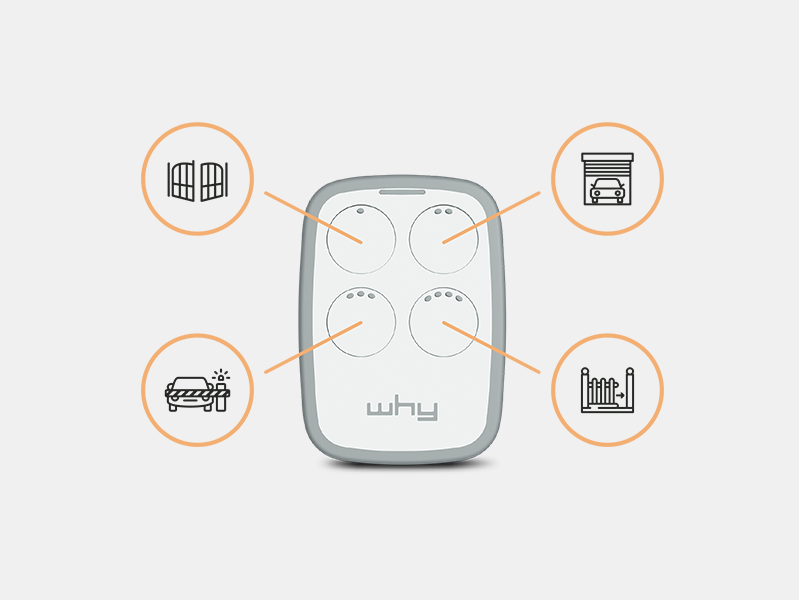
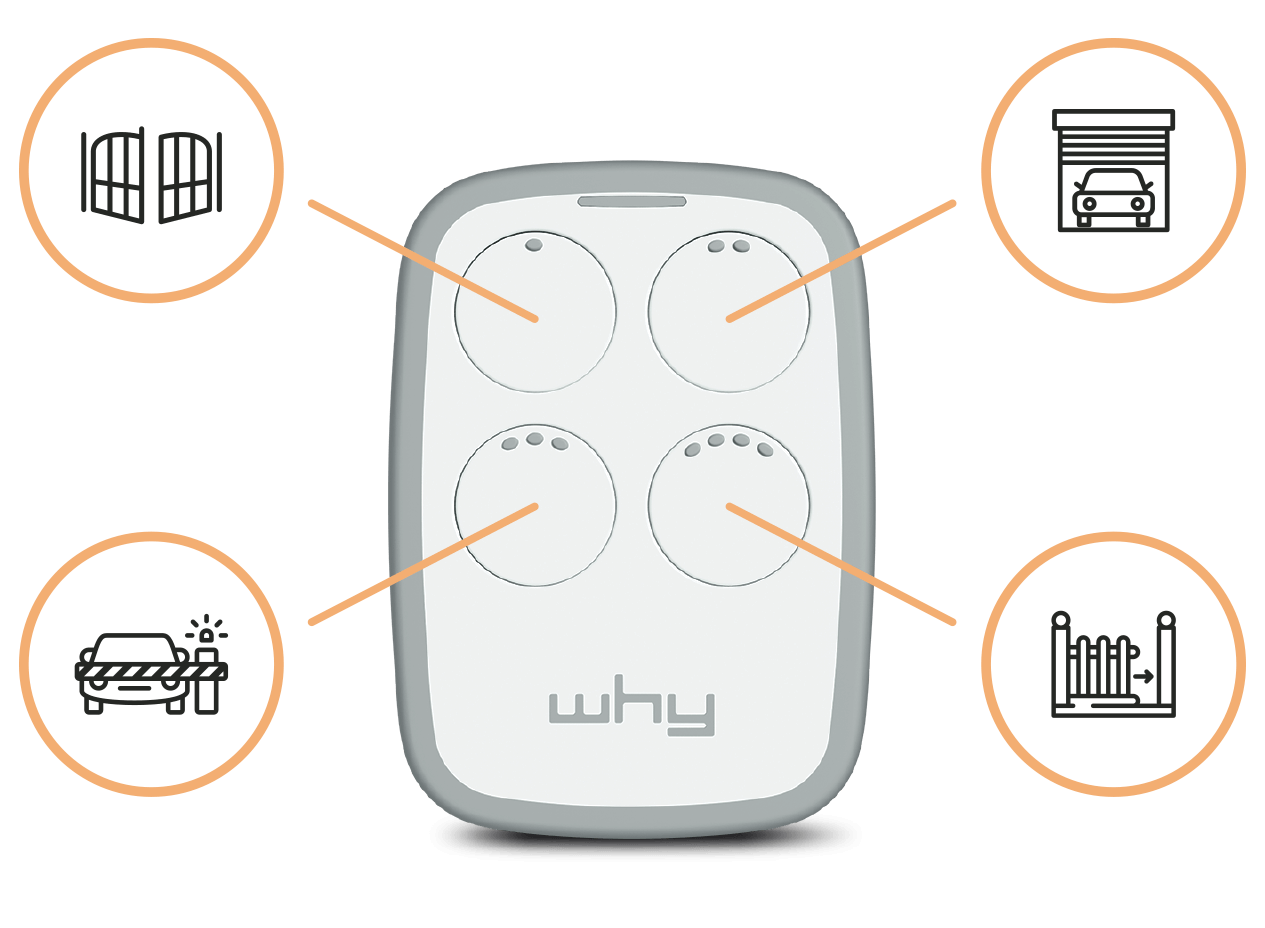
Most modern gate remotes operate in the 433-868 MHz band. This is the band 1Control WHY covers, which is why it can store remotes of different brands, models and frequencies across its 4 buttons. One button can drive the gate at home, another the garage, another the barrier at work, provided each original transmitter is on the supported list.
Older remotes — typically pre-2000s installations — are often "quartz" remotes operating between 15 and 50 MHz (commonly 27.12, 30.9, 40.68 or 49.86 MHz). Brands like Cardin (older series), Telcoma, Aprimatic, Allmatic and Roger frequently sit in this band. In those cases WHY is not the right tool: the dedicated product is QZERO, the 1Control universal remote engineered specifically for that range. If in doubt, the safest move is to verify the model on the WHY/QZERO compatibility page before paying.
Fixed code vs rolling code
The other decisive parameter is the encoding type. A fixed code remote transmits essentially the same bit pattern every time. A rolling code remote changes the transmitted code on every press, following a cryptographic sequence shared between the transmitter and the receiver — so an intercepted code can't be replayed because it has already expired. Most budget universal remotes handle fixed code fine but fall over on the rolling code systems that have been standard since around 2010.
WHY is built to copy both fixed code and rolling code transmitters, within the boundaries of the compatibility list. This is the feature that matters for anyone with an automation installed in the last 10-15 years, where rolling code is the default.
WHY, QZERO or a generic universal remote: side-by-side
The difference between a generic supermarket universal remote and a product like WHY isn't only the housing. The compatibility list, the copy procedures, the number of stored remotes, the battery quality and the availability of model-specific guides all change the user experience after purchase.
| Criterion | 1Control WHY | Generic universal remote | 1Control QZERO |
|---|---|---|---|
| Primary use | Physical remote for modern gates, garages, up-and-over doors and barriers | Cheap replacement for a limited list of models or simple encodings | Physical remote for older quartz-band transmitters |
| Frequencies | 433-868 MHz | Usually a single band, model-dependent | 15-50 MHz |
| Encoding | Fixed code and rolling code, across compatible models | Mostly fixed code or a narrow protocol selection | Quartz-band remotes from the supported list |
| Number of commands | 4 buttons for 4 different remotes | Varies | 4 buttons for 4 different remotes |
| Battery and memory | Replaceable CR2032, copies retained even with the battery removed | Depends on the product; many lose memory on battery change | Replaceable CR2032, same persistent memory as WHY |
| App or internet | Not required | Not required | Not required |
When WHY is the right choice
WHY makes sense when you want a physical universal remote rather than a smartphone-based system. It's the right pick after a lost transmitter, a damaged original, a second car that needs its own remote, or simply a preference for a button rather than an app.
The practical benefit of having 4 buttons is that one device replaces several remotes. The same WHY can drive different gates and garages, even from different brands, as long as every original transmitter is on the compatible list and gets copied correctly.
The persistent memory matters more than people expect. WHY ships with a CR2032 3V battery already fitted — a cell you can find at any supermarket or electronics shop. When the battery runs out, the stored remotes stay in memory: you don't redo the copy procedure just because you changed a coin cell.
When you need QZERO instead of WHY
QZERO comes into play when the original transmitter is a quartz model on the 15-50 MHz band. These remotes are older but still very much in service — they're typical on installations from the 80s and 90s, on many older communal garages and on some commercial parking barriers. Choosing WHY for one of these would be a mistake: WHY simply doesn't transmit on those frequencies.
The decision rule is straightforward: WHY for the majority of compatible 433-868 MHz remotes, QZERO for compatible 15-50 MHz quartz remotes. Both are physical 4-button transmitters built to open gates, garages, up-and-over doors and barriers without using a smartphone.
How copying a remote actually works
The exact procedure varies with the brand of the original transmitter. In broad strokes, with WHY you start the copy mode by pressing and holding button 1 while pressing button 2 four times; the LED begins flashing red, you then hold the original remote close to WHY and press its button. At the end you choose which of the four WHY buttons should store that signal.
That description is just the principle. Every remote family — and especially rolling code transmitters or controllers that require pairing — can ask for slightly different steps. 1Control publishes step-by-step copy guides for each brand and model on the WHY manuals page; it's faster to follow the right guide than to retry blindly.
If the copy looks successful but the gate still doesn't move, two causes are by far the most common. Either the copy needs to be repeated with the devices kept closer together and a healthier original remote, or the gate controller requires you to enrol the new remote in its memory after the copy. In a shared installation, always check with the building manager or the maintenance company before changing anything on the controller.
Mistakes to avoid before buying
The first mistake is choosing a universal remote on declared frequency alone. The right frequency is necessary, but not sufficient: encoding, protocol and copy procedure all matter. A 433.92 MHz transmitter can use any of HCS, KeeLoq, AES or a proprietary chip — and a remote that only handles one of those won't help with the others.
The second mistake is using a copy of a copy as the source. Already-cloned remotes can transmit a less stable signal and make a fresh copy much harder. If you have access to the original manufacturer's remote, always copy from that one.
The third mistake is confusing a universal gate remote with a smart gate opener. WHY and QZERO are physical transmitters: they don't pair with the LINK bridge, they don't open from an app, and they don't open the gate from across town. If you need smartphone control, time-limited sharing, access logs or smart-home integrations, the product to compare is 1Control SOLO — optionally paired with LINK for remote access. If instead you simply need a better physical remote, WHY is still the answer.
For a deeper dive into the universal gate remote category, see our complete guide to universal gate remotes. To explore the smartphone alternative, our guides on copying a garage remote to your phone and opening the gate with your phone without a remote walk through the SOLO-based approach.
Quick checklist before you buy
Before ordering a universal gate remote, run through this short check in order. Identify the brand and model of the original transmitter. Confirm whether it operates in the 433-868 MHz band or is a 15-50 MHz quartz remote. Look up that model on the 1Control compatibility page. Decide whether you want a physical button or a smartphone-based opener. Count how many gates you actually need to control — WHY can consolidate up to 4 compatible remotes in a single device.
- Pick WHY if you want a physical universal remote for compatible 433-868 MHz transmitters.
- Pick QZERO if your original remote is a quartz model in the 15-50 MHz band.
- Pick SOLO if you'd rather open from a smartphone, smartwatch or the 1Control app.
- Add LINK if you need remote access from anywhere or integration with Alexa, Google Home or Apple connected-car platforms.
Frequently asked questions
What's the difference between a universal gate remote and the original remote?
The original remote is the one supplied by the gate manufacturer or installer. A compatible universal remote like WHY copies the radio signal of the original and replays it to open the same gate, garage, up-and-over door or barrier. Compatibility is always verified against the specific model, not just the brand.
How do I know if 1Control WHY is compatible with my remote?
Look up the brand and model of the original remote on the WHY compatibility page. If you can't read the model number, check for an internal label or take a clear photo of the case and contact 1Control support for help identifying it.
Does WHY copy rolling code remotes?
Yes. WHY supports both fixed code and rolling code transmitters for every model on the compatibility list. Some gate controllers also ask for the new remote to be enrolled on the receiver board, which is a separate one-time step independent of the copy.
When should I choose QZERO instead of WHY?
QZERO is for quartz remotes operating between 15 and 50 MHz — common on installations from the 80s and 90s and on certain commercial barriers. WHY only covers 433-868 MHz, so a quartz remote would never be readable by it.
If I change WHY's battery, do I lose the copied remotes?
No. WHY's memory is non-volatile: even with the battery removed, the four stored remotes are preserved. The CR2032 is a standard replacement cell, and swapping it doesn't require redoing the copy procedure.
Do I need the 1Control app to use WHY?
No. WHY is a fully physical remote — no app, no internet, no LINK bridge needed. The app is only relevant if you decide to open the gate from a smartphone, in which case the right product is 1Control SOLO.
Conclusion
The right universal gate remote isn't the one that looks most like the old transmitter — it's the one that actually speaks the same radio language. Frequency, encoding and exact model are the three criteria that separate a successful copy from a returned package.
For the vast majority of modern remotes in the 433-868 MHz band, 1Control WHY is the most complete option: 4 buttons, more than 800 supported models, fixed code and rolling code, a replaceable CR2032 with persistent memory. For quartz remotes in the 15-50 MHz band, the right pick is QZERO. And if the real goal is to skip the physical remote altogether and open from a smartphone, the path is SOLO — optionally extended with LINK for remote access.