A business center sells flexibility: furnished offices on monthly contracts, serviced offices for a project or a secondment, day offices by the day, registered addresses, meeting rooms by the hour. On the contract, the flexibility is all there; at the entrance, often, it is not. Keys to hand over and collect back, badges to program for every new client, a front desk that spends more time managing entries than selling services. And every client who joins or leaves a contract triggers a full round of key logistics.
This guide is about aligning access with the business model through shared office keyless entry: credentials whose expiry is pegged to the contract, groups per client company, service providers on fixed time slots, and a log that even becomes a service you can offer your clients — all retrofit, without redoing the building's installations.
Flexible offices, rigid keys
The problem in a business center is not the volume of people: it is the rotation. A traditional office hands an employee the keys and forgets about it for years; a business center repeats the hand-over-and-revoke cycle dozens of times a year, multiplied by every entrance: building door, floor, office door, parking. With traditional tools every cycle costs staff time and leaves room for error — the key never returned, the ex-client's badge still active, the front door code that by now everyone knows.
Then there is the edge case every operator knows: the day office client booked for 8 a.m. tomorrow, when the front desk opens at 9. Or the client company asking for evening access to receive a delivery. The flexibility promised by the contract collides with the working hours of whoever holds the keys.
There is a market-expectation side too: companies that choose a serviced office compare it with having premises of their own, and around-the-clock entry to their own office is part of that deal. Serviced office access that depends on a staffed desk is not a premium touch — it is a limitation the client notices in the first week.
The requirements: contract expiry, groups, service providers
Translated into practice, flexible office access control has to do four precise things:
- Access with an expiry date aligned to the contract: the office is let until the 31st? The credentials are valid until the 31st, then switch off by themselves. Renewal is one click, not a reprogramming session.
- Groups per client company: the firm renting office 12 has four people; you manage them as a group — same doors, same rules — and when the contract ends you revoke the group, not four users one by one.
- Service users with time slots: cleaning in the evening, maintenance on Saturday morning, couriers at set hours. Each enters only where and when planned, and the log confirms the visits.
- Multi-method: the resident company prefers badges, the day office client a PIN received by email, the regular professional the app. They must coexist in one system, with the same per-user rules.
These are the same principles as coworking — explored in depth in our guide to retrofit access control for coworking spaces — with one extra emphasis on the contractual expiry date: in a business center, the end-of-validity date is not a detail, it is the heart of the model.
Multiple entrances: building, floor, office, parking
A client's route typically crosses three or four doors: the building entrance, the lift or floor door, the office door, the parking gate or barrier. The operating rule of multi-tenant office door access is that one credential must cover the client's entire route — and only that: the company in office 12 opens the building, the floor and its own office, not anyone else's.
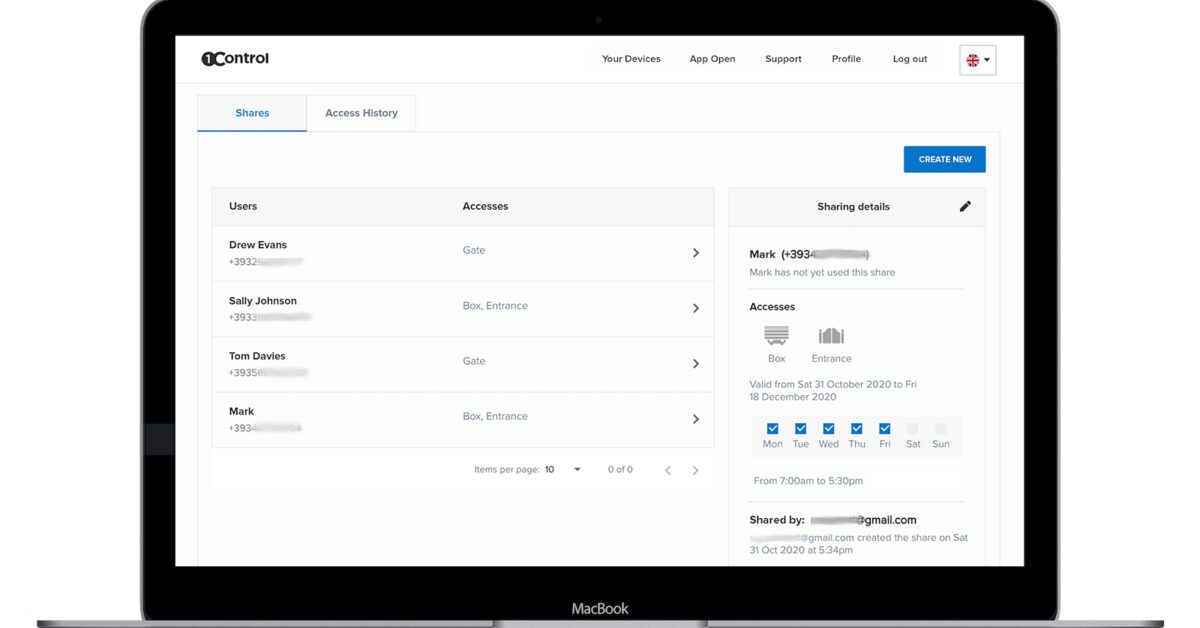
With a centralized system like 1Control ACCESS, this doors-to-users matrix is managed from the web area: each user or group has its doors, its days and hours, its expiry date — and the rules automatically apply to every method associated with the user (app, PIN, badge, remote, license plate). For the parking, license-plate reading even removes remote-control logistics: the client's plate opens the barrier only while the contract is active.
Shared offices, access under control
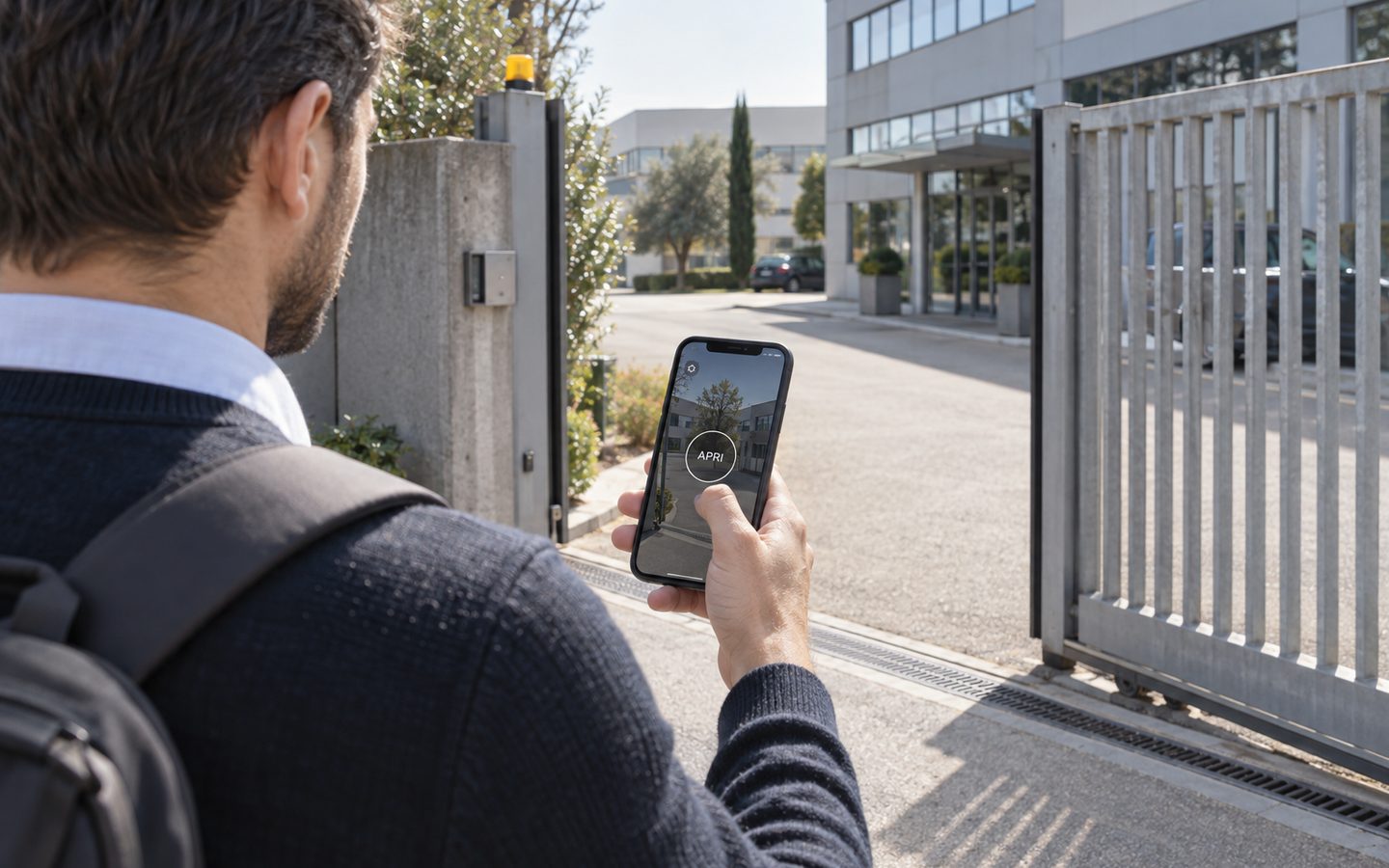
1Control ACCESS manages permissions and time slots for every entrance and logs who comes in: hardware with a data SIM included for 3 years.
- 1,500+ reviews on Amazon, Facebook and Trustpilot
- Secure payments
- 2-year warranty
Retrofit on the building you already have
A business center often lives in a prestigious building — and sometimes a leased one. Rewiring it for a traditional access control installation is a long, expensive project, and hard to justify in a property you do not own. The retrofit approach turns the problem around: the doors are already automated (electric locks, barrier, gate), so you add the intelligence to what is there.
ACCESS connects to the opening input of each door with 12 VDC power and a dry contact; connectivity is LTE with an included SIM, so there is no need to involve the building's data network or configure anything — the device goes online by itself. The smart keypad reads the NFC and RFID badges already in circulation, so resident clients keep their cards. And the system holds a local copy of the permissions: even without a connection, authorized people keep entering.
On the cost model, the same point made for coworking spaces applies: many platforms in this market charge recurring fees per user or per door — in a facility with dozens of rotating clients, a significant line item. ACCESS has no software subscription: you pay once, with the data SIM included and three years of connectivity in the price — the cost does not follow occupancy up.
Operators running more than one address get one more structural benefit: business center access management for every location lives in the same web panel, so the doors, users and logs of a second or third site do not mean a second or third system to learn and maintain. ACCESS MINI covers up to 500 users, ACCESS up to 1000 — enough headroom for a multi-floor, multi-client facility.
The access log as a client service
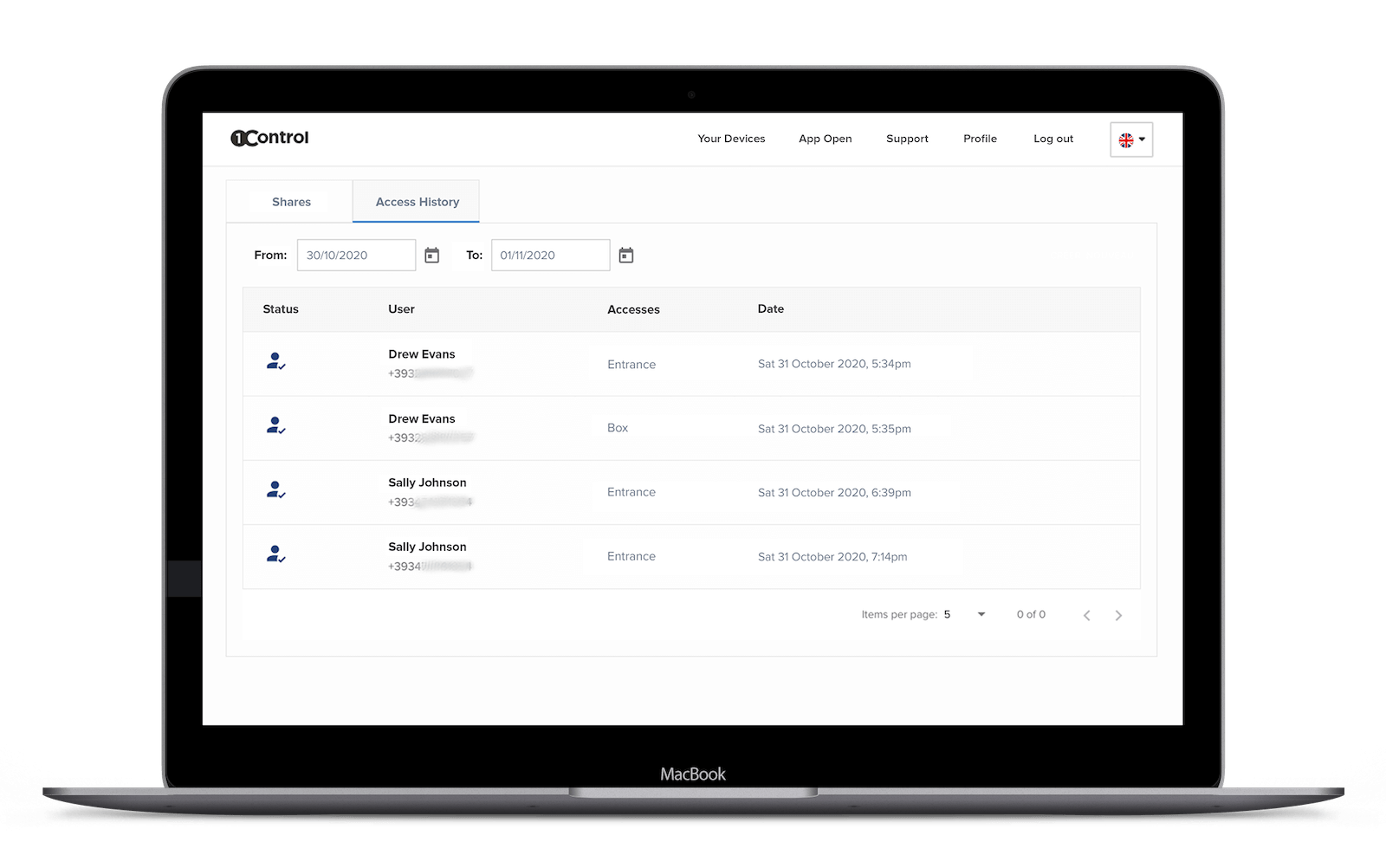
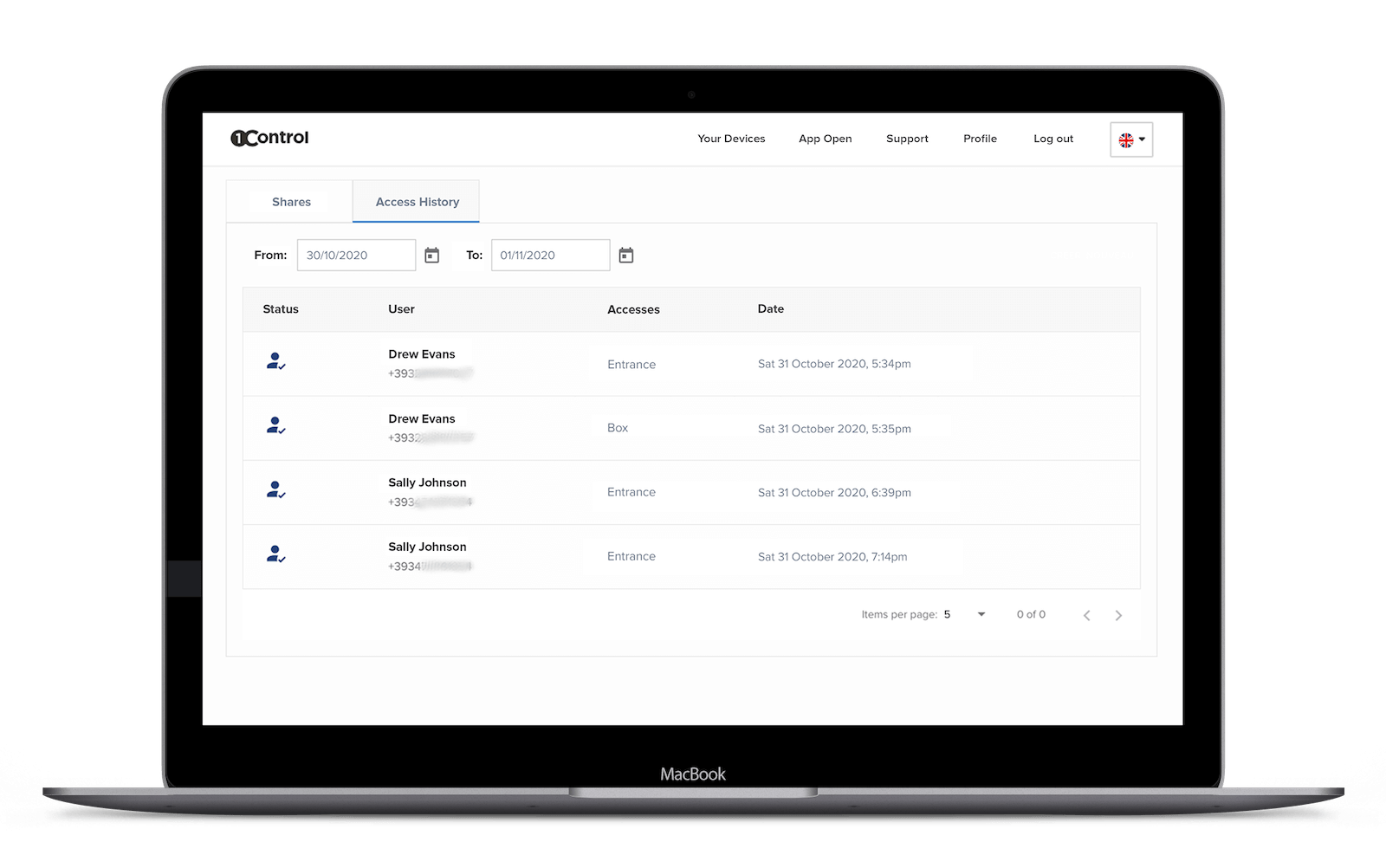
The access history — who entered, when, through which door, with which method — is born as the operator's security tool, but in a business center it becomes something more: a service to offer. The client company that wants to know what time its salesperson came through, the confirmation that office 7 was cleaned, the documentation of a disputed entry: these are real requests, and with the log they are answered in a minute instead of with reconstructions from memory.
Finally, there is the meeting room chapter, an important side revenue in most business centers: with time-limited credentials the rooms rent out even after hours, with no front desk involved. The complete flow — expiring PINs tied to the booking — is described in our guide to meeting room access control.
Frequently asked questions
How do I manage access for clients with contracts of different lengths?
With expiry dates per user or per group: the credentials are valid for the duration of the contract and deactivate on their own when it ends. Renewal is one click from the web area; a termination requires collecting nothing.
Can each client company have several people with their own access?
Yes, with groups: you create a group per company with the doors and hours of the contract, and add the people. Each person has personal credentials (and their own history), but the rules are governed at group level.
Can I give a day office client access before the front desk opens?
Yes: you create a temporary user valid for the day, with a PIN sent in the booking confirmation. The client lets themselves in at 8; the front desk keeps opening at 9.
Do I need to rewire the building to install keyless entry?
No: a retrofit system like 1Control ACCESS connects to the existing automations (the front door's electric lock, barrier, gate) with 12 VDC power and a dry contact, and uses its own LTE connectivity with an included SIM. No network cabling, no construction work — a relevant point in leased buildings too.
Can clients keep using the badges they already have?
Yes: the ACCESS smart keypad is compatible with the most common NFC and RFID badges, so the cards already handed out stay valid — they are simply associated with users in the new system, with nothing to repurchase.
How do I manage client parking?
With license-plate reading or with smart remotes: the plate (or the remote) is associated with the user and inherits their permissions and expiry. At the end of the contract, it stops opening the barrier — automatically.
Conclusion
The flexibility a business center sells its clients has to hold at the entrance too: access that starts and ends with the contract, groups per company, service providers on schedules, parking included — and a log that turns security into service. That is what shared office keyless entry means in practice, and with the retrofit approach it is added to the building as it is, with no construction site and no fees that grow with occupancy.
For the general selection criteria, read our complete guide to retrofit access control for coworking spaces; to see it applied to your facility — doors, floors, parking — request a demo of 1Control ACCESS.