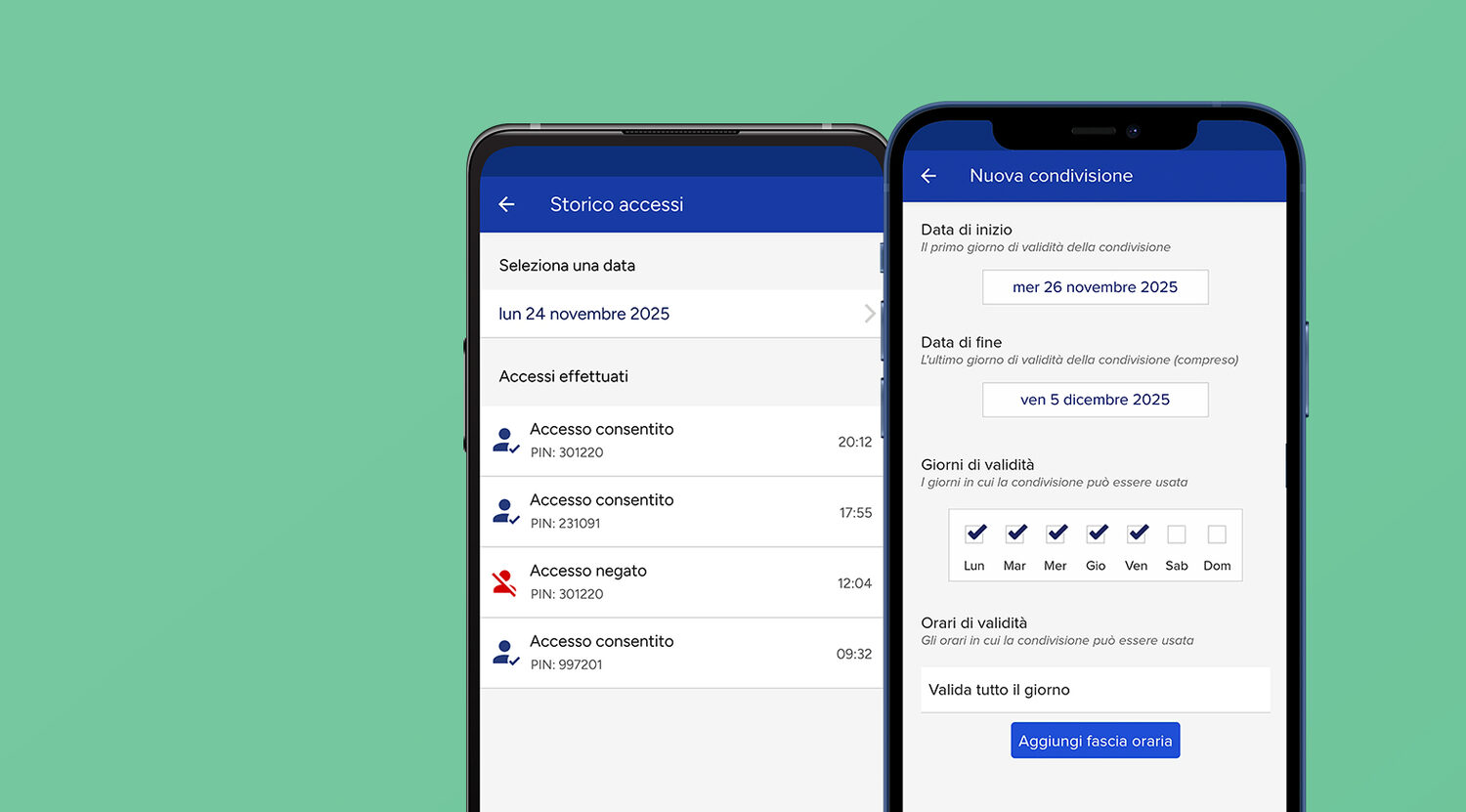
The most stressful hour in short-term rental hosting is not check-in. It is the same-day turnover. Guests check out at 11 a.m., the cleaning crew works 11 to 3, the plumber comes at 2 for the dripping tap, and the next guests arrive at 4. Four different people need to get through the same front door in five hours, in the right order, without you standing on the doorstep — and without a set of keys touring the neighbourhood.
Hosts who run more than one unit know the multiplied version: three apartments, two cleaning crews, a linen service dropping off fresh sheets. This guide shows how to manage cleaner and contractor access with recurring time-window codes, entry and exit notifications and a searchable access log — eliminating key handovers, coordination calls, and the eternal question: “has the cleaner been yet?”
The problem: keys and coordination
The traditional method has two bottlenecks. The first is keys: either every cleaner, housekeeper and handyman carries a copy (which can be lost, forgotten or lent to someone else), or the keys get passed from hand to hand at every turnover — with you playing courier. The second is coordination: “are you in yet?”, “have you finished?”, “did the plumber show up?” — a chain of messages just to reconstruct what is happening in a place where you are not.
The fix is the same one you already use for guests — digital access with rules attached — applied with a different logic. Guest access expires with the booking; cleaner and contractor access is recurring, restricted to time windows.
Time-window codes and digital keys for your crew
With the PAD keypad on powered entrances (gates, garage doors, communal doors with an electric strike) and the DORY smart lock on the euro-cylinder apartment door, every person who works on your property gets a personal access with its own rules:
| Who | Typical rule |
|---|---|
| Cleaning company / housekeeper | Recurring access on turnover days, e.g. every Friday 10 a.m.–2 p.m. |
| Maintenance contractor | Access on the agreed day only, within the appointment window |
| Linen service / suppliers | Service room only, during delivery hours |
| Co-host / property manager | Permanent access, every entrance |
Outside its window, the PIN or the share simply does not open. If you switch cleaning companies, you revoke their access from the app in under a minute — no keys to chase down, no cylinder to replace. And every access is personal: no more single “service code” that the whole crew, the old crew and half the town quietly know.

The setup takes a few minutes per person:
- Create the share from the 1Control app (or the PIN on PAD — 4 PINs included, expandable) in the name of the person or the company.
- Set the rules: days of the week, time window, and an optional expiry date (handy for a contractor booked for a single job).
- Choose the entrances: just the apartment, the garage too, or only the service room — each device carries its own shares.
- Send the access: for app shares all you need is the person's phone number; for PAD you simply tell them their PIN.
For guests the same keypad does the check-in job too — see the dedicated guide to PIN code entry for Airbnb guests — but for cleaners the recurring window is the feature that matters: a code that works every turnover day, and only then.
Manage every guest entrance through one access system
Explore the 1Control solution for front doors, shared entrances, gates, guests and staff. Start with the hospitality setup; if you need a smart lock, then check your door for DORY.
“Has the cleaner been?” — notifications and the access log
With the LINK hub connected to the property's network (Wi-Fi 2.4 GHz or LAN), acting as a bridge between the Internet and the Bluetooth devices on your entrances — up to 5 devices per hub — every opening generates a notification: you see in real time when the crew arrives and when they leave, wherever you are. The access log keeps the complete record — who, where, when — searchable whenever you need to verify a visit, reconstruct an issue (“was that scratch already there on Friday?”) or even cross-check the cleaning company's invoice against actual visits.
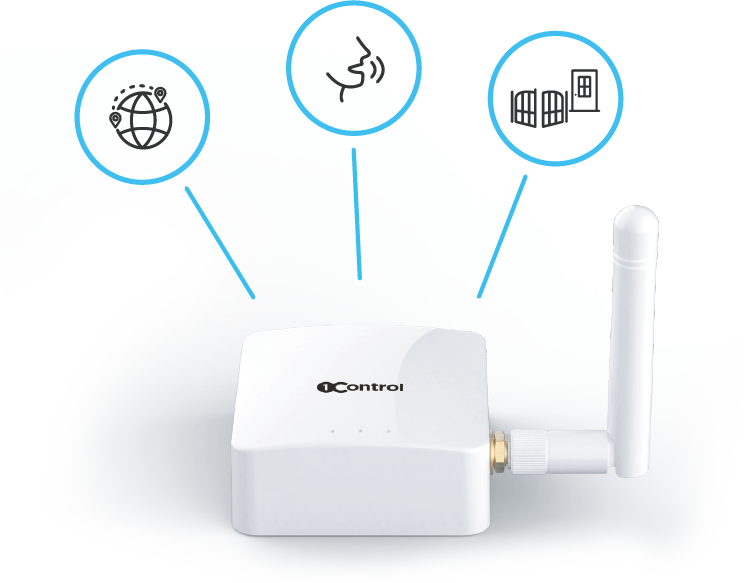
Adding door sensors closes the loop: you know not only who unlocked, but whether the door was actually shut afterwards — the classic “did the plumber leave the place open?” stops being an act of faith. And because LINK also enables remote opening, the cleaner who shows up outside their window for a legitimate reason is one tap away — the same mechanism covered in our guide to opening the building door remotely for guests.
Multi-unit hosts: everything from one dashboard
Managing several apartments multiplies entrances, people and rules. The 1Control Web Admin centralises everything in the browser, and it is built exactly for the property manager's workflow:
- One view of every unit, every device and every user — no more “which apartment did crew B have access to again?”.
- Batch operations: the share for your new cleaning company across three apartments is created once, not three times.
- Cross-property logs: the week's accesses by unit and by person, searchable and verifiable from your desk.
- Planning ahead: the weekend's accesses are set up on Thursday in a few minutes, automatic expiry dates included.
It is worth repeating: the whole ecosystem is a one-time purchase, with no subscription — you buy the devices once and sharing, notifications, the access log and the Web Admin are included (current pricing is on each product page). Across multiple units the maths diverges sharply from platforms that charge a monthly fee per unit: with five apartments, a recurring per-unit plan adds up to a four-figure sum within a couple of years — just to keep using what owned hardware gives you outright.
A typical same-day turnover across three units looks like this: at 11:05 a notification tells you the crew has entered apartment 1; at 1:30 they are out and into apartment 2; at 2 p.m. the plumber uses his share (valid today only, 2–4 p.m.) for the tap in apartment 3; at 4 p.m. the new guests let themselves in with their own PIN at the gate and their digital key at the apartment door. You, meanwhile, were somewhere else entirely — and never touched a key.
Frequently asked questions
Does my cleaning crew need to install an app?
Only if you want them to. On the PAD keypad your cleaners use their PIN — no app, no smartphone needed. The app (or the DORY digital key) is convenient for regular collaborators, who get every entrance in their pocket; the PIN is perfect for external companies and suppliers.
Can I give access to some areas only?
Yes: each device carries its own shares. You can give the linen service the service room only (PAD on that entrance), the cleaning crew the apartment but not the garage, and your co-host everything. Each user sees and opens only what you have shared with them.
How do I know the cleaning was actually done?
The opening notification tells you when the crew entered and left, and the access log keeps the record. Entry at 10:40, exit at 1:15 — the visit is documented; with door sensors you also know the doors were shut behind them. Judging the quality of the clean still takes a human eye, but at least you know for certain the visit happened.
What happens if I switch cleaning companies?
You revoke their accesses from the app in a minute and create the new ones. No keys to recover, no codes to change for everyone else, no lock to replace: that is the structural advantage of personal, digital access.
Conclusion
Cleaner and contractor access is the hidden side of running a short-term rental: less visible than check-in, but a daily routine. Personal codes with time windows, entry and exit notifications and a searchable log turn the turnover from a chain of phone calls into a process you supervise from the app — and the Web Admin scales it across every unit you manage. The starting point is the same as for guest check-in: map your entrances and pick the right device for each, as explained in our smart lock guide for Airbnb rental properties and in the scenarios on the 1Control solutions for B&Bs page.