When a gate remote goes quiet, the cause is almost always the cheapest component in it: the battery. Yet this is exactly when many people order a replacement fob or book a technician. A gate remote battery replacement takes less than five minutes, and — let's clear this up immediately — it does not erase the radio code: the remote keeps opening the gate with no reprogramming, rolling code models included.
The catch: "the battery" is not one battery. Depending on brand and model year, your fob may take a 3 V coin cell (CR2032, CR2025, CR2016 — sometimes two of them stacked), a 12 V cylindrical cell sold as A23, 23A, MN21 or V23GA, or, on a few larger handsets, an ordinary AAA. Below you'll find the brand-by-brand lookup table nobody publishes in text, how to open the shell without snapping it, the swap in 4 steps, and the scenario every other tutorial skips: new battery, still dead — now what?
Tired of hunting for watch batteries altogether? There are two one-time-purchase ways out, with no subscriptions: a universal fob with a swap-in-seconds battery like 1Control WHY, or your smartphone as the remote with 1Control SOLO. More on both at the end.
Which battery does your gate remote take? The brand table
Gate and garage door remotes use two main families of batteries, plus a third that's less common:
- 3 V lithium coin cells — CR2032 is by far the most common, with the thinner CR2025 and CR2016 in more compact fobs. Typical of slim, modern remotes.
- 12 V cylindrical alkaline cells — the same battery is sold as A23, 23A, MN21 or V23GA depending on the manufacturer. Typical of chunkier or older remotes.
- 1.5 V AAA (LR03) alkaline cells — the same battery as a TV remote, found in some larger handsets such as Hörmann's BiSecur HS series.
Here is what the main European brands typically use. Within the same brand the battery can change with the model year, so treat the table as a strong first guess — the code printed on the old battery always has the final word.
| Brand and family | Typical battery | Notes |
|---|---|---|
| Nice FLO (FLO1, FLO2, FLO4 — fixed code) | 12 V A23 | The classic older Nice series |
| Nice FLOR-S (FLO1R-S, FLO2R-S, FLO4R-S — rolling code) | 12 V 23A | Same cell as the FLO; the case flips open from the bottom |
| Nice Era Flor / ONE / INTI (e.g. FLO2RE, ON2E) | CR2032 | The more recent Nice fobs use a coin cell |
| CAME TOP (TOP-432EE, TOP-432NA) | 2 × CR2016 | Two stacked coin cells; older or compatible TOP-style remotes can differ — check inside |
| CAME TWIN (TWIN2, TWIN4) | 2 × CR2016 | Same pair of coin cells as the TOP family |
| FAAC XT2 / XT4 (433/868 SLH) | 2 × CR2032 | Two coin cells, reached through the screw on the back; older FAAC TM remotes typically take a 12 V 23A instead |
| BFT Mitto (B RCB02 / RCB04) | 12 V 23A | One of the most widespread rolling code fobs in Europe; the newer Mitto Cool (C2, C4) takes a CR2032 |
| Hörmann HSM / HS (classic grey, blue buttons) | 12 V A23 | Fixed code generation; a small reset button sits next to the battery |
| Hörmann BiSecur (HS 1, HS 4, HS 5 BS / HSE 1, HSE 2, HSE 4 BS) | AAA (HS) / CR2032 (HSE) | Handsets take an AAA, the small HSE key fobs a CR2032 |
| Erreka (LUNA, IRIS) | CR2032 typically | Slim snap-fit shells |
| Clemsa (MUTAN family) | 12 V 23A on many models | Recent MUTANcode versions move to coin cells |
| JCM (GO, NEO) | CR2032 on most GO models | Some NEO and older JCM fobs take a 12 V 23A |
Two buying tips. A23, 23A, MN21 and V23GA are the same 12 V battery under different maker codes — any of them fits. And resist replacing a CR2032 with a CR2025 "because it also fits": same diameter but thinner, so it makes poor contact and dies sooner. Match the printed code exactly.

Remote acting up? Your backup control is already in your pocket
1Control SOLO fits your existing system and turns your phone into the backup control you always carry: check in seconds whether your gate is compatible. One-off purchase, no subscription.
139,00€ 119,00€ VAT included
- 1,500+ reviews on Amazon, Facebook and Trustpilot
- Secure payments
- 2-year warranty
Gate remote battery sizes: what the codes mean
Battery codes look cryptic, but coin cells follow a simple rule: CR means 3 V lithium, the first two digits are the diameter in millimetres and the last two the thickness in tenths of a millimetre. A CR2032 is therefore 20 mm wide and 3.2 mm thick. Here are the sizes you'll meet in gate, garage and barrier remotes:
| Battery | Voltage | Size | Where you find it |
|---|---|---|---|
| CR2032 | 3 V lithium | 20 × 3.2 mm | The standard for modern slim fobs (Nice Era, BFT Mitto Cool, Hörmann HSE); FAAC XT uses two |
| CR2025 | 3 V lithium | 20 × 2.5 mm | Thinner fobs; not a substitute for a CR2032 |
| CR2016 | 3 V lithium | 20 × 1.6 mm | Often used in pairs, stacked (CAME TOP and TWIN) |
| A23 (23A, MN21, V23GA) | 12 V alkaline | about 10 × 28 mm | Nice FLO and FLOR-S, BFT Mitto B, classic Hörmann, many older remotes |
| A27 (27A) | 12 V alkaline | about 8 × 28 mm | Some compatible and aftermarket remotes; thinner than an A23, not interchangeable |
| AAA (LR03) | 1.5 V alkaline | about 10.5 × 44.5 mm | Larger handsets such as Hörmann BiSecur HS 1, HS 4 and HS 5 |
One trap deserves its own line: two stacked CR2016s are not one CR2032. The pair is about as thick as a CR2032, so a single cell seems to fit, but two cells in series deliver 6 V and the remote is designed for that. Always replace both, with the same orientation as before.
How to tell which battery your remote takes
Read the code on the old battery once the shell is open, or look up the remote model (printed on the back or inside the case) in the tables above or in the manufacturer's leaflet. Don't buy "the usual one" blind: CR2032, CR2025 and a pair of CR2016s look alike in a shop drawer.
How to open the fob without breaking it
More remotes are killed by the opening than by the battery. Before applying force, look for the two standard designs:
Screwed shells. Check the back for one or two small Phillips screws — they often hide under a sticker, inside the keyring hole or under a rubber plug. Undo them and the halves separate cleanly; on some fobs the keyring pivot is the closing screw.
Snap-fit shells. No screws means the halves are clipped together. Find the seam — there is usually a small notch near the keyring hole — insert a coin, and twist gently, working along the seam rather than prying at a single point. Avoid a flat screwdriver on visible edges: it chews the plastic.
Once open, take a photo of the battery before removing it: it records both the exact type and the polarity. Coin cells usually sit with the "+" face (the engraved one) up against the clip; 12 V cells have the polarity marked inside the compartment. A cell inserted the wrong way does no harm on most remotes — the fob simply stays dead — which makes it the most common "new battery doesn't work" mistake. And hold coin cells by the edges: fingerprints on the flat faces reduce contact.
Gate remote battery replacement in 4 steps
To replace the battery in a gate or garage door remote:
- Open the shell: remove the screws on the back, or twist a coin gently in the seam if the halves are clipped together.
- Photograph and remove the old battery: note the printed type (e.g. CR2032 or A23) and which way the "+" faces, then slide the cell out without levering against the circuit board.
- Insert the new battery with the same polarity, pressing it fully under its clip, and make sure the contacts touch the cell firmly.
- Close the shell and test: the LED should light brightly on a press; then check the range at the gate — the original distance should return.
That is the whole job: no tools beyond a screwdriver or a coin, and no reprogramming afterwards. The radio code lives in non-volatile memory on the remote's board and survives with no battery installed; rolling code remotes keep their synchronization too, so the gate answers the first press as before.
Battery change by brand: Nice, FAAC, BFT, CAME, Hörmann
Nice remote battery change
On the classic FLO and FLOR-S remotes (FLO2R-S and the like), press on the bottom of the case: it flips open from the bottom and reveals a 12 V 23A. On the fixed code FLO you'll also see the DIP switches above the battery — don't move them, or the remote stops opening. The newer Era Flor, ONE and INTI fobs take a CR2032. Nice's own leaflets describe the warning signs: when the battery is nearly flat the LED takes a while to light up, and when it's exhausted the LED is dim.
FAAC remote battery replacement
FAAC XT2 and XT4 SLH remotes open by undoing the screw at the rear, and inside you'll find two CR2032 cells: replace both at the same time. On these models a red flashing LED when you press a button is the low-battery warning. Older FAAC remotes of the TM series typically run on a 12 V 23A.
BFT remote battery
The widespread BFT Mitto B (RCB02 and RCB04) runs on a 12 V 23A, not a coin cell: remove the small Phillips screw on the back and lift the cover. The newer Mitto Cool fobs take a CR2032 instead. In rare cases a BFT remote needs re-synchronising with the receiver after the swap; the procedure is in the BFT leaflet and our gate remote programming guide explains the logic.
CAME remote battery replacement
CAME TOP-432EE, TOP-432NA and the TWIN series take two CR2016 cells stacked on top of each other. Undo the small screw underneath, note how the two cells face before removing them, and put the new pair back the same way.
Hörmann remote battery
BiSecur handsets HS 1, HS 4 and HS 5 have a battery cover on the back and take a 1.5 V AAA; the small HSE key fobs open at the seam and take a CR2032; the classic grey remotes with blue buttons (HSM 4, HS 4) take a 12 V 23A. One Hörmann-specific rule: don't press any button while inserting the new battery, and on the classic models don't touch the small reset button next to the battery, or the remote may need to be enrolled again.
New battery, still dead — now what?
Swapped the cell and the gate still ignores you? Check the three usual suspects, in this order.
1. Oxidized or dirty contacts
If the old battery sat flat for months — or leaked — the metal contacts corrode: look for white or greenish crust, or a dull grey film. Clean them with a cotton swab and isopropyl alcohol, or rub gently with a pencil eraser until shiny; if the clip has lost tension and the cell sits loose, bend it back slightly. This alone revives a surprising number of "dead" fobs.
2. The remote needs re-registering on the receiver
Losing the code from a battery swap is a myth on modern remotes — but if the fob was already misbehaving before the battery died, its registration on the receiver may be the real issue. Re-learning it is usually a two-minute procedure: our gate remote programming guide covers the general steps for the main brands.
3. The problem was never the battery
If a known-good remote does nothing either, the fault is on the gate's side: receiver, antenna or interference. From here, follow the full diagnosis by symptom in gate remote not working: 8 checks to fix it and — if the receiver refuses to accept new remotes — gate receiver memory full: how to add remotes. If the fob's board itself has died, don't hunt for a discontinued replacement: a universal remote or a smartphone opener can copy another working remote of the same gate.
4. The remote was reset during the swap
Rarely, the code does get lost — not because of the missing battery, but because a button or a reset key was pressed while the cell went in (a known case on Hörmann remotes), or because a rolling code remote fell out of step with the receiver after many presses out of range. The fix is the same in both cases: enrol the remote again, as described in the gate remote programming guide.
How long does a gate remote battery last?
With normal use, expect two to five years from a battery. The first symptom of a tired cell is not silence but shrinking range: you find yourself driving closer and closer to the gate, then pressing twice. That is the moment to swap — not when the remote finally dies in the rain.
A few habits stretch the interval. Don't carry the fob loose in a pocket or under objects in the door bin: buttons pressed continuously transmit non-stop, and that — more than age — is the biggest battery killer. Heat and cold in the car shorten the life of 12 V alkaline cells in particular, and a coin cell that spent years in a discount bin arrives half-discharged, so buy branded cells and check the expiry date. Since they cost so little, keep a spare of the right type in the car: it turns a dead remote into a two-minute pit stop.
How to check a gate remote battery
Before buying a cell, a one-minute check saves guesswork:
- Watch the LED: on most remotes a bright, instant flash means the battery is fine; a delayed, dim or flickering LED means it's nearly flat. Some brands use colour: FAAC SLH remotes flash red, Hörmann BiSecur remotes show a red warning.
- Test the range: if the gate only answers from a few metres, the battery is the first suspect.
- Measure it: with a multimeter set to DC volts, a healthy CR2032 reads about 3 V and an A23 around 12 V. Readings clearly below those values mean a tired cell, but an unloaded reading can flatter a weak battery, so when in doubt, just swap it.
- Try a second remote of the same gate: if it doesn't work either, the battery isn't the problem.
Gate key fob, roller door and garage remotes: same batteries?
Yes, as long as the "fob" is a radio remote with buttons: gate key fobs, roller door remotes and garage door remotes use the same CR2032, CR2016, A23 or AAA cells described above, and the replacement steps are identical. The exception is the button-less proximity fob or tag that you hold against a reader at the gate of an apartment building: it's an RFID tag with no battery at all. If it stops working, it needs to be re-enrolled or replaced by whoever manages the access system, not opened.
Not the remote? The gate opener's backup battery
A "gate opener battery" can also be something else: many electric gate motors host a rechargeable backup battery (or run on solar power with a battery) that keeps the gate working during power cuts and wears out after a few years. If the gate only fails during blackouts, or a solar gate slows down and stops, check that one — a job for the installer, since it sits next to mains wiring.
Where to replace a gate remote battery
CR2032 and A23 cells are sold in supermarkets, hardware and electronics stores and online; rarer sizes such as A27 are easiest to find online. If you'd rather not open the remote yourself, key-cutting kiosks, watch repairers and remote-duplication shops change the battery on the spot: bring the remote, not just the battery code.
The alternative: remotes that never leave you hunting for batteries
If this is the third coin cell this year — or you manage remotes for a family, tenants or a shared gate — it may be worth changing the problem instead of the battery.
1Control SOLO turns the smartphone you already carry into the gate remote: it copies the signal of over 800 remote models, fixed and rolling code, without touching the gate's control unit — and the original remotes keep working. The phone needs no watch batteries, access is shared free of charge by phone number with time slots and expiry dates, and SOLO itself runs about two years on two ordinary alkaline C cells from any supermarket. You pay once, no subscription; check your remote on the SOLO compatibility page.
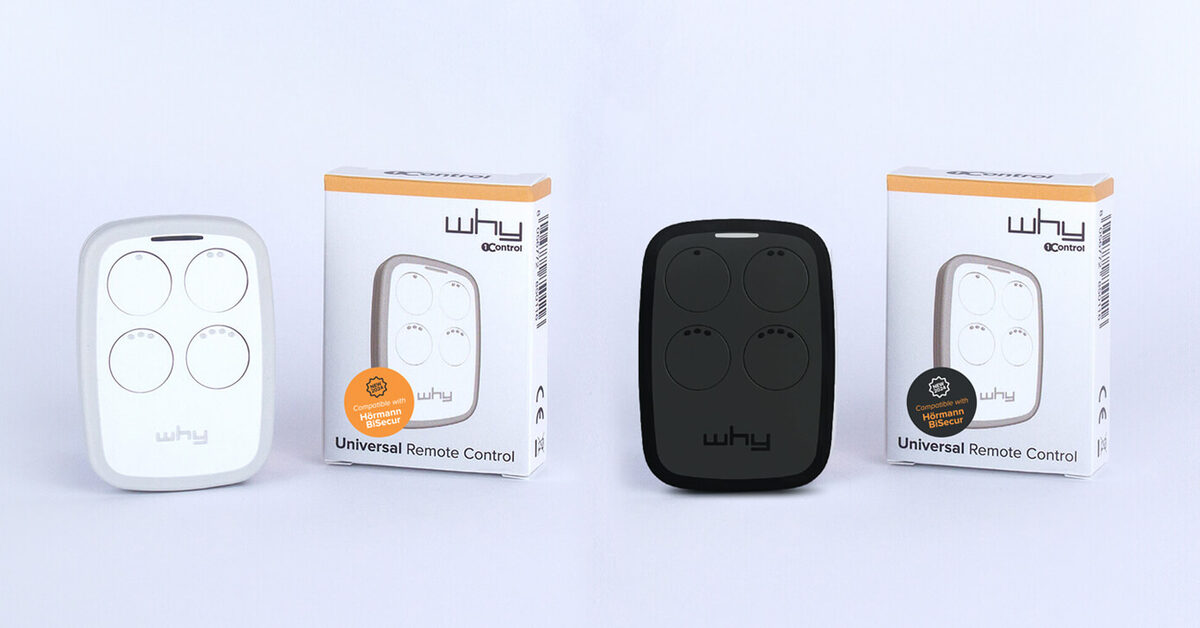
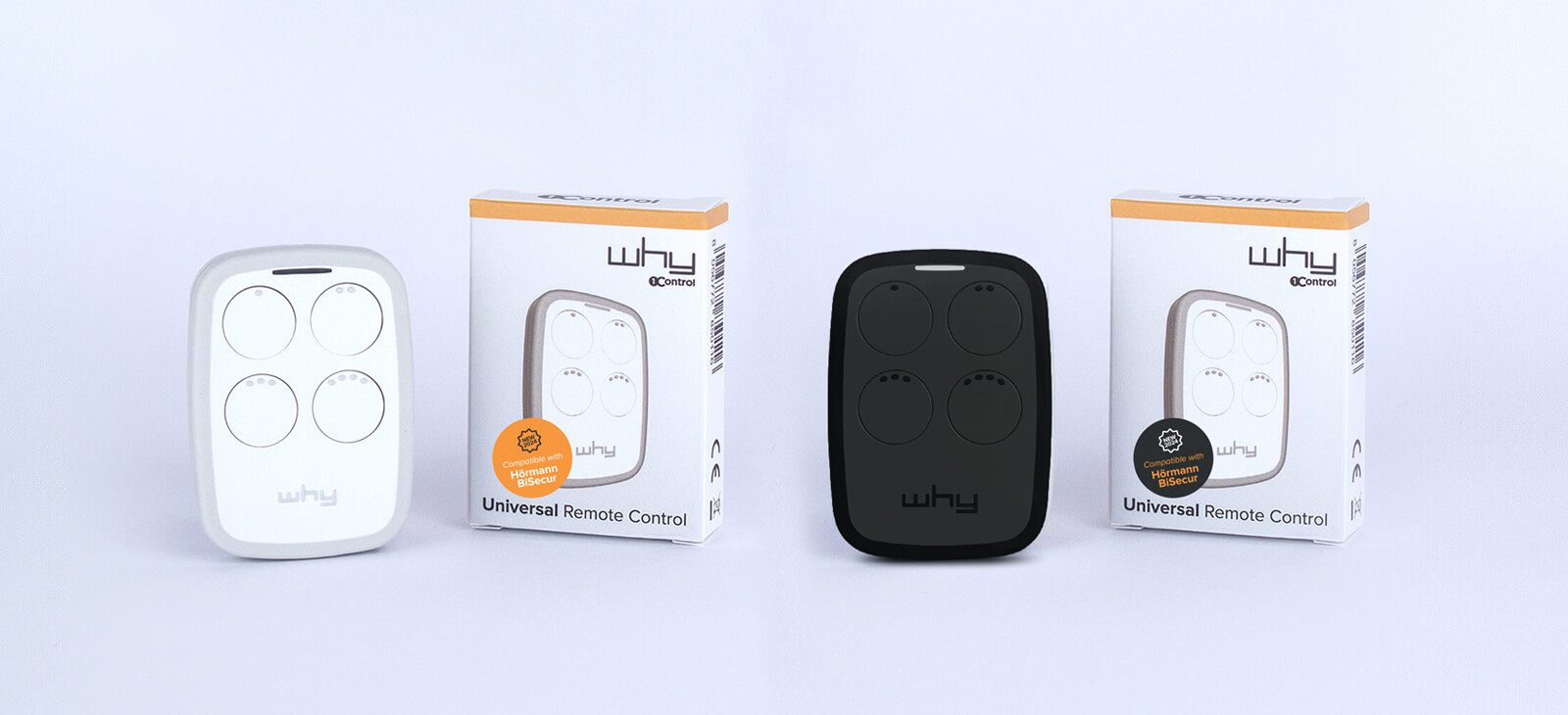
If you prefer a physical fob, 1Control WHY is a universal 4-in-1 remote: each button can clone a different remote, even from different brands, from the same catalogue of 800+ supported models. It works with no app and no internet — and its CR2032 is user-replaceable in seconds, exactly as this guide describes. The battery stays a consumable; the remote stops being one.
Frequently asked questions
Does a gate remote lose its code when you change the battery?
No. The radio code is stored in non-volatile memory on the remote's circuit board and survives without power, even for long periods. This applies to rolling code remotes too: after the swap, the gate responds to the first button press with no reprogramming.
Are A23, 23A, MN21 and V23GA the same battery?
Yes — they are different manufacturer codes for the same 12 V cylindrical alkaline cell used by many gate remotes. Any battery sold under one of those names will fit a remote designed for the others.
Can I use a CR2025 instead of a CR2032?
It is not recommended. The two cells share the same 20 mm diameter, but the CR2025 is thinner: it can sit loose in the holder, make intermittent contact and has less capacity. Always match the code printed on the battery you removed.
Why does my gate remote only work from very close?
A nearly flat battery is the most common cause: range shrinks gradually before the remote dies completely. If a fresh battery does not restore the original distance, the problem is on the receiving side — antenna position, interference or a receiver fault — and needs the full diagnosis rather than another battery.
What size battery does a gate remote take?
Most gate remotes take either a 3 V CR2032 coin cell (20 mm wide, 3.2 mm thick) or a 12 V A23, also sold as 23A, MN21 or V23GA. Some use two stacked CR2016 cells (CAME TOP and TWIN), two CR2032 (FAAC XT) or an AAA (Hörmann BiSecur handsets). The code printed on the old battery always has the final word.
What battery does a BFT remote take?
The common BFT Mitto B remotes (RCB02 and RCB04) take a 12 V 23A battery, reached by removing the small screw on the back. The newer BFT Mitto Cool fobs (C2 and C4) take a 3 V CR2032 coin cell.
What battery does a Nice remote take?
It depends on the series. The classic Nice FLO and FLOR-S remotes (such as FLO2R-S) take a 12 V 23A, while the newer Era Flor, ONE and INTI fobs take a 3 V CR2032. Open the shell and check the code on the old cell before buying.
Do gate key fobs have a battery?
Radio key fobs with buttons do, usually a CR2032 or a 12 V A23, and they are changed like any gate remote. Button-less proximity tags that you hold against a reader are RFID tags with no battery: if they stop working, they need re-enrolling by whoever manages the access system.
Conclusion
A dead gate remote is, most of the time, a two-minute repair: find the right cell in the table, open the shell the gentle way, respect the polarity — no code is lost and nothing needs reprogramming. If a fresh battery doesn't fix it, work through contacts, registration and receiver in that order. And to retire from battery-hunting entirely, put the remote in the device you never leave behind: with 1Control SOLO your smartphone opens the gate, while 1Control WHY keeps a physical button on your keyring with a battery you swap yourself — either way, you pay once, with no subscriptions.
To pick between the two without buying blind: which universal gate remote to choose if you want to keep a button, how to open a gate with your smartphone if you would rather use the phone.