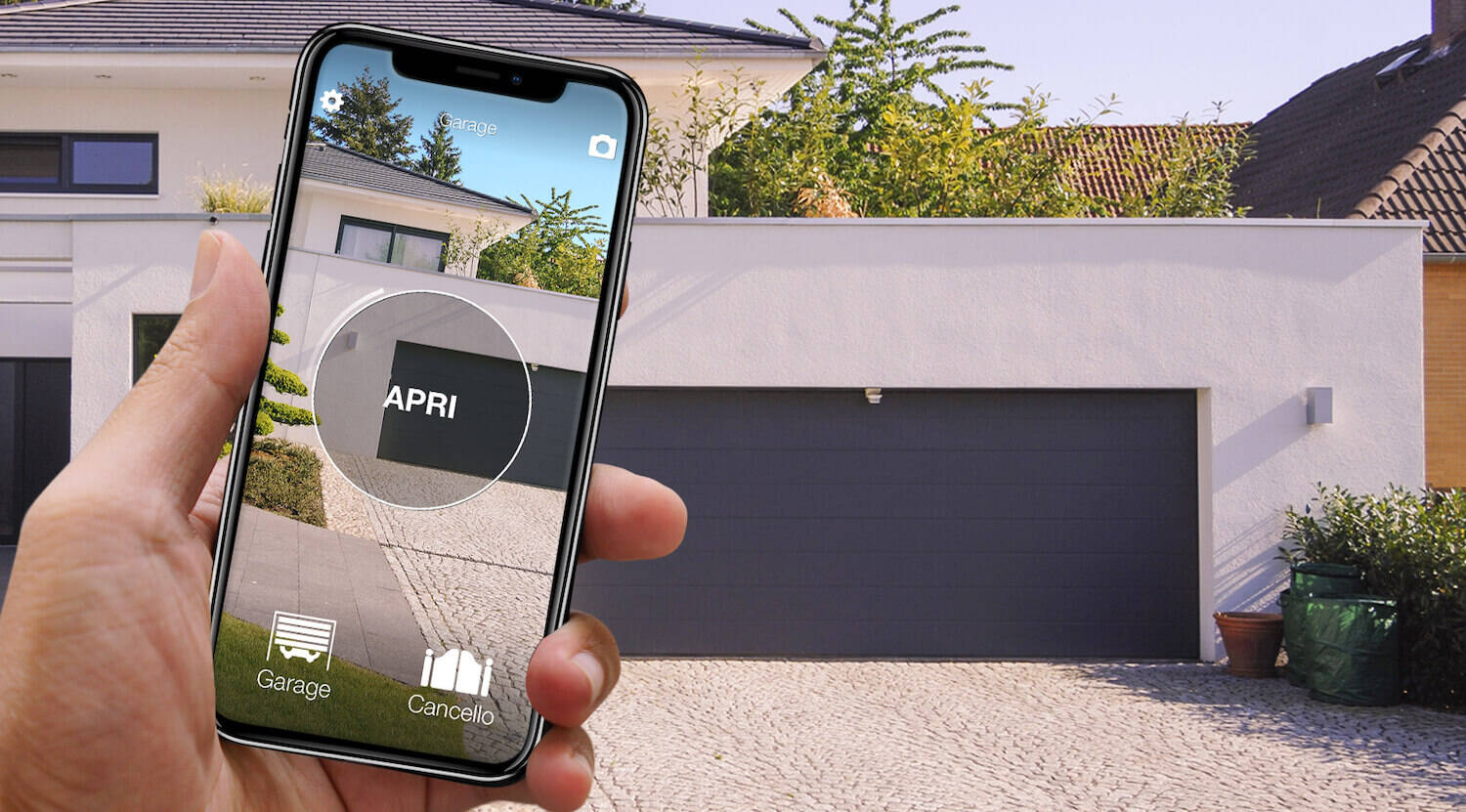
Every host who runs a short-term rental in an apartment building knows the scene. The smart lock on the apartment door is installed and works beautifully — and then the guest texts you from the pavement: “I'm at the front door of the building. How do I get in?” The shared building entrance — the street door with its intercom, the car park gate, the courtyard gate — is the great forgotten gap of self check-in. It is no accident that “how do I get guests through the building door?” has been circulating in host forums for years without a satisfying answer.
This guide walks through the real options — smart intercoms, devices wired to the intercom handset such as Nuki Opener, and systems that act directly on the entrance's electric release or motor — together with their constraints (building management and HOA permission first among them), and then the complete workflow for handling a guest's arrival from anywhere.
The “first door” problem
Almost every smart-access product was designed for the apartment door: electronic cylinders, motorised smart locks, keypads for a single private door. But in an apartment building the guest meets the street door first — and often a vehicle gate or a courtyard after that. If the only way through that first door is the buzzer, which rings in an apartment where nobody is home, self check-in breaks down one metre into the property.
The practical fallout is familiar: guests waiting on the kerb with their luggage, hosts driving across town “just to buzz someone in”, building keys and fobs duplicated and passed from hand to hand, or the old lockbox zip-tied to a railing outside — the weakest link in the security chain, and no longer welcome everywhere: Paris banned key lockboxes on public property in early 2025, and other European cities are moving the same way (our guide to the legal requirements of self check-in covers what to verify in your own city).
And it is not a niche problem. On the Airbnb Community forums, threads with titles like “How to get guests through the building door lock?” have been running for years, page after page of workarounds: GSM dialers wired into the intercom, gadgets that physically press the handset button, even a neighbour paid per buzz. If the question keeps coming back, the reason is simple: the traditional answers either require work on the shared door-entry system, or add a subscription, or cover one entrance only.
The options on the table (and their limits)
Replacing the intercom: smart intercoms and video door entry
Swapping the intercom for a connected model (or adding a Wi-Fi video doorbell at the entrance) lets you answer and open from your smartphone. It works — but in an apartment building there is a structural obstacle: the door-entry system is part of the communal installation. Altering the street panel or the shared wiring typically needs sign-off from whoever governs the building — the HOA or condo board in the US, the freeholder or managing agent in the UK, the owners' assembly elsewhere — and that is rarely a quick conversation when short-term rentals are involved. To pick the right model (and to know when you don't need one at all), see our video doorbell guide.
- Pros: you see who is ringing, answer and open from anywhere; a complete experience if the property gets many visitors.
- Cons: work on the communal door-entry system (building-management permission almost always needed), installation by an electrician, dependence on a third party's app and cloud, and total costs that climb fast between hardware and labour.
Devices wired to the intercom handset: Nuki Opener and friends
This is the category of Nuki Opener and similar gadgets: they connect to the intercom handset inside your apartment and simulate the door-release button press, so you can buzz guests in remotely from an app. There are also inexpensive GSM relays that open on a phone call or SMS, but they need a dedicated SIM card and its recurring cost.
- Pros: they do not touch the communal installation (they work on the handset inside your own apartment), the hardware is affordable, and there is no building work.
- Cons: compatibility has to be verified model by model against the building's door-entry system — host forums are full of edge cases with older or digital intercoms — and support can change under your feet: Nuki Opener is still on sale, but in January 2025 it ended support for Siedle intercoms at the manufacturer's request. Installation still means working on the handset's wires; some rental-focused commercial alternatives add a monthly fee or a dedicated SIM; and above all these devices command only what the intercom commands — the car park gate and the garage stay out of reach.
Driving the entrance automation directly: the 1Control approach
The third route does not go through the intercom at all: it acts directly on the entrance's own automation — the gate motor, the garage door operator, the electric release on the street door or the pedestrian gate. SOLO and PAD connect over radio or a simple contact to the existing automation — exactly like one more remote on the system. No work on the communal door-entry system, no permission from building management or the HOA in the general run of cases, no wiring or building works. SOLO gives you opening from the app (with the entrance's location and a full access history); PAD adds a wireless keypad with time-limited PINs for guests.
- Pros: compatibility depends on the entrance, not on the intercom (over 750 remote controls supported by SOLO, over 800 by PAD, rolling code included); battery-powered self-installation with no electrician; covers the vehicle gates and garages the intercom does not command; works over Bluetooth even without internet; no subscription — the hardware is a one-time purchase.
- Cons: the entrance needs to be powered (a motor or a controllable electric release); remote opening from any distance requires adding the LINK hub; local Bluetooth range is 15–30 metres (unlimited remotely via LINK).
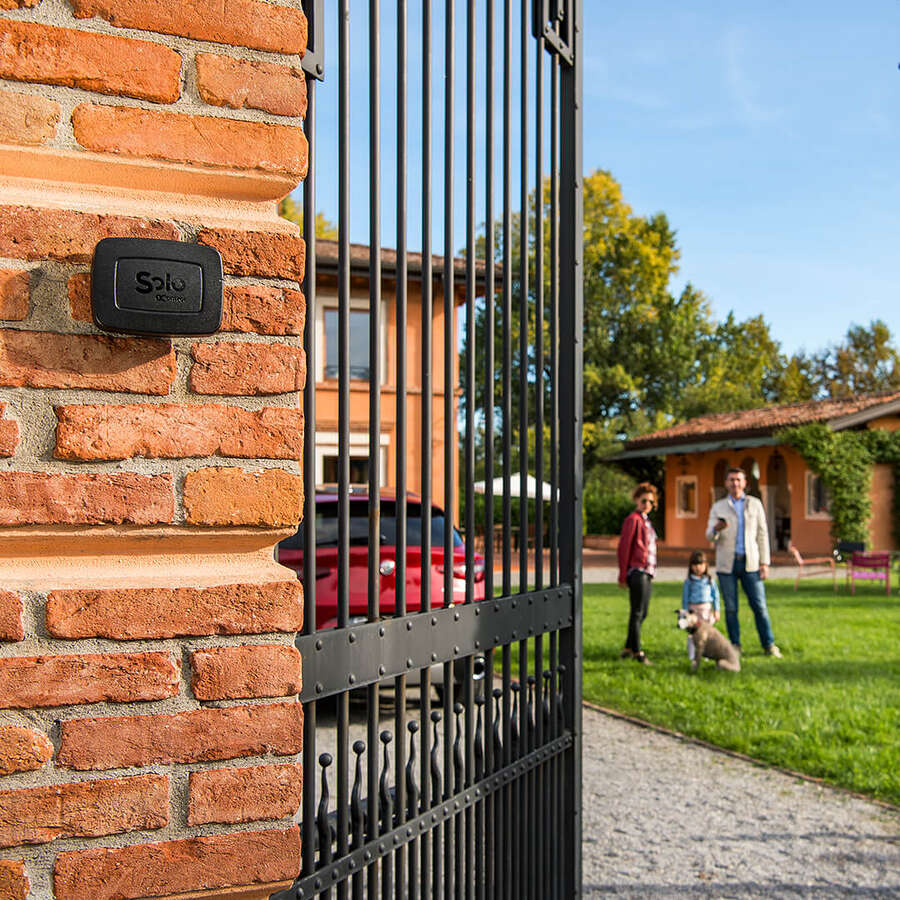
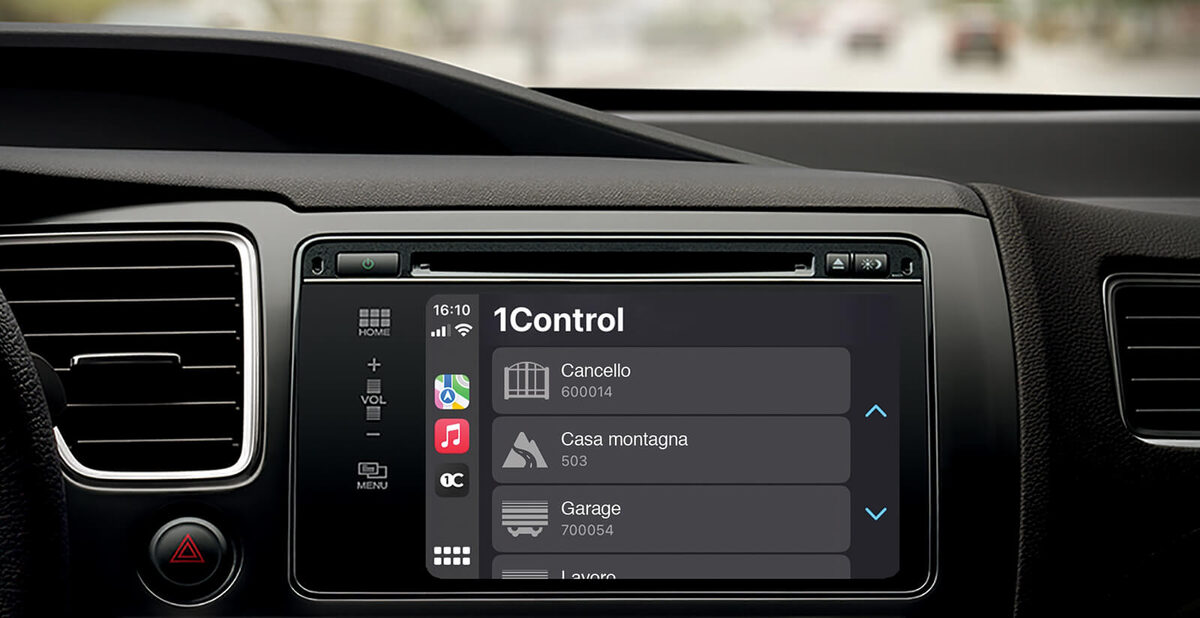
For opening from any distance, you add the LINK hub: it connects to the property's internet over 2.4 GHz Wi-Fi or a LAN cable and acts as the bridge between the Internet and the Bluetooth devices on your entrances, up to 5 devices per hub. From the app you open the building door from wherever you are — the office, home, another country — and receive a notification at every opening; voice commands (Alexa, Google Home, Siri) and opening from Apple CarPlay and Android Auto come on top. All with no monthly fees: you pay for the hardware once.
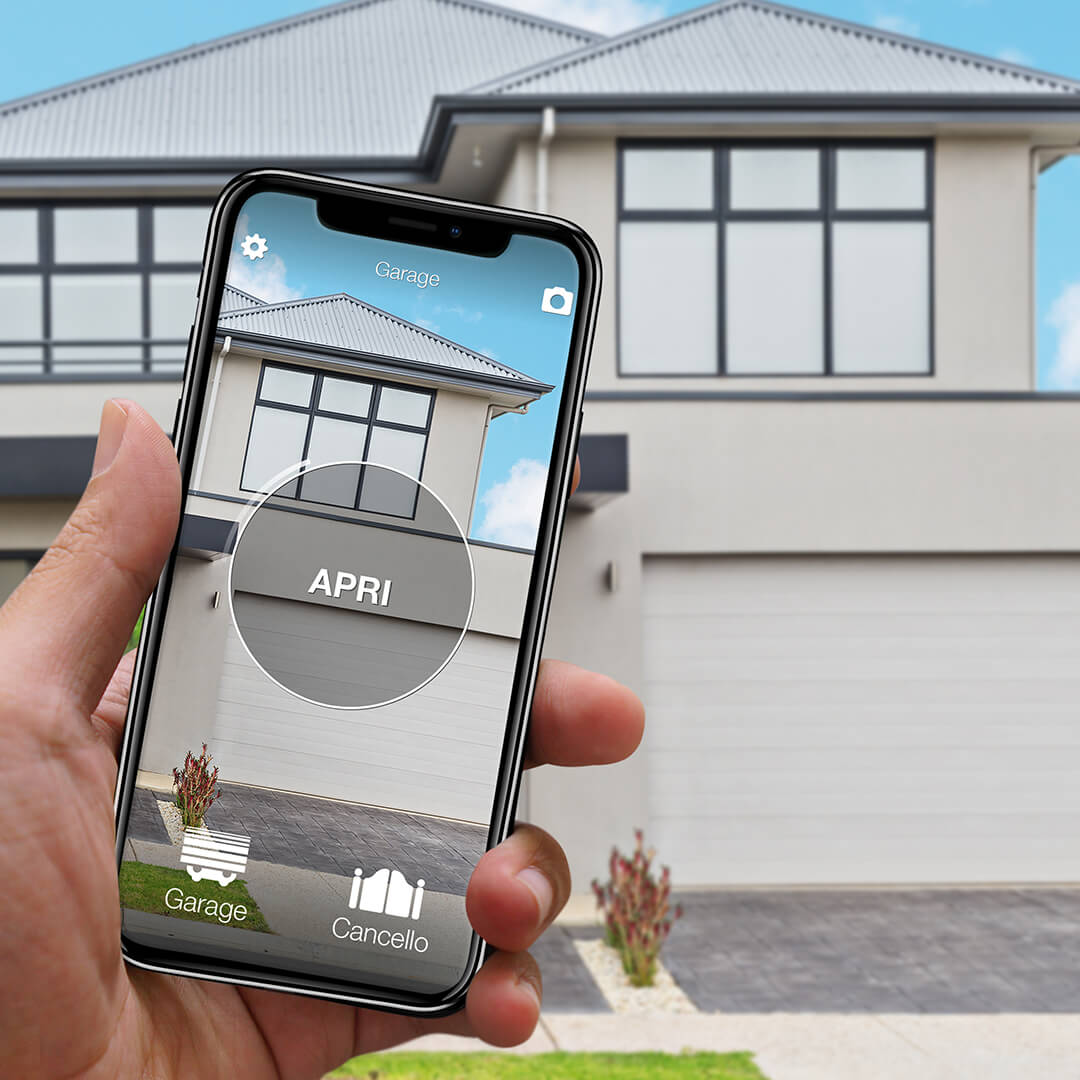
Want to open your gate from your phone?
Check in seconds whether your system is compatible with 1Control SOLO: it fits existing gates and garage doors, one-off purchase, no subscription.
139,00€ 119,00€ VAT included
- 1,500+ reviews on Amazon, Facebook and Trustpilot
- Secure payments
- 2-year warranty
The complete flow: remote check-in step by step
Depending on where you host, opening the door “blind” may not be enough: a growing number of countries and cities require hosts to verify guests' identity — sometimes visually, in real time — rather than just collecting a passport scan (the country-by-country picture is in our self check-in legal requirements guide). The good news: remote opening is precisely the piece that makes a compliant, fully remote arrival workable.
- The guest arrives at the building door and lets you know — a message, a call, or the arrival window agreed in your check-in instructions.
- You start a quick video call — a welcome, and where your local rules require it, face and ID document on camera for a real-time identity check.
- While you are still on the call, you open the building door from the app via LINK — verification and entry happen in the same moment, and the person walking in is the person you have just identified.
- For the apartment door, the guest uses the expiring digital key of DORY: a free share sent to their phone number, valid for the whole stay. DORY does not open with a PIN — the PIN route belongs to the powered entrances with PAD (see our guide to keypad code entry for guests).
- From the second entry onwards the guest is autonomous on every entrance, and the openings appear in your access history without you lifting a finger.
The same mechanism covers everything beyond check-in too: the courier, the boiler engineer, the cleaner between turnovers — you open the right entrance from wherever you are, and the history records it all.
The apartment building case: what to check before you start
The apartment building is the scenario where most solutions get complicated — and exactly where the most frequent host-forum questions come from. What to check before you commit:
- The type of entrance. If the street door or gate already has an automation or a controllable electric release — that is, if a remote control or a button somewhere already opens it — SOLO and PAD integrate as one more remote. This is the ideal scenario, and the most common one in buildings with a vehicle entrance.
- The communal parts. Connecting to the existing automation of the vehicle gate — for which you often already hold a remote as a resident — is generally far less sensitive than putting hands on the shared intercom wiring. If in doubt, a conversation with the building manager or managing agent avoids surprises — and you arrive with a proposal that modifies nothing shared.
- Connectivity. LINK installs where the internet is (in the apartment) and talks to the devices over Bluetooth within roughly 20–30 metres. For distant entrances there are Bluetooth range-extension antennas; alternatively, the device on the far entrance can work in PIN-only mode — PAD does not need the hub to accept codes.
- The other residents. Your device changes nothing for them — existing remotes, fobs and keys keep working exactly as before. In a residents' meeting, that argument is worth gold.
In the edge cases — a heritage street door with no electrification, unusually restrictive building rules — the alternative strategy is to shift the automation onto the entrance that already has it (the vehicle gate) and route guests through there, then handle the apartment door with DORY. It is no fallback: for a guest with suitcases or a car, entering through the vehicle gate with a PIN is often more comfortable than through the pedestrian door.
How to buzz someone in remotely (when you're not home)
Strip the question down to its practical core — how do you buzz someone in remotely when nobody is in the apartment? — and the three routes above become a simple decision. If the intercom has to stay in the loop, a handset device such as Nuki Opener presses the door-release button for you (compatibility to be checked against your building's door-entry system), and a GSM relay does the same on a phone call, with its own SIM and running cost. If you would rather not depend on the intercom at all, you command the entrance's own automation: SOLO or PAD connected to the electric release or the gate motor like one more remote, and LINK to open from the app at any distance — so “buzzing someone in” becomes a tap, whether it is a guest, a courier or the boiler engineer at the door.
The same logic serves residents, not just hosts: our guide to communal gate remote control for apartment buildings covers the resident's side of the problem, and for small buildings that want to manage fobs, remotes and PINs centrally there is the guide to apartment gate access control for small buildings.
Self check-in in an apartment building: closing the whole chain
For hosts, remote buzzing is best treated as the exception, not the plan: the goal of self check-in in an apartment building is that the guest never needs to be buzzed in at all. That means covering the whole chain of entrances — the communal door (SOLO or PAD on its automation or electric release), the car park gate if there is one, and the apartment door (a DORY digital key valid for the stay) — so the guest's PINs and digital key carry them from the street to the sofa. Keep remote opening via LINK for the edge cases: the early arrival, the mistyped PIN, the phone that died on the plane.
Frequently asked questions
Can I open the shared building door remotely without permission from building management?
It depends on how you do it. Solutions that modify the door-entry system (a communal installation) can require sign-off from the HOA, condo board or freeholder. Solutions that connect to the entrance's automation as an additional remote control — the case of SOLO and PAD on powered gates and doors — do not touch the door-entry system and in the general run of cases need no formal approval. If in doubt, talk to your building manager or managing agent first.
How is this different from Nuki Opener and other intercom devices?
Those devices simulate the door-release button by acting on the intercom handset inside your apartment: compatibility has to be verified model by model against the building's door-entry system, and they remain tied to that mechanism — Nuki, for instance, ended Opener support for Siedle intercoms in January 2025. The 1Control approach acts directly on the entrance's automation (motor or electric release), like an extra remote: compatibility depends on the entrance, not the intercom, and it also covers vehicle gates and garages the intercom cannot command.
Do guests need internet access to get in?
No. The guest enters with a PIN on the PAD keypad (no app, no connection, no SIM) or with the Bluetooth digital key in proximity. The internet is only needed on your side, for remote opening via LINK and for the opening notifications.
Does it work for the garage and the car park gate too?
Yes — that is the native scenario: SOLO and PAD were built for gate, garage-door and barrier automations. For a rental with parking, the guest receives a PIN for the vehicle gate and one for the pedestrian door, both valid for the duration of the stay.
What if the building door has no electric release?
If the street door has a purely mechanical lock, you either fit a controllable electric release first (a locksmith or electrician job, to be agreed within the building) or you shift the automation onto the entrance that already has one — typically the vehicle gate — and manage the apartment door with the DORY smart lock. The 1Control solutions for B&Bs and short-term rentals page maps the typical cases entrance by entrance.
How does self check-in work in an apartment building with a communal entrance?
By covering every entrance in the chain, not just the apartment door: SOLO or PAD on the communal door's electric release or gate automation, a DORY digital key on the apartment door — all valid for the duration of the stay — and LINK for remote opening when something unexpected happens. The guest goes from the street to the apartment without you moving, and every opening is logged in the access history.
The bottom line
The building entrance is where most self check-ins break down — and it is also the entrance with the most underrated fix: you do not need to rebuild the intercom, you just need to command the automation behind the door. With SOLO or PAD on the building door and gate, DORY on the apartment door and LINK as the bridge between the Internet and the Bluetooth devices, the whole property opens from a single app — in person, by PIN, or remotely during the identity-check video call. No building works, no permissions in the general run of cases, no subscriptions. To pick the right device for each entrance, start from our smart lock guide for rental properties or go straight to the 1Control solutions for B&Bs and short-term rentals.