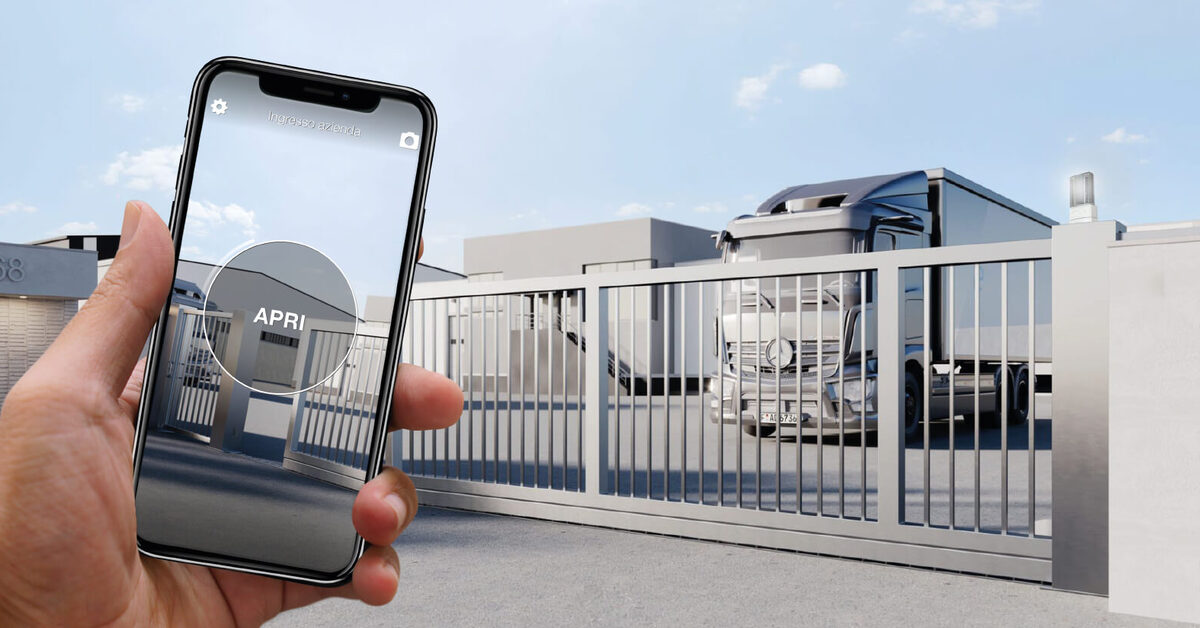
Search for apartment gate access control and you'll mostly find systems designed for gated communities with hundreds of units, a security office and a full-time property manager. That's not most buildings. Most buildings are a block of six to forty flats, a communal gate or front door, a car park entrance, and a residents' management company — or a handful of self-managing owners — trying to keep track of who has which key, fob or remote.
This guide is written for that scale. We'll compare the access technologies that actually fit a small building, look closely at the scenario everyone asks about — the lost fob or gate remote — cover time-limited access for cleaners and contractors, and show how a retrofit system like 1Control ACCESS adds central management to the gates and doors you already have, without rewiring the building.
The hidden cost of physical keys and fobs
"Our keys work fine" is the usual starting point — until you add up what the traditional setup really costs a building over a few years:
- Uncontrolled copies. A communal door key can be cut at any hardware shop, and nobody knows how many copies exist. After a decade of tenancies, sales and lodgers, "authorised keyholders" is a guess, not a list.
- The handover merry-go-round. Every new tenant, every sale, every change of cleaning company means collecting, counting and reissuing keys and fobs. In a self-managed block, that job lands on a volunteer; in a managed one, it's billable time.
- The nuclear option. When a key goes missing — or a former tenant simply keeps theirs — the only genuinely secure answer with mechanical locks is changing the cylinder and reissuing keys to every flat. A full cost, repeated at every loss.
- Counted remotes on the car park gate. Gate remotes are expensive to duplicate, the receiver's memory fills up, and a classic remote tells you nothing about who opened the gate at 2 a.m.
Electronic access doesn't make cost disappear — hardware and credentials must be bought — but it converts an endless cycle of copies, call-outs and cylinder changes into a one-off investment plus a management task you do from a web panel. If you're a resident just looking to open the communal gate from your phone without touching the shared installation, that's a different (and simpler) problem — covered in our guide to communal gate remote control for apartment buildings.
Access technologies compared: keys, fobs, keypads, smartphone
Four families of solutions compete for the front door and the car park gate of a residential building. None is universally right — the choice depends on how many entrances you have, how much turnover the building sees, and who will administer the system.
| Technology | How it works | Strengths | Limits in a residential building |
|---|---|---|---|
| Mechanical keys and gate remotes | Traditional cylinder on the door, radio remotes on the gate | Nothing to learn; zero upfront cost (it's the status quo) | Copies are uncontrollable; a loss means changing the cylinder or resetting the gate receiver; no log of anything |
| RFID / NFC fobs and cards | Fob or card presented to a reader at the entrance | Familiar gesture; individual fobs can be deactivated; works without a phone | A reader is needed at each entrance; fobs get lent out; on older systems deactivation means calling out an engineer |
| Keypad with codes | PIN typed on a keypad at the gate or door | Nothing to hand out; ideal for temporary access | A single shared "door code" ends up known to half the neighbourhood — you need personal PINs with expiry dates |
| Smartphone / cloud | App credentials per user, managed from a web panel | Instant remote revocation; schedules and expiry dates; access log; nothing physical to distribute | Check the cost model carefully: many platforms charge recurring fees per user or per door |
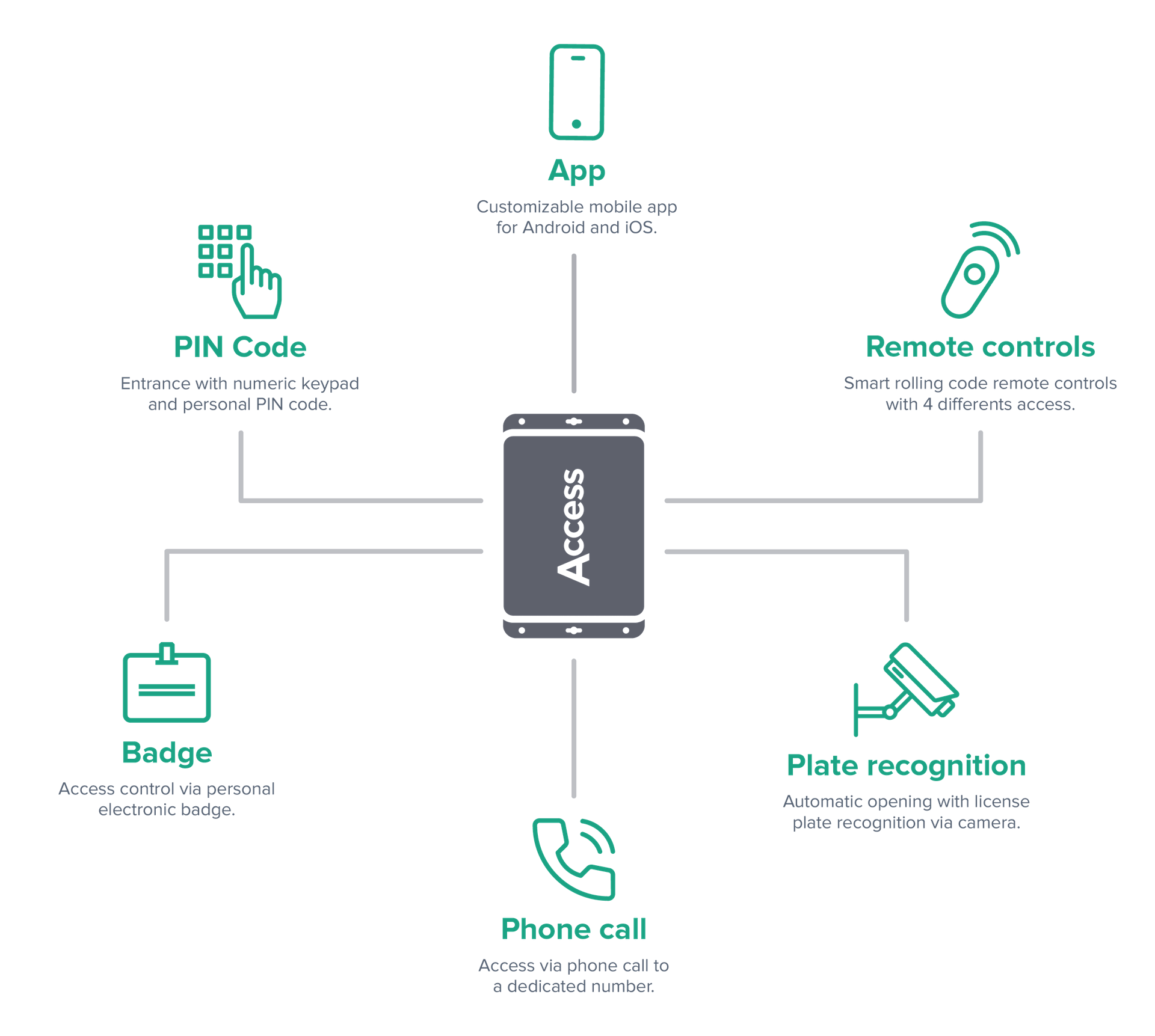
One criterion is easy to miss: in a residential building, methods have to coexist. The elderly owner on the ground floor wants a fob, the family with two cars wants remotes or plate recognition on the gate, younger tenants want the app, the cleaner needs a PIN. If each method requires its own separate system, the committee ends up running three; if one system governs them all under the same permissions, management stays a single job.
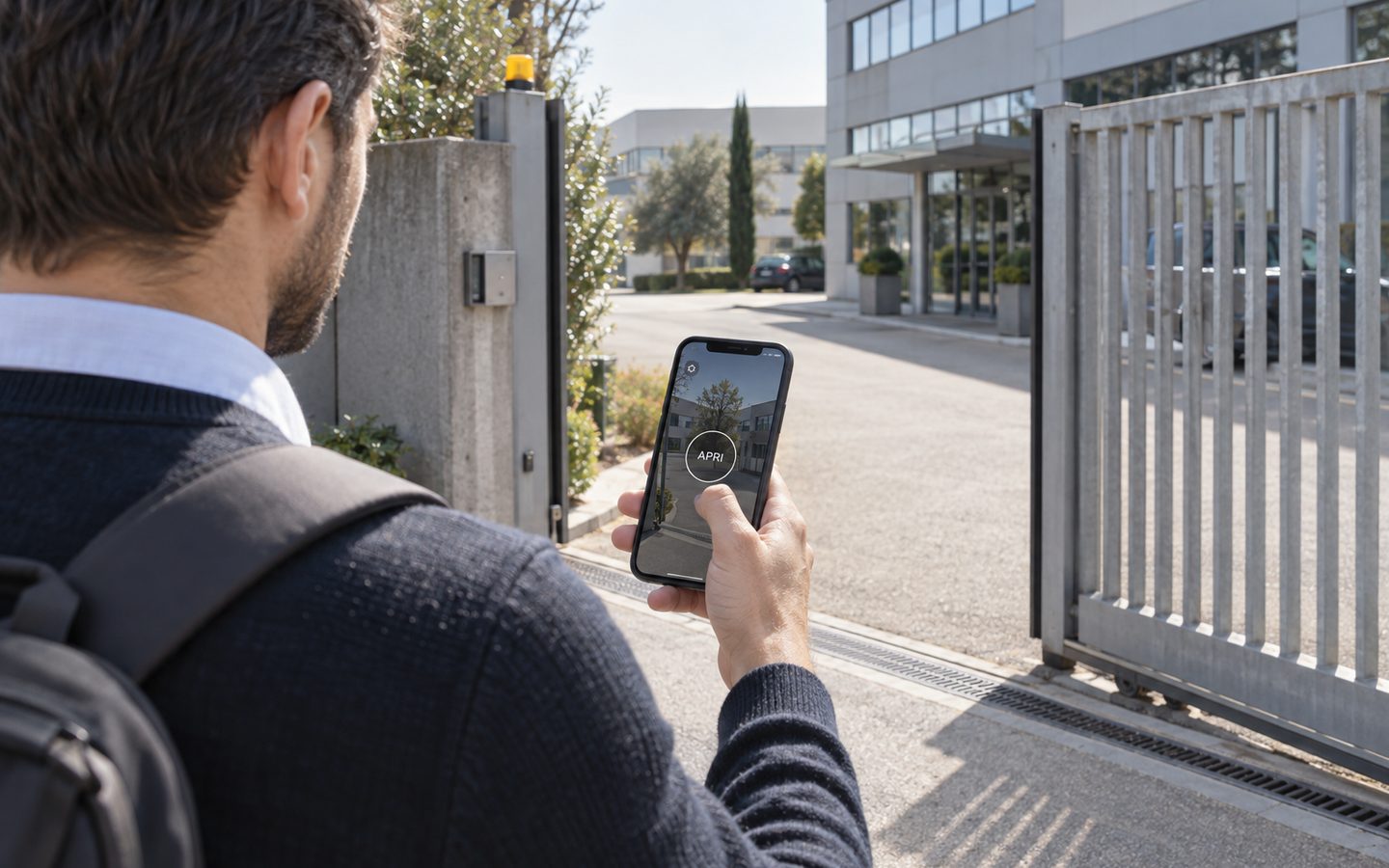
No more key copies in the building
1Control ACCESS grants and revokes each resident's access from the dashboard, with no need to re-key: hardware with a data SIM included for 3 years.
- 1,500+ reviews on Amazon, Facebook and Trustpilot
- Secure payments
- 2-year warranty
The question everyone asks: what happens when it's lost?
This is the real dividing line between physical and electronic access — and where the security of the building is actually decided.
A lost mechanical key cannot be revoked: it opens for as long as the cylinder exists. Your options are to live with it (accepting an ownerless front-door key somewhere out there) or to change the cylinder and reissue keys to every flat.
A lost classic gate remote is often worse than people expect: on most receivers, stored remotes cannot be deleted individually. To exclude the lost one, you must wipe the receiver's entire memory and reprogram every remote in the building, one by one — an engineer call-out that involves every household. Unsurprisingly, many buildings simply never do it, and the lost remote keeps opening the gate for years.
A lost fob is better: the individual fob can be deactivated without touching the others. The weak point is how: on older standalone systems it takes an engineer visit; on cloud-managed systems, whoever administers the building deactivates it from the web panel the moment it's reported.
A lost credential on a centralised system is a one-minute administrative task: you disable the user, and with them every credential they hold — fob, PIN, app, associated remote — across every entrance, with the operation logged. And the log works the other way too: if the "lost" fob keeps trying the gate at 3 a.m., you'll see it.
Cleaners, contractors, deliveries: access with a time window
The second scenario that breaks key-based management is service access. The cleaning company comes Tuesday and Friday mornings; the gardener every other week; the lift engineer whenever needed. With physical keys the answer is always the same: one more copy in circulation, which outlives the contract and leaves no trace.
With electronic credentials, service access becomes a permission with boundaries: days of the week, time slots, start and end dates. A smart keypad like 1Control PAD lets you give the cleaning company a 6-digit PIN valid only on Tuesdays and Fridays from 7 to 10 a.m. — outside that window, the code simply doesn't open. Contractor changes? Delete the PIN, create a new one, nothing to collect. PAD includes 4 PIN codes, with more available as a paid add-on up to 1,000; app-based sharing via phone number remains free.
On a centralised system like ACCESS, the same principle applies to every method: the "maintenance" user has their entrances, their schedule and their expiry date, and the access log confirms each visit — which also lets the building verify that a service it pays for actually happened.
Who decides? Getting a small building on board
An access control system on the communal door or gate touches the shared parts of the building, so it's rarely one person's call. How the decision is made depends on how the building is owned and run — a residents' management company, a freeholder with a managing agent, an owners' association, or an informal group of self-managing owners — and on what your lease or building rules say.
Without turning this into legal advice (it isn't — the rules differ by country and by building), the path that works in practice looks like this:
- Involve whoever formally manages the building early — the managing agent, the RMC directors, the association board. They know the governing documents and the right way to put the proposal to owners.
- Bring a concrete proposal, not an idea: which entrances, which technology, one-off costs versus any recurring fees, and who will administer credentials day to day. Proposals fail more often for vagueness than for opposition.
- Be transparent about data: a system with an access log records information about people. Explain to residents what is stored and who can see it, and get professional advice on the formal aspects where needed.
- Plan for coexistence: in real buildings the transition is gradual. Retrofit systems keep existing keys and remotes working while residents move over.
Retrofit: access control without rewiring the building
The objection that kills most proposals is the building site: "do we have to rip out the entry system?". With a retrofit approach, no. The entrances of a residential building are usually already automated — the front door has an electric strike wired to the intercom, the car park gate has its motor, the garage door too. What's missing isn't automation; it's the intelligence on top: users, permissions, schedules, a log.
1Control ACCESS adds exactly that layer. It connects to the opening input of each existing automation with a 12 VDC supply and a dry contact — no building works, no network cabling. Connectivity is LTE with an included SIM, so the device goes online by itself, with no dependence on a communal broadband line that most buildings don't have. Management happens in a central web panel: the administrator (or a nominated resident) creates users and groups, assigns entrances, schedules and expiry dates, revokes in one click and consults the log.
What matters for a small residential building, in short:
- Every entrance, not just the door: pedestrian gate, communal front door, car park gate, garage door, bike store — same users, same rules everywhere.
- All methods in one system: app, PINs on the smart keypad, NFC/RFID fobs (including compatible fobs already in circulation), WHY smart remotes, and plate reading for the vehicle gate.
- Instant revocation and a full log: losses are handled from the web panel, and every opening — and every rejected attempt — is recorded.
- Works offline too: authorisations are stored locally on the device, so residents get in even if connectivity drops; the system syncs when it returns.
- No software subscription: you pay once, with the data SIM included and 3 years of connectivity in the price — a cost model a residents' meeting can understand in one sentence, with no per-user fees that grow with the building.
The same approach, applied to places with far more turnover than a block of flats, is covered in our guides to keyless entry for shared offices and business centres and hotel pool access control — the users change, the logic doesn't.
Frequently asked questions
What is apartment gate access control?
It's the set of technologies — fobs, PIN keypads, smartphone apps, smart remotes — that control who can open the shared entrances of a residential building: communal door, pedestrian gate, car park gate. Unlike mechanical keys, electronic credentials can be limited by days and hours, revoked individually and logged.
A resident lost their fob or gate remote: what should we do?
On a centrally managed system, deactivate the credential from the web panel as soon as it's reported: it stops opening immediately, on every entrance, without affecting anyone else. With a classic gate remote the picture is different — most receivers can't delete a single remote, so excluding a lost one means wiping the memory and reprogramming every remote in the building.
Do we need everyone's agreement to install access control?
The communal door and gate are shared parts, so the decision normally goes through whoever governs the building — management company, freeholder, owners' association — under your local rules and lease terms. Treat this article as general information and involve your managing agent or a professional for the formal side.
Does the building need rewiring?
No, not with a retrofit system: 1Control ACCESS connects to the existing automations (electric strike, gate motor, garage door) with 12 VDC power and a dry contact, and uses its own LTE connectivity with an included SIM. No network cabling, no building works — and existing keys and remotes keep working during the transition.
What does a system like this cost?
There are three components: hardware per entrance, credentials (fobs, remotes) and management software. The biggest difference between offers isn't the initial price but the model: many cloud platforms charge recurring fees per user or per door, while ACCESS is paid once, with the data SIM included and 3 years of connectivity in the price.
What happens if the internet goes down?
ACCESS keeps a local copy of all authorisations on the device: authorised residents keep getting in even with no connection, and the log syncs once connectivity returns. Whatever system you evaluate, ask this exact question.
Conclusion
For a small building, moving to electronic access isn't about modernity — it's the difference between theoretical control (keys copied who-knows-how-many times, a lost remote opening the gate for years) and real control, where every credential has an owner, boundaries and an off switch. The retrofit approach makes it a realistic proposal for a residents' meeting: intelligence added to the gates and doors you already have, with no building site and no software subscription.
If you manage or help run a building and want to see the system applied to your entrances — door, gate, car park — request a demo of 1Control ACCESS; for time-limited PINs for cleaners and contractors, have a look at the PAD smart keypad too.