There is a message every vacation rental host learns to dread. It lands at 11 p.m., the guest is standing at the gate, and it reads: "I can't download the app". Or one of its many variants: "Bluetooth won't pair", "my phone just died", "I have no signal out here". App-based access solutions are powerful, but they ask something of the guest — and every requirement is a point where check-in can break down, usually at the worst possible hour.
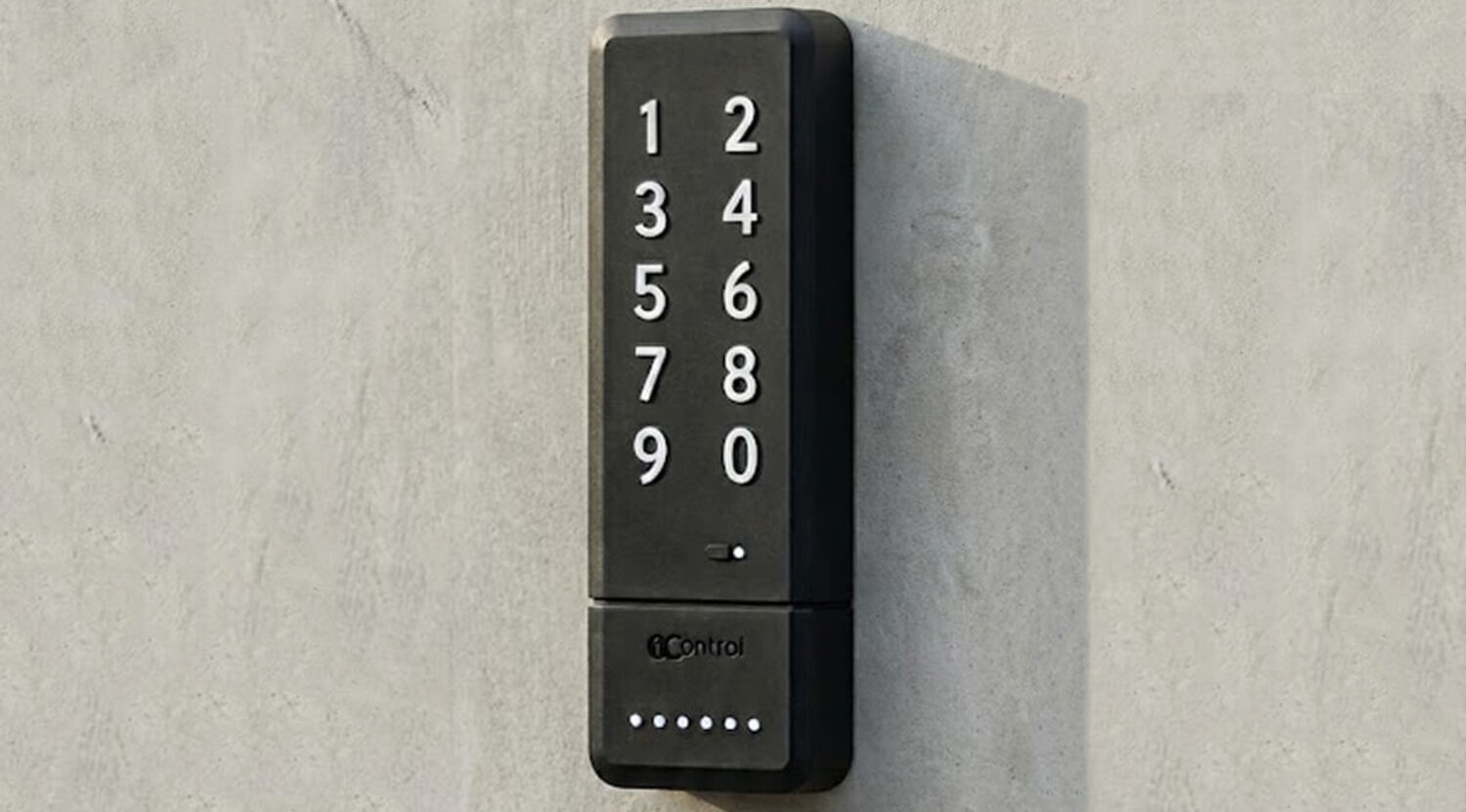
A PIN on a keypad is the exact opposite: an experience anyone understands instantly, from a retired couple to an overseas traveller without a data SIM. You type the code, the gate opens. This guide looks at how a code keypad designed for vacation rentals, holiday lets and B&Bs works, how it installs with no wiring and no building work, and why the time-limited PIN is the most universal check-in there is.
The problem with asking guests to install an app
Put yourself in the guest's shoes: they booked on Airbnb, Vrbo or Booking.com, they have already downloaded those apps, and they have received dozens of messages about their stay. Now, to get through the gate, they are supposed to download another app, create an account, grant Bluetooth permissions, and hope everything works first time after a long journey. Sometimes it does; when it doesn't, the problem becomes yours, in real time, possibly while you are at dinner — and the first impression that shapes the review is already compromised.
The friction multiplies with exactly the guests a vacation rental attracts: older travellers who are not comfortable installing software, international visitors roaming without mobile data, families arriving at midnight with phones drained by a day of navigation and photos. The point is not that apps are wrong — for you as a host the app is precious (management, history, access shares). The point is that the guest should be asked for nothing: no technology, no account, no charged battery, no Bluetooth pairing. A PIN meets that requirement better than any alternative: it works with bare hands, like the safe in a hotel room.
How a wireless radio keypad works
PAD is 1Control's smart keypad: it mounts next to the entrance — driveway gate, garage door, entry door with an electric strike, pedestrian gate — and operates it by radio, by cloning the signal of the existing remote control. It is the same principle as adding one more remote: no cable runs, no work on the opener's control board, no electrician. It fixes to a wall or a post, runs on batteries and is built to live outdoors.
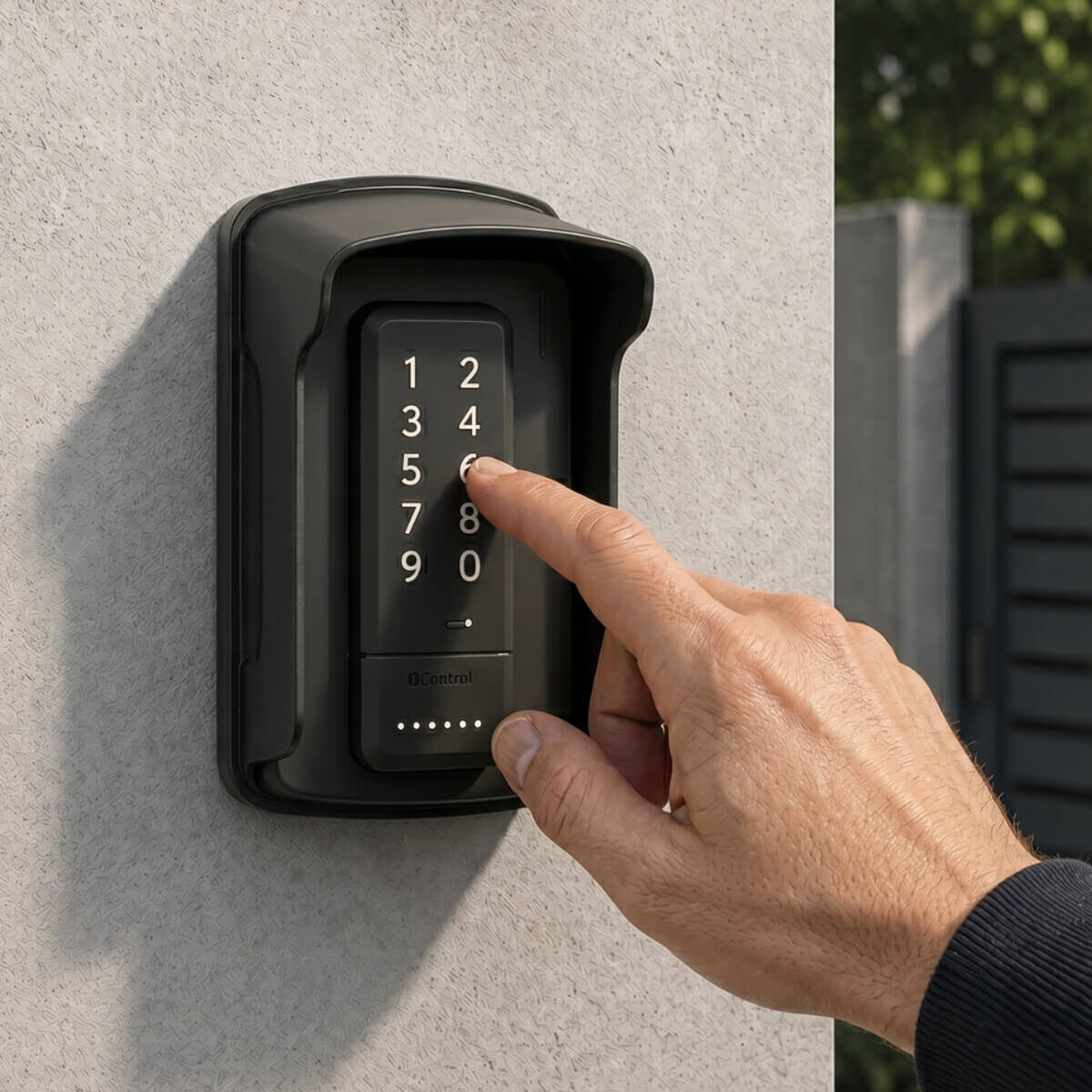
Setup is done once, from the 1Control app, in four steps:
- Download the 1Control app (free for iOS and Android) and pair PAD over Bluetooth, setting your 8-digit administrator PIN (it is only used to configure PAD from the app and is never typed on the keypad).
- Start the remote-cloning procedure: the app tells you when to press the button of the existing remote next to PAD, which recognises and stores its signal. Over 800 remote models are supported, both fixed-code and rolling code, and a single PAD can operate up to 2 entrances.
- Mount PAD next to the entrance, on a wall or a post: it runs on 2 AAA batteries and is designed to stay outside in rain and snow.
- Create your six-digit PIN codes from the app, each with its own validity rules: from that moment you generate, edit and revoke codes from your smartphone.
From then on the keypad works completely on its own: it needs no internet, no Wi-Fi, and no host's phone nearby. The guest types, the gate opens — even if the property's broadband is down, even if their phone died somewhere over the Atlantic.
Manage every guest entrance through one access system
Explore the 1Control solution for front doors, shared entrances, gates, guests and staff. Start with the hospitality setup; if you need a smart lock, then check your door for DORY.
Time-limited PINs: one code per booking
What separates a generic keypad from a keypad built for hosts is the rules attached to each code. Traditional gate keypads hold a handful of fixed codes, the same for everyone, changed by hand: six months in, half the neighbourhood knows them. With PAD every code carries its own validity rules, set from the app:
For guests: one PIN per booking, valid from check-in day to check-out day, that expires on its own. The next guest gets their own. For your team: recurring codes with time windows — the cleaning crew every Friday from 10 a.m. to 2 p.m., the maintenance contractor only on agreed days (the full turnover playbook is in our article on managing cleaner access for Airbnb). For you: instant revocation of any code, at any time, from the app — including remotely if you add the LINK hub, which bridges the internet and PAD's Bluetooth and also delivers usage notifications to your phone. For a host who manages a property hours away, or a co-host running several listings, that is what turns a keypad into a management tool.
You send the PIN in the pre-arrival message — with a photo of the keypad and a word of welcome — or after completing whatever guest identity check your local rules require. From then on the guest is autonomous for the entire stay: midnight arrival, dawn departure, no coordination with you.

PAD by the numbers
- Cost: one-time purchase — no subscription for codes, history or shares (the current price is on the product page).
- Compatibility: over 800 remote control models (fixed code and rolling code) from the major gate automation brands; up to 2 entrances operated by a single PAD.
- Codes: 4 PINs included, expandable with a small one-off upgrade; rules by dates, days and time windows on each one.
- Power: 2 AAA batteries; no wiring at all.
- Weather resistance: built for the outdoors, with a rubber housing that shrugs off rain and snow.
- Range: the guest types directly on the keypad; app management happens over Bluetooth within 20-30 metres, or from anywhere with the LINK hub.
Where to use it: the right entrances
PAD was built for powered entrances — the ones that already open with a remote control or a button:
| Entrance | Vacation rental scenario |
|---|---|
| Driveway gate | The guest arrives by car and drives into the parking area with their PIN, at any hour |
| Garage / overhead door | A reserved parking spot, opened with the same code as the stay |
| Entry door or pedestrian gate with electric strike | The walk-in entrance opens with the PIN: no front-door keys to cut and hand over |
| Bike room / powered shared room | Access to the bike storage or laundry room reserved for guests currently staying |
For the apartment or room door — which usually is not powered — the natural companion is the DORY smart lock, which replaces the Euro cylinder and issues expiring digital keys, with the mechanical key always working as a backup. PAD on the outer entrance plus DORY on the door cover the guest's entire journey, from the kerb to the bed; the full picture is in our smart lock for rental property guide.
PAD vs traditional wired keypads
Gate keypads have existed for decades in wired form: why choose a wireless smart keypad instead?
- Installation: a wired keypad needs a cable run from the opener's control board to the mounting point — electrician, conduit, sometimes digging. PAD just screws on, at whatever spot is most convenient for the guest.
- Code management: on wired units the codes are programmed on site, often with the technical manual in hand; on PAD, from the app — even a thousand miles away, via LINK.
- Time rules: traditional keypads rarely offer expiring codes; for a vacation rental, automatic expiry is the feature that kills maintenance — no code you have to remember to change between bookings.
- History: PAD logs every use with date and time; wired keypads typically do not.
- Cost: one-time purchase, no subscription — unlike the subscription check-in platforms that charge for the same features every month.
Frequently asked questions
Does the PAD keypad work without internet?
Yes. PAD operates the entrance by radio and verifies PINs entirely on its own: it needs no Wi-Fi, no SIM card, and no smartphone nearby. Internet (through the LINK hub) is only needed for the remote features: creating or revoking codes from a distance and receiving usage notifications.
Which gates and garage door openers is it compatible with?
PAD clones the radio signal of the remotes used by the most common gate and garage door openers, and can also drive electric strikes through the appropriate module. If your entrance opens with a remote control today, PAD can most likely learn it: when in doubt, 1Control support checks your opener's model before you buy.
How many PIN codes can I create?
You can manage multiple codes at the same time, each with its own rules: date-bound validity (per booking), weekly recurrences with time windows (for cleaners and contractors), or permanent codes (for family). Management is unlimited in time because there are no subscriptions: you create, edit and revoke from the app whenever you want.
Can guests use a smartphone instead of the PIN?
Yes, if you prefer to give app-based access: SOLO is the app alternative for the same entrances, and the two work side by side (PINs for guests, app for you and your regular collaborators). The PIN's strength remains its universality: zero requirements for whoever arrives.
Is a code typed outdoors secure?
More so than a key in a lockbox: the booking PIN expires on its own at check-out and you can revoke it at any moment, while a lost or copied physical key stays valid until you change the lock. Each code is personal, so the history always tells you who opened and when.
Conclusion
The perfect check-in is the one nobody notices: the guest arrives, types six digits, walks in. No app to install, no keys to hand over, no lockbox hanging outside — something a growing number of cities no longer allow on public space anyway (see our guide to key lockbox bans and the alternatives). PAD brings that experience to the gate, the garage and the electric-strike entrance with no wiring and no building work, and with codes that are born and die with each booking. For the complete picture of the property — front door included — there is the smart lock for Airbnb rental property guide and the 1Control solutions for B&Bs and vacation rentals page.