You bought a new remote for your electric gate, followed the programming procedure to the letter, and the receiver answered with a burst of fast LED flashes: the code will not store, and the gate stays silent. Before blaming the remote, consider the most common explanation for exactly this behaviour: the receiver memory is full. Every radio receiver holds a finite number of codes, and once the slots run out it refuses every new registration.
This guide covers how to recognise a full memory, how many remotes a gate receiver really stores, why on many models you cannot delete a single remote (only wipe everything), how the most common receiver families behave — and a third way almost nobody mentions: cloning a remote that is already stored uses zero new memory slots. That is the principle behind 1Control SOLO, which duplicates an existing remote and moves people management to an app, without ever touching the receiver.
One reassuring note first: a full memory is not a fault. Every remote already stored keeps working normally; the limit only affects adding new codes.
The symptoms of a full receiver memory
The clearest signal appears during programming. You press the learn button on the receiver and, instead of the usual confirmation — a steady LED or a slow blink, depending on the model — you get rapid flashing or an unusual sequence: that is how many receivers report that there is no room left. Control boards with a display show an error code or a memory-full indication instead; the exact code varies by brand and is listed in the manual.
The second symptom is the registration that seems to succeed but leaves no trace: the procedure completes without obvious errors, yet the new remote will not operate the gate. If every old remote works fine and the new one refuses to store on the second and third attempt too, a full memory is suspect number one.
Before settling on that diagnosis, rule out the trivial causes: a flat battery in the new remote (here is our gate remote battery replacement guide), a frequency or protocol the receiver does not speak — most European gates use 433 or 868 MHz, but the coding matters as much as the frequency — or too much distance during the learn procedure. And if the problem is a remote that was already stored and has stopped working, that is a different fault: start from our step-by-step guide to a gate remote that is not working.
How many remotes can a gate receiver store?
It depends on the model, and the range is wide: from the 16-32 codes of older or entry-level receivers up to 512 on advanced or memory-expanded units, with plenty of residential receivers sitting between 30 and 100. The exact figure is usually called "maximum number of codes (or transmitters)" in the manual or datasheet.
| Receiver type | Typical capacity | Where you find it |
|---|---|---|
| Basic or older receivers | 16-32 codes | Residential installations with a few years behind them |
| Current residential receivers | 30-100 codes | Houses, small residential blocks, garages |
| Advanced or expanded receivers | up to 512 codes | Large blocks of flats, communal driveways, businesses |
Two details surprise most people. First: rolling code entries take up more memory than fixed-code ones, so the same receiver may hold fewer remotes in rolling mode than the headline figure suggests. Second: on many receivers every stored button consumes a slot — a fob registered on two channels (full opening and pedestrian opening, say) occupies two positions, not one. That is how a "30-code" receiver fills up with fifteen remotes.
Find the fault before replacing the remote
Choose the symptom: we will show the next step and compatibility only when it is relevant.
Which situation best describes the problem?
If another remote opens the gate, the fault is in that handset. Check its battery and contacts first; if it remains faulty, you can check WHY or SOLO using the working remote as the source.
The fault is probably in the power supply, safety sensors, receiver or automation. A new remote will not repair the system: finish the checks in this guide or call an engineer.
Follow the specific procedure in this guide and the receiver manual. Do not erase the memory at random; check product compatibility only after restoring at least one working control.
Deleting one remote vs erasing everything
Here is the part nobody tells you before you buy: many receivers cannot delete a single remote from the panel. The learn button often gives you exactly two operations: add a code, or wipe the entire memory.
Where selective deletion does exist, it usually demands one of these conditions: physically holding the remote you want to remove (the procedure asks it to transmit its code again), knowing the code's position in memory (if the installer noted it down at registration time), or professional tools — programmers, management software, removable memory cards.
The paradox is obvious: the moment you most want to erase a remote is when it has been lost or stolen — which is precisely when you cannot make it transmit. In that situation, on most receivers, the only safe route is a full memory erase: wipe everything and re-programme every remaining remote, one by one. In a house with three remotes that is half an hour of patience; in a communal driveway with fifty users it is a small project, complete with a fob census, notice-board announcements and an engineer call-out.
If the remote was stolen — from a parked car, say, together with documents that show your address — the problem is no longer just technical: we have a dedicated guide on what to do right away when a gate remote is lost or stolen.
How the common receiver families behave
Exact procedures change from model to model: what follows is orientation, always to be checked against the manual of your receiver. Two warnings before you start: if the control board serves a shared driveway, get the building manager's authorisation first; and if reaching the receiver means opening the control box, switch off the power — and if in doubt, stop and call an engineer.
- Nice (plug-in receivers such as the OXI): remotes are stored via the receiver's button or "remotely", using an already-enabled transmitter near the gate; a full erase is performed with long presses of the button following the sequence in the manual. Capacity and storage modes (Mode I / Mode II) depend on the model.
- CAME (control boards such as the ZBX7N): the radio lives on a plug-in card and remotes are registered from the board's controls; capacity and procedures depend on the board and the card fitted. The board manual covers both learning and erasing.
- FAAC: depending on the radio system, "master" remotes can enable new remotes over the air without opening the control box; fine-grained management of individual codes generally goes through installer tools.
- BFT (Clonix receivers, Mitto remotes): the platform supports transmitter cloning and memories of different sizes; again, learning and erasing are described in the manual of the specific receiver.
If the installation is yours and the receiver still has free slots, adding a remote is usually well within DIY reach: we explain it step by step in our gate remote programming guide. If the memory is full, though, it is worth knowing the alternative below before you wipe anything.
The third way: add users without using a single slot
One technical detail turns the problem on its head: the receiver counts codes, not people. If you clone a remote that is already in memory, nothing changes for the receiver: it sees the same code it has always seen, as if the original remote had been pressed. Zero new slots used, zero work on the control box.
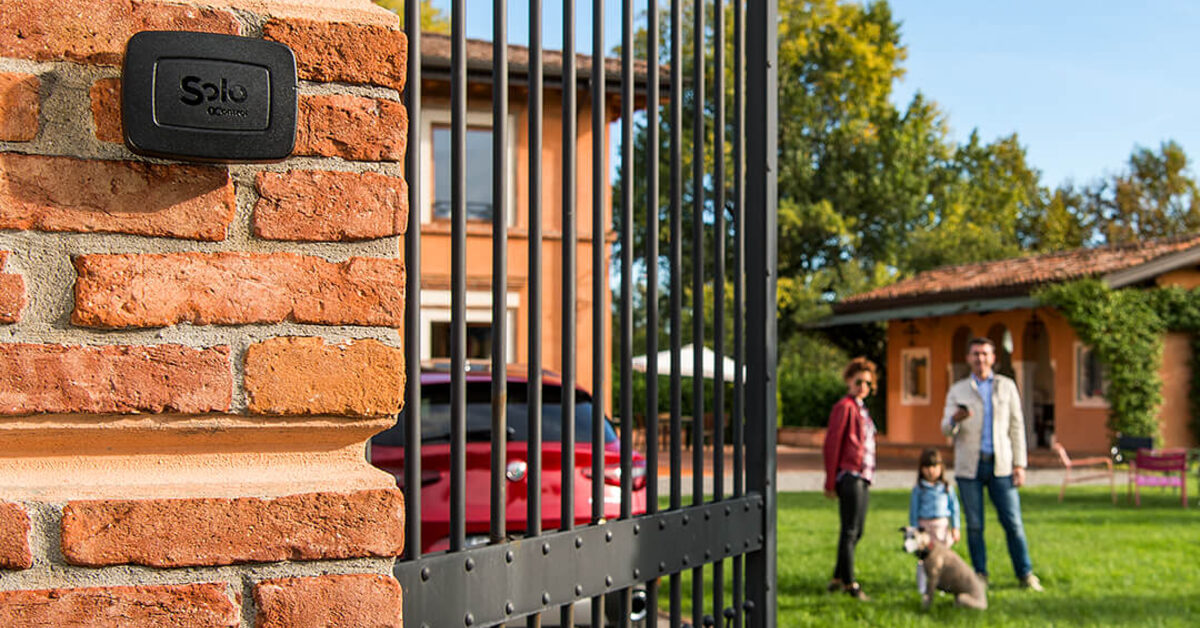
That is exactly how 1Control SOLO works: a Bluetooth smart gate opener installed near the gate that copies the signal of an existing remote — over 800 remote models are supported, fixed code and rolling code alike. It needs no wiring into the control board and no Wi-Fi at the gate, runs on two C-type alkaline batteries that last around two years with average use, and handles up to 4 different gates. Your original remotes keep working.
The real difference is people management. From the 1Control app you share access by phone number, with free sharing and no new codes in the receiver: you set time windows and expiry dates, revoke an access instantly — no reset, no touching the receiver, no fobs to chase back — and check the opening log. And it is a one-off purchase, with no subscription.

There is a single requirement: a working, already-stored remote to clone. Before buying, check your remote's brand and model on the 1Control compatibility page; and if you want the full picture of how cloning works, we have a dedicated guide on how to copy a garage or gate remote to your phone.
The shared driveway case: 50 remotes, one receiver
A communal gate is where a full memory hurts most. A new family moves in, their remote will not store, and the chain reaction starts: a report to the building manager, an engineer's quote, and the discovery that making room means erasing the memory and summoning every resident to re-programme fifty remotes. Meanwhile, somebody is locked out of their parking space.
Cloning decomposes the problem: each household clones its own already-stored remote and adds its own users from the app — the partner, the kids, the grandparents on school-run duty. The shared installation stays exactly as it is: no residents' meeting, no work on the communal control box, not one extra slot occupied.
The same pattern works for a B&B or short-term rental — guest access that expires automatically at check-out, with no fobs to hand over and recover — and for the extended family with a second car to authorise.
One limit deserves plain words: cloning presupposes a working, registered remote. If you have none at all — all lost, or a brand-new installation — the receiver (or the engineer) remains the obligatory first stop.
Frequently asked questions
How do I know the receiver memory is full?
The classic symptom is a refused registration: pressing the learn button gets you rapid LED flashing or an unusual sequence instead of a confirmation, or the new remote completes the procedure but does not open the gate. Boards with a display show an error code. Remotes already stored keep working normally in the meantime.
How many remotes can a gate receiver store?
From 16-32 codes on basic models up to 512 on advanced or expanded units; many residential receivers sit between 30 and 100. Rolling code entries take more memory, and on many receivers every stored button uses a slot, so practical capacity is often lower than the headline figure.
Can I delete just one remote from the receiver?
It depends on the model: many receivers only offer a full memory erase. Where selective deletion exists, it generally requires the remote in hand, its position in memory, or installer tools. For a lost or stolen remote, on most models the safe route is a complete erase followed by re-programming every remaining remote.
Does the receiver lose its stored remotes after a power cut?
No: codes are kept in non-volatile memory and survive blackouts and long disconnections. The memory is only cleared by the deliberate erase procedure. If a remote stops working after a power cut, the cause is almost always something else.
Does cloning an already-stored remote use up another slot?
No. The receiver recognises the code, not the object transmitting it: a clone of a remote already in memory is seen as the original remote. That is why devices like 1Control SOLO add smartphones and users without touching the receiver memory at all.
Conclusion
A full receiver memory has three exits. The first is freeing space, when the model allows it and you hold the remotes you want to remove. The second is the full erase with complete re-programming: sometimes unavoidable, always worth planning — especially with many users. The third, the only one that leaves the installation untouched, is to stop consuming slots altogether: clone a remote that is already stored and manage people from an app, with sharing, expiry dates and instant revocation.