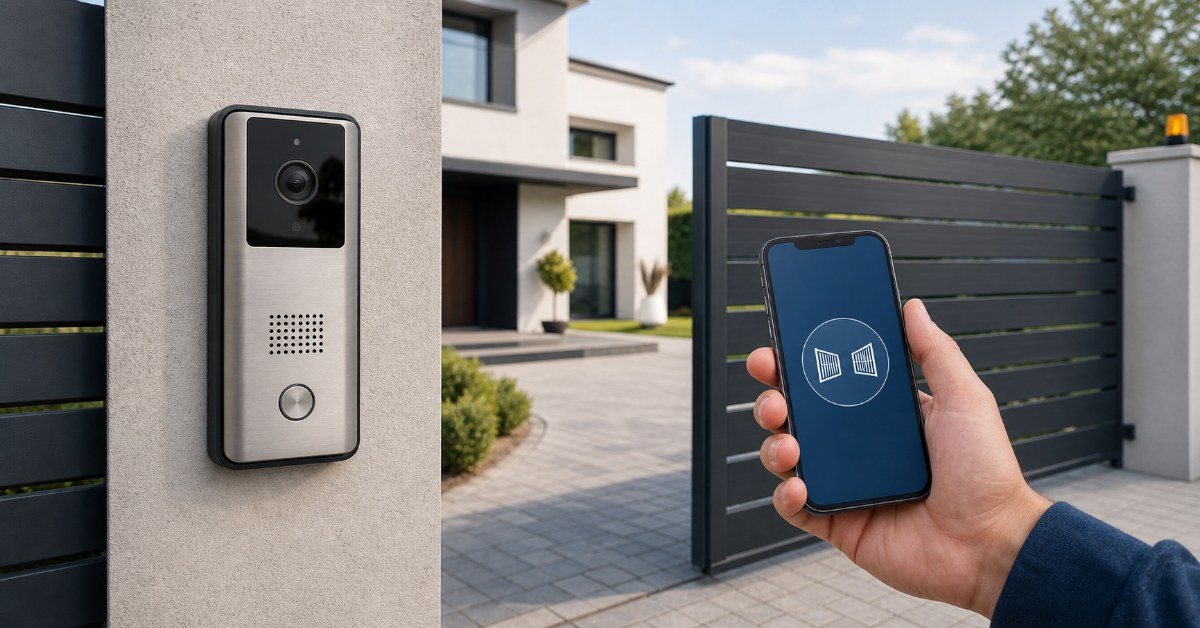
In short: the right video doorbell depends on what you want it to do. To see and answer whoever rings at your door, this guide helps you choose between wired, battery and Wi-Fi models — and steer around the subscription traps. If the goal is actually to open your gate or garage from your phone, you may not need a new doorbell at all: a small device added to the automation you already own does that job, and your doorbell and intercom stay exactly where they are.
One thing before we start: 1Control does not make or sell video doorbells. We make devices that open gates and garages from a smartphone — which is exactly why this guide can afford to be neutral about doorbell brands, and direct about the one case where a video doorbell is the wrong purchase.
Why do you want a video doorbell?
"Video doorbell", "doorbell camera" and "smart doorbell" have become catch-all searches for a whole family of doorstep problems. Before comparing resolutions and battery claims, ask the question the product pages skip: what do you want to happen when someone arrives?
- You want to see and answer whoever rings — the courier, an unexpected caller, the children coming home. A video doorbell is the right tool, and the next two sections are a straight guide to choosing one.
- You want to open the gate or the garage from your phone — the driveway gate, the garage the whole family uses. A video doorbell does not do this; a small device added to the automation you already own does — the pivot of this article, a few sections down.
- You want the building's front door to unlock from your phone — the electric release on a shared entrance, wired to the intercom system. That runs through the intercom world, covered honestly further down.
Mixed motives are normal — many households want the first and the second at once. As the final section shows, the two solutions combine without touching each other.
Wired, battery or Wi-Fi: how to choose
The doorbell-camera market splits along three practical lines: how the device is powered, how it rings, and where the video ends up. Get those three right and the brand matters far less than the spec sheet.
Power: wired or battery
Wired models draw power from existing doorbell wiring or a transformer. They never need charging, support features that need constant power — continuous recording, pre-roll of the seconds before the press — and tend to be slimmer. The price is installation: without existing wiring it is an electrician's job, and in a rented home often a non-starter.
Battery models install anywhere in minutes, which is why they dominate the market. The trade-offs are the recharge routine (weeks to months, depending on traffic and settings), a short wake-up delay before recording starts, and a bulkier housing. Some accept a solar charger or optional trickle wiring — a sensible middle path.
The chime question
A detail that catches buyers out: some video doorbells do not ring inside the house — they ring on your phone. If the phone is on silent upstairs, so is the doorbell. Check whether the model works with your existing chime, includes a plug-in chime, or sells one as an accessory — and decide whether "the app is the chime" suits your household.
Storage: local or cloud
The most consequential choice. Cloud storage keeps recordings on the manufacturer's servers: reachable from anywhere, safe even if the doorbell is stolen, and almost always paid for by subscription. Local storage keeps recordings on a microSD card or a base station inside your home: no monthly fees and footage under your own roof, with one caveat — a doorbell recording only to its own card loses the evidence if it is ripped off the wall, and an indoor base station closes that gap.
The ecosystems divide fairly cleanly here. Some, such as Ring and Nest, are built around a cloud plan: polished apps and reliable alerts, but recorded video — as opposed to a live view — generally sits behind the subscription. Others, such as eufy, Tapo and Reolink, offer local storage out of the box on many models. Neither approach is wrong; they are different bets on convenience versus independence — the next section helps you decide.
Beyond those three lines: field of view (a tall, head-to-toe frame shows the parcel on the mat, not just a face), night vision, backlight handling, and two-way audio you can hold a conversation over. One UK note: a camera that captures the street or a neighbour's property brings data-protection duties — the ICO publishes plain-English guidance on domestic CCTV, and angling the camera at your own doorstep keeps life simple.
The subscription question
Spend ten minutes in doorbell forums and a pattern emerges: the buyers most enthusiastic on day one are often the ones asking "how do I get out of this?" a couple of years later.
- The creeping plan. Subscriptions have a habit of rising in price and reshuffling features between tiers. A doorbell bought as a one-off purchase quietly becomes a running cost.
- The free tier that is not enough. On cloud-first models, "no subscription" often means live view and notifications only: no recorded history, so the clip of whoever took the parcel simply does not exist.
- Cloud dependence. Recordings live on someone else's servers. Outages, discontinued product lines and changes of policy are all outside your control.
- Privacy. A camera that films everyone who approaches your door, with footage held by a large platform, gives many people pause — one of the most cited reasons in "why I removed my video doorbell" threads.
Choosing a video doorbell without a subscription is entirely possible; it takes four checks on the exact model — the model, not the range, because features shift between generations. One: local storage included in the box (microSD or base station). Two: recorded clips, not just a live view, without a plan. Three: motion detection processed on the device rather than in the cloud. Four: a spec sheet that states which features stay free.
One more thing: if you have read this far mostly thinking about your gate, none of these trade-offs applies to you — the tool for that job has no camera, no cloud and no plan.
If what you actually want is to open the gate or garage from your phone, you don't need a new doorbell
A surprising share of "video doorbell" searches are not about video at all. The real scenario is a driveway gate or a garage door that opens with a radio remote control — and the wish to open it from the phone instead: for yourself and the family, without buying and programming yet more remotes. If that is you, replacing the doorbell or the intercom is the long way round — and it does not even solve the problem.
SOLO takes the short way. It connects to the radio-controlled automation you already have — gate, garage door, barrier — as one more remote control would, with over 800 remote models supported, rolling code included. Nothing on the control board is touched, no wiring is altered, and the doorbell and intercom are not involved at all. You open from the app over encrypted Bluetooth LE, and you share access with family free of charge, by phone number — and revoke it just as easily.
As promised, what SOLO is not: it is not a doorbell and does not try to be one. It has no camera and no microphone, it cannot answer the door, and it does not operate the electric release of a building's front door wired to the intercom system — that entrance belongs to the intercom world of the next section. SOLO does one thing well: it opens what a radio remote already opens, from the phone.
To open from beyond Bluetooth range — from work, from holiday — you add LINK: a small hub that connects to your router over Wi-Fi or an Ethernet cable and acts as the bridge between the internet and the Bluetooth devices at your entrances. With LINK in place you open from any distance, use voice commands with Alexa, Google Home and Siri, and open from the car's screen with Apple CarPlay and Android Auto. The philosophy is the opposite of the cloud plan: you pay once for the hardware, with no subscription — on the app, on sharing, or on remote opening. Our step-by-step guide to opening a gate with your smartphone covers installation and compatibility in detail.

Looking at doorbells to open your gate?
If the goal is opening your gate or garage from your phone, you don't need a new doorbell: 1Control SOLO adds to your existing automation without touching the control board. Check in seconds whether your system is compatible. One-off purchase, no subscription.
139,00€ 119,00€ VAT included
- 1,500+ reviews on Amazon, Facebook and Trustpilot
- Secure payments
- 2-year warranty
The building door release: what the intercom can do, and what it can't
The third road is the shared front door of an apartment building — the one that buzzes open from the handset. That electric release is wired into the intercom system, which is communal infrastructure: only the intercom, or a device connected to it, can trigger it. Putting it on your phone means going through the intercom world — a connected video door entry system on the street panel (usually needing sign-off from whoever governs the building), or a device wired to the handset in your own flat that presses the release for you, with compatibility to verify model by model.
To be clear about the boundary: SOLO does not open that door, because there is no radio automation to pair with — just a release wired to the intercom. What SOLO does cover in a building is the entrance that does have an automation: the vehicle gate or the communal garage you already open with a remote as a resident. And if you let your flat to guests, the building entrance is a problem of its own — our guide to opening the building door remotely if you host guests walks through the options.
Combining the two
The three roads are not mutually exclusive, and the most common happy ending is a combination: a video doorbell to see and answer, and SOLO on the driveway gate or garage to open from the phone. The two systems share no wiring, no hub and no app, so they cannot interfere with each other. Both worlds also answer to your voice assistant: the doorbell shows its feed on a smart display, while the gate opens through Alexa, Google Home or Siri — our guide to voice assistants and gates covers that side.
Frequently asked questions
Which video doorbell is best without monthly fees?
There is no single best model — there is a checklist. Look for local storage included in the box (a microSD slot or a base station), recorded clips — not just a live view — available without a plan, motion detection that runs on the device rather than in the cloud, and a spec sheet that states which features stay free. Several mainstream ranges tick those boxes; verify them on the exact model before you buy, because features differ between generations of the same product line.
Do video doorbells work without Wi-Fi?
Mostly no. Battery and wireless models need Wi-Fi to send video to your phone; without it you get, at best, a plain chime. Wired models that belong to a 2-wire intercom system keep working as intercoms without the internet, but the smartphone features disappear. If your real goal is opening a gate or garage rather than seeing visitors, a Bluetooth device such as 1Control SOLO works with no Wi-Fi at all: the connection runs directly between the phone and the device when you are within range.
Why are people getting rid of Ring doorbells?
The pattern in user forums is consistent: subscription costs that have crept up over time, useful features moving behind the paid plan, dependence on the cloud for recordings, and unease about footage of the doorstep being held by a large platform. None of that makes Ring a bad product — it is polished and widely supported — but it explains why "video doorbell without subscription" has become a search of its own, and why local-storage models are gaining ground.
Can I open my gate from my phone without a new doorbell?
Yes. If your gate or garage already opens with a radio remote control, 1Control SOLO connects to the existing automation like one more remote — no work on the control board, no change to your doorbell or intercom. You open from the app over encrypted Bluetooth, share access free of charge with family by phone number (and revoke it just as easily), and with the LINK bridge you can open from any distance and by voice. It does not show video and it does not answer the door — it just opens what a remote already opens.
The bottom line
Choose by the job, not by the aisle. To see and answer, a video doorbell is the right tool: decide wired or battery, sort out the chime, and settle the storage question with the four subscription checks before you pay. To get the gate or the garage on your phone, keep the doorbell you have and add SOLO to the automation that is already there — one purchase, no monthly fees, nothing rewired. To get the building's front door on your phone, the road runs through the intercom system. And if adding one smart piece at a time appeals to you, our guide to a smart home without a home-automation system shows how far it goes beyond the front gate.