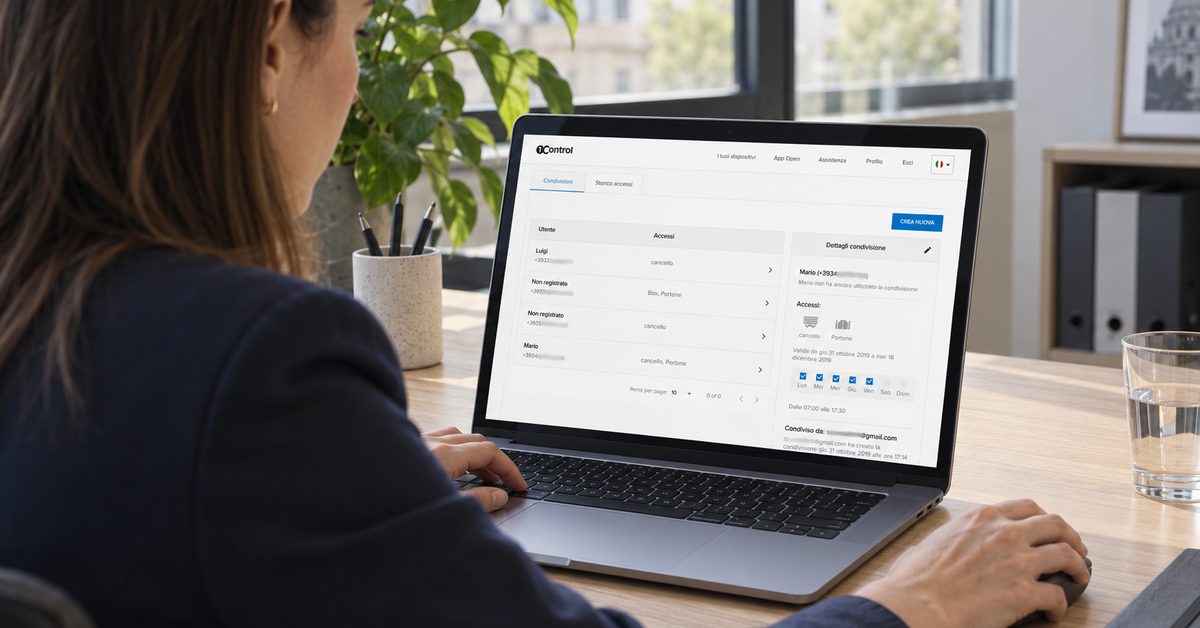
In short: running multi-site access control means deciding from one place who gets in where, with consistent rules, a revocation that applies everywhere and a log for every entrance, without travelling to a site for each change. With 1Control ACCESS, the entrances each site already has (gates, barriers, sectional doors, doors) connect to ACCESS, and every site is managed from the same web portal and the same app.
In this guide we look at why sites managed one by one become a problem, what a multi-site system has to do, how to organise sites, entrances and people, and what access control does not do.
The problem with managing sites one by one
In organisations with several sites, access control almost always grows in layers. Head office has one system, the warehouse opened later has a keypad with its own code, the shop uses keys, the depot uses remotes. Each site has its own contact person and its own habits.
As long as the team stays the same, it works. Then the problems start:
- someone who leaves the organisation has to be "switched off" at every site, on different systems: a round of emails and messages, and a few forgotten accesses;
- people who work across sites (technicians, area managers, maintenance staff) collect keys, codes and remotes;
- the rules are inconsistent: at one site suppliers only get in in the morning, at another at any time;
- there is no overall view: to find out who entered a warehouse on Saturday you have to ask someone on site.
It happens in very different settings: retail chains, businesses with a head office and one or more warehouses, property managers looking after several buildings, operators with several coworking spaces, cooperatives with depots spread across a region. The problem is always the same: many entrances, many people and no single place to manage them from.
What multi-site access control needs to do
A system for several sites is not just "several systems in one". It has to deliver some specific things:
- one directory of people: each person exists once, with their access methods;
- permissions per site, per entrance and per time window: Sarah enters head office every day and the warehouse only on Tuesdays;
- a single revocation: you deactivate the person and their app, PIN, card, remote and number plate stop working together, at every site;
- a log per entrance: who came in, when, through which entrance and with which method, filterable by person, period or method;
- open/closed status of entrances, with the closing sensor and also on the map of your sites, so that at the end of the day you know if something was left open at any site;
- different hours per site, with scheduled openings where the automation allows it.
ACCESS does all this from a web portal and an app. Rules apply to the person, not to a single method: if a technician may enter a site only this week, the rule applies to their PIN, their app and the number plate of their van.
Every site in the same portal
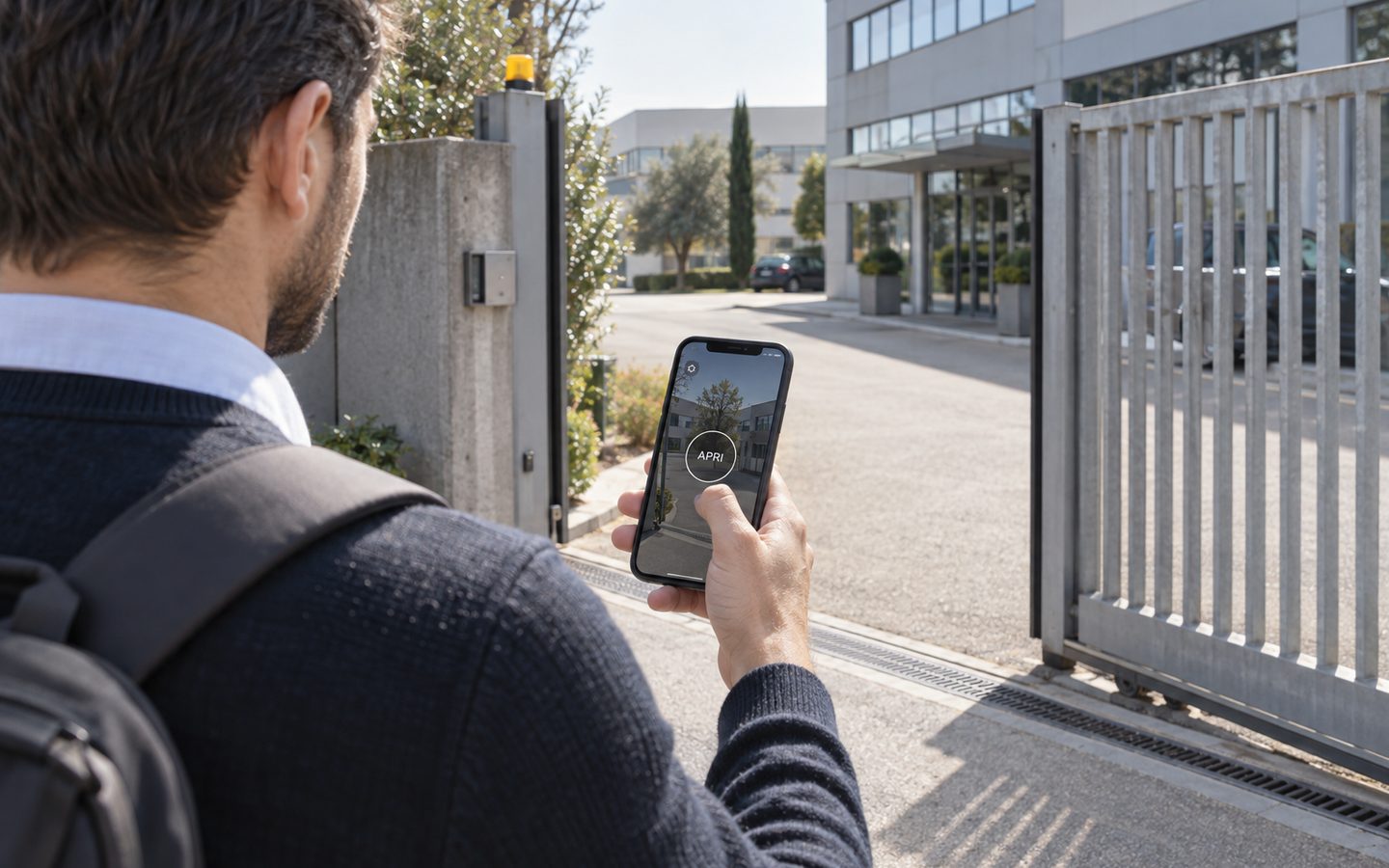
1Control ACCESS connects the entrances of each site to one web portal and one app: permissions per site and per person, instant revocation, a log for every entrance. Data SIM included for 3 years.
- 1,500+ reviews on Amazon, Facebook and Trustpilot
- Secure payments
- 2-year warranty
Organising sites, entrances, groups and people
Before installing, it is worth sketching the structure on paper. An example with three sites:
- Head office: vehicle gate, pedestrian entrance with an electric lock, car park barrier;
- Warehouse: yard gate and sectional door on the loading bay;
- Shop: staff door at the back and roller shutter.
Then the groups, the quickest way to assign permissions:
- "Head office staff": head office, Monday to Friday, 7am-7pm;
- "Warehouse team": warehouse, shifts included;
- "Shop staff": shop, on opening days;
- "Maintenance": every site, with an expiry date at the end of the job;
- "Couriers": the warehouse yard gate only, weekday mornings.
A person can belong to several groups. When their role changes, you move them to another group and their access changes at every site.
The log per entrance: what it tells you, and what it does not
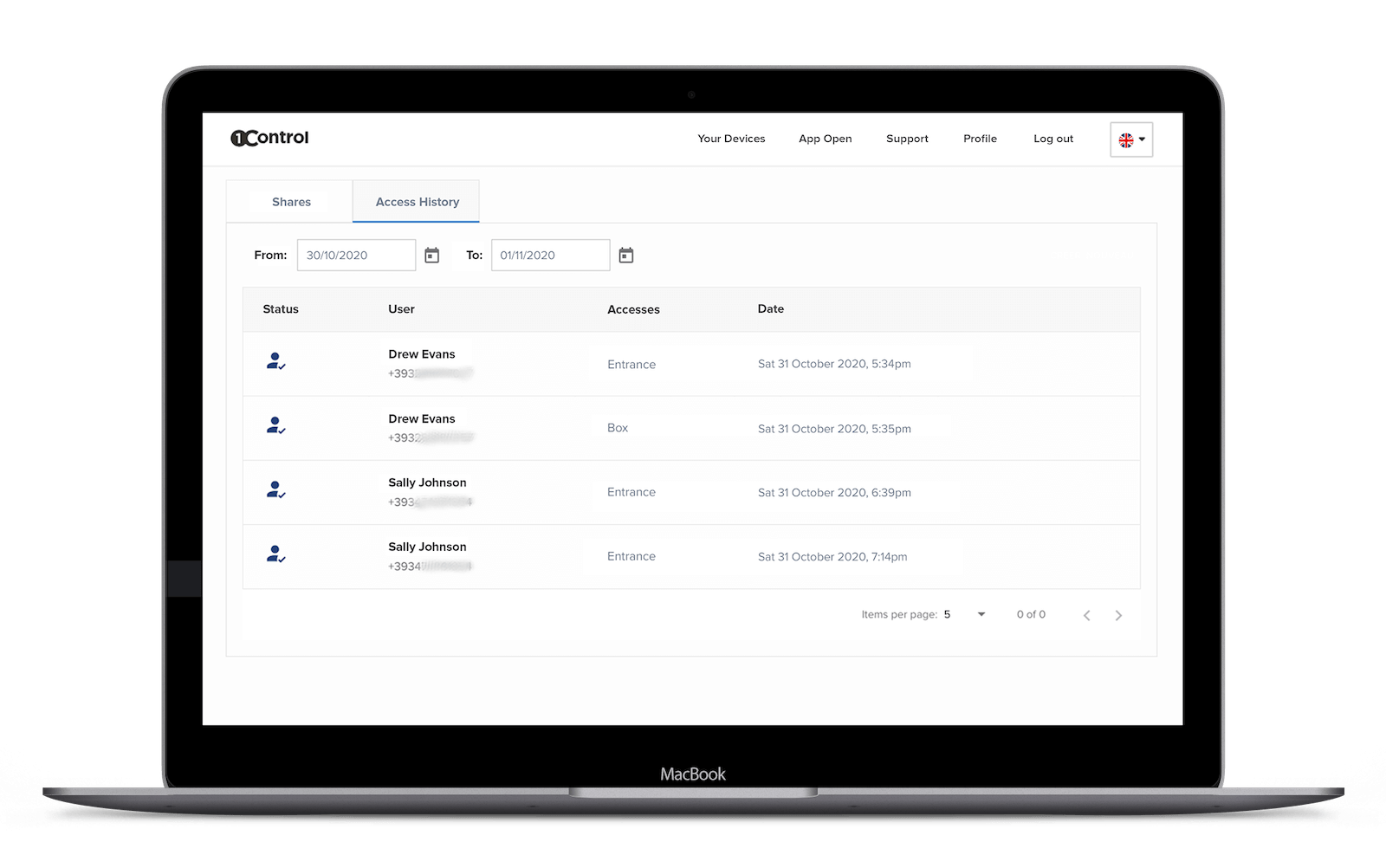
With several sites, the log becomes the main tool: instead of asking, you look. Who opened the warehouse door on Sunday? Did the supplier really come on Thursday? How many times did the technician enter the shop this week? The ACCESS log shows the person, date, time, entrance and method used, and can be filtered by person, period or method.
It should be said clearly what it is not: it is not a time and attendance system. It records entrance openings, it does not calculate hours worked, it does not handle clocking in, holidays or overtime and it does not connect to payroll or HR software. If you need time and attendance, that is a separate system, which can run alongside access control.
And because the log contains personal data, inform the people involved before switching it on and check with your data protection adviser or DPO how to handle it.
Different sites, different entrances: installation
Sites rarely have the same entrances. ACCESS connects to what is there: gates, barriers, up-and-over doors, sectional doors, roller shutters and doors with an electric lock. You need a 12 V power supply and the opening contact of the automation; the smart keypad for PIN codes and cards and the number plate camera are added only where they are needed.
Two details matter a lot when sites are far apart:
- no network to set up: ACCESS has an LTE module with a data SIM included for 3 years, so it does not depend on the site network or on an IT technician on site;
- continuity: permissions are stored in the device, so if the connection drops authorised people keep getting in, and changes arrive when the network is back.
To size each site: ACCESS MINI handles up to 500 users, ACCESS up to 1,000. A warehouse with a few staff and a head office with hundreds of people can use different models and still sit in the same portal.
A week in an organisation with three sites
- Monday: a new warehouse operative starts. You create her once, add her to the "Warehouse team" group and send her access to the app. She cannot enter head office or the shop.
- Tuesday: the air-conditioning technician has to visit all three sites. You give him a PIN valid until Friday in the "Maintenance" group. On Friday evening it stops working on its own.
- Wednesday: the warehouse courier arrives early. His PIN only works on the yard gate, from 7am to noon.
- Thursday: a sales assistant leaves the shop. You deactivate him in the web portal and his app, card and remote stop working everywhere.
- Friday: before leaving you check that every entrance at the three sites shows as closed and scroll through the week's log.
None of these steps requires going to a site. That is the practical difference centralised access control makes.
Questions to ask before choosing, and what ACCESS does not do
Useful questions for any multi-site system:
- Are all sites managed from the same web portal and the same app, with no software to install at each site?
- Can a permission be limited to one site, one entrance and one time window?
- Does revoking a person apply to all their methods and at every site?
- Can the log be viewed remotely and filtered by entrance, person and period?
- Does each site need a local network? And what happens if it fails?
- What is included in the cost, and for how long (connectivity, licences, support)?
To be clear, ACCESS is not a time and attendance system, does not integrate with HR or payroll software, does not use biometrics and does not add turnstiles: it works on the entrances you have. For specific situations there are dedicated guides on retail stores, couriers and suppliers at the warehouse, car parks with a barrier and, to compare technologies, the types of access control systems.
Frequently asked questions
Can I manage sites in different cities from the same app?
Yes. With 1Control ACCESS the entrances of each site connect to ACCESS and every site is managed from the same web portal and the same app, wherever you are.
Can I give someone access to some sites only?
Yes. For each person or group you choose sites, entrances, days, time windows and an expiry date. A technician can enter every site for a week, a courier only the warehouse yard gate in the morning.
Does each site need an internet connection?
No. ACCESS has an LTE module with a data SIM included for 3 years and goes online by itself. If the connection drops, the permissions stored in the device keep working.
Can the access log be used for time and attendance?
No. The log records openings with person, time, entrance and method, but it does not calculate hours worked and does not connect to HR software. Time and attendance is a separate system.
What happens when someone leaves the organisation?
You deactivate them once in the web portal or the app, and their app, PIN, card, remote and number plate stop working together, at every site.
How many users can be managed?
ACCESS MINI handles up to 500 users and ACCESS up to 1,000. Each site can have the right model and stay in the same portal.
Conclusion
With several sites, access control stops being about locks and becomes about management: who gets in where, under which rules, and how to remove access everywhere in one go. One web portal, one app, permissions per site and per person and a log for every entrance solve exactly that, without rebuilding entrances or setting up networks.
Want to see how your sites could be organised? Request a 1Control ACCESS demo.