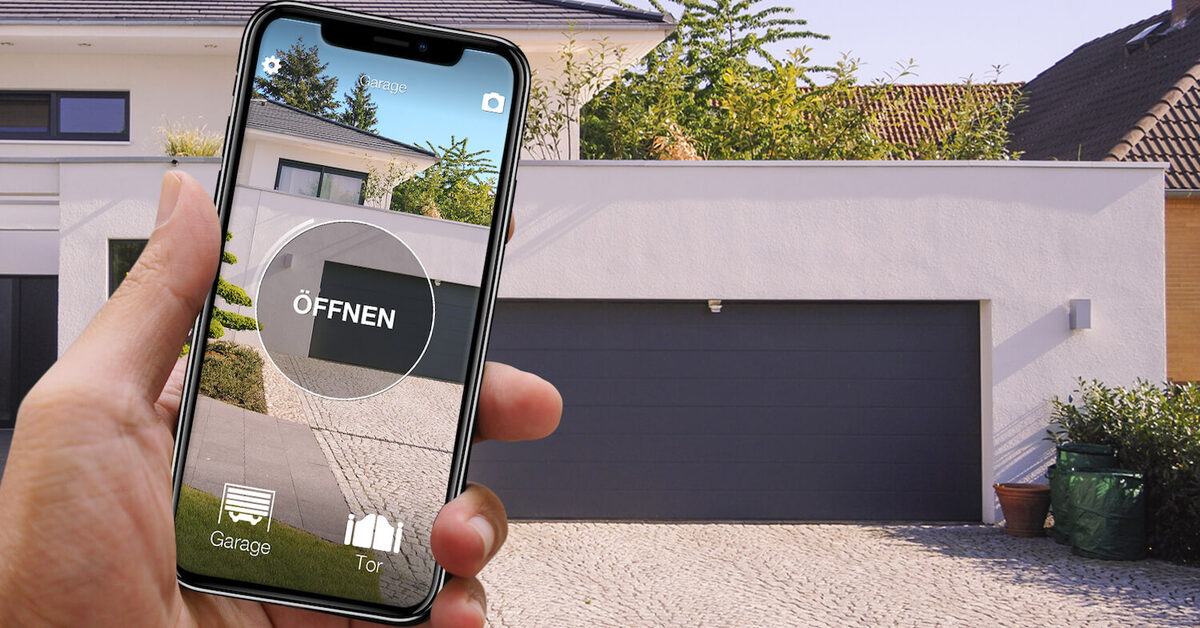
In short. "Hey Google, open the garage door" works with the garage door or gate you already have: no new motor, no rewiring the control board. You need two 1Control devices: SOLO, which repeats the signal of your existing remote, and LINK, which carries the command from the internet to SOLO. Then you link the 1Control service in the Google Home app and give the door a name.
- Only have SOLO? You can open from the 1Control app over Bluetooth when you are nearby, but voice control needs LINK.
- Does your phone answer with Gemini? Gemini cannot control 1Control automations today, on your phone or on speakers and displays switched to Gemini for Home: the command goes through Google Assistant and Google Home.
- Use Alexa? Same devices, different set-up: see Alexa compatible garage door opener, gate and front door.
The phrase is short, but there is a precise chain behind it. Google Assistant understands "open the garage door", passes it to the 1Control service, the service sends it to LINK over the internet, LINK forwards it to SOLO over Bluetooth, and SOLO transmits the same radio signal as your remote. If one link is missing, the door stays shut. This guide goes through each one: what you need, how to connect Google Home, which phrases to use, what to check when nothing happens and how to stay in control of who can open.
What you need to say "Hey Google, open the garage door"
There are four ingredients, and none of them is optional.
- A garage door, gate or barrier that already works with a radio remote. Compatibility depends on the remote, not just on the brand of the motor: SOLO works with more than 800 remote models, fixed code and rolling code. Check yours on the SOLO compatibility page.
- 1Control SOLO, set up with that remote. It sits near the door, runs on batteries and is not wired to the control board.
- 1Control LINK, paired with SOLO and connected to the internet over 2.4 GHz Wi-Fi or an Ethernet cable.
- The Google Home app with the 1Control service linked to your account, plus a device with Google Assistant: a smart speaker, a smart display or your phone.
Your original remote keeps working: SOLO is one more way to open, not a replacement. Anyone at home who prefers a button in their pocket can carry on using it.
How the command reaches the garage door
On its own, SOLO is a local device. It talks to your phone over Bluetooth Low Energy and opens when you are close by, even without internet. It does not receive commands from Google's cloud: that is why voice control needs LINK.
LINK is the bridge. It connects to your router and talks to SOLO over Bluetooth Low Energy. When you say "Hey Google, open the garage door", the request travels from Google Assistant to the 1Control service, from there to LINK over the internet, and LINK hands it to SOLO. LINK has no SIM card and is not a standalone Wi-Fi garage door opener: it only works with 1Control devices (SOLO, DORY, LOCO) and handles up to five of them.
Two placement rules matter more than anything else:
- LINK must be within Bluetooth range of SOLO: around 25 metres in a straight line, much less through walls, reinforced concrete or metal doors. If the garage is far from the house, the optional external antenna (it serves both Bluetooth and Wi-Fi) or a closer spot reached with an Ethernet cable will help.
- LINK stays indoors: it is not weatherproof. It needs a 2.4 GHz Wi-Fi network (5 GHz-only networks will not do) or an Ethernet socket.
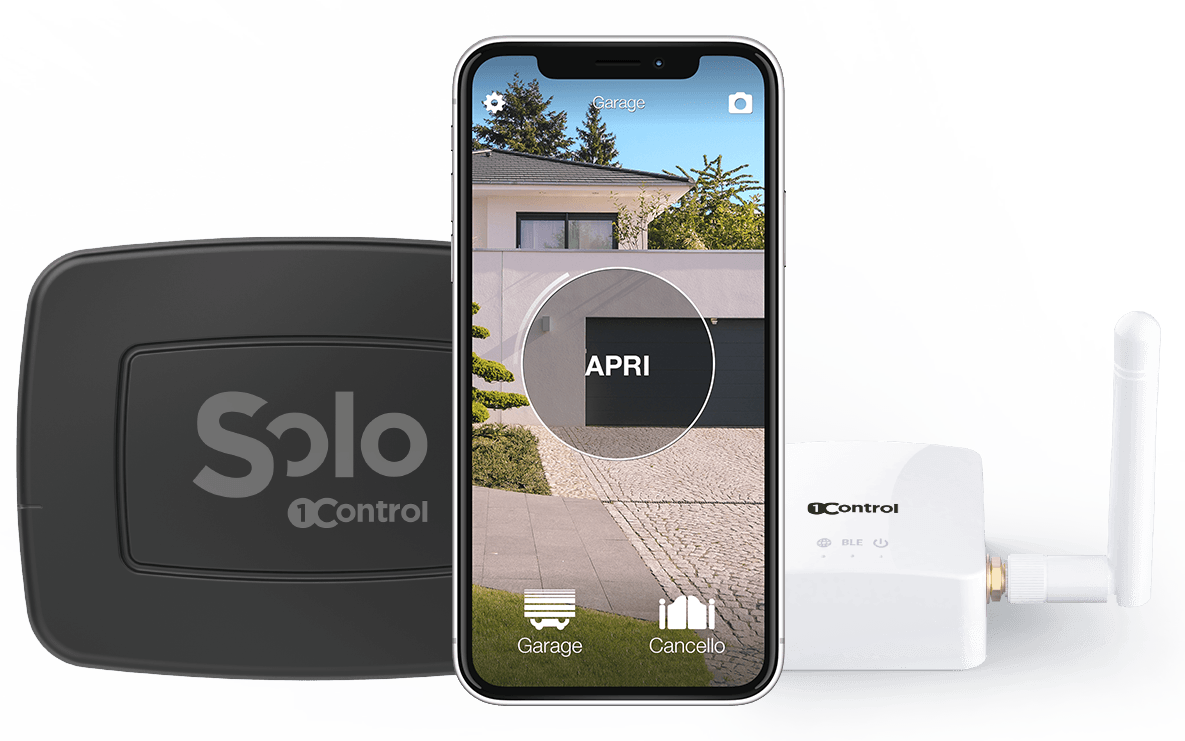
Open even when you are away: SOLO + LINK
SOLO copies your compatible remote and opens from your phone; LINK connects it to the internet over 2.4 GHz Wi-Fi or Ethernet, so you can open from anywhere. Check your remote model first. One-off purchase, no subscription.
228,00€ 179,00€ VAT included
- 1,500+ reviews on Amazon, Facebook and Trustpilot
- Secure payments
- 2-year warranty
Linking 1Control to Google Home, step by step
The most common mistake is starting from Google Home. Start from the 1Control app instead: voice control is a layer on top of remote opening, not a shortcut around it.
- Test opening up close. At the door, press the round button in the 1Control app: the door should open over Bluetooth.
- Test remote opening. With LINK installed, use the horizontal slider in the app: the command travels over the internet and the door should open even when you are away. If the slider does not work, "Hey Google" will not work either, so fix this first.
- Link the 1Control service in Google Home. In the Google Home app, look for 1Control among the "Works with Google" services, sign in with the same account you use in the 1Control app and authorise the link.
- Assign the door to a room and check the name it shows up with: that is the word you will say.
- Try the phrase on a device with Google Assistant.
Menu names change between versions of the Google Home app. For the exact steps with screenshots, see the official 1Control guide to setting up Google Home.
Phrases that work, and how to pick names
Once the door is linked, the commands are the natural ones: "Hey Google, open the garage door" or "OK Google, open the gate". The command is the same as pressing the button SOLO has copied: the door does exactly what it would do with the remote.
The name decides how reliable the command is. Three practical rules:
- Short and distinct: "Garage", "Gate", "Side gate". Avoid long or similar names such as "Gate 1" and "Gate 2".
- Different from your other devices: if you have a lamp called "Entrance", do not give the door the same name.
- One name per automation: if one SOLO controls the driveway gate and the pedestrian gate, give each its own name.
Where it works: at home, on your phone, away from home
The command goes over the internet, so where you are does not matter: what matters is that LINK is online and within range of SOLO. From a speaker with Google Assistant in the kitchen you can let the courier in without looking for your phone. From a phone with Google Assistant you can give the same command when you are not at home, for example to let a family member in.
To open without your voice, the same system offers other routes: the 1Control app over Bluetooth at the door, the remote slider from anywhere, Apple CarPlay and Android Auto from the dashboard, explained in open your gate with CarPlay. With SOLO AUTO, which lives in the car, CarPlay and Android Auto work without LINK.
Gemini: why the garage door does not respond
On a growing number of Android phones, Gemini has replaced Google Assistant, and on Google speakers and displays Gemini for Home is taking its place. For the garage door one thing matters: Gemini cannot currently be used to control 1Control automations, either in the Gemini app or through Gemini for Home. The integration works through the Google Home service and Google Assistant: smart speakers and smart displays that still run Google Assistant, and the Google Home app.
In practice, if your phone answers with Gemini, or your speaker has moved to Gemini for Home, and the door does not open, SOLO and LINK are not faulty. Give the command from a speaker or display that still runs Google Assistant (not Gemini for Home), tap the door in the Google Home app, or open from the 1Control app, which works in every case.
And the front door? DORY + LINK
The same LINK also works with the 1Control DORY smart lock. DORY replaces the euro cylinder of your front door and opens from the app over Bluetooth and with its mechanical key, which works even when the batteries are flat. If DORY is within range of LINK, the same 1Control service in Google Home controls it too. Check that your door is suitable with the DORY compatibility check; for the full picture of smart locks, read the smart lock guide.
Security: who can open the door by voice
A garage door or a gate onto the street is not a light bulb. Before giving it a voice, ask yourself three questions.
Who can talk to the speaker?
A voice assistant obeys whoever speaks in the room: guests, children, even a voice through an open window if the speaker is close to it. Decide which devices in your home really need to open the door, and check which voice recognition and confirmation options your Google Home device offers.
Should the door be in routines?
If you use Google Home routines, keep the door out of general ones such as "goodnight" or "turn everything off". An accidental opening at night is exactly what you want to avoid.
Who decides access?
This is where the 1Control app helps. The administrator decides who can open, with free shares tied to a phone number, with a start date, an expiry date and time slots. Every opening is kept in the history, and revoking access takes effect immediately.
Google Home or Alexa: what changes
The devices are the same: SOLO at the door, LINK indoors. Only the integration changes. With Google Home you link the 1Control service in the Google Home app; with Alexa you enable the 1Control skill in the Alexa app. For a broader comparison of both assistants, read voice assistants and gates.
| What you want to do | SOLO only | SOLO + LINK |
|---|---|---|
| Open from the app when nearby | Yes, over Bluetooth | Yes |
| "Hey Google, open the garage door" | No | Yes, with the 1Control service in Google Home |
| Open with Alexa | No | Yes, with the 1Control skill |
| Open remotely, from anywhere | No | Yes |
| Open with Gemini | No | No, not currently supported |
| Touch the control board | No | No |
DIY alternatives: Wi-Fi relays and GSM modules
Search for how to open a garage door with Google and you mostly find DIY projects: Wi-Fi relays wired to the control board contact, or GSM modules that open on a phone call. For people who are handy with electrics, they work. But both require opening the control board and wiring into it, which may affect the warranty of the motor and is not something you can do on a shared gate without the building manager's consent. The relay needs Wi-Fi at the door; the GSM module needs an active SIM and coverage. In Google Home a generic relay also shows up as an ordinary switch, with no roles or access history. The trade-offs of GSM are covered in our GSM gate opener guide.
If "Hey Google" does not open the door
Work from the link closest to the door outwards:
- Does the remote slider in the 1Control app work? If not, the problem is between LINK and SOLO: Wi-Fi (2.4 GHz) or Ethernet stability, distance and obstacles, SOLO's batteries.
- Is the 1Control service still linked in Google Home, with the same account as the 1Control app?
- Is the name right? Check what the door is called in Google Home and whether it sounds like another device.
- Who answered? If Gemini replied, the command will not get through, and the same goes for speakers and displays switched to Gemini for Home: try a speaker or display that still runs Google Assistant, the Google Home app or the 1Control app.
If the app opens but voice does not, the problem is in the integration; if even the app does not open, it is in the connection between LINK and SOLO.
Frequently asked questions
Can I open my garage door using Google Assistant?
Yes, with 1Control SOLO paired with 1Control LINK and the 1Control service linked in the Google Home app. SOLO operates the door with the signal of your remote; LINK receives the command from the internet and passes it to SOLO over Bluetooth.
Do I need LINK to use Google Home?
Yes. SOLO on its own opens locally over Bluetooth from the 1Control app. For Google Home, Alexa and remote opening you need LINK, the bridge between the internet and SOLO.
Does it work with Gemini?
Not at the moment, neither with the Gemini app on your phone nor with Google speakers and displays switched to Gemini for Home. The command goes through the Google Home service and Google Assistant.
Can I open the garage door with Google when I am not at home?
Yes, from a phone with Google Assistant: the command travels over the internet to LINK, which must be online and within Bluetooth range of SOLO.
How can I open my garage door with my phone without a voice assistant?
With the 1Control app: over Bluetooth when you are near SOLO, or remotely with the slider if you also have LINK. Voice is an extra, not a requirement.
Will my original remotes keep working?
Yes. SOLO copies the signal without disabling the original remotes, which keep working alongside the app and voice commands.
The bottom line
To open the garage door with "Hey Google" you do not need a new door, you need a translator: SOLO repeats the signal of your remote, LINK carries the command from the internet, and the 1Control service connects it to Google Home. Test the remote slider in the app first, then link Google Home, then choose a short name. And keep today's one limit in mind: Gemini is not supported, on your phone or on Gemini for Home speakers.
The starting point is always the same: check that your remote is compatible. For the bigger picture without voice, read how to open a gate with your smartphone.