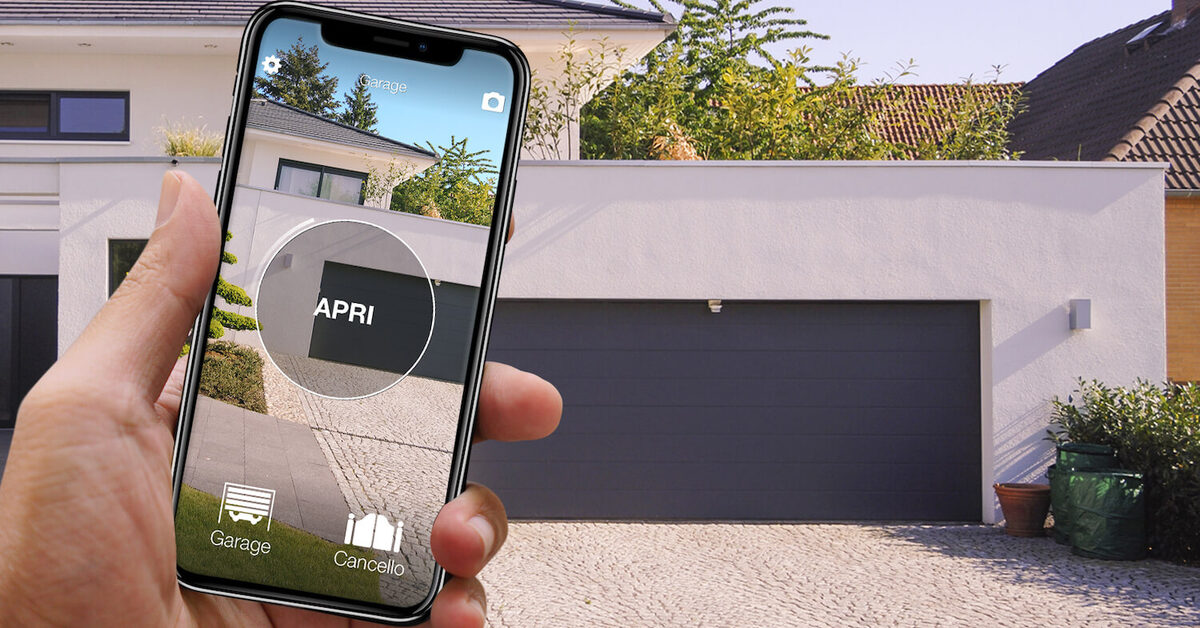
You have left home, you are already on the main road, and the doubt kicks in: did the garage door close? Your remote cannot tell you, and neither can the last command sent from an app, because the door may have stopped against an obstacle or been opened again by someone else. To really know whether the garage door was left open you need something that measures the position of the door: an open/close sensor, or a system built into the motor that detects it.
With 1Control the set-up is a compatible SOLO + a second-generation LINK + the sensor for gates and garage doors. The sensor detects whether the door is open or closed, LINK carries that information to the 1Control app, and your phone notifies you when the door opens and closes. The sensor on its own, without SOLO and LINK, is not enough.
Why the last command in the app is not enough
There are three different pieces of information, and they are easy to mix up:
- the command: the app button sends the order to open or close;
- the access log: records who used the app and when;
- the door status: open or closed, measured by a sensor on the door.
The difference shows when someone uses the original remote or the wall button: that opening does not go through the app, so the log does not show it. A door that only closes halfway because the photocell saw an obstacle has been "commanded" but is not closed. Only the sensor answers the question "is it open right now?".
If your motor already has a manufacturer system that shows the door status, check what it measures and whether it is enough for you: there is no need for another app if you already have the answer.
What you need: SOLO, second-generation LINK and the sensor
The three parts do different jobs:
- SOLO copies your garage remote and lets you open and close from your phone over Bluetooth. The sensor is paired with the automation controlled by SOLO.
- LINK is the bridge to the internet: it talks to SOLO and to the sensor over Bluetooth and joins your home network over 2.4 GHz Wi-Fi or an Ethernet cable. Without LINK the status does not reach your phone when you are away.
- the sensor for gates and garage doors is black, waterproof (IP67), runs on a CR2032 battery and has no wires: one body with the electronics and a magnet.
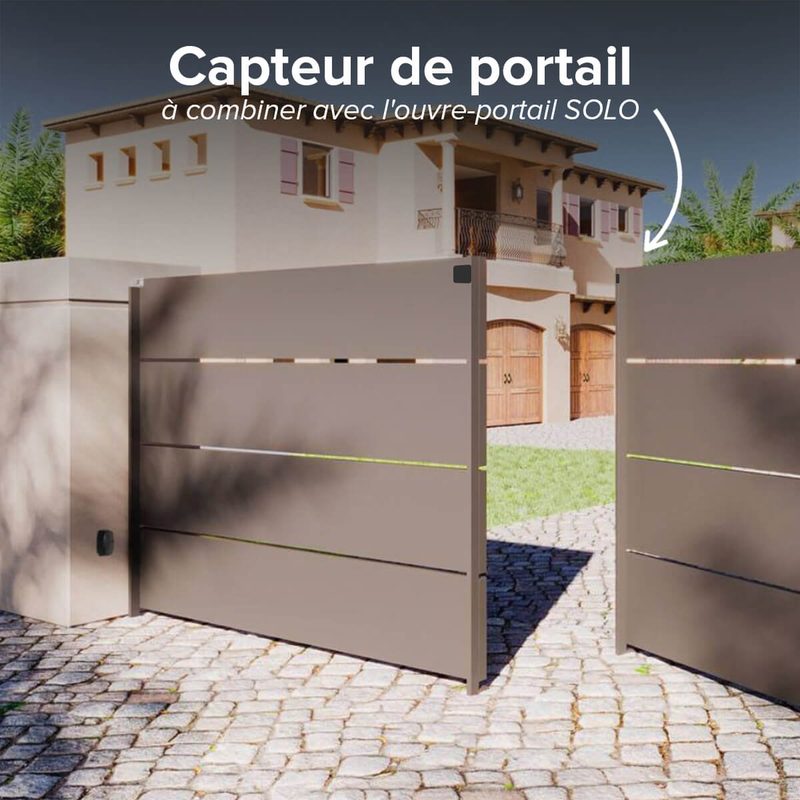
Generations matter. The sensors need a second-generation LINK (white case) with up-to-date firmware and an up-to-date 1Control app: the black first-generation LINK will not do. SOLO must be second generation too. SOLO AUTO, which lives in the car, does not work with LINK, so it is not the base for this set-up. The door sensor, white and not waterproof, is a different product: for a garage you need the one for gates and garage doors.

Know from your phone whether the garage is closed
With a compatible SOLO, a second-generation LINK and the gate and garage sensor, the app shows whether the door is open or closed and notifies you. Start by checking your remote; if you already have SOLO and LINK, you only need the sensor. One-off purchase, no subscription.
- 1,500+ reviews on Amazon, Facebook and Trustpilot
- Secure payments
- 2-year warranty
Where you start: from scratch, with SOLO, or with SOLO and LINK
You have no 1Control device yet. The first step is the remote: look for the exact model in the SOLO compatibility list. You need a working original remote to copy. If your model needs SOLO KIT, include the receiver that is wired to the control unit. Then add a second-generation LINK and the sensor.
You already have SOLO, without LINK. You are missing a second-generation LINK and the sensor. Before buying, check that SOLO is second generation and that 2.4 GHz Wi-Fi, or a network cable, reaches the place where LINK will go.
You already have SOLO and LINK. Check that LINK is the white one, update app and firmware, and add the sensor for gates and garage doors from the sensors page.
In every case, the door status and sensor notifications are only visible to administrators of the device. People you have shared access with can open the garage, but they do not receive sensor notifications.
Where it goes: the distances to respect
The sensor works on the distance between its two parts: up to 1.5 cm means "closed", more means "open". One part goes on the frame or wall, the other on the moving door, so that with the door fully closed the two parts are aligned and within 1.5 cm. The sensor can also be fitted to metal doors.
The second distance is to LINK: the sensor must be within 15 metres of LINK. Reinforced concrete walls and floors can reduce this, so test in the real spot before sticking everything down for good. LINK itself must stay dry, powered and close to SOLO (within about 25 metres in a straight line) to control the door remotely.
Up-and-over, sectional or roller door: where the sensor goes
The principle is the same for every garage door: one fixed part, one moving part, two halves close together when the door is shut.
- Up-and-over: the edge of the panel that rests against the side or top frame when closed. For the rest, see the guide to a roller, sectional or up-and-over garage door app.
- Sectional: the top panel or the side edge against the frame.
- Roller door: the bottom slat and the fixed point closest to it when closed.
Always run a full test opening and closing and compare the real movement with the icon in the app.
Notifications: what reaches your phone and what does not
With everything installed, the 1Control app shows whether the door is open or closed and sends a notification when it opens and when it closes. To receive them:
- be an administrator of SOLO or of LINK;
- allow notifications for the 1Control app in your phone settings and turn on the notification switch on the sensor, in the paired automation;
- on iPhone, allow background app refresh for the 1Control app.
What the sensor does not do: it does not close the door by itself, it does not replace the motor's safety devices (photocells, obstacle detection) and it does not raise an alarm after a delay you choose. If you see the garage is open and want to close it from afar, you do that with LINK from the app, making sure nobody is in the way. For every way to control the garage, the main guide is the smart garage door opener without Wi-Fi.
Frequently asked questions
How can I tell if my garage door is open or closed?
With a sensor on the door. With 1Control, the sensor for gates and garage doors, paired with SOLO and a second-generation LINK, shows the status in the app and notifies you when the door opens and closes.
Does the access log in the app tell me the garage is closed?
No. The log records the commands sent with the app, not the position of the door. An opening with the original remote or the wall button does not go through the app: to know whether the door is open now you need the sensor.
Can I buy just the sensor and fit it to my garage?
Only if you already have SOLO and a second-generation LINK. The 1Control sensor is not a standalone Wi-Fi device: the status reaches the app through LINK, paired with the automation controlled by SOLO.
Will I get an alert if the garage stays open for ten minutes?
The documented functions are the open/closed status in the app and notifications when the door opens and closes. An alarm after a chosen delay or automatic closing are not part of the set-up.
Can family members and guests see the door status?
Status and sensor notifications are for administrators. Someone who receives a share can open the garage at the times you set, but does not receive sensor notifications.
Conclusion
Knowing whether the garage door was left open takes more than remembering the last button you pressed: you need a sensor on the door and something that carries the information to your phone. With 1Control that is a compatible SOLO, a second-generation LINK and the sensor for gates and garage doors. Start with your remote in the compatibility list; if you already have SOLO and LINK, all you need is the sensor.