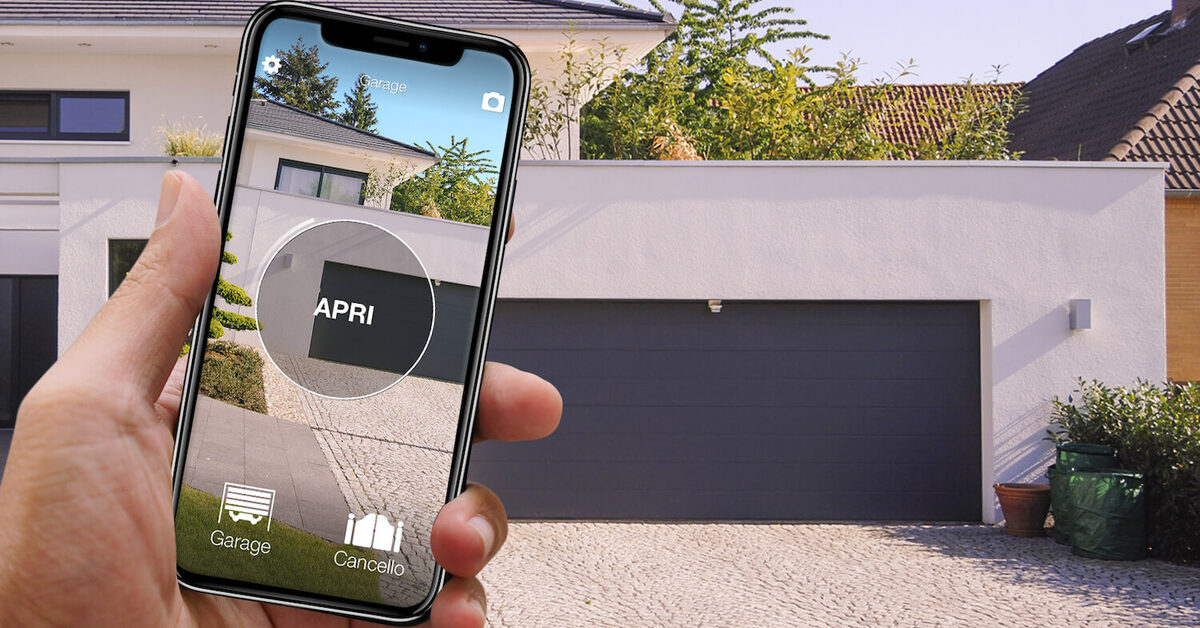
Roller, sectional or up-and-over: the shape of the door matters much less than you think. If your garage door already opens with a radio remote, it can open from your phone too. 1Control SOLO copies the signal of that remote and sends it when you tap the 1Control app, so the existing motor stays as it is and nothing is wired into it.
This guide covers the three common door types, what decides compatibility, the cases where you need something extra, and what to do if the door is not motorised at all. For the full picture of every way to control a garage door from a phone, see the main guide to a smart garage door opener without Wi-Fi.
Roller, sectional, up-and-over: what changes and what does not
- Roller door (also called roller shutter door): aluminium or steel slats that roll up into a drum above the opening. The motor is usually in the drum or on the side.
- Sectional door: horizontal panels running on side tracks that slide up under the ceiling. Very common on newer houses.
- Up-and-over door (tilt-up, one-piece): a single panel that swings out and up, with counterweights or springs. The classic door of older garages and garage blocks.
For an app, these differences are mechanical details. What counts is that a motor moves the door and that the motor listens to a radio remote. The motor does the work; the receiver in the control unit listens for the code of your remote. Copy that code and the phone can give the same command.
How the phone opens the door
SOLO is a battery-powered device that you fix in the garage, near the door. During setup the app guides you while you hold your original remote close to SOLO and press the button: SOLO records the signal. From then on, tapping the app sends the same radio command. The motor cannot tell the difference.
- No wiring: SOLO is not connected to the control unit or to the mains. It runs on two C alkaline batteries that last about two years at around 10 openings a day.
- No Wi-Fi in the garage: phone and SOLO talk over Bluetooth, which also works in an underground garage with no mobile signal.
- Your remotes keep working: the copy adds the phone, it does not replace anything.
- Up to 4 automations: a garage door and the driveway gate, for example, if they are close enough (SOLO must be within about 30-40 metres of each).

Want to open your gate from your phone?
Check in seconds whether your system is compatible with 1Control SOLO: it fits existing gates and garage doors, one-off purchase, no subscription.
139,00€ 119,00€ VAT included
- 1,500+ reviews on Amazon, Facebook and Trustpilot
- Secure payments
- 2-year warranty
Compatibility depends on the remote, not on the door
The question to ask is not "is my roller door compatible?" but "is my remote compatible?". Look for your exact model in the SOLO compatibility list: SOLO works with more than 800 remote models, both fixed code and rolling code. Check the brand and model printed on the case or on the label inside the battery cover, because similar names can hide different radio systems.
You need a working original remote to copy. Copies and universal remotes often send a weaker signal and are not recommended for the copy. If your remote has stopped working, sort that out first; the guide to a gate remote that is not working helps you tell a flat battery from a receiver problem.
Special cases: Hörmann BiSecur and non-compatible remotes
- Hörmann BiSecur: many recent Hörmann sectional doors use BiSecur remotes. For these there is a dedicated version, SOLO BS.
- Remote not on the list: there is SOLO KIT, a separate product: a receiver with its own fixed-code remote, wired to the "step-by-step" or "start" contact of the control unit. SOLO then copies the KIT remote. The existing remotes keep working. The connection is simple but electrical: if you are not comfortable with it, have a technician do it.
- Roller door with only a wall switch: if no radio remote exists at all, there is nothing to copy. In that case SOLO KIT adds the receiver and remote that SOLO needs.
What if the door is not motorised?
No app can lift a door without a motor. SOLO copies remotes; it does not move panels. If your up-and-over or sectional door is manual, the first step is a motor kit fitted by an installer, with the safety devices set up correctly. When you choose the kit, check its remote in the compatibility list: the door will then be motorised today and ready for your phone straight away.
Sharing, remote opening and door status
Once the door answers to your phone, you can share access from the app with a phone number, with start and end dates or time slots, and see in the access log who opened and when. Shares are free.
To open from anywhere, add 1Control LINK: it talks to SOLO over Bluetooth and connects to your home network over 2.4 GHz Wi-Fi or Ethernet. LINK also enables Alexa and Google Home; Siri works through Shortcuts. To know whether the door was left open, add a sensor: see garage door left open alerts.
Frequently asked questions
Can I make my roller garage door smart without changing the motor?
Yes, if the motor works with a compatible radio remote. SOLO copies that remote and the app sends the same command. No wiring and no change to the control unit.
Do I need Wi-Fi in the garage?
No. The phone talks to SOLO over Bluetooth. Wi-Fi or an Ethernet cable is only needed for LINK, if you want to open the door when you are away from home.
Does it work with a Hörmann sectional door?
It depends on the remote. Hörmann BiSecur remotes need SOLO BS. For any other remote, check the exact model in the compatibility list.
My up-and-over door is manual. Can I open it with my phone?
Not as it is. It needs a motor first, fitted by an installer. If the motor kit comes with a compatible remote, you can add phone control right after.
Will my original remotes still work?
Yes. Copying the remote onto SOLO does not disable it, so everyone can keep using their remote as before.
Conclusion
Roller, sectional and up-and-over doors all become phone-controlled the same way: through the radio remote that already opens them. Check the remote in the compatibility list, fit SOLO in the garage and copy the signal. If the door has no motor, start with the installer; if the remote is not on the list, SOLO KIT bridges the gap.