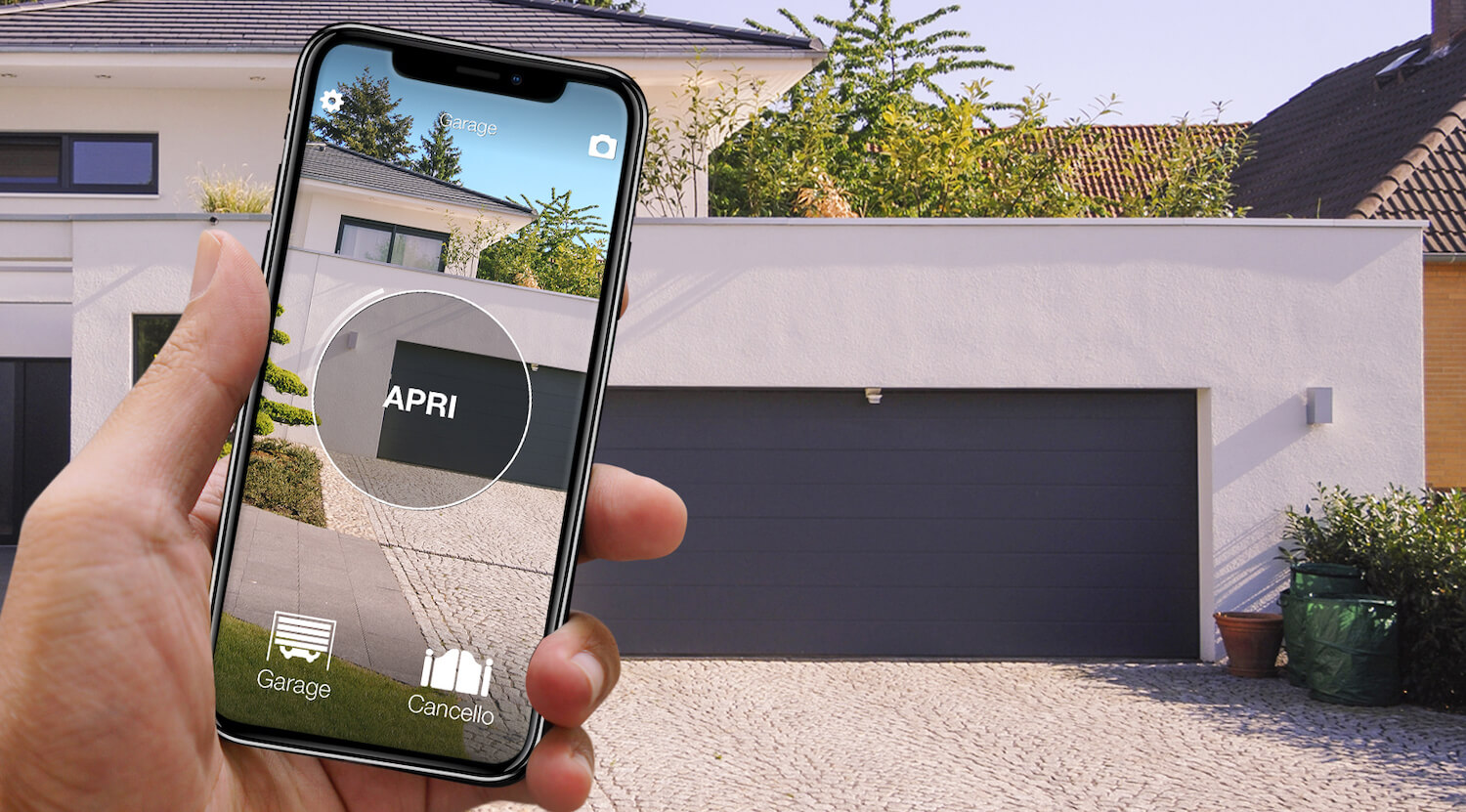
A Black Friday gate opener deal is useful only if it controls the entrance you already have. Automatic gates, garage doors and barriers use many radio families, and the motor brand may not even match the receiver fitted later. The decisive information is usually printed on the remote that works today. If you are still working out what a smart gate opener is and how to choose one, start with the smart gate opener guide and come back here for the offers.
This guide compares 1Control phone and physical-remote setups without inventing an offer before it exists. When the campaign is confirmed, we will add eligible products, countries and terms. You can already complete the two steps that matter most: decide how you want to open and check the exact remote model.
Phone or physical remote comes before price
Choose a phone when you want one less object, named digital sharing or several entrances in one app. Choose a physical remote when drivers prefer a direct button, the car is shared or the user does not want an app. Both can be sensible, and a household may use them side by side.
SOLO receives the action from a phone and emulates a supported transmitter; WHY is the transmitter. For the broader technology comparison, read the complete smart gate opener guide.
SOLO, SOLO + LINK, SOLO AUTO and WHY compared
| Setup | Best fit | Prerequisite |
|---|---|---|
| SOLO | Nearby phone opening | Supported radio remote |
| SOLO + LINK | Supported remote access and integrations | Remote compatibility plus network for LINK |
| SOLO AUTO | A dedicated in-car opening experience | Vehicle scenario and supported remote |
| WHY | One physical transmitter for supported entrances | Exact remote model and radio family |
More components are not automatically more value. A nearby-only routine may need SOLO and nothing else; remote operation may justify LINK; a simple physical-button requirement points to WHY. Compare the exact contents of any promotion, not just the largest percentage.

Want to open your gate from your phone?
Check in seconds whether your system is compatible with 1Control SOLO: it fits existing gates and garage doors, one-off purchase, no subscription.
139,00€ 119,00€ VAT included
- 1,500+ reviews on Amazon, Facebook and Trustpilot
- Secure payments
- 2-year warranty
Check the transmitter, not just the gate motor
Installers sometimes add an external radio receiver from a different manufacturer, so a logo on the motor is not a complete identification. Find the model reference on the working remote, including suffixes that can distinguish radio families. Use the official checker before purchase.
Two remotes on the same nominal frequency can still be incompatible because code, modulation and enrolment differ. Fixed code and rolling code are not interchangeable copying methods. The remote programming guide explains why random button sequences can fail or affect receiver memory.
How SOLO adds phone control without controller wiring
SOLO learns a supported remote system and transmits the expected radio command when instructed from a nearby phone. It does not replace the motor, and you do not need to connect it to live terminals on the control board. Existing remotes continue to operate.
Bluetooth also means the gate does not need its own Wi-Fi coverage for local use. Range still depends on placement, walls and metal enclosures, so test the intended position before permanent mounting. Never open a powered controller to improve placement; electrical work belongs to a qualified technician.
When LINK is needed—and when it is not
LINK provides the network bridge for supported functions that must work beyond nearby Bluetooth. It makes sense when you need to let someone in while away or use a supported connected workflow. It is not required for ordinary local phone opening.
Write down the three actions you expect. If they all happen while the car is at the entrance, remote connectivity may add no value. If the core action is “open while I am elsewhere,” it becomes essential. For in-car interfaces, compare the routes described in Open your gate with CarPlay.
WHY and the real meaning of universal remote
WHY is for users who want a physical transmitter and supported multi-entrance convenience. “Universal” means it implements many compatible radio systems; it does not mean any remote with a similar case or frequency can be copied. Rolling-code families may also need their specific authorisation procedure.
In a communal gate, technical compatibility does not grant permission to add a credential. Follow building or estate rules and involve the manager where required. The universal remote selection guide provides a deeper compatibility checklist.
Black Friday mistakes that produce returns
- Buying from frequency alone.
- Confusing nearby Bluetooth with remote access.
- Buying a complete motor when only a control method is needed.
- Ignoring communal-access permission.
- Comparing unlike bundles by percentage only.
Also diagnose a failure before replacing equipment. Battery, receiver memory and local interference can produce similar symptoms. Start with eight checks for a gate remote that does not work.
Four common settings and the questions each one raises
Communal gate: identify an authorised working remote and confirm the property rules. A supported product can provide another way to send the command, but compatibility does not create permission to enrol credentials or change the receiver.
Single home: map the vehicle gate, pedestrian gate and garage separately. Record which button opens each entrance and whether an installer added a receiver from another brand. Similar-looking motors do not prove that every entrance uses the same radio system.
Garage without outdoor Wi-Fi: nearby SOLO use relies on Bluetooth, so lack of coverage at the gate is not automatically a blocker. If opening from somewhere else is the requirement, plan for LINK and a suitable network location rather than assuming that the local device alone provides internet access.
Several drivers: match the method to each person. One may prefer the phone, another a WHY physical remote. A mixed arrangement can be better than forcing one interface on everyone, provided every component has been checked against the relevant transmitter.
A disciplined setup test after delivery
Do not discard existing controls or mount the unit permanently on arrival. Prepare the specified power or batteries, install the official app and follow the current manual. Pair and name one entrance at a time, then test first at close range and again from the normal position inside the vehicle. Walls, metal housings and the car body can influence Bluetooth and radio behaviour.
Only after local operation is repeatable should you invite additional users or configure supported remote features. Test the fallback path as well: a household needs to know what to do when a phone or network is unavailable. Never open a live gate controller to improve reception. If the observed screens or indicator lights differ from the instructions, stop, record the model and symptoms, and ask support instead of trying unrelated programming sequences.
Compare like-for-like offers and complete configurations
A SOLO price is not directly comparable with a SOLO and LINK bundle, and a WHY remote does not deliver the same experience as phone control. Write a short bill of materials for the desired result: products already owned, components still required and number of entrances. Then compare the delivered total, the stated previous price, eligibility dates, stock, shipping, warranty and return process.
Do not add an accessory simply because a promotional bundle makes it look inexpensive. Equally, do not choose an incomplete basket to produce the lowest headline total when remote opening is a real requirement. A meaningful saving exists between two configurations capable of solving the same problem. The product with the largest crossed-out figure may be irrelevant to your entrance.
Your pre-sale checklist
- Photograph every label on the working remote.
- Count entrances and map each button.
- Decide which users want phone or physical control.
- Define whether opening from another location is required.
- Check authority for shared entrances.
- Review bundle contents, delivery, warranty and returns.
- Compare the offer with the stated prior price.
Complete these checks now. When Black Friday terms are published, this page will point to available configurations without asking you to guess under time pressure.
Frequently asked questions
Will a smart gate opener work with every automatic gate?
No. A radio-emulating product must support the existing remote system. Motor brand or frequency alone does not prove compatibility.
Does SOLO need Wi-Fi at the gate?
Not for nearby Bluetooth opening. Supported remote functions use LINK with a suitable network connection for the hub.
Can WHY replace any garage remote?
No. WHY supports a broad list of models, but the exact original remote must be checked before purchase.
Is a Black Friday bundle always better value?
Only if every component is necessary for your use case. Compare contents, prerequisites and the stated prior price rather than the headline discount alone.
Can I add control to a communal gate myself?
Technical compatibility does not replace permission. Follow the rules and administrator process for the shared entrance.
The bottom line
Know whether you need SOLO, SOLO + LINK, SOLO AUTO or WHY before the deal appears. Identify the remote, separate nearby and remote use, and run the compatibility check. That turns Black Friday from a guess into a qualified purchase.
Keep a legible photograph of every transmitter and save the compatibility result beside the entrance it belongs to. On purchase day, check the complete model again: a suffix or button variant can distinguish different radio families. Review the delivered total and the live return route, then test the old and new opening methods with the actual users before relying on the system. The goal is not to maximise the amount of technology in the basket; it is to make authorised entry predictable.
If the checker does not list the exact model, do not infer support from appearance or frequency. Collect front, rear and battery-compartment references and request confirmation. Waiting for a reliable answer protects more value than any countdown. A promotion can return; an unsuitable product still consumes setup time, delivery cost and the effort of a return.