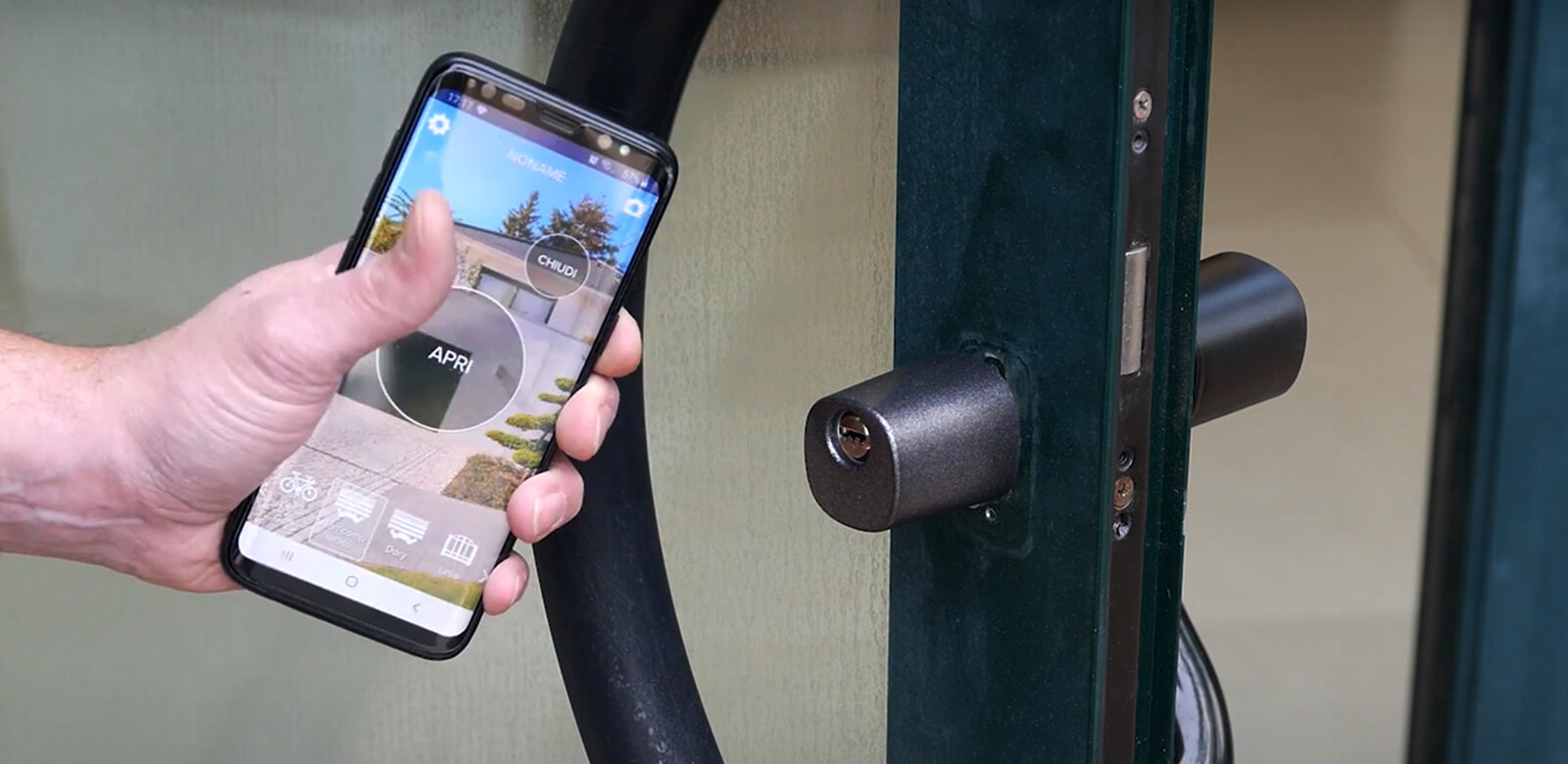
The plumber on Tuesday morning, a friend watering the plants for two weeks, a relative arriving while you are at work. Every time, the same question: hand over a key or not? A copied key cannot be taken back from a distance, and you never know whether another copy exists.
In short: with a smart lock such as 1Control DORY you give the person access in the app, valid only on the days and at the times you choose, and you revoke it when it is no longer needed. It is called a share: it goes to a phone number, it is used with the 1Control app and it is free. Below: how to create one, how to revoke it and what never to hand over.
Physical key or digital access: what changes
| Physical key | Access in the app | |
|---|---|---|
| Limited in time | no | yes: start, end date and hours |
| Revocable remotely | no: you need it back, or a new cylinder | yes: edit it or delete it |
| Can be copied | yes | no: it is tied to a phone number |
| You know when it was used | no | yes, in the access history |
| What the person needs | nothing | a smartphone with the 1Control app |
The only real limit of digital access is the last row: the person needs a smartphone and the app. For someone without one, you can still enable opening remotely when they are at the door, with LINK: see unlock your front door remotely.
How to grant temporary access, step by step
- In the 1Control app, open the shares section and create a new share.
- Pick the person from your contacts or type in their phone number.
- Choose the access to share: the door controlled by DORY.
- Set the limits: start date, end date and hours. For a one-day job, one day is enough; for someone who comes every week, the right time slot.
- Send it. The person installs the 1Control app, registers with the same number you sent the share to and finds it already there.
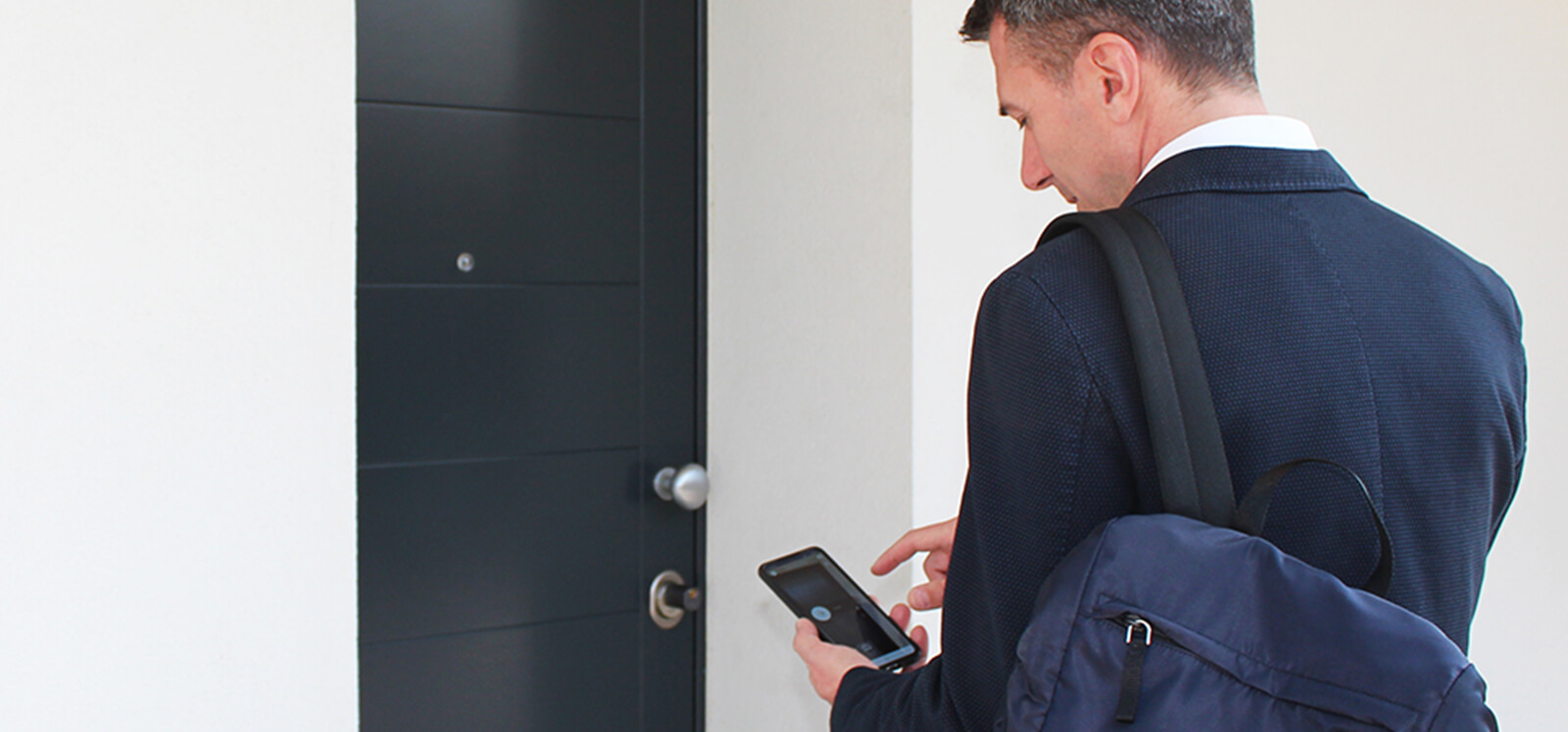
At the door, the person enables opening from their phone and turns the outside knob. Shares are free. The procedure with screenshots is in the 1Control help centre.
Thinking about a smart lock?
Check whether your door is compatible with 1Control DORY: it replaces your existing euro cylinder with no drilling and no changes to the door, and its mechanical key is always available. One-off purchase, no subscription.
299,00€ from 249,00€ VAT included
- 1,500+ reviews on Amazon, Facebook and Trustpilot
- Secure payments
- 2-year warranty
Revoking access: when and how
Access ends in one of three ways:
- by itself, on the end date you set: the safest way, because it does not depend on you remembering;
- by editing it, if the days or hours change;
- by deleting it from the shares section, when the job is done or the person should no longer get in.
After revoking, glance at the access history over the next few days. And remember the difference with mechanical keys: DORY comes with keys, but a key you have handed over cannot be revoked from the app. Keep them for the family and for emergencies.
Admins and shared users: who can do what
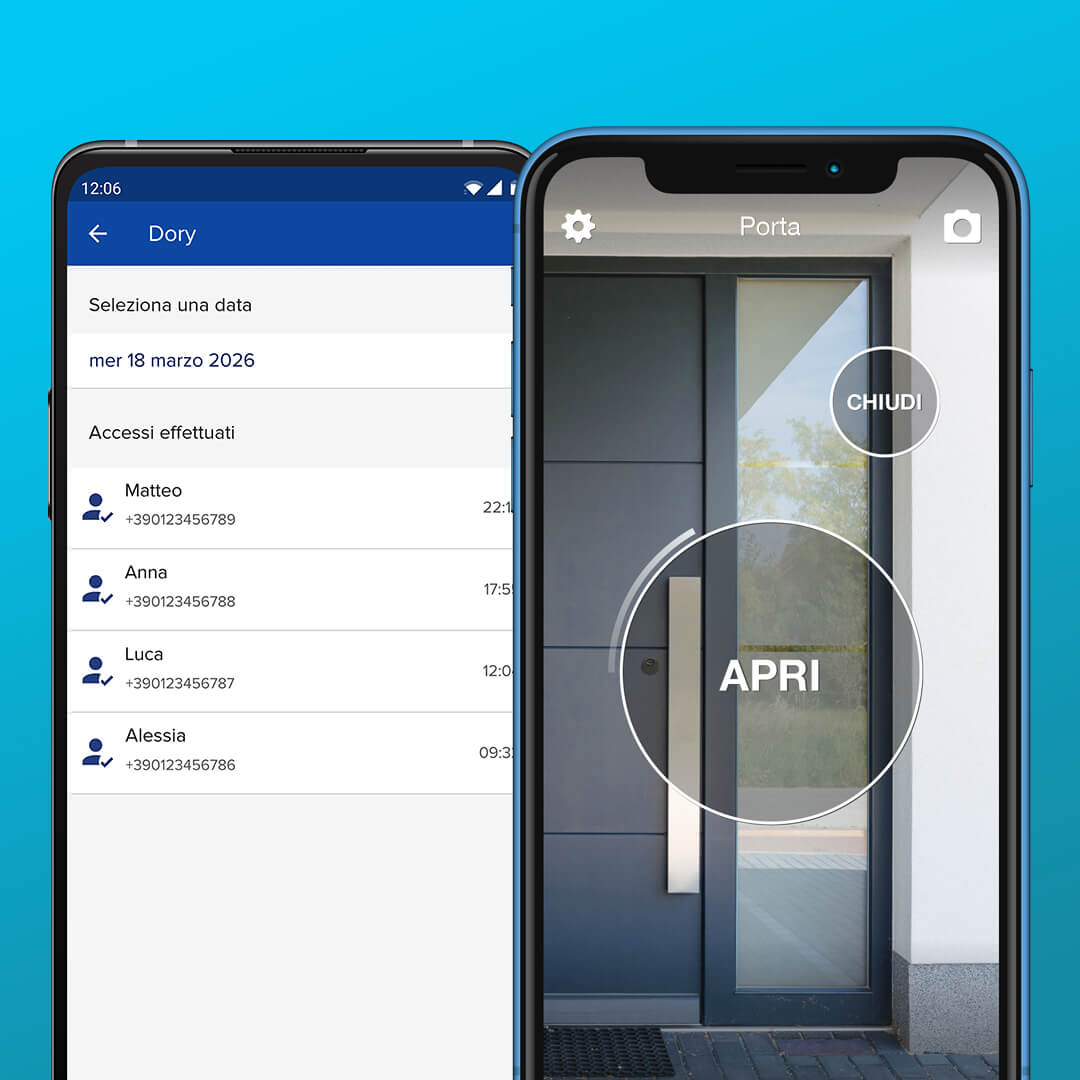
- Admin: whoever connects to DORY with the 8-digit PIN. They have full control: they create, edit and delete shares and see the history. Usually these are the members of the household.
- Shared user: whoever receives a share. They open within the limits you set, cannot create further shares and do not get door sensor alerts.
The 8-digit PIN does not open the door: it is the admin and pairing code. Never give it to someone who only needs to get in, because it would make them an admin.
How many people you can let in
The standard version of DORY is designed for 10 users. If you need more, you can buy additional users in the app, up to a maximum of 450. In a family it makes sense to make admins only of the people who run the home, and to give everyone else shares with the right limits.
Typical cases, with dedicated guides
- Cleaner, carer, dog sitter: recurring access on fixed days and times. See keys for a cleaner or dog sitter.
- Short-term lets: guests and cleaning between stays have their own rules; see key exchange methods compared and managing cleaner access.
- Tradespeople and deliveries: one-day access, during the appointment window.
- Visitors without a smartphone: remote opening with LINK, when they are at the door.
Frequently asked questions
What is temporary access to a front door?
It is permission to open, given in the app to one person, tied to their phone number and valid only between a start date and an end date, at the hours you choose. With DORY it is called a share.
Does the person need the app?
Yes. They need a smartphone with the 1Control app, registered with the same number you sent the share to. Without a smartphone, you can enable opening remotely with LINK when they are at the door.
Can I limit access to certain hours?
Yes. When you create the share you set the start date, end date and hours. You can change them later or delete the share.
Can I give the lock PIN to someone who needs to get in?
No. The 8-digit PIN is the admin and pairing code, not an opening code. Whoever uses it becomes an admin: to get in, a share is enough.
Do shares cost anything?
No, shares are free. The number of users depends on the model: the standard version of DORY includes 10, which can be extended in the app up to 450.
Can I see who came in?
Yes. The access history in the app shows who opened with the app and when. With the door sensor and LINK you also get a notification every time the door opens.
Conclusion
Temporary access to your front door is a key that knows when to stop working: you give it to a phone number, with dates and hours, and revoke it whenever you like, with no copies going round. With DORY you manage it in the app and see the history. First, check that your door is compatible with the DORY compatibility check.