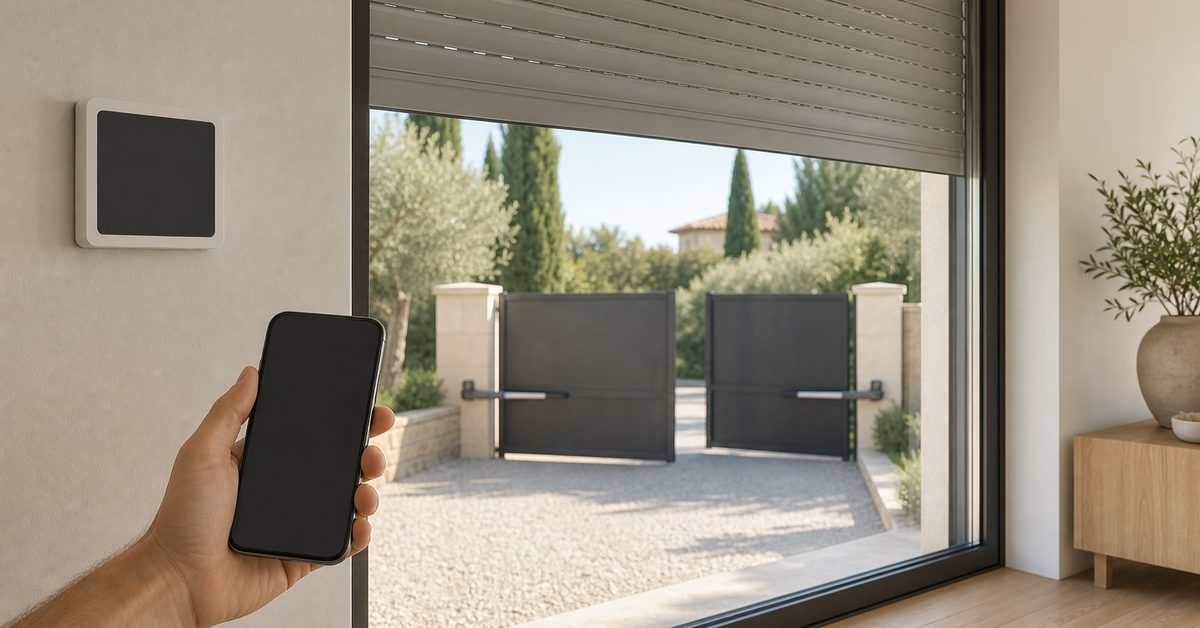
In short: "smart blinds" are blinds your phone, your schedules and your voice assistant can move — and there are three honest routes to them: a retrofit motor added to blinds you already own, a motorised blind controlled through its manufacturer's hub, or motors folded into a wider smart-home platform via Matter and voice. One UK clarification before anything else: this guide covers both the indoor blinds most British homes mean by the phrase and the outdoor roller shutters the rest of Europe means by it, because the smart layer works differently on each.
Full transparency, as usual: 1Control does not make blind or shutter motors, and its devices are not designed to control them — this guide is genuinely neutral. Our trade is gates and garage doors, and they enter the story only where your smart-home project meets them, in one clearly marked section below.
Indoor smart blinds, outdoor smart shutters: not the same upgrade
The word "blinds" hides two starting points, and the right smart route depends on which one is yours.
- Indoor blinds — roller, venetian, roman, curtain tracks. Usually battery territory: either the blind comes motorised from the maker, or a small retrofit motor is added to the one you have. No electrician involved in most cases.
- Outdoor roller shutters — the aluminium curtains on rails, mains-powered by a tubular motor. Here "smart" usually means a connected module behind the wall switch or a radio motor talking to a hub, and the mains side belongs to a qualified electrician.
One prerequisite for both: a motor. If your blinds or shutters are still fully manual, motorising comes first — that step has its own guide, our electric blinds and shutters guide — and the smart layer comes second.
Three routes to smart blinds
Route 1: the retrofit motor
The quickest way in, and the only one that keeps the blinds you already own. Small battery or rechargeable motors — SwitchBot and Eve are familiar names in this space, among others — clip onto a blind's chain or a curtain track and pull it under app control. Fitting is a screwdriver job, there is no wiring, and the devices pair with your phone directly or through the maker's small bridge. The honest limits: the motor is only as strong as the blind mechanism it drives, tilting venetian slats is a different job from raising a roller, and each device adds one more battery to keep charged.
Route 2: the manufacturer's ecosystem
Buy the blind and the brains from the same house: a motorised blind plus the manufacturer's own hub and app — Somfy with TaHoma, Velux with its controls for roof windows, Ikea with its smart range, and the made-to-measure firms that build on those motors. This is the most polished route: motors, remotes, sensors and app are engineered together, and radio protocols like Somfy's RTS and io are well documented. The trade-off is commitment — the hub speaks its own brand first, and mixing in another maker's blinds later can mean a second hub.
Route 3: modules, Matter and the open smart home
The tinkerer's route, and the natural one for wired roller shutters: a connected relay module — Sonoff and Shelly are the names you will meet most often — fitted behind the existing wall switch, putting the same up/down wires under Wi-Fi control. Requirements are concrete: a motor that is already electric, space and a neutral wire in the back box, and a qualified electrician for the mains work. The same open-platform spirit extends to Matter, the cross-brand standard that lets certified blinds and shutters join whichever app and assistant you prefer. It is the most flexible route and the least hand-holding one: you are the integrator.
What each route really involves
Before choosing, check four practical points against your own windows — they decide more than any feature list.
- What you have today. Chain-operated indoor blind → retrofit motor. Motorised blind with a brand remote → that brand's hub. Wired shutter on a wall switch → module behind the switch. Fully manual → motorise first.
- The hub question. Many motors speak a proprietary radio protocol and need the maker's bridge before any app or assistant sees them. Count the hub in the budget and check it supports your exact motor generation.
- Who does the work. Retrofit motors and battery blinds are DIY; anything touching the mains — modules, wired motors — is for a qualified electrician.
- What "smart" you actually want. App control and timers come with every route. Scenes across brands, dawn/dusk automation and voice need the hub or Matter layer — which is where the next section comes in.
Hubs, Matter and voice: making brands talk to each other
Once the motors are connected, the question becomes whether they cooperate. Voice is the mature part: manufacturer hubs generally expose blinds to Alexa and Google Home through their skills, retrofit motors do the same through their bridges, and "good morning" raising the blinds is now an ordinary routine rather than a demo. Matter is the promising part: it aims to let certified devices from different brands join one app without brand-by-brand plumbing, and blind and shutter support is growing — but coverage is still patchy, older motors will never get it, and a promised future update is not a feature you own today. The sober advice: buy for what the box supports now, treat Matter compatibility as a welcome bonus, and check the maker's own compatibility page — not the marketing page — for your exact assistant and hub combination.
Making your blinds smart? Your gate and garage sit outside the blinds' system
Here is the part of the project no blind hub covers. However far your smart-blinds setup reaches — every window scheduled, every slat on voice — the two motorised doors you use most are not in it. The driveway gate and the garage door run on their own radio automation, installed years ago, answering to the remote in the car. They are usually the last things in the house still living on plastic remotes, and they stay that way unless you address them separately.
Addressing them does not mean new motors or wiring. SOLO joins the existing automation of a gate, garage door or barrier exactly as an additional remote control would — over 800 remote models supported, rolling code included, nothing on the control board touched. You open from the app over encrypted Bluetooth, share access with the family free of charge and revoke it just as easily; it is a one-off purchase with no subscription. And the boundary in plain words: SOLO is designed and documented for gates, garage doors, up-and-over doors and barriers — we don't offer it for blind or shutter motors. The blinds get their system from the sections above; the entrances get theirs here.

Motorising your blinds? Your gate and garage can already open from your phone
While you make your blinds smart with their own system, your outdoor entrances shouldn't lag behind: 1Control SOLO adds to your existing gate and garage automation without touching the control board, with free, revocable sharing. Check in seconds whether your system is compatible. One-off purchase, no subscription.
139,00€ 119,00€ VAT included
- 1,500+ reviews on Amazon, Facebook and Trustpilot
- Secure payments
- 2-year warranty
What 1Control does — and what it doesn't
Since this guide has been strict about everyone else's compatibility claims, here are ours, held to the same standard. 1Control devices add smartphone control to radio-controlled gate and garage automations: opening from the app nearby via Bluetooth, and — with the LINK bridge on your router — from anywhere, by voice through Alexa, Google Home and Siri, and from the car's screen with CarPlay and Android Auto. What they do not do: they do not move blinds, shutters, curtains or awnings, they do not switch lights or heating, and they are not a home-automation platform. One job, done properly — which is precisely why they slot alongside a blinds system instead of competing with it.
One home, two systems, shared routines
A smart-blinds setup and a smart gate never touch each other's wiring, hubs or apps — and they do not need to, because the assistant layer is where they meet. The blinds join Alexa or Google Home through their hub; the gate and garage join through SOLO's integrations; and your routines see both. Morning: blinds up, and the gate answers from the app as you leave. Evening: shutters down on schedule while the garage stays one tap away in the app, with every opening logged. If drawing that line between a connected home and a wired home-automation system interests you, our guide to smart home vs home automation covers exactly how independent systems coexist without a central brain.
Frequently asked questions
How do smart blinds work?
A motor moves the blind, and a radio or Wi-Fi link puts that motor under the control of an app, a schedule or a voice assistant. In practice there are three routes: a retrofit motor added to the blinds you already own, a motorised blind from a manufacturer's ecosystem controlled through its hub, or motors and modules integrated into a wider smart-home platform via Matter or a bridge. All three give you app control and timers; they differ in cost, in how much wiring is involved and in how well they talk to other brands.
Can I make existing blinds smart?
Very often, yes. Chain- or cord-operated indoor blinds can take a retrofit motor that pulls the chain for you — battery-powered, no wiring, fitted in minutes. Wired electric roller shutters can be made smart with a connected module behind the wall switch, which is mains work for a qualified electrician. The one case that needs a step first is a fully manual blind or shutter with no motor at all: that needs motorising before any smart layer, which is the subject of our electric blinds and shutters guide.
Do smart blinds work with Alexa and Google Home?
Mostly yes, but check the exact combination before you buy. Manufacturer ecosystems generally connect to Alexa and Google Home through their own hub and skill, retrofit motors through the maker's app or a small bridge, and a growing number of devices through Matter. Once linked, blinds join voice commands and routines — "good morning" raising the blinds is the classic. The support pages of the blind or motor brand list which assistants and hubs are certified; treat that list, not the marketing page, as the answer.
Can I control my blinds with 1Control SOLO?
No. SOLO is designed and documented for gates, garage doors, up-and-over doors and barriers: we don't offer it for blind or shutter motors. Blinds need their own systems — the three routes described in this guide. Where SOLO fits in a smart-blinds project is the part the blind hub does not reach: the driveway gate and the garage door, which already have their own radio automation. SOLO joins that automation like one more remote control, so those entrances open from your phone while the blinds run on their own system.
The bottom line
Start from what hangs at your windows today, and the route picks itself: retrofit motors to keep the blinds you own, a manufacturer's ecosystem for the most polished result, modules and Matter for wired shutters and mixed-brand homes. Give mains work to a qualified electrician, count the hubs in the budget, and believe compatibility pages over marketing ones. If the blinds are still manual, motorise first — the electric blinds and shutters guide is that chapter. And once every window obeys the phone, spare a thought for the two doors that still answer only to a plastic remote: the gate and the garage are the easiest part of the whole project to bring along, on their own system, without touching anything the blinds do.