To complete the copy, follow the procedure as indicated
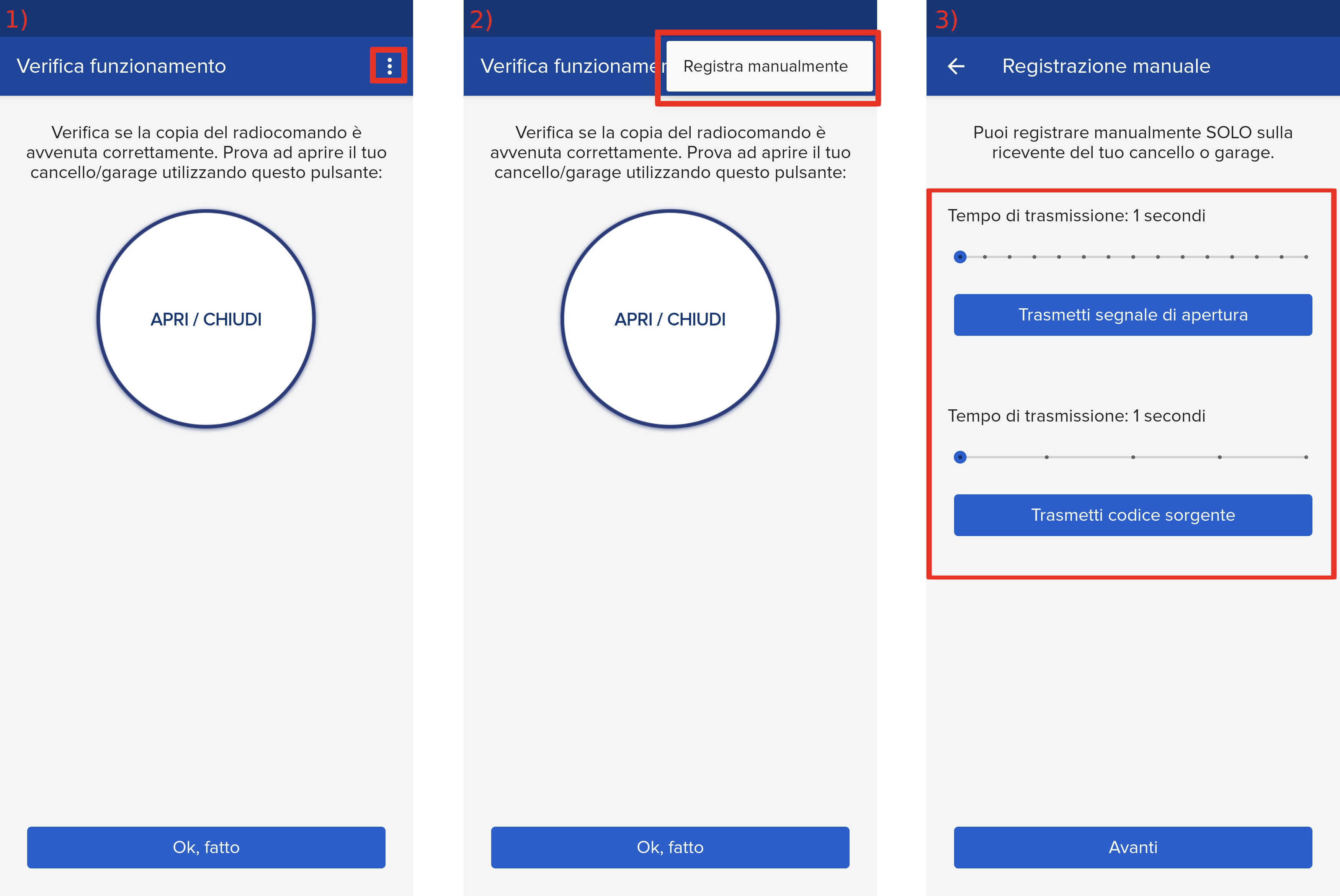
- Start copying until the "Check operation" screen
- Press the menu button at the top right to enter manual recording as in the image below
- Move both sliders shown to 1 second
- Access the control unit board and locate the 3 buttons next to the LCD screen "+" (up), "-" (down) "OK" (confirm)
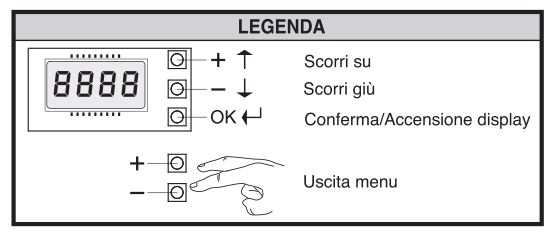
- Press the " OK" button twice
- Using the " + " and " - " keys, scroll through the items shown on the display until you reach " Radio "
- Press " OK ", " Add Start " appears on the screen, press " OK ¨ again, on the LCD screen you should see " Hidden key " written
- In the app, press the " Transmit source code " button, the message " Desired button " appears on the display
- In the app, press the " Send opening signal " button
- The display shows " OK " followed by a number, this confirms the success of the copy made.
- Press the " + " and " - " keys simultaneously to exit the menu
- Press " Next " at the bottom of the app and continue with the copy