Components on the control unit to operate on: 
To complete the copy follow the procedure as indicated
- Start copying until you get to the "Verify Operation" screen
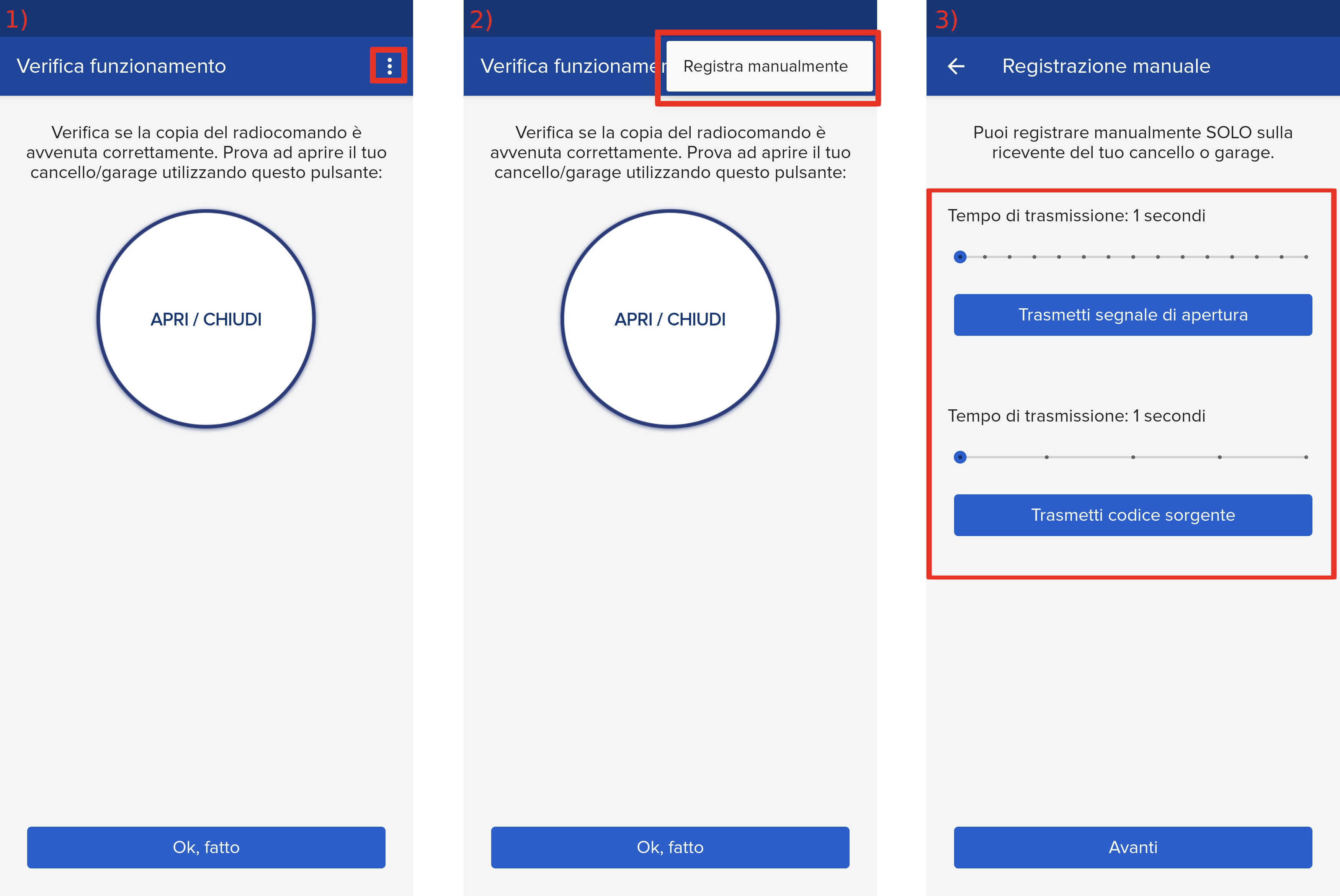
- Press the menu button on the top right to enter manual recording as in the image below
- Move both sliders to 4 seconds
- Set dip switches 1 and 2 to OFF (if they are initially set to OFF, move them to ON for 1 second and then return them to OFF)

- After the acoustic signal emitted by the control unit, press the " PROG " button for 5 seconds
- In the 1Control app press the " Transmit Source Code " button and wait 5 seconds
- When the LED on the control unit lights up, press the " Transmit opening signal " button in the app and wait 5 seconds again.
The control unit should make a confirmation sound.
After completing the copy, reset the dip switches to their previous positions and press the button on the control unit again for 5 seconds to exit programming mode.