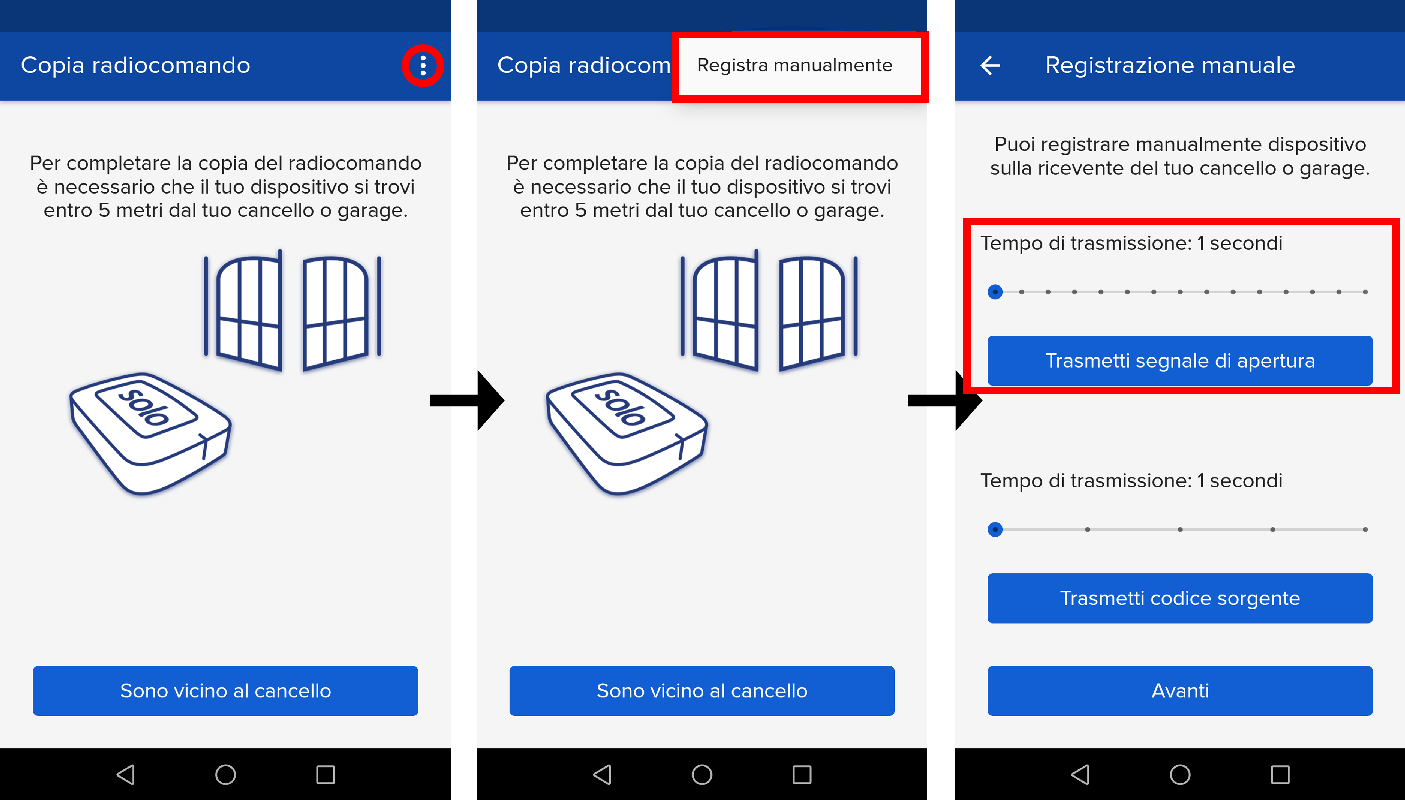
Follow the given procedure to complete the copy
- Start copying on the screen where you are prompted to be near the door SOLO needs to communicate with it
- Tap the menu button on the top right to access manual recording as shown below
- Move cursor greater than 4 seconds
- On the control panel, press OK, the Radio stats LED flashes
- On the APP, press the "Send source code signal" (the other button below in the screen), the Radio LED on the control panel should stay steady
- Press the "Send opening signal" button of the application