To complete the copy of your remote control
1) Start copying until you reach the " Check Operation " screen and wait for the gate to close.
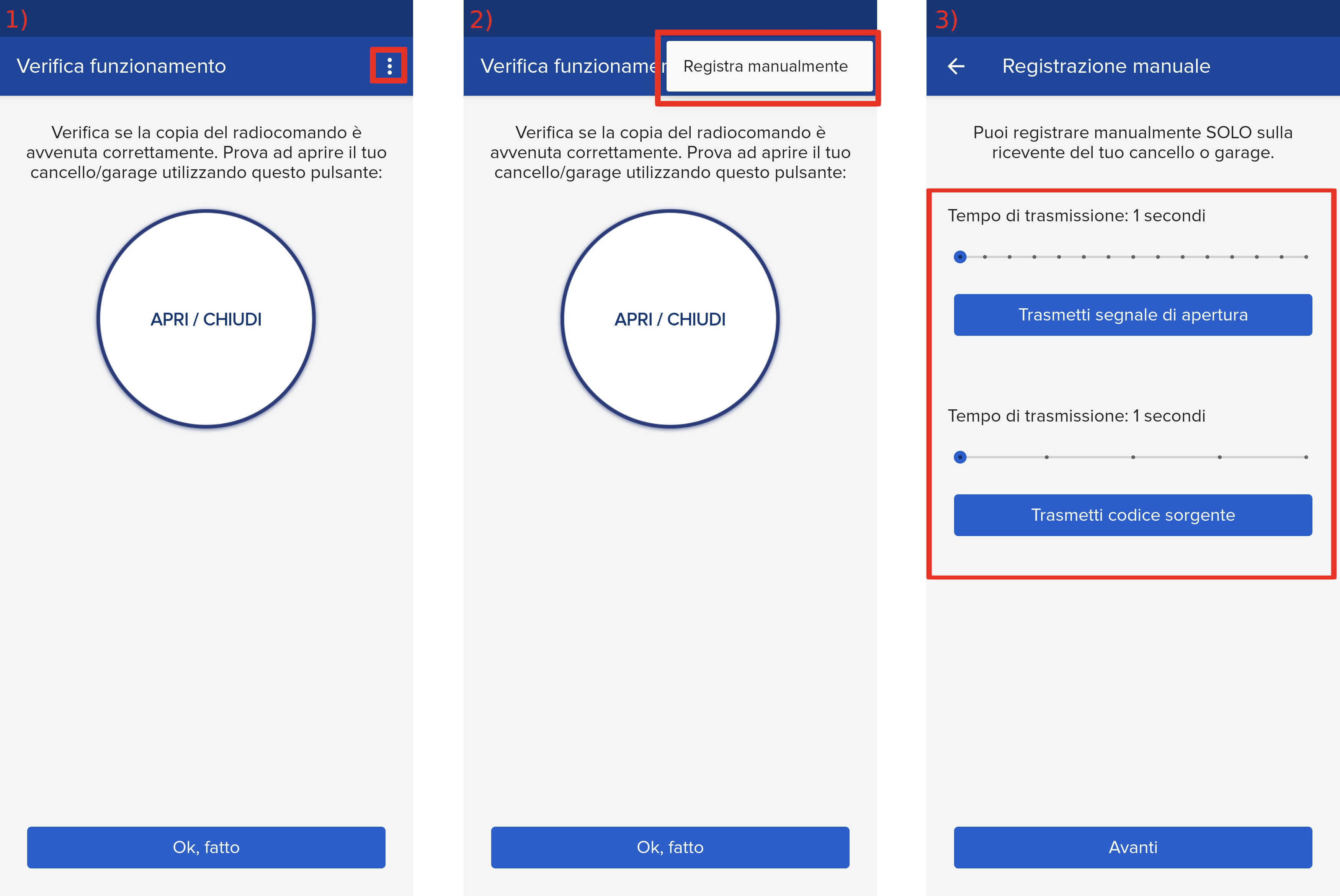
2) Press the menu button at the top right to enter manual recording as shown in the image below
3) Move both sliders to 4 seconds.
4) On the control unit locate the S1 , S2 buttons and the RADIO LED 
5) Press the S1 button, the LED will start flashing 
6) Press the " Transmit Source Code " button. The radio LED will flash steadily. It is important to wait 4 seconds so that it ONLY transmits for the indicated duration.

7) Press " Transmit opening signal " on the app. It is important to wait 4 seconds so that it ONLY transmits for the indicated duration
At this point the LED should start flashing again to signal the end of the procedure.