To complete the copy follow the procedure as indicated
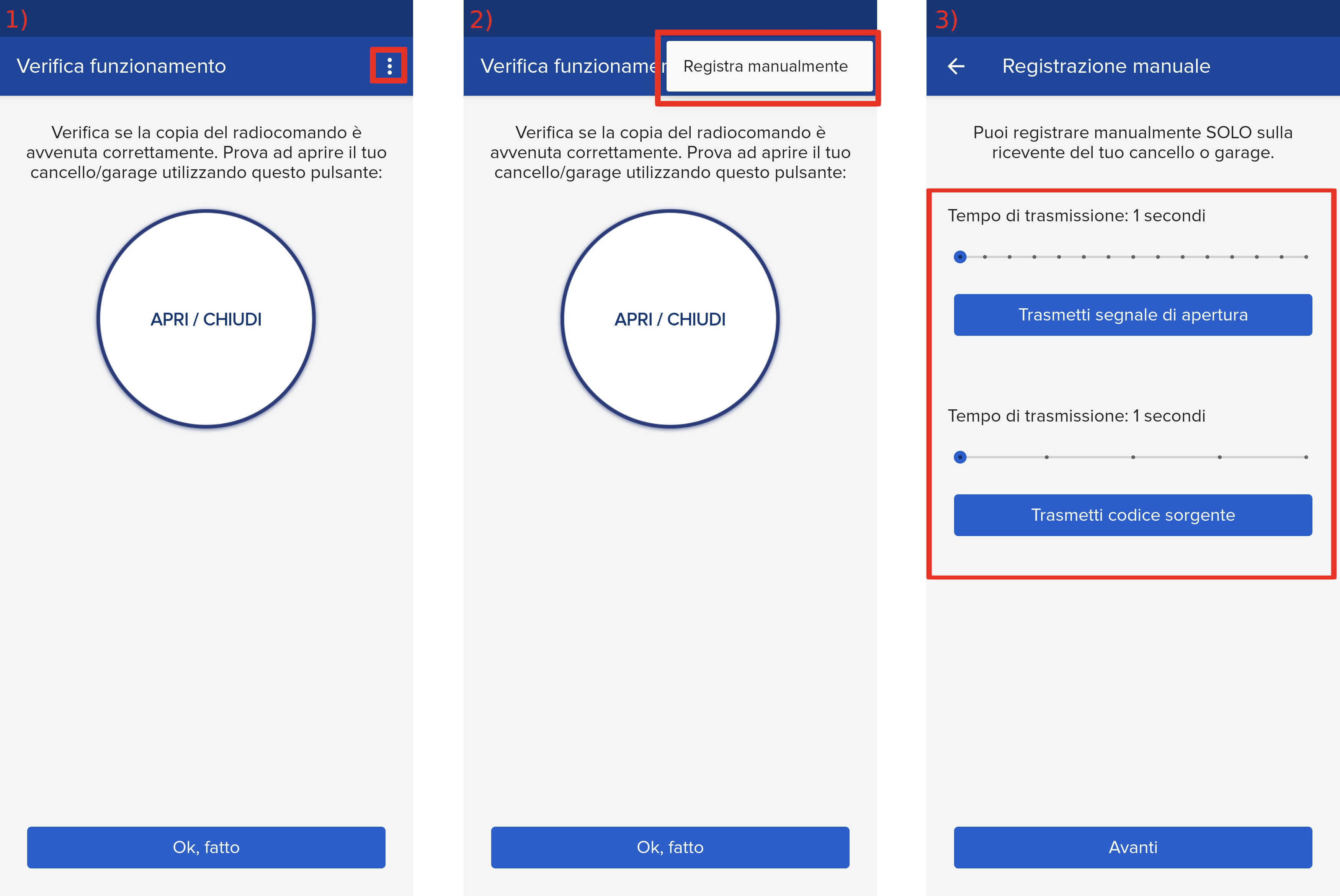
- Start copying until you get to the "Verify Operation" screen
- Press the menu button on the top right to enter manual recording as in the image below
- Move both sliders present to 4 seconds
- Move dip switch 10 to the " ON " position (indicated in green, to be moved in the direction of the arrow).
- Press the programming button (indicated in red) for 3 seconds, the LED next to the button starts flashing

- In the 1Control app press the " Transmit source code " button and wait 5 seconds, the LED remains permanently lit
- On the app, press the " Transmit opening signal " button and wait 10 seconds, the LED will start flashing again
- Move Dip switch 10 to its initial " OFF " position