To complete the copy of the radio control, follow the procedure below while standing near the automation:
1) Start copying until the "Check operation" screen
2) Press the menu key at the top right to enter manual recording as in the image below
3) Move the upper slider to 4 seconds

4) Press and hold the Radio button a when yes
turns on the green LED on the receiver. Then, release the key.
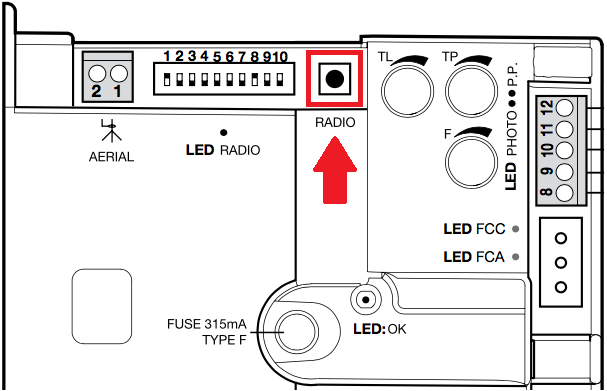
5) Press "Transmit opening signal" in the app, several times if necessary until the green LED on the control unit flashes three times, to confirm successful memorization