- Start copying until you get to the "Verify operation" screen, then select the 3 dots at the top right and press Manual recording (see image below)
- Place the SOLO near the gate/garage control unit.
- Wait until the gate/garage has closed completely.
- On manual recording select 6 seconds on the top slider (highlighted in the image below)

- Press and hold the button on the receiver until the LED on the receiver lights up (as soon as it lights up, release the button)
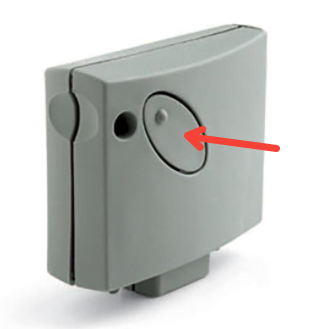
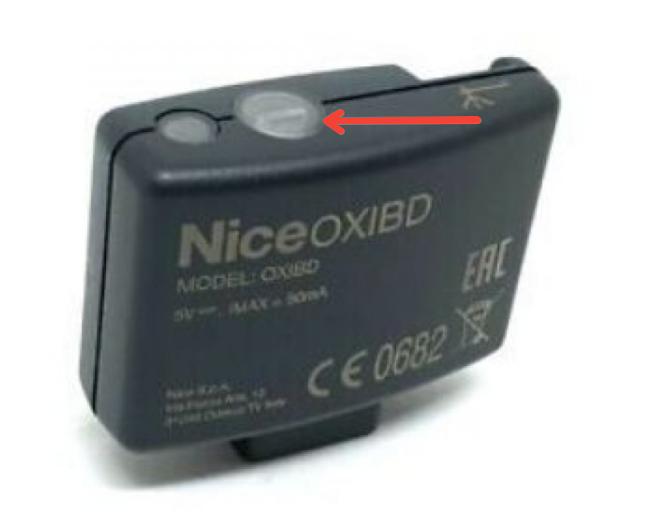
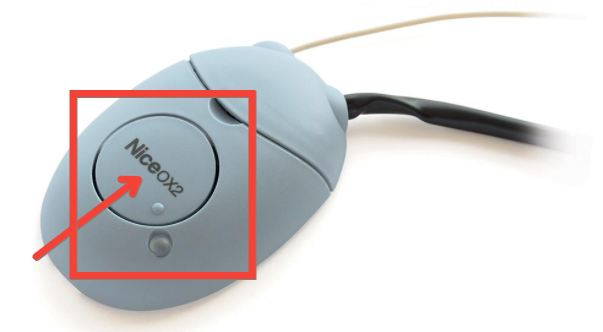
- Press the "Transmit opening signal" button on the app and wait 10 seconds.
- The LED next to the receiver button should flash 3 times to confirm copying.
- Press "Next" and press the "Open/Close" button.
OXI/OX2/SMXI/SMIF/SMXIS
Was this guide helpful?
Thanks for your feedback!
This guide in other languages: Italiano Deutsch Français Español