If there is a plug-in receiver in the connector (indicated in green), then it will be necessary to follow the procedure dedicated to this:
https://1control.zendesk.com/hc/en-gb/articles/360018709560-OXI-OX2-SMXI-SMIF-SMXIS
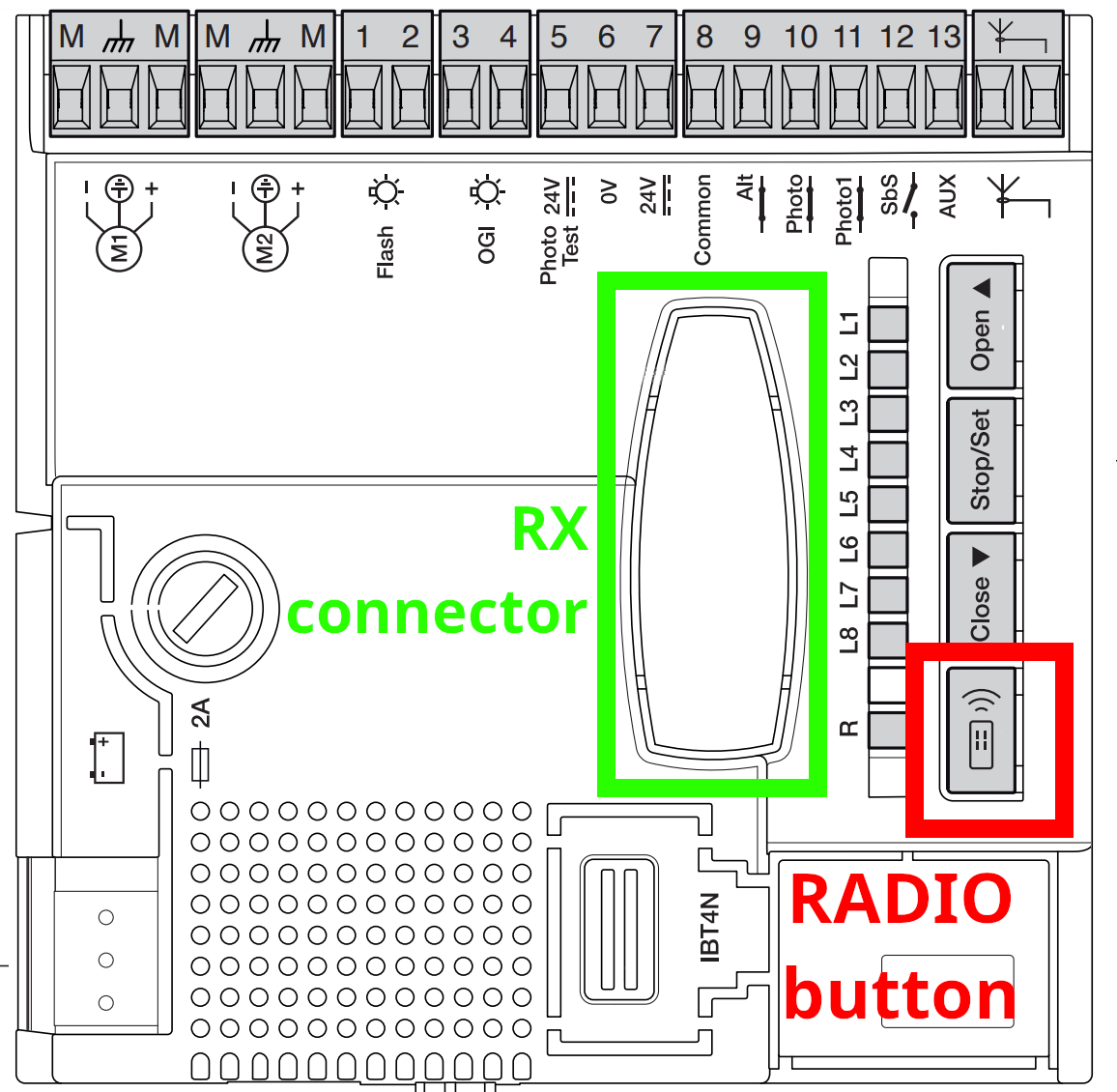
To complete the copy, follow the procedure indicated:
- Start copying until you get to the "Verify Operation" screen
- Select the 3 dots at the top right
- Press Manual Recording (see image below)
- On manual recording select 6 seconds on the slider at the top (highlighted in the image below)

- Press the " Radio " button for one second on the control unit (indicated in red)
- In the 1Control app, press " Transmit opening signal " within 10 seconds and wait approximately 15 seconds. If the gate opens, wait for it to close again.
- In the app press "Next" and verify that the copy you made works using the "Open/Close" button
If the gate does not open successfully, repeat the procedure again.