To complete the copy, follow the procedure as indicated
- Start copying until the "Check operation" screen
- Press the menu button at the top right to enter manual recording
- Set the transmission time to 4 seconds

- Press the button on the control board, the LED next to it should light up
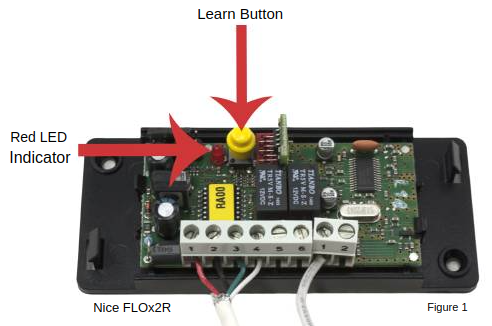
- On the app, press Send opening signal
- The LED should turn off, the copy is completed.
if the LED does not go off try setting the time to 10 seconds and try again