To view the users on the device, follow the procedure below while being close to the device:
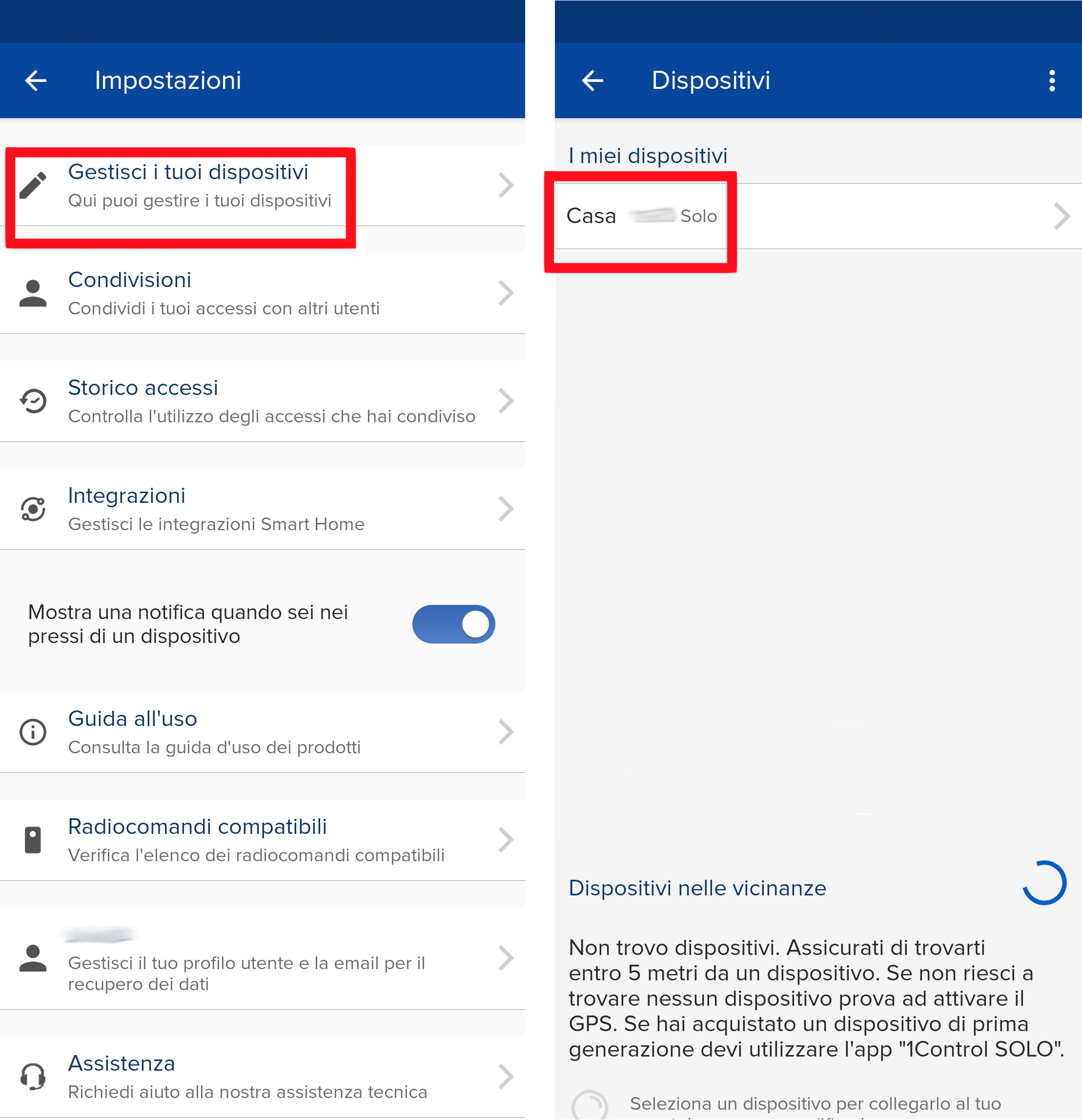
- Open the settings (by clicking the gear on the top left of the app's main screen)
- Go to "Manage your devices"
- Choose the SOLO in question
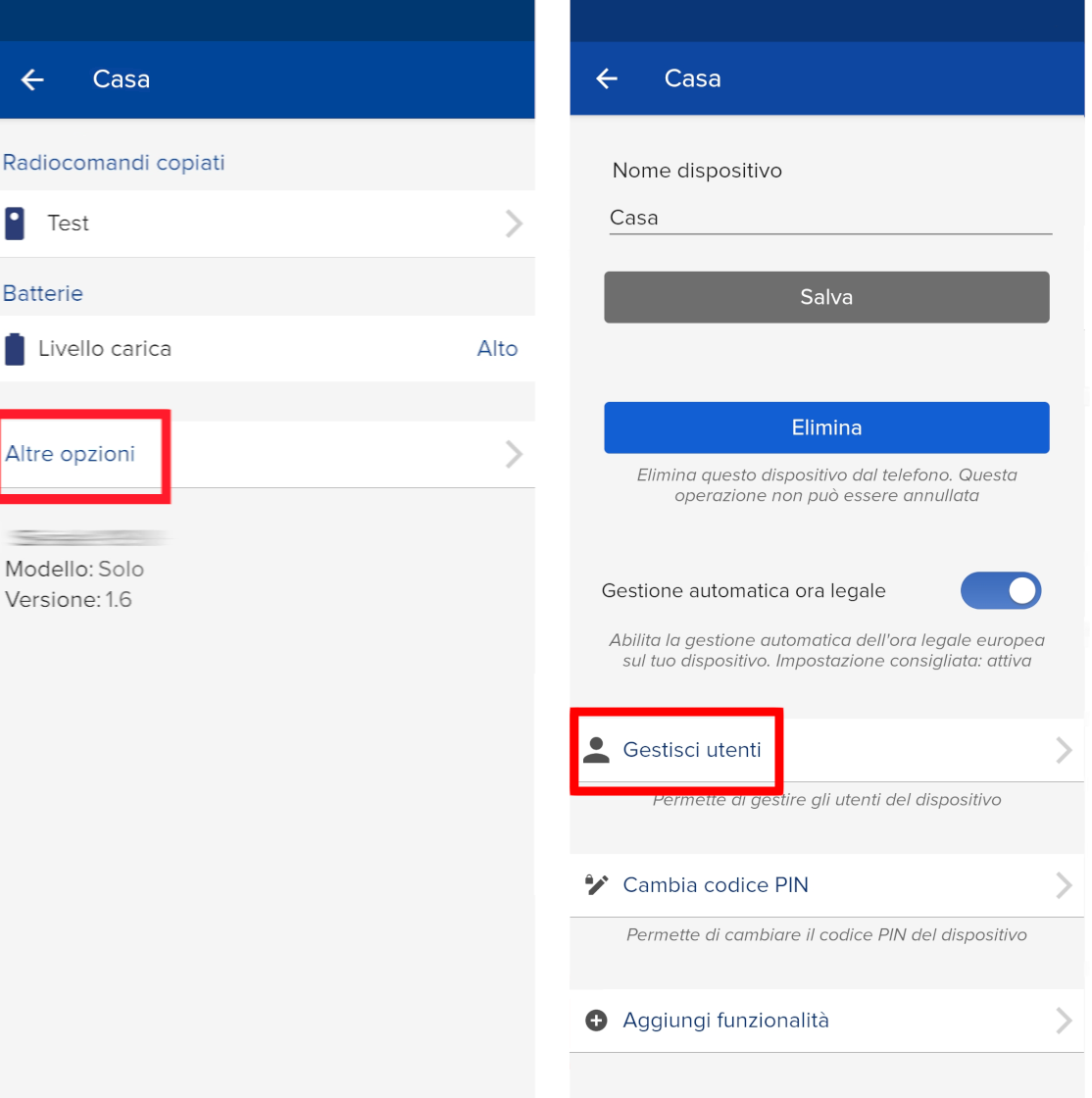
- Click on "More options" at the bottom
- Select "Manage users"
- Wait for the list to load
At this point, the list of users stored on the device will be shown.