To complete the copy follow the procedure as indicated
- Start copying until you reach the "Check Operation" screen.
- Press the menu button at the top right to enter manual recording as shown in the image
- Move the slider above 4 seconds

- Move the SOLO closer to the receiver so that it is less than 10cm away from it.
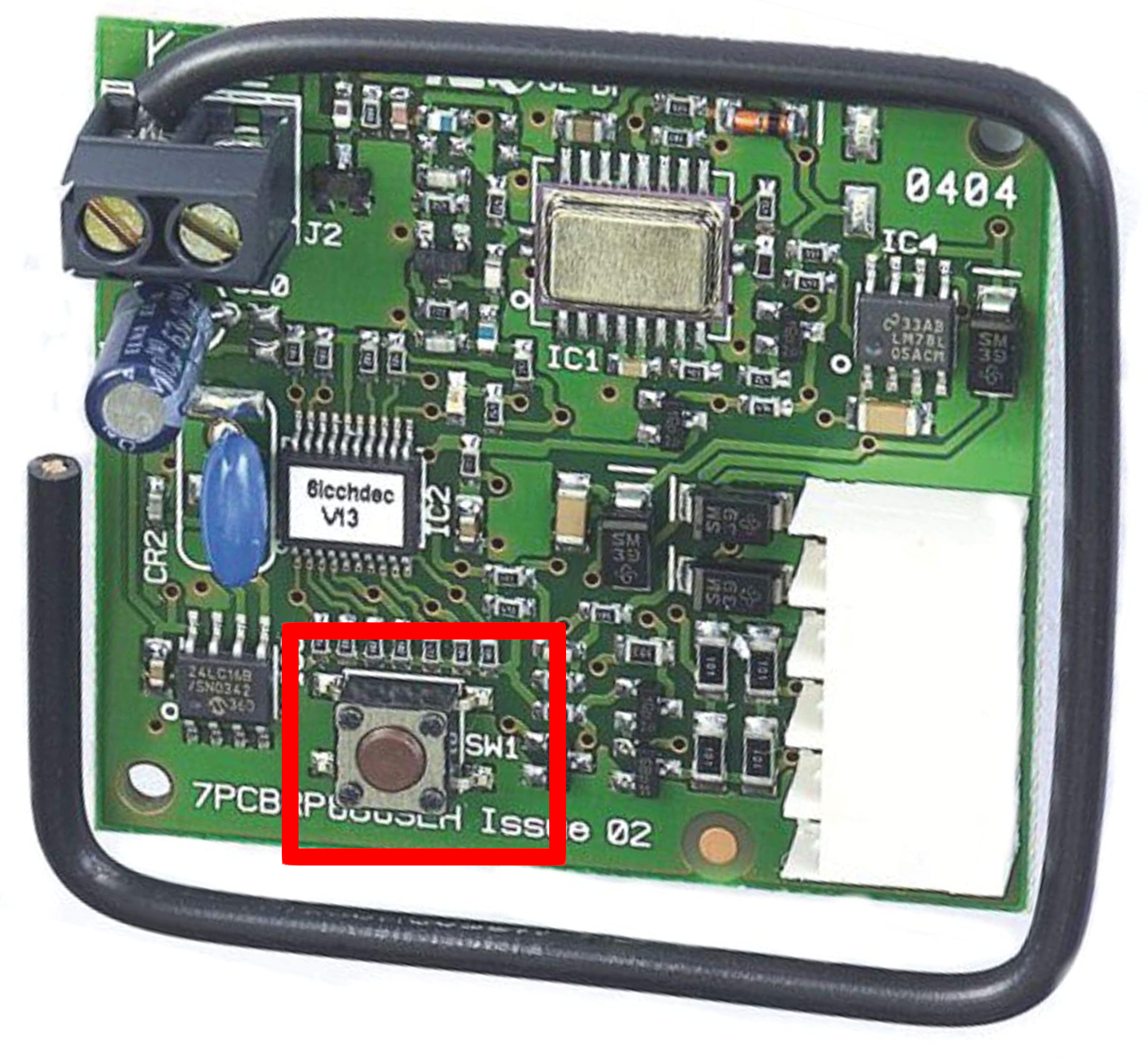
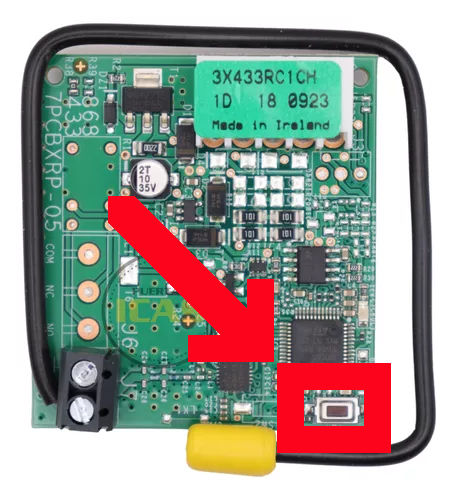
- On the receiver, press and hold the SW1 button. Depending on the receiver version, the SW1 button may be in one of two positions.
- On the app, press the Transmit opening signal button
- When the LED starts flashing, release the button on the receiver.