To complete the copy, follow the procedure as indicated
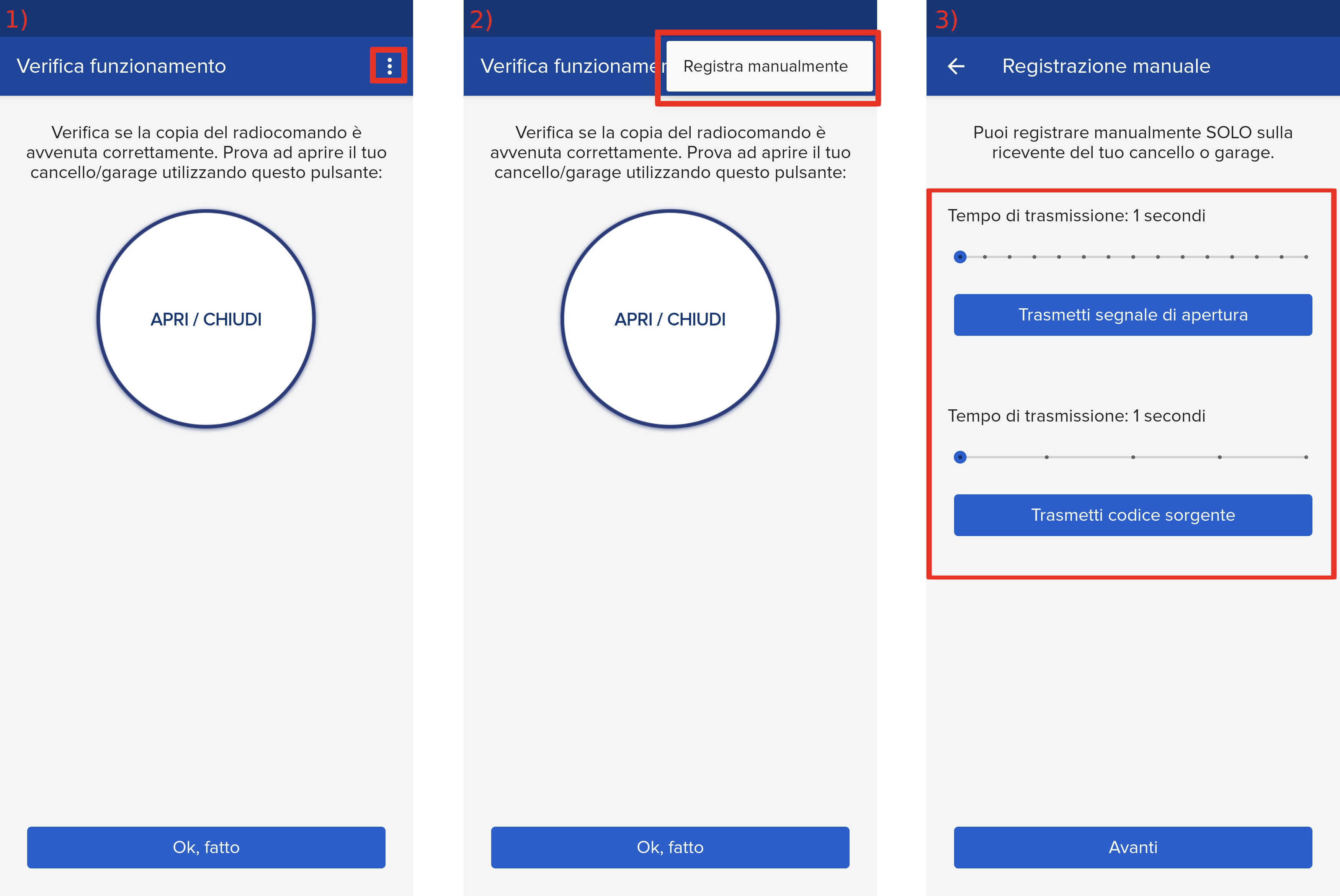
- Start copying until the "Check operation" screen
- Press the menu button at the top right to enter manual recording as in the image below
- Move both sliders to 4 seconds.
- On the control unit, press and hold the +/R1 button for total opening or -/R2 for partial opening, for at least 5 seconds. When the LED lights up, release the button.

- Press the Transmit Source Code button
- Press the Transmit opening signal button on the app
- Press the Transmit opening signal button on the app AGAIN
The LED on the control unit remains lit for 1 second to confirm