To complete the copy follow the procedure as indicated
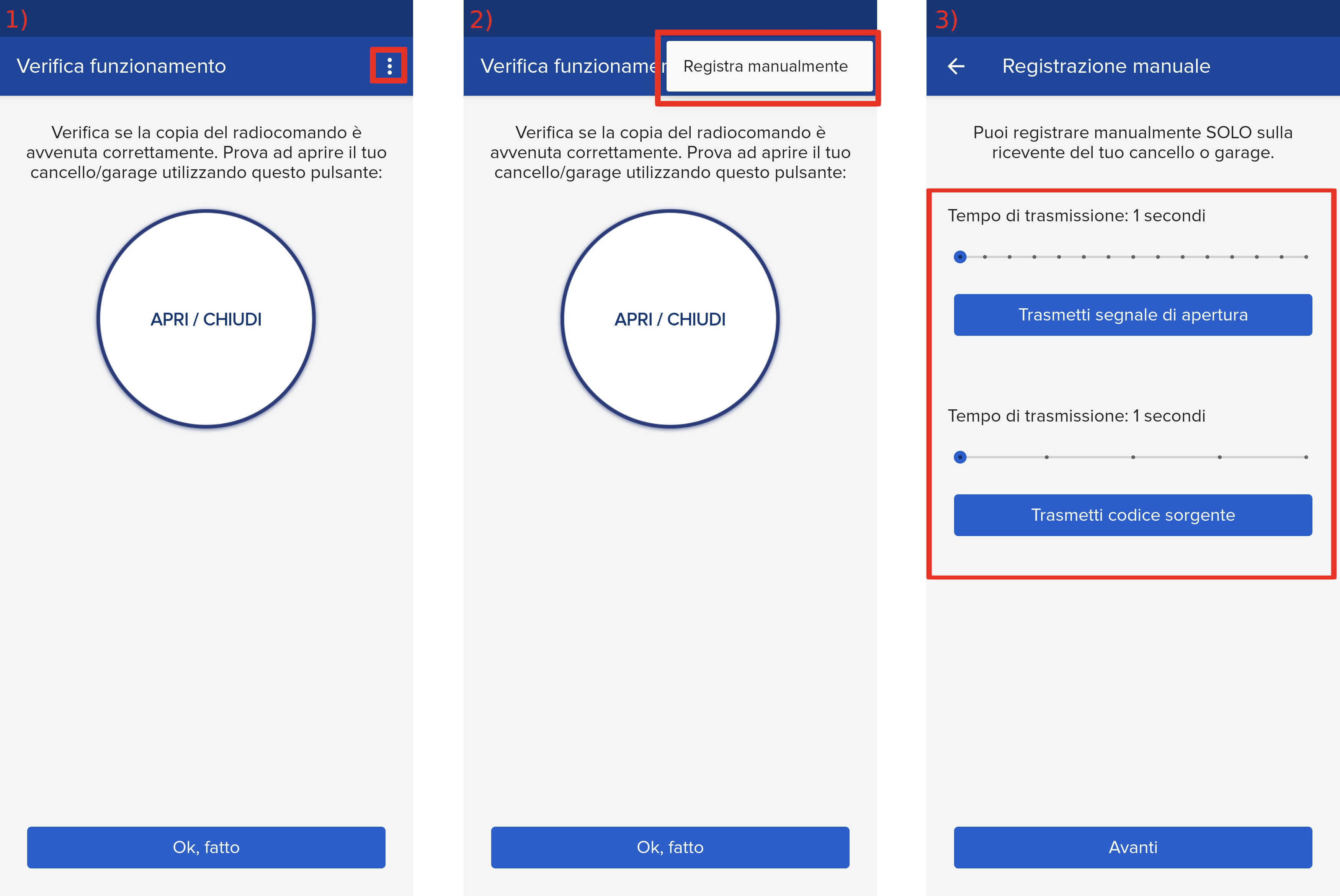
- Start copying until the "Verify Operation" screen appears
- Press the menu button on the top right to enter manual recording as shown in the image
- Set the opening transmission time (top slider) to 2 seconds and the source code transmission time (bottom slider) to 5 seconds by moving the sliders
- On the receiver, press the " OPEN A " button for one second

- Keeping SOLO near the control unit, on the app press the " Transmit source code " button and wait 5 seconds, the LED on the board will light up steadily
- On the app press the " Transmit opening signal " button, wait 3 seconds and press it again, the automation should perform an opening
- Wait two minutes for the controller to exit copy mode.
Press the "Next" button in the app and perform a test opening using the "Open/Close" button.
If the automation is not activated, repeat the procedure by setting the opening signal transmission time (slider at the top) to 1 second and in step 6 wait 2 seconds between one transmission and the next.