To complete the copy, follow the procedure as indicated
By pressing the " + ", " - ", " OK "buttons on the control unit you can navigate through the menu. 
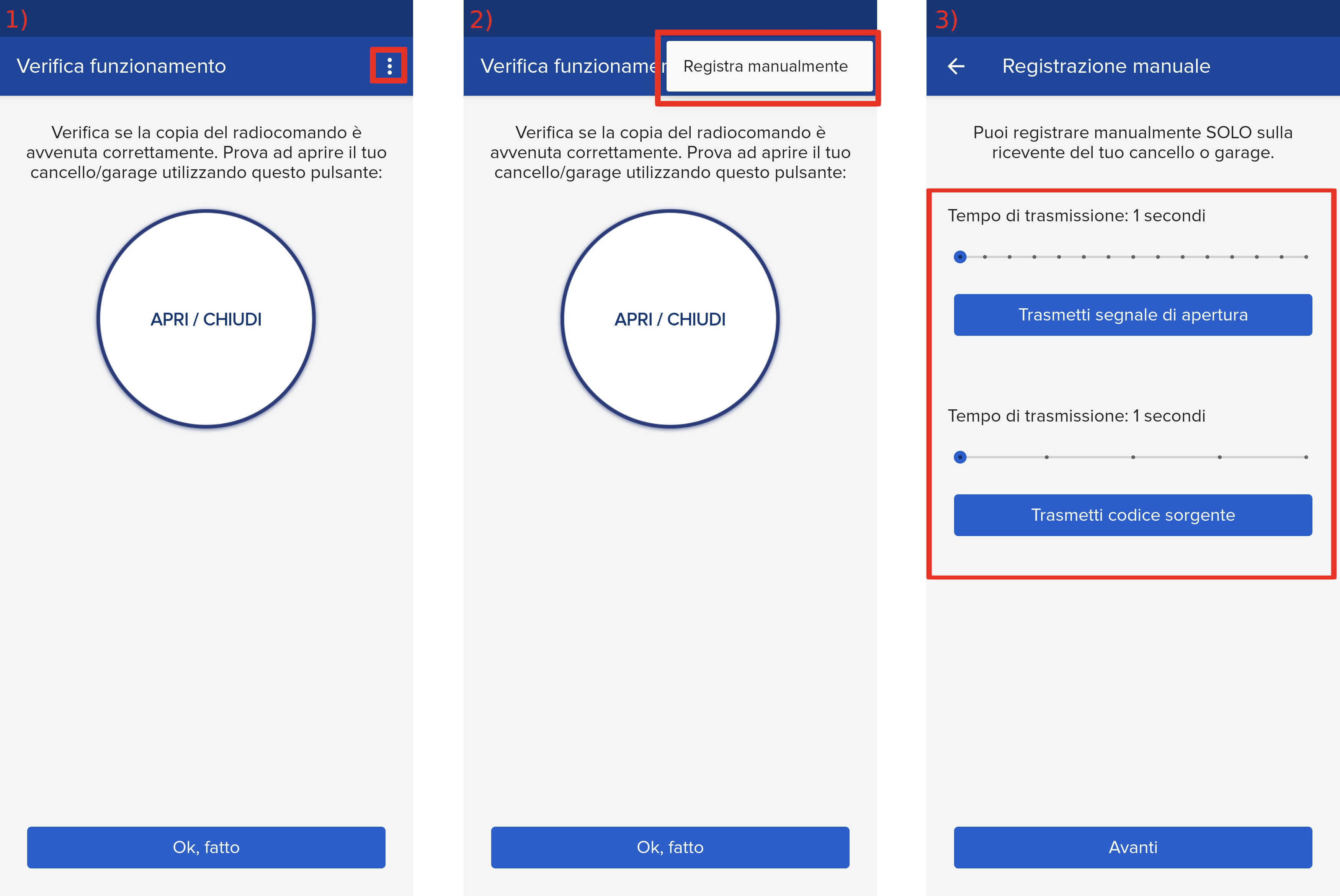
- Start copying until the "Check operation" screen
- Press the menu button at the top right to enter manual recording as in the image below
- Move both sliders to 4 seconds
- On the control unit, press the OK button, the writing " Lang " will appear on the display
- Navigate the menu with the " + " and " - " keys until you reach the " Mem Remotes " item and press " OK "
- The display shows the words " Hidden Button ", press the " Transmit source code " button in the app
- The display shows the words " Desired Button", press the " Transmit opening signal " key in the app
The display should show ok followed by a number, otherwise repeat the procedure