To complete the copy of your radio control
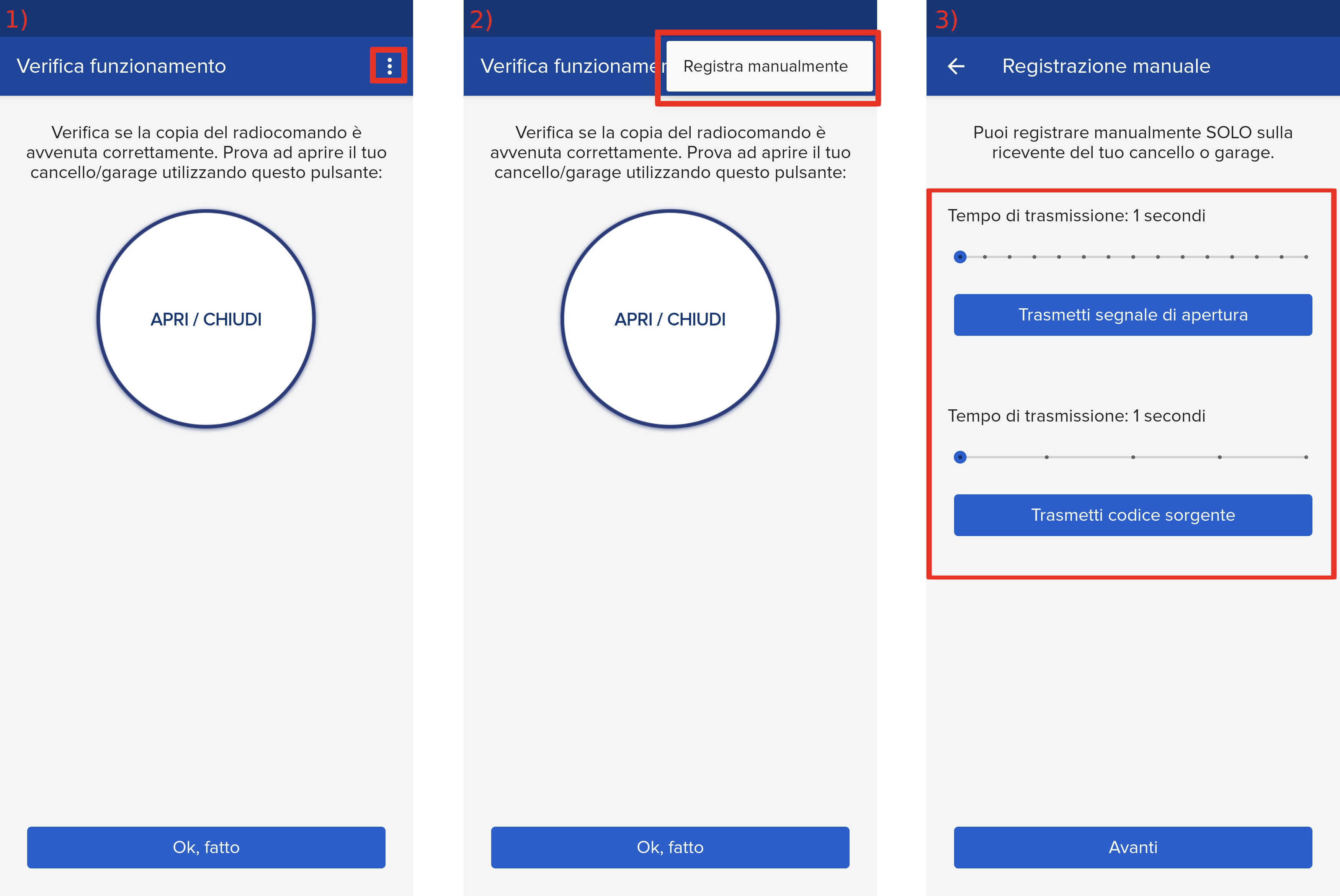
- Start copying until the " Check operation " screen
- Press the menu button at the top right to enter manual recording as in the image below
- Move both sliders to 4 seconds
- On the control unit locate the " RADIO " button (with " OK " indicated below)

- Press the " RADIO " button for about 3 seconds, release the button
- Keeping SOLO close to the control unit, press the " Transmit source code " button in the app
- Wait 5 seconds
- Press the " Send opening signal " button
- Wait 10 seconds
- Press the " Next " button at the bottom in the app
- Check the outcome of the procedure by pressing the "Open/Close" button, attention: in case of a positive outcome the automation will carry out an opening
If the automation does not start, it means that the procedure was not successful, it is advisable to repeat the procedure by increasing the transmission times set in point 3 and also the waiting times in points 7 and 9