To complete the copy follow the procedure as indicated
By pressing the UP, DOWN, OK buttons on the control unit you can navigate the menu. 
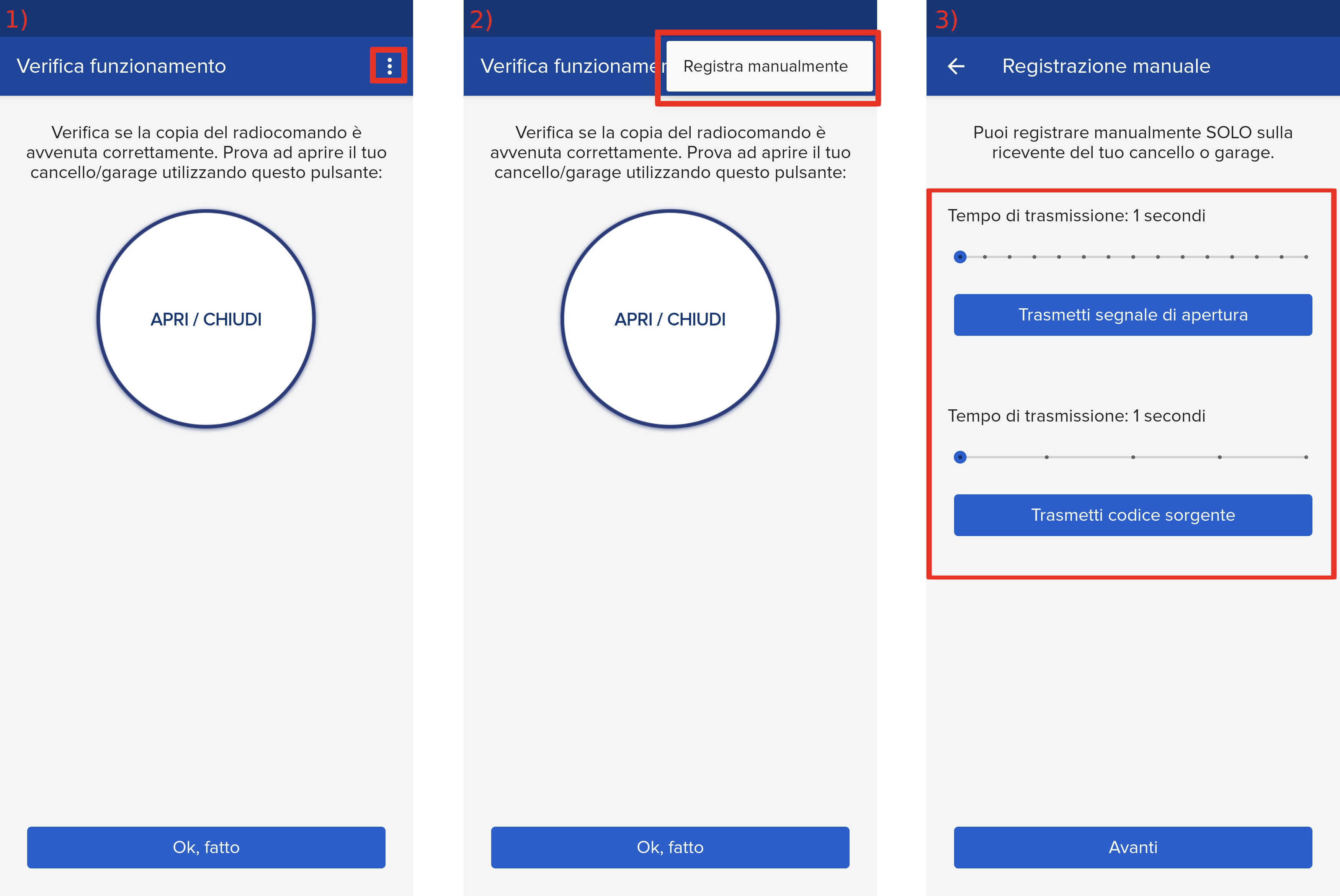
- Start copying until you get to the "Verify Operation" screen
- Press the menu button on the top right to enter manual recording as in the image below
- Move both sliders to 4 seconds
- On the control unit, press the OK button twice, the message " Param " will appear on the display.
- Press the DOWN button until you reach the " Radio " item and press " OK "
- At the message " Add 1ch " press " OK "
- the two LEDs flash:

- Press the " Transmit source code " button in the app
- The two LEDs remain permanently lit

- A LED starts flashing

- press the " Transmit opening signal " button in the app
- The display should show the word ok followed by a number, otherwise repeat the procedure