To complete the copy of your radio control
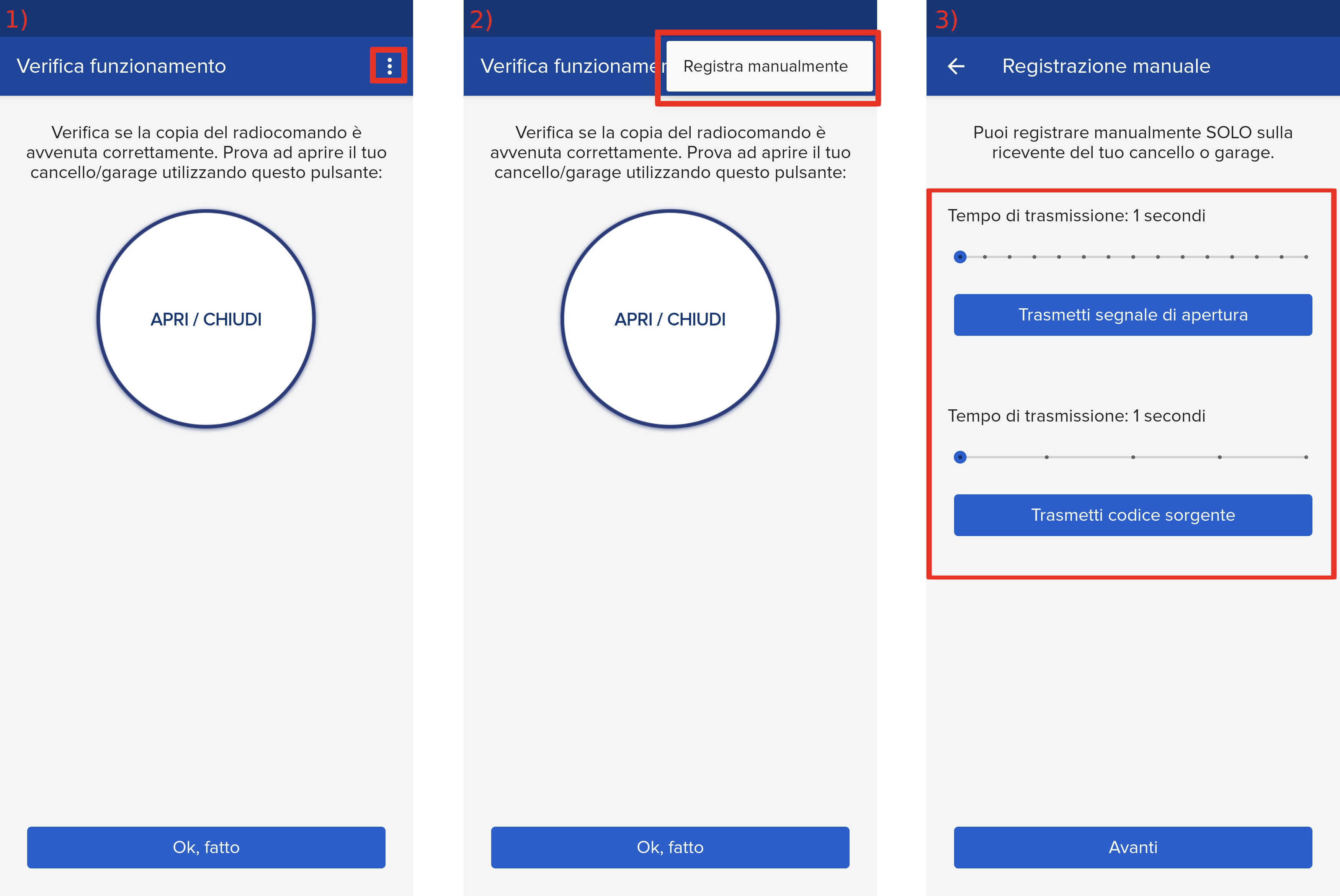
1) Start copying until the " Check operation " screen
2) Press the menu button at the top right to enter manual recording as in the image below
3) Move both sliders to 4 seconds
4) On the control unit, locate the S1 , S2, S3 buttons and the RADIO LED


5) Press the S1 button for 1 second , the LED will start flashing 
6) In the app, press the " Transmit source code " button and wait for the transmission, the LED will remain lit steadily
7) In the app, press the " Transmit opening signal " button and wait for the transmission
At this point the LED should flash again to signal the end of the procedure.