To complete the copy, follow the procedure as indicated
- Start copying until the "Check Operation" screen
- Press the menu key at the top right to enter manual recording as shown in the image below
- Move the slider above 10 seconds

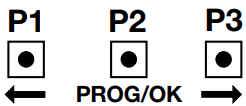
- Press P1 or P3 and scroll through the menu until "RADIO CODES" appears on the display and press PROG / OK (p2) to confirm, scroll with P1 and P3 to "ENCODING" and press P2 to confirm - to this point on the display the item "Activation 1" will flash
- Press the " Transmit opening signal" button in the app "Activation 2" will appear on the display
- Press "Transmit opening signal" again, the display will show "STORED CODE"