To complete the copy, follow the procedure as indicated
1 Start copying until the "Operation Check" screen
2 Press the menu key at the top right to enter manual recording as shown below
3 Move the upper slider to 4 seconds 
4 Press the MEMO button "P3" and keep it pressed. The "L2" LED flashes slowly. 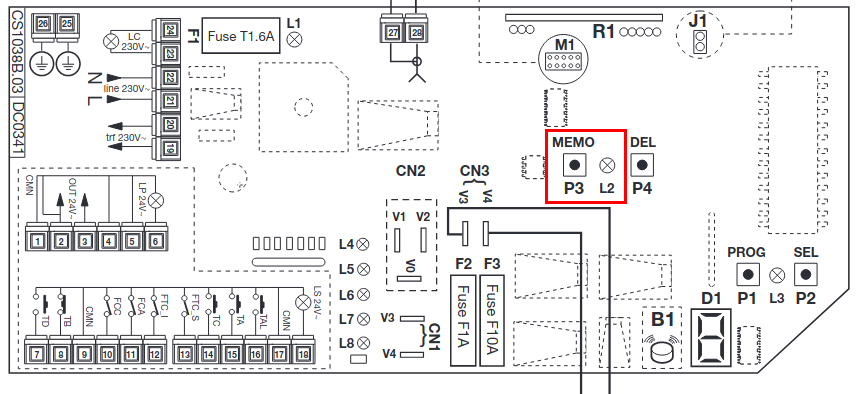
5 Press the Transmit passcode button on the app
6 Press and hold "P3" MEMO and release it when the "L2" LED starts flashing again, the LED will continue to flash.
7 Press the Transmit passcode button on the app again
the "L4" LED stays on for 2 seconds, indicating correct storage