If an error indicating that it is Offline is shown when trying to open an access managed by a SOLO, then the LINK associated with the SOLO is experiencing connectivity issues.
Opening via the horizontal scrolling slider is used to open remotely via LINK, while the round opening button is used to open via Bluetooth when in proximity to the SOLO.
To change the opening method, you must press the button at the top right, below the camera icon:
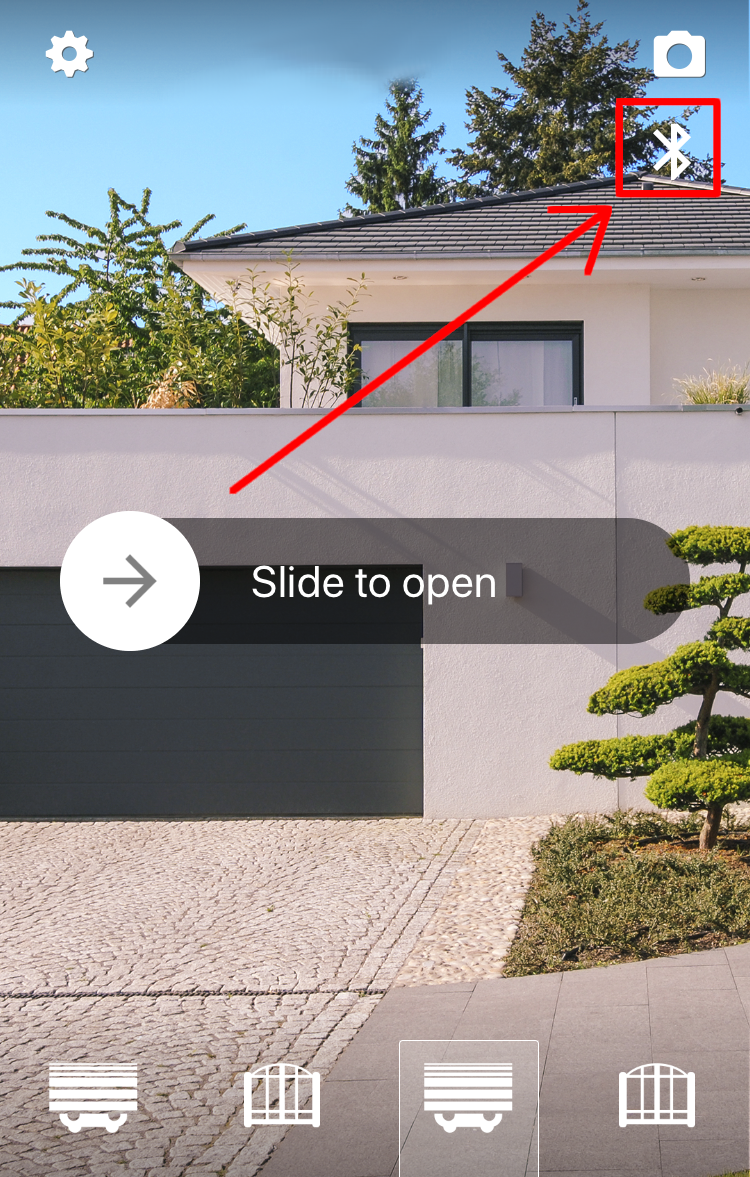
The button in question does not indicate the currently selected opening method, but should be interpreted as "Press to switch to"
To solve the problem, you can:
- Reconnect the LINK to the Wifi network: https://1control.zendesk.com/hc/en-gb/articles/9709118499868
You may need to move the LINK to a location with more stable Wi-Fi coverage.
If you use Wi-Fi repeaters, we recommend connecting the LINK directly to the main router - Connect the LINK to the network via an Ethernet cable: https://1control.zendesk.com/hc/en-gb/articles/6858083073564
The wired connection is only compatible with second-generation LINK devices (with a serial number starting with "51")