After modifying the name of a command saved on the SOLO, and subsequently updating it also in the LINK settings, see SOLO data update
You may need to change the name in Alexa settings as well, as shown:
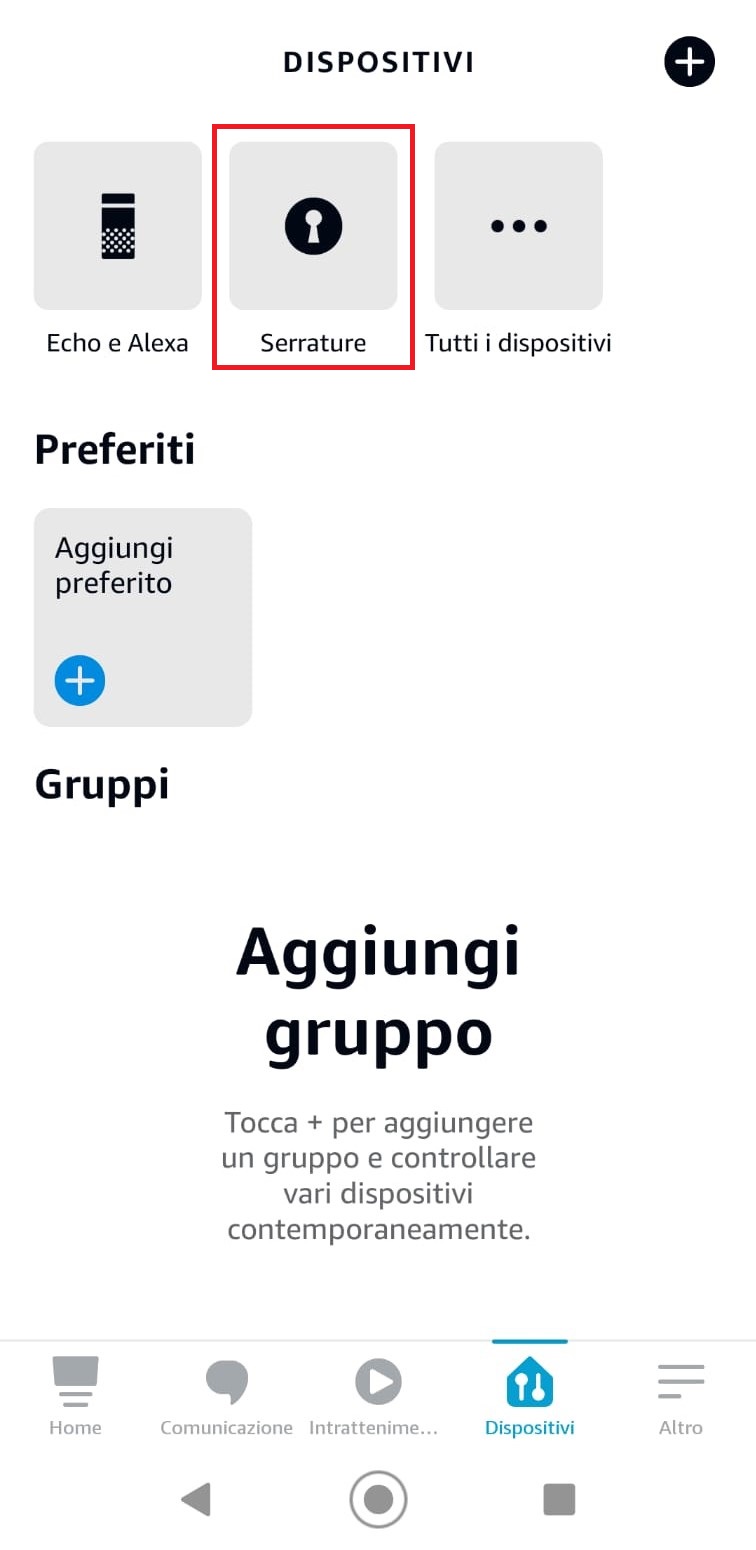
1. Open the " Alexa " app and select "devices" at the bottom, then select "Locks" at the top
 |
 |
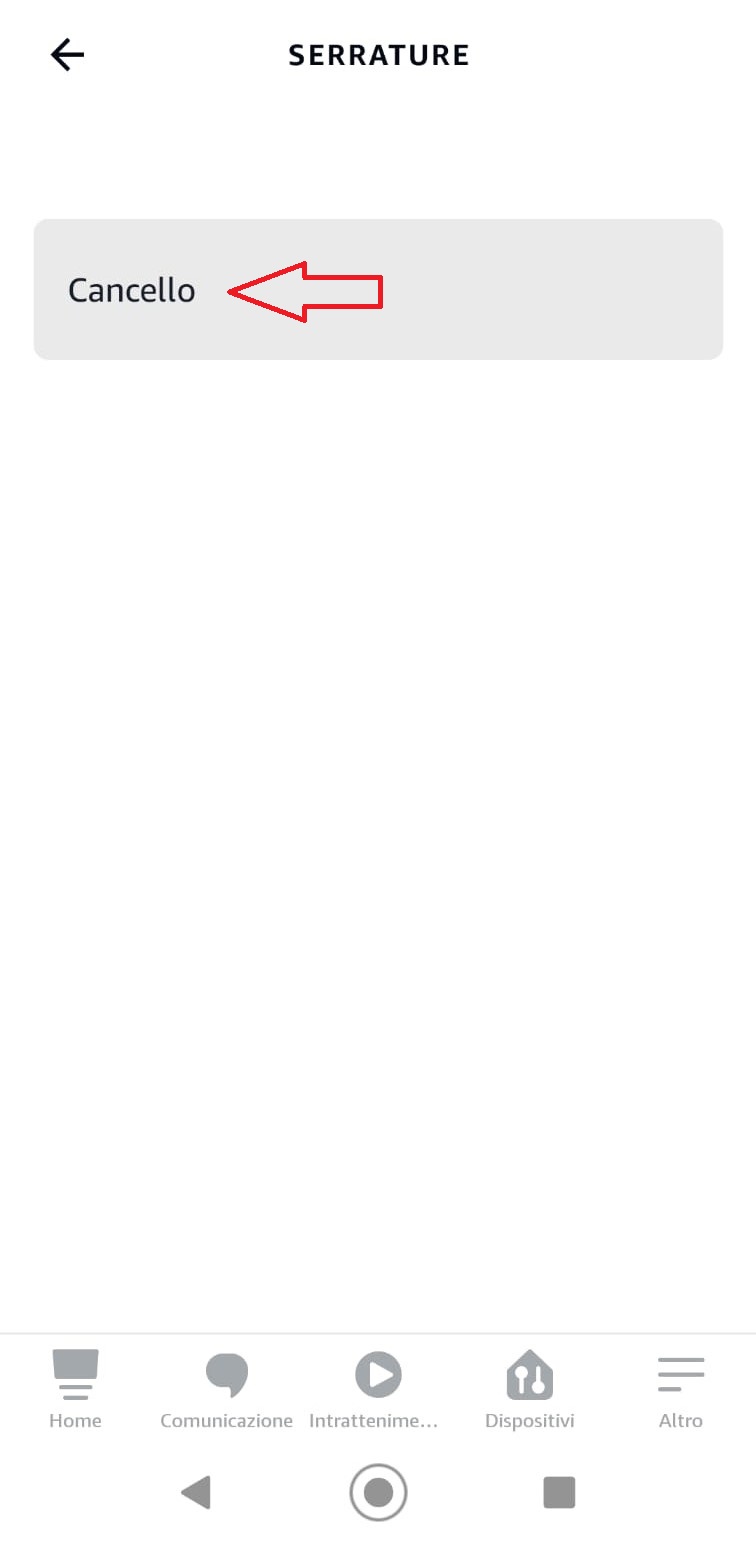
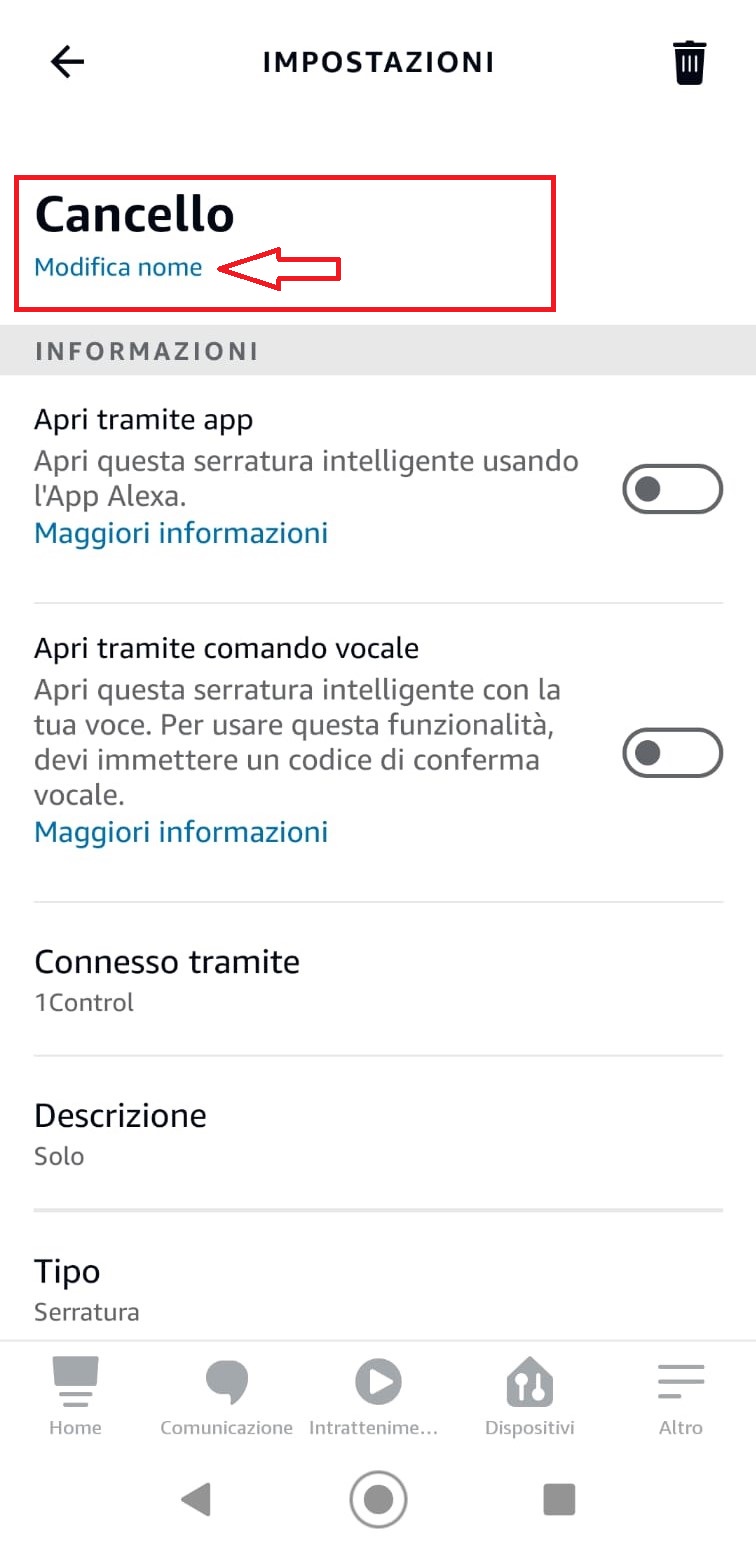
2. Select the desired command eg. "Delete" and then click on "Change name" , finally save
 |
 |