To complete the copy follow the procedure as indicated
- Start copying until you reach the "Check Operation" screen.
- Press the menu button at the top right to enter manual recording as in the image below
- Move the slider above 4 seconds

- On the Dea System control unit, locate the display and the " + ", " - " and " OK " buttons.
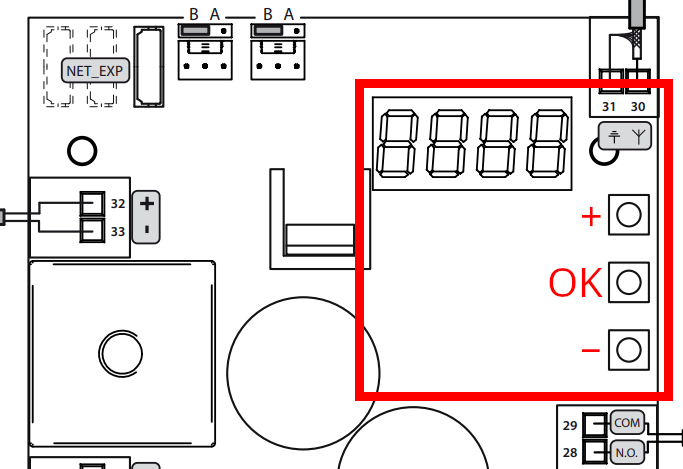
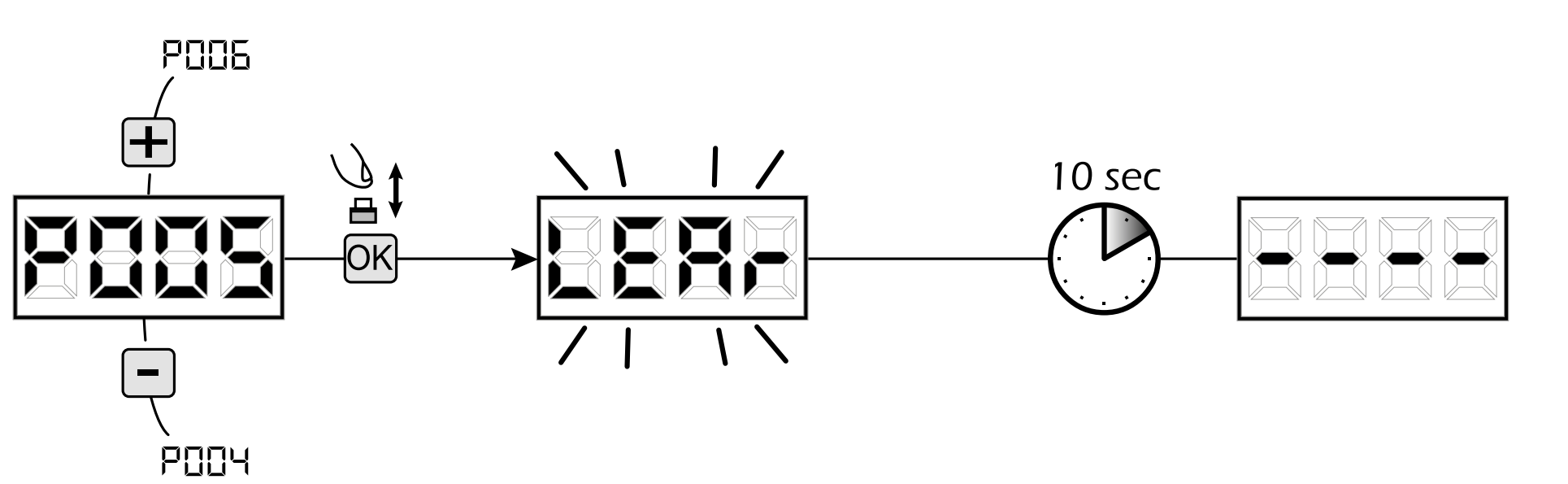
- Using the " + " and " - " buttons, scroll through the menu until you reach the "P005 " item.
- Press the OK button on the control unit
- The display shows the " LEAR " option
- In the 1Control app, press Transmit opening signal
- The display should show " R " followed by the ID number of the saved remote control (e.g. " R005 ")
- Wait 10 seconds until the display shows four dashes
- Press " Next " at the bottom of the app page
- Press the " Open/Close " button once every 5 seconds until the garage door is activated (this may take up to 10 attempts)