To copy a new SOLO remote control you need to follow this simple guide:
1. Open the 1Control App settings.
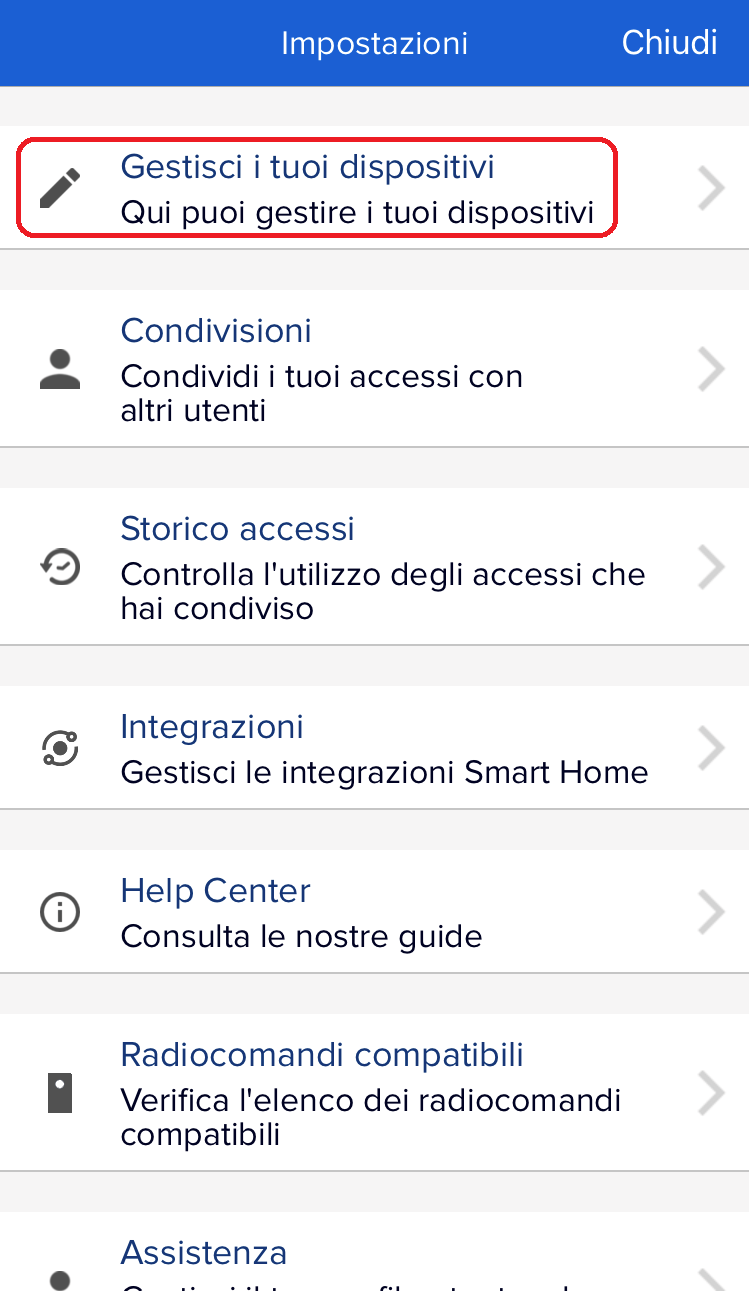
2. Select "Manage your devices".
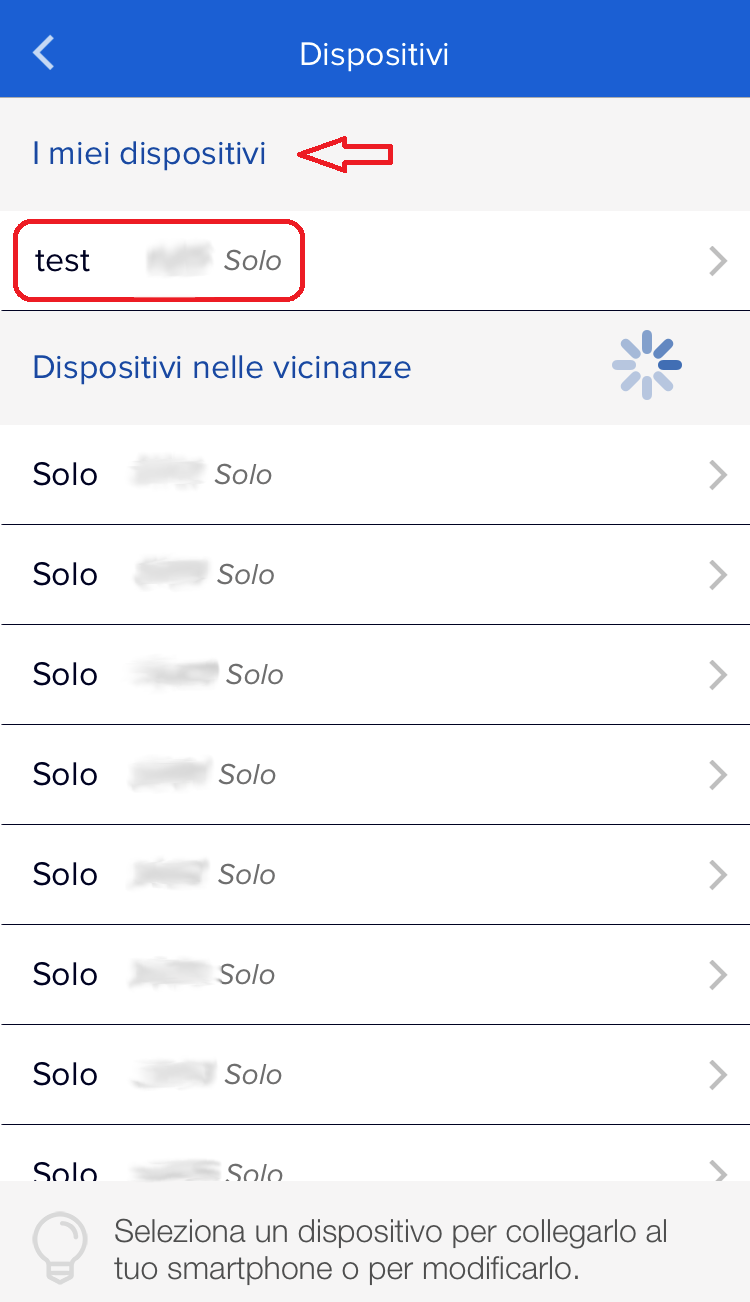
3. Select the ONLY one you want to copy to
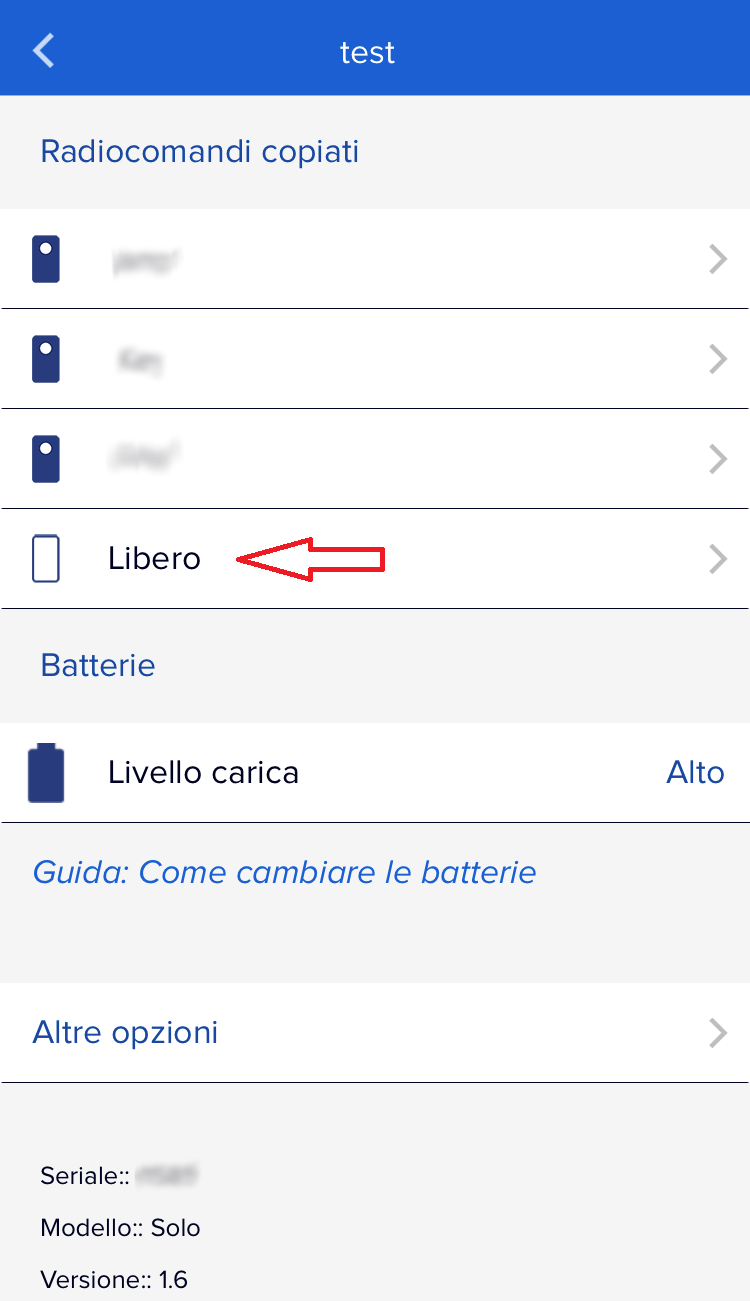
4. Press on one of the free slots and begin the procedure to copy the new remote control.
If you have problems copying, please see the following guide:
https://1control.zendesk.com/hc/en-gb/articles/12433627378460
Alternatively, please contact our technical support by filling out the form at the following link:
https://www.1control.eu/en/contattaci.php