To update the date of the smart DORY lock's internal clock, follow this procedure:
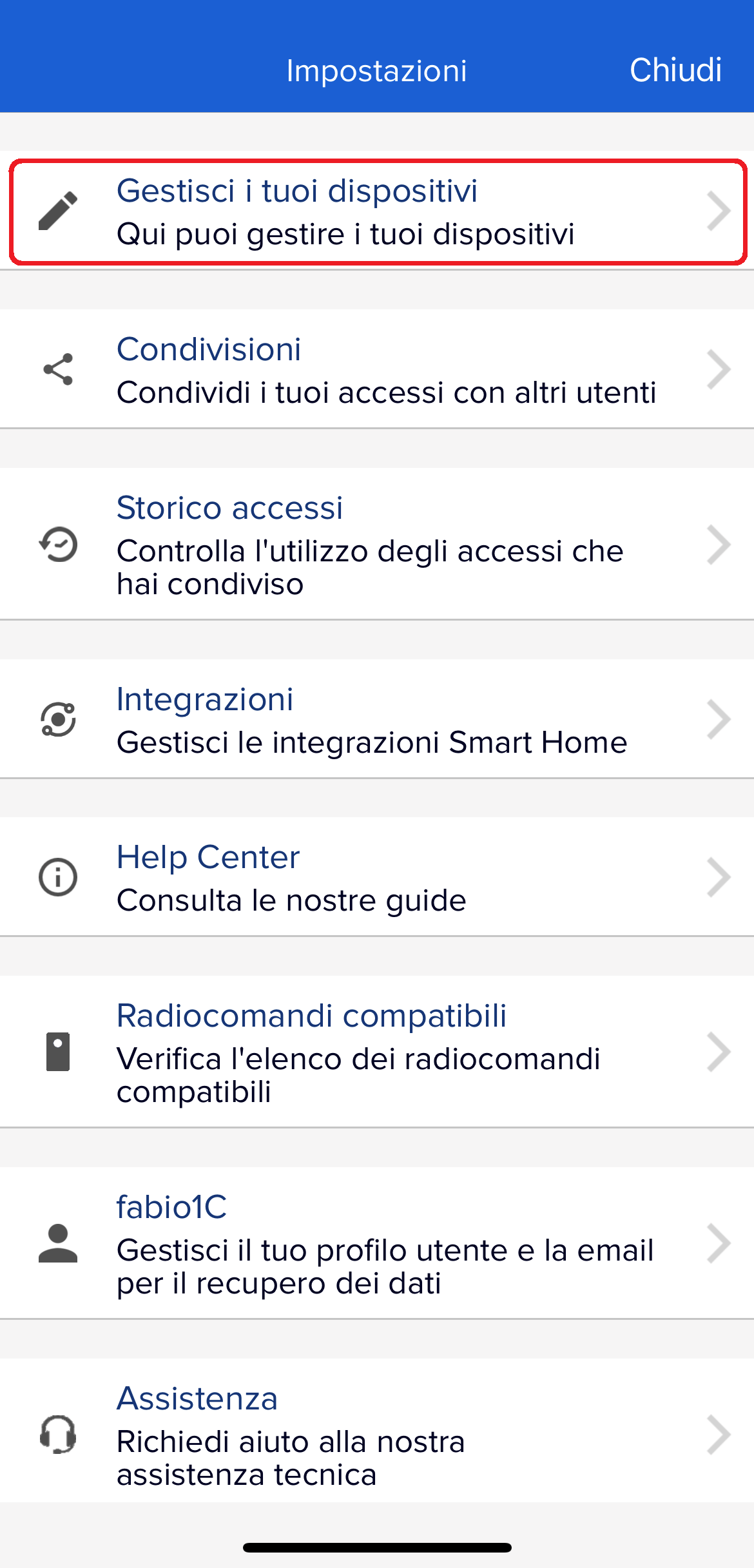
- Open the settings (gear at the top left of the main app screen)
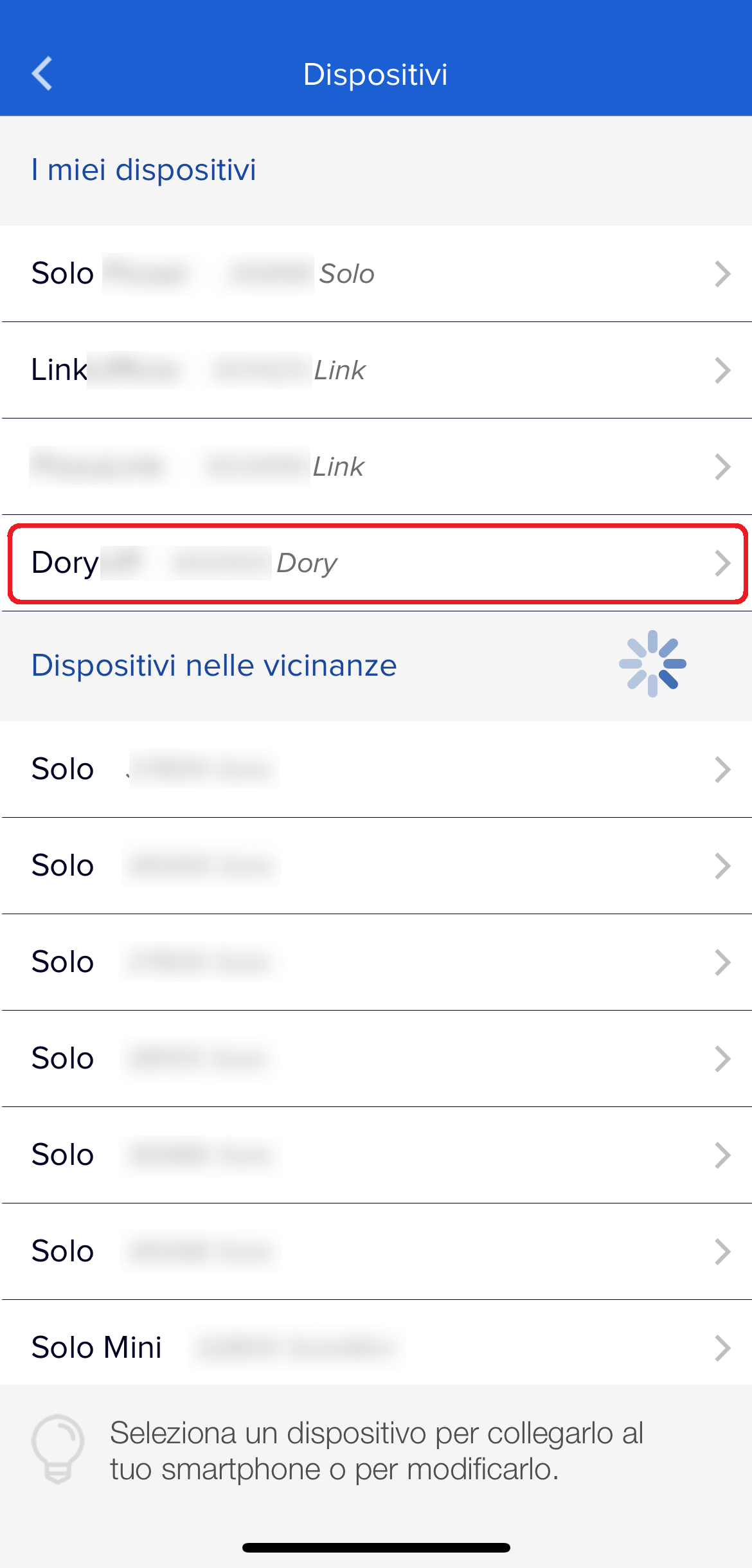
- Go to the "Manage your devices" section
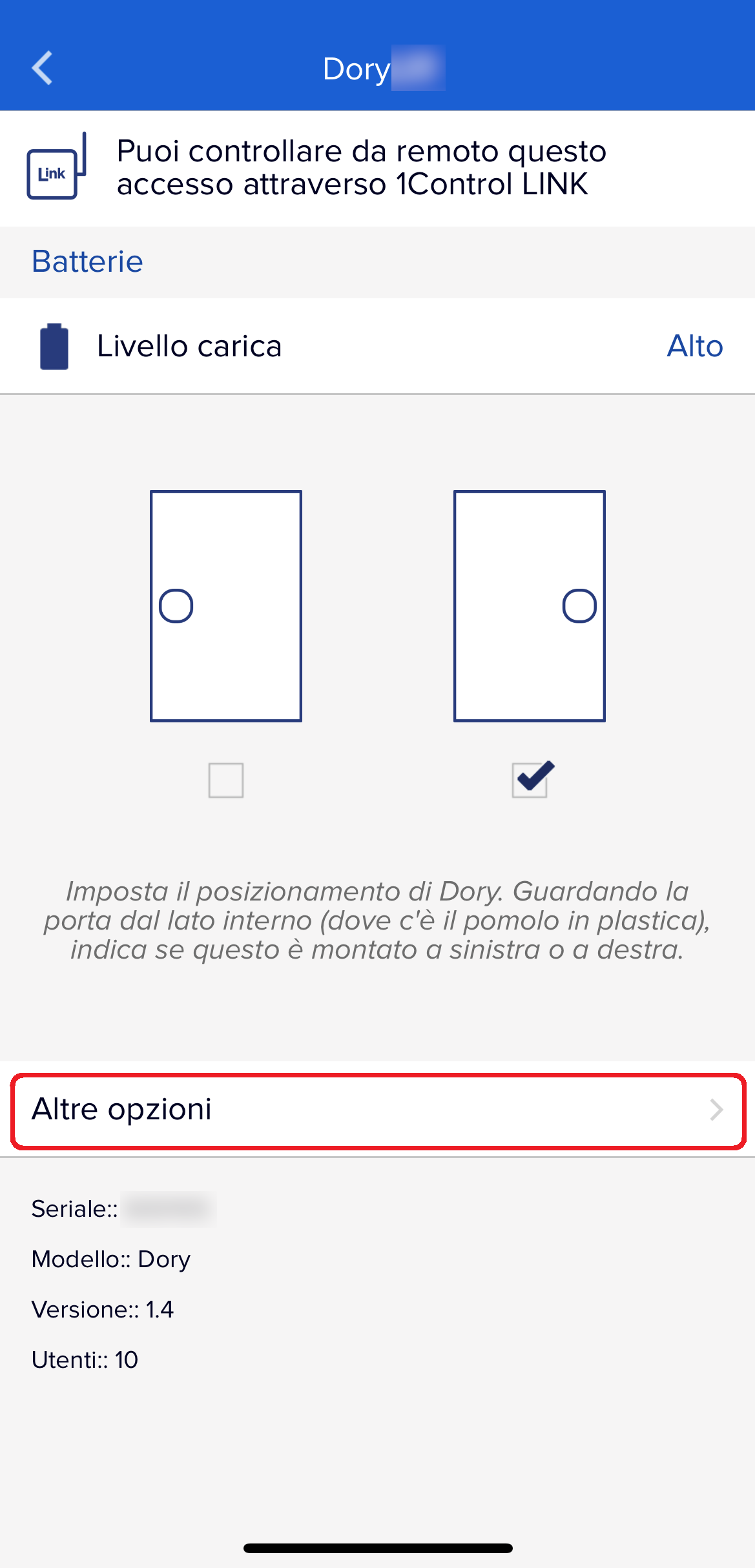
- Select your DORY device
- Go to the "More options" section
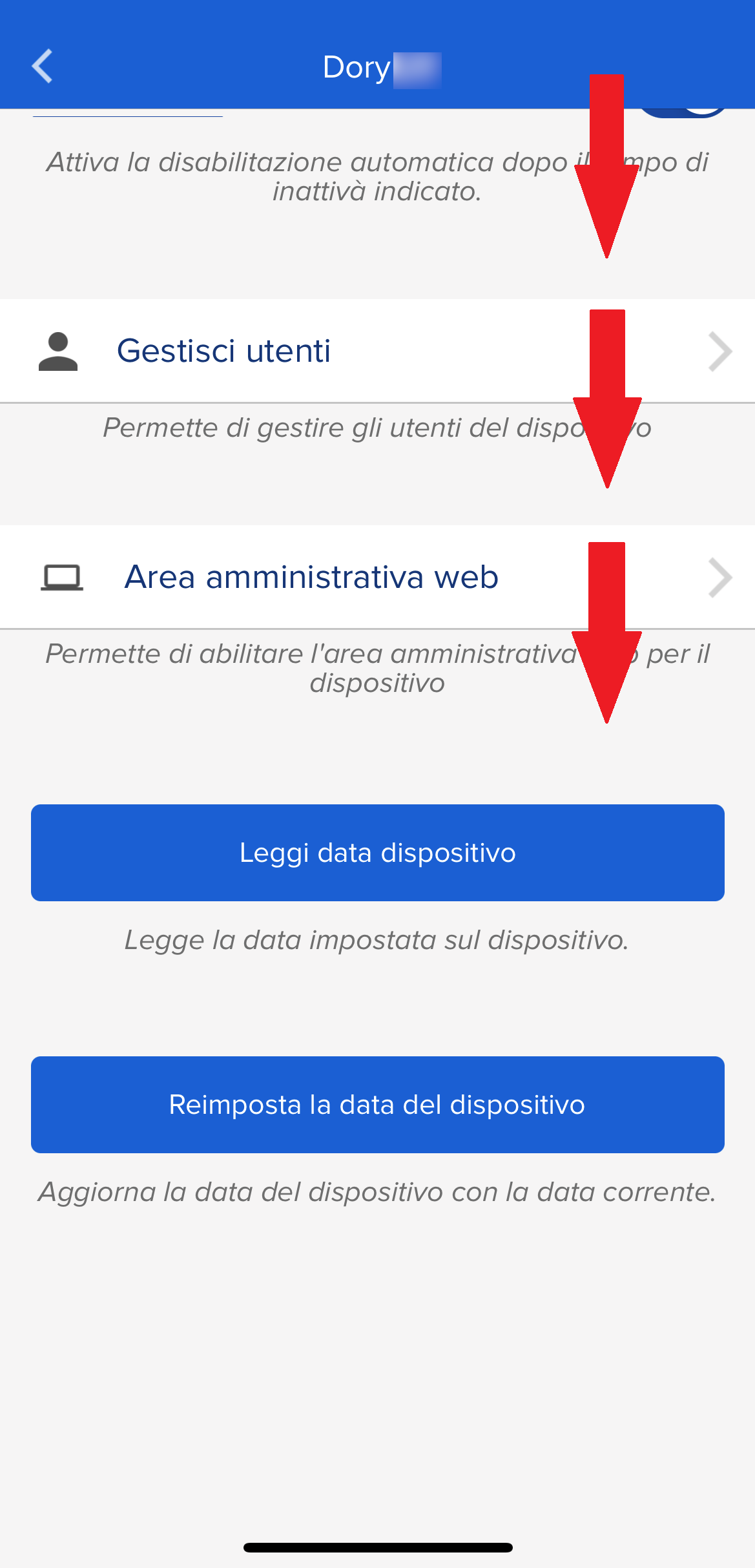
- Press the "Reset device date" button at the bottom of the page
By pressing the "Read device data" button just above, you can verify the outcome of the operation
 |
 |
 |
 |