To delete a device from the list proceed as follows:
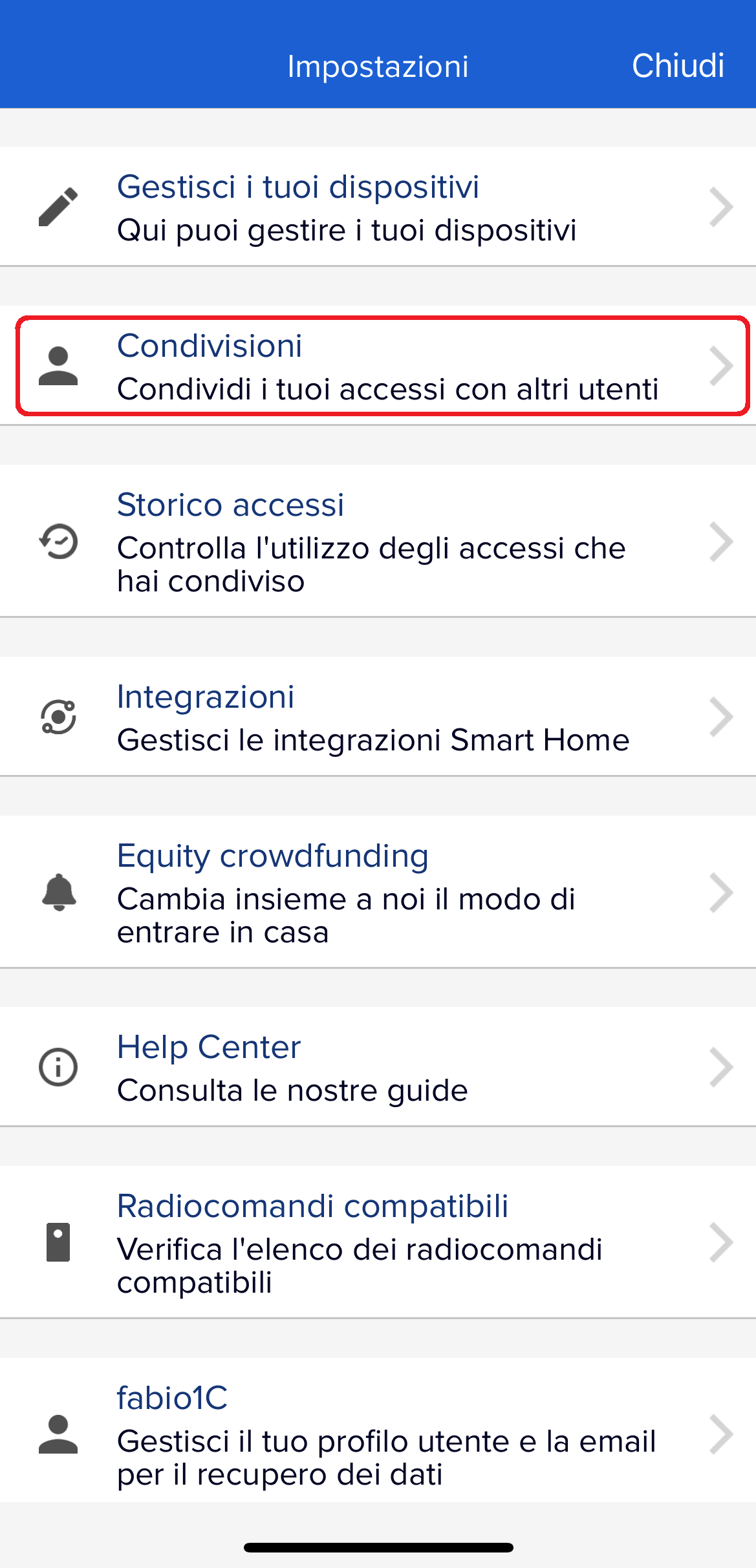
- Open the settings (by clicking the gear on the top left of the app's main screen)
- Go to "Manage your devices"
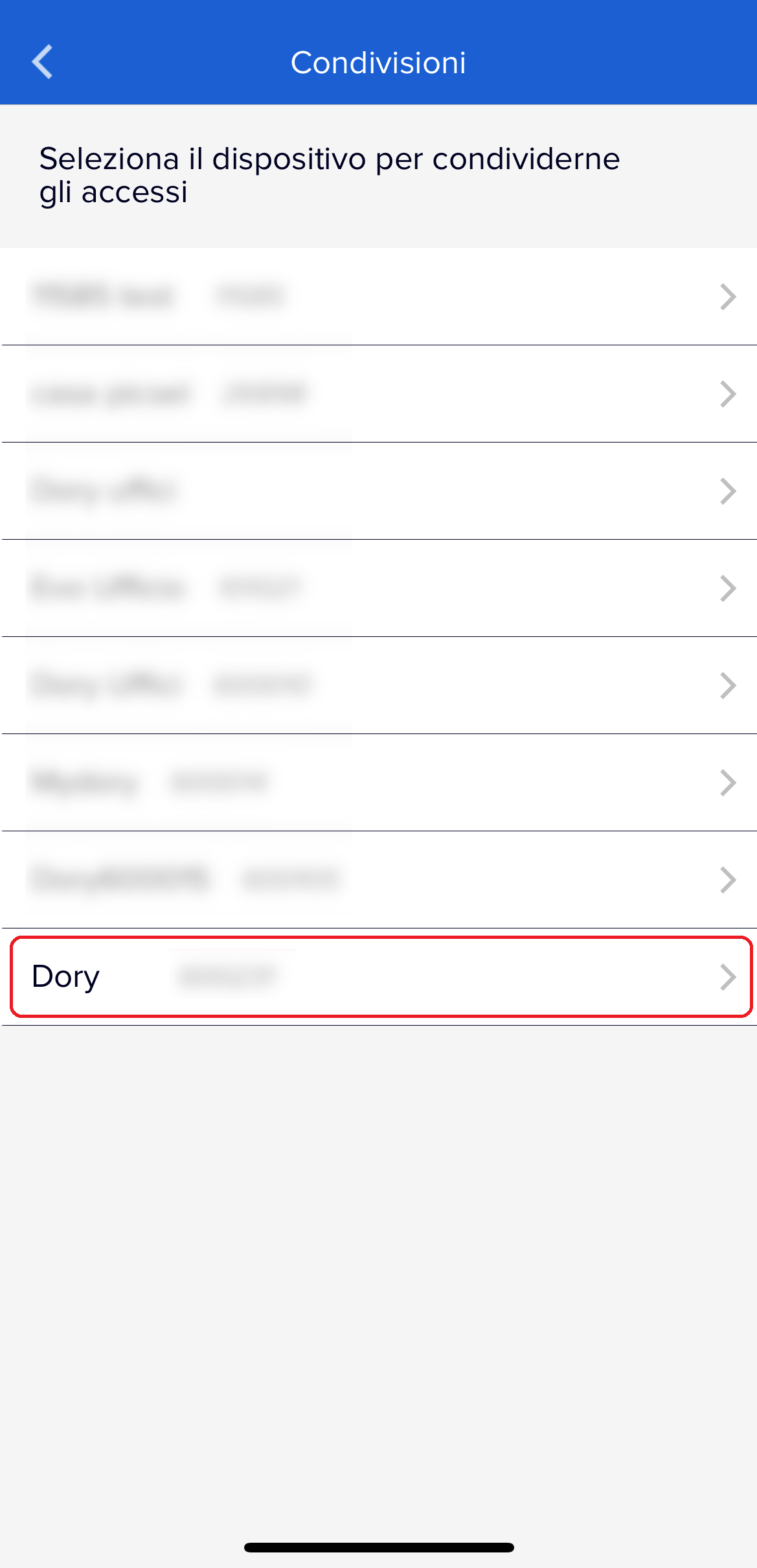
- Choose the DORY in question
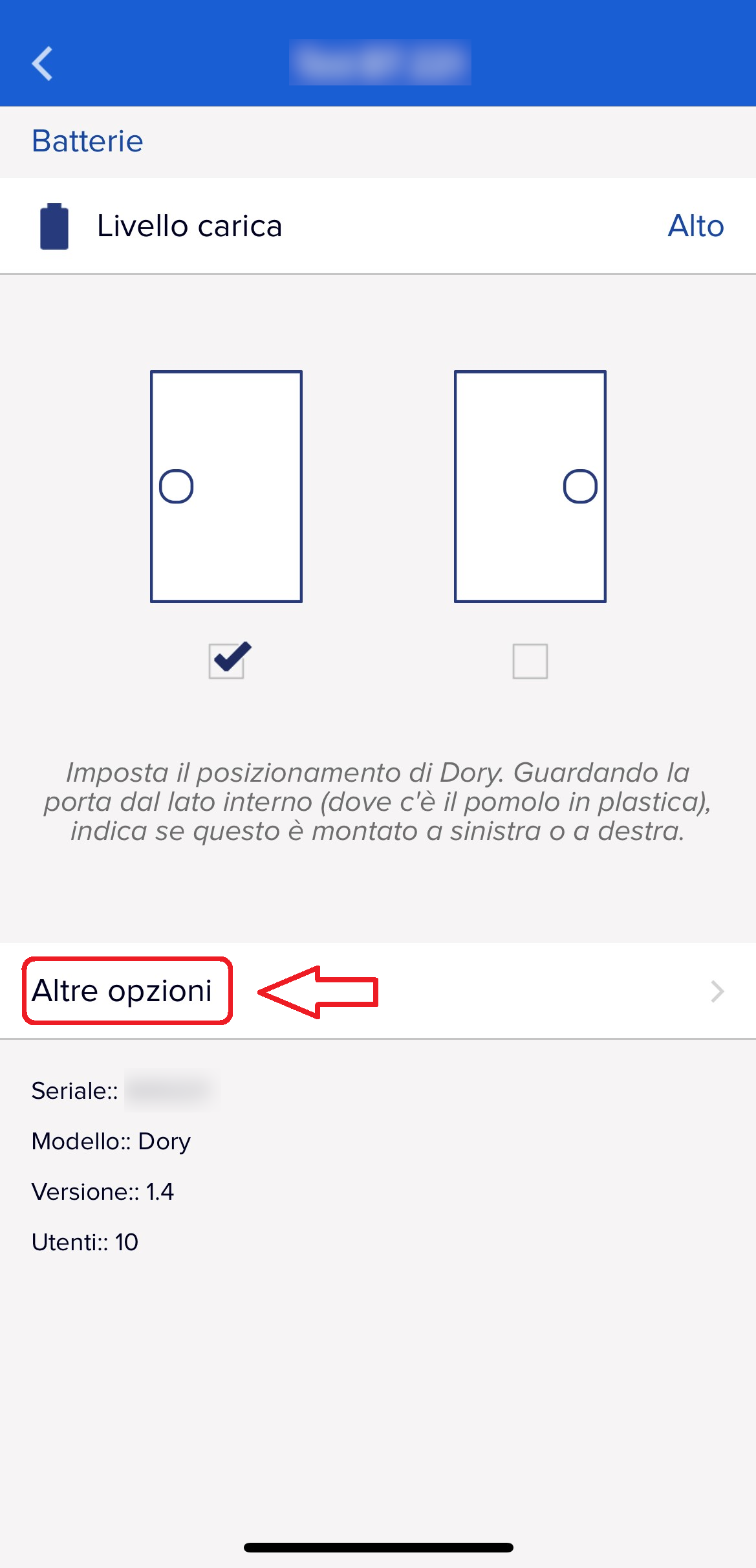
- Click on "More options" at the bottom
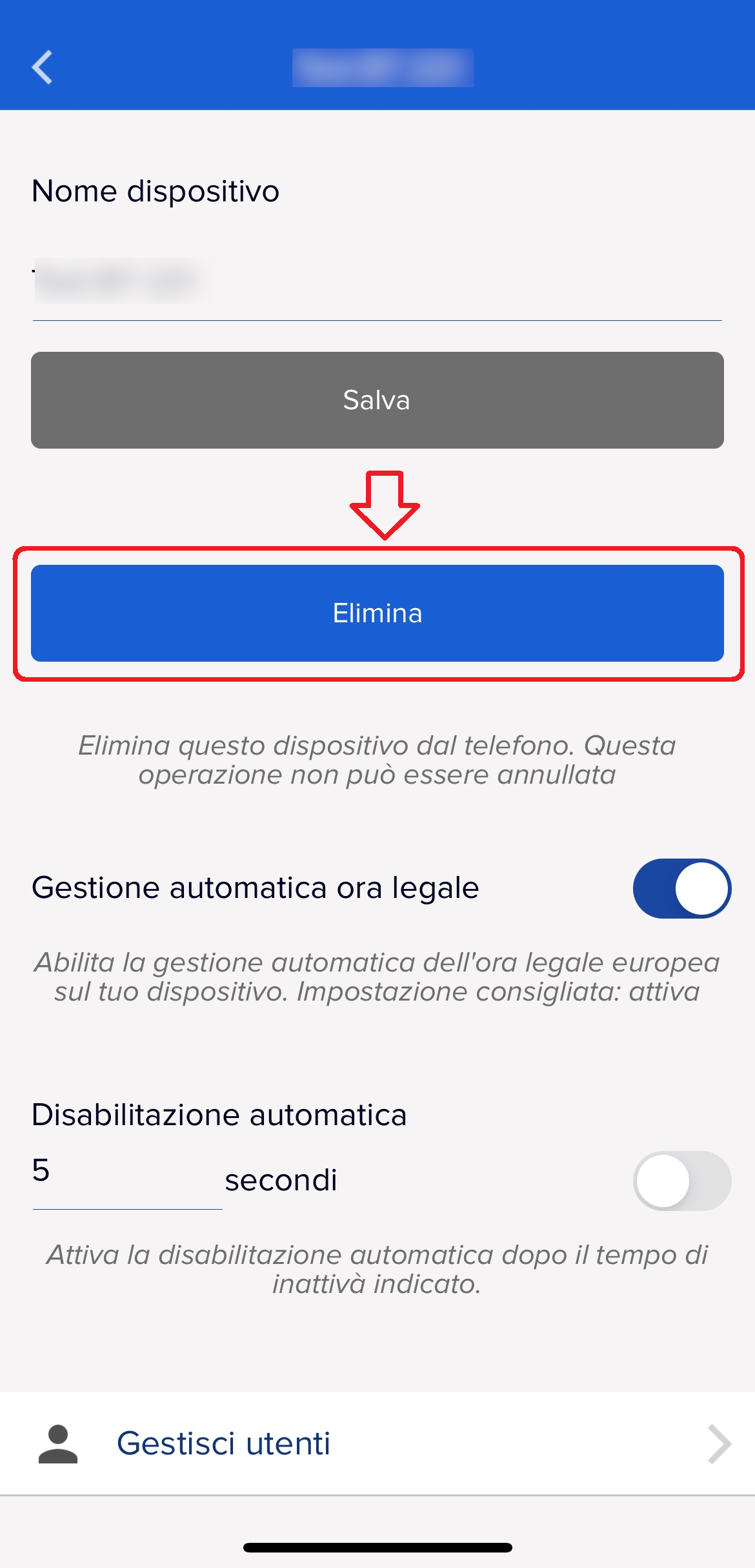
- Select "Delete"
 |
 |
 |
 |
To delete a device from the list proceed as follows:
|
|
|
|
Was this guide helpful?
Thanks for your feedback!
This guide in other languages: Italiano Deutsch Français Español