To complete the copy, follow the procedure as indicated
- Start copying until the "Check Operation" screen
- Press the menu key at the top right to enter manual recording as in the image below
- Move the slider above 4 seconds

- Position the jumper which should be positioned on " JP2 " in one of the following positions according to the channel to be associated:
-Channel 1: lower connectors of the " J10 " pins, indicated in blue;
-Channel 2: lower connectors of the " J7 " pins, indicated in green;
-Channel 3: lower connectors of the " J9 " pins, indicated in yellow;
-Channel 4: lower connectors of pins " J6 ", indicated in orange;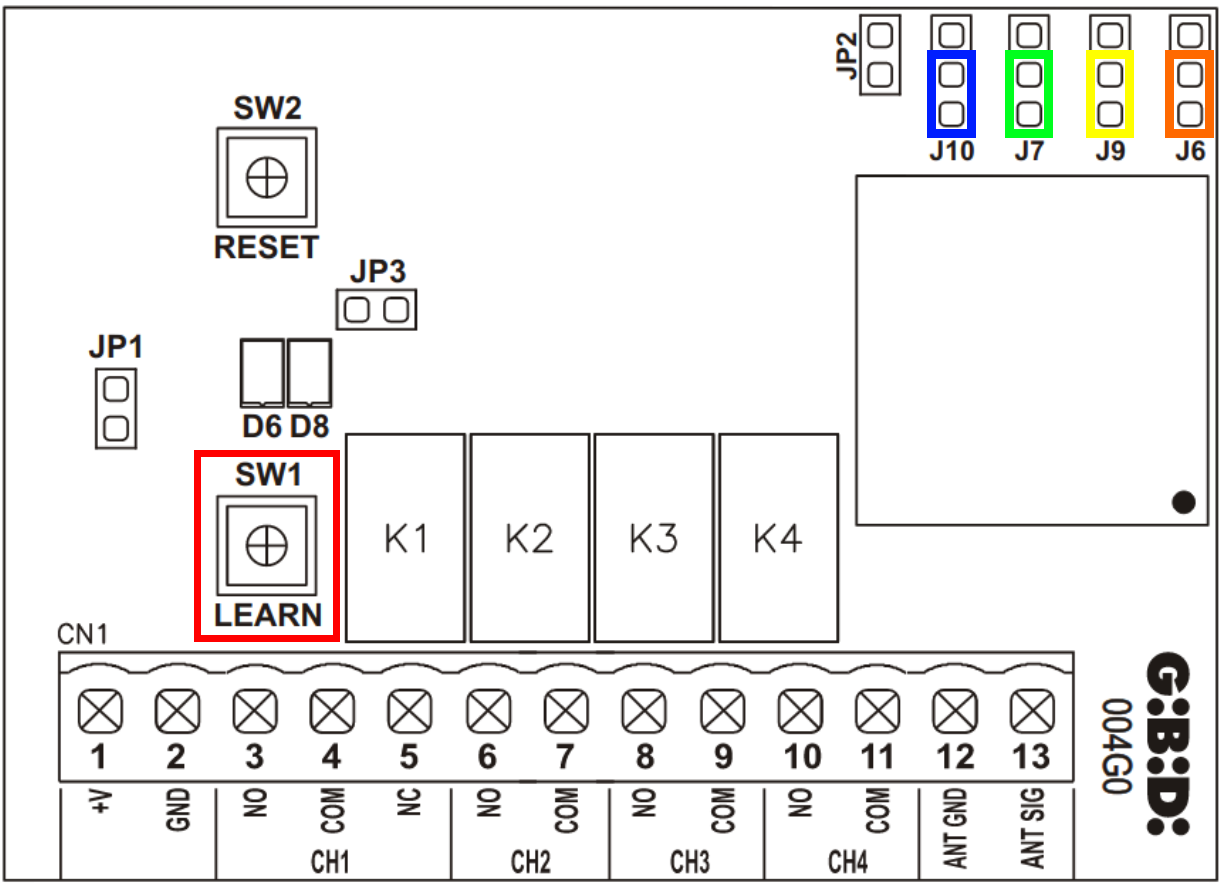
- Press the " LEARN " button, led D8 should light up
- On the app, press the " TRANSMIT OPENING SIGNAL " button
- Wait for the LED to turn off