The LINK supports the management of up to 5 SOLO or DORY devices (PAD integration is planned soon)
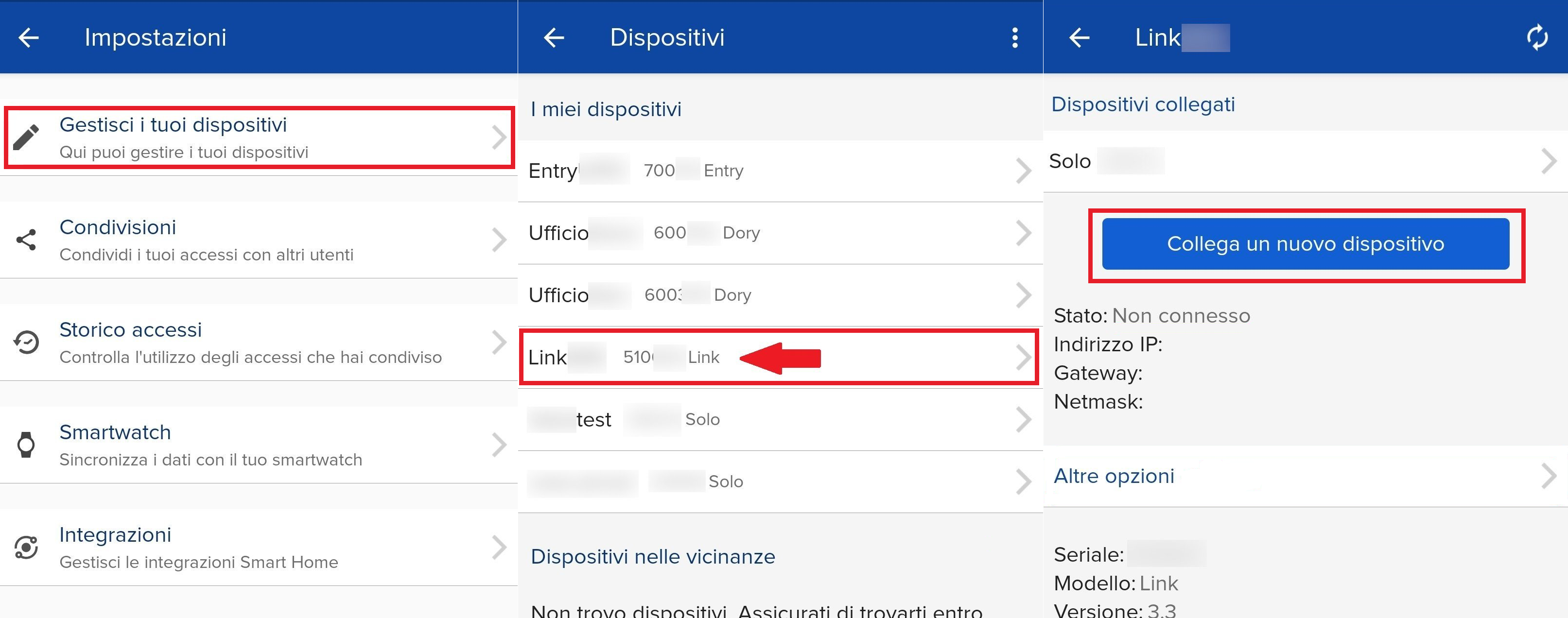
To pair a new device to LINK, follow these instructions:
- Open the 1Control app;
- Go to settings;
- Open the "Manage your devices" section;
- Select your LINK;
- Press "Connect a new device";
- Select the device from the list shown;
- Enter the PIN code of the device you want to pair ( not the LINK's).