To log out from the 1Control app follow these steps:
Android smartphones:
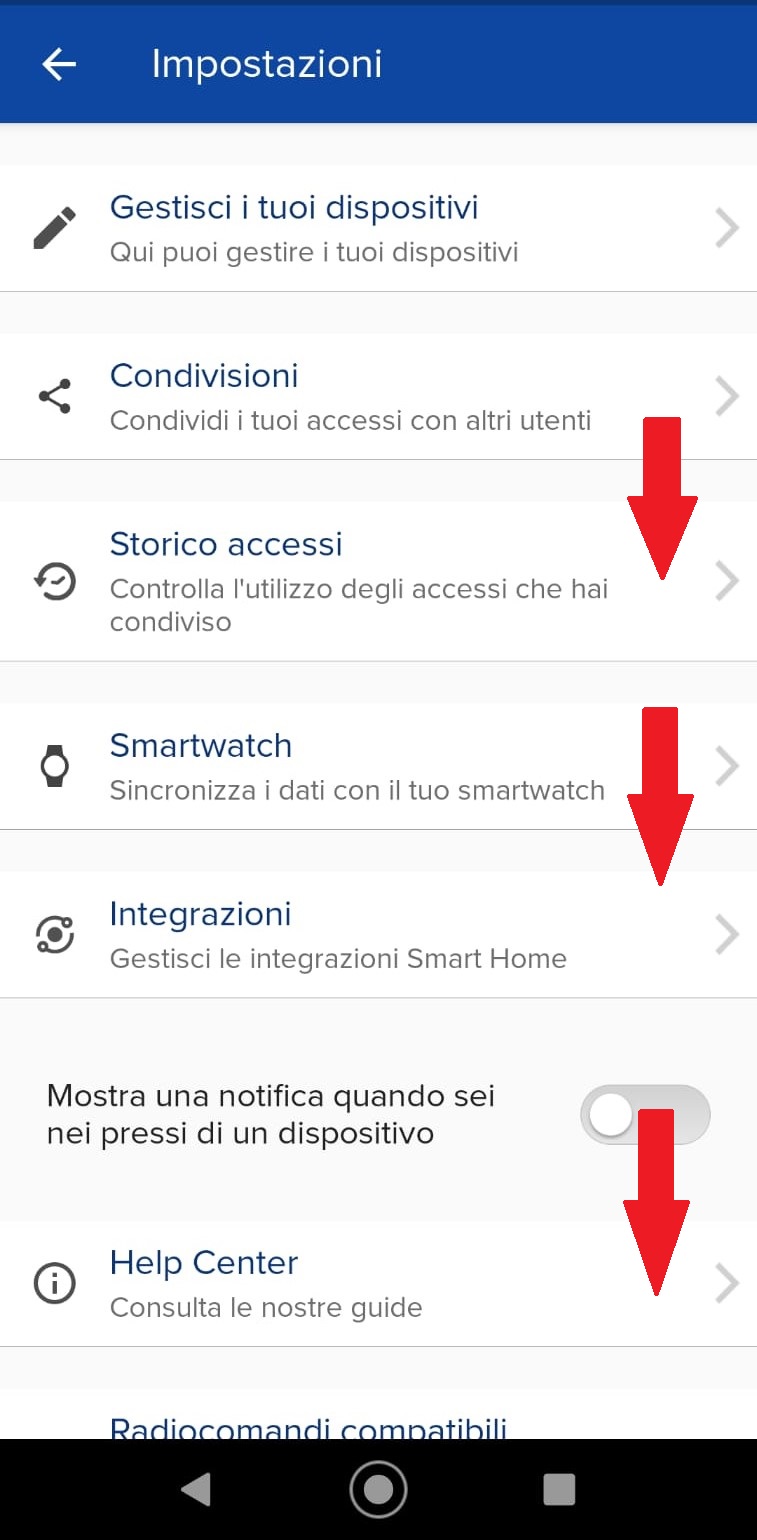
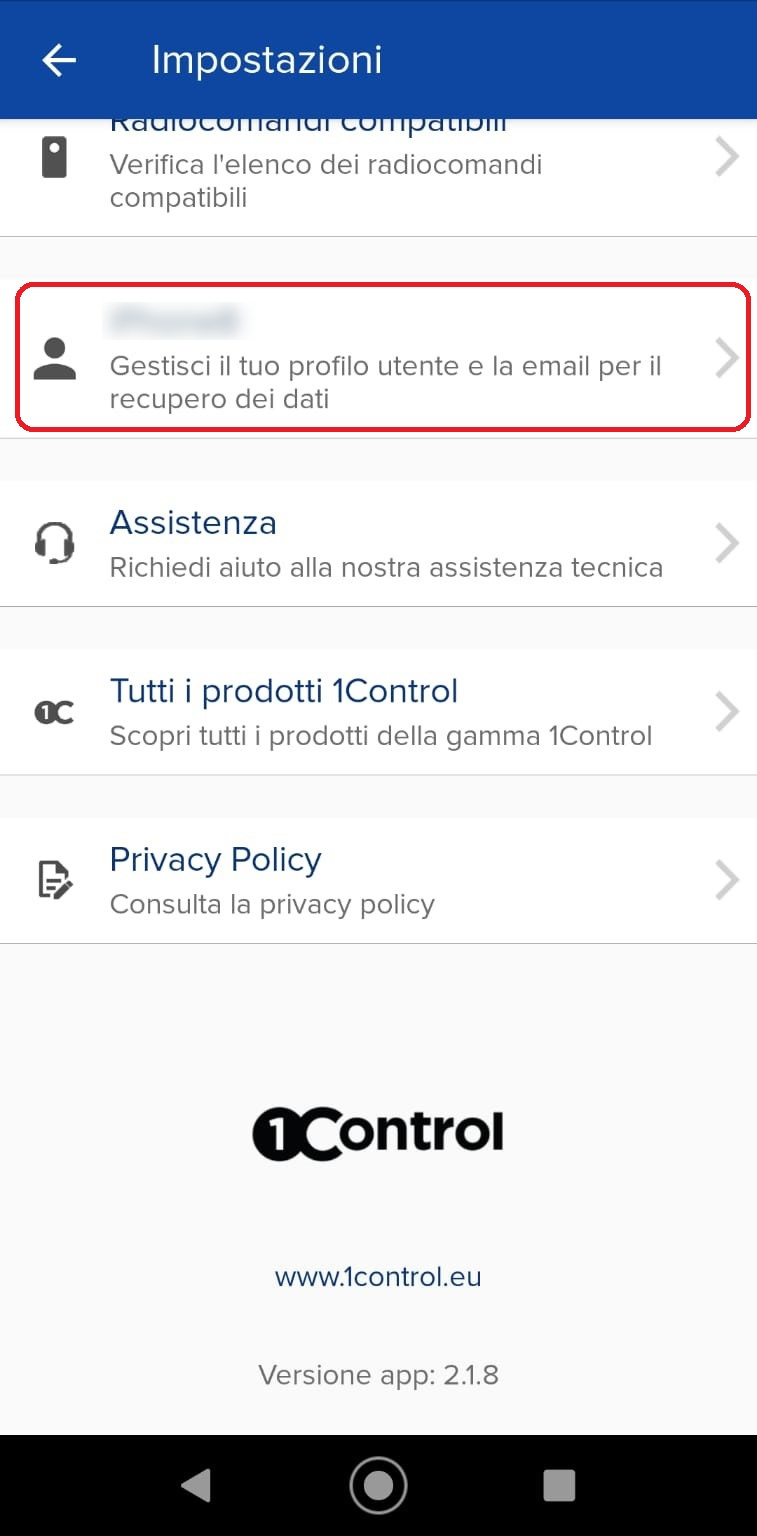
1) From settings, scroll down to your profile section, select it
 |
 |
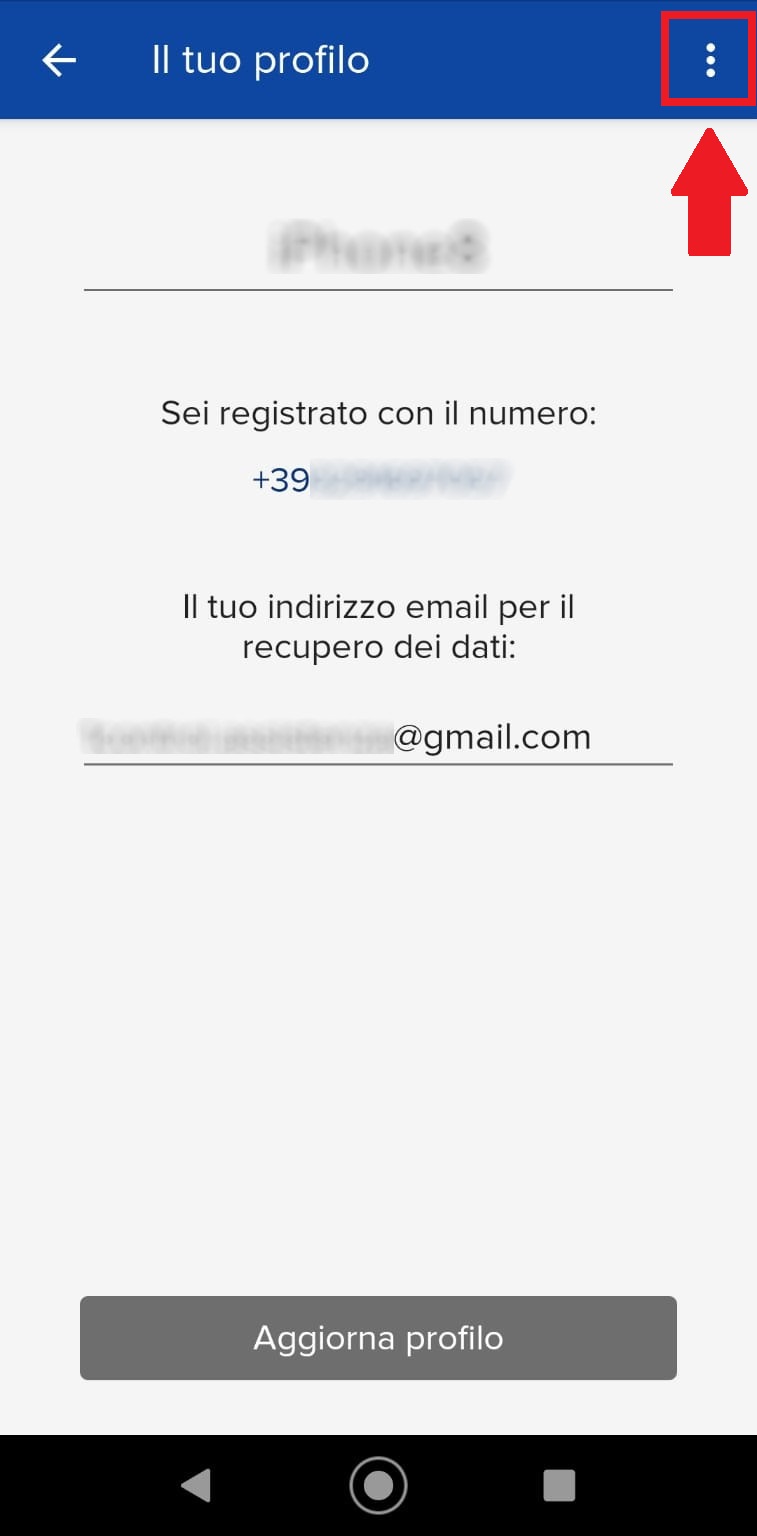
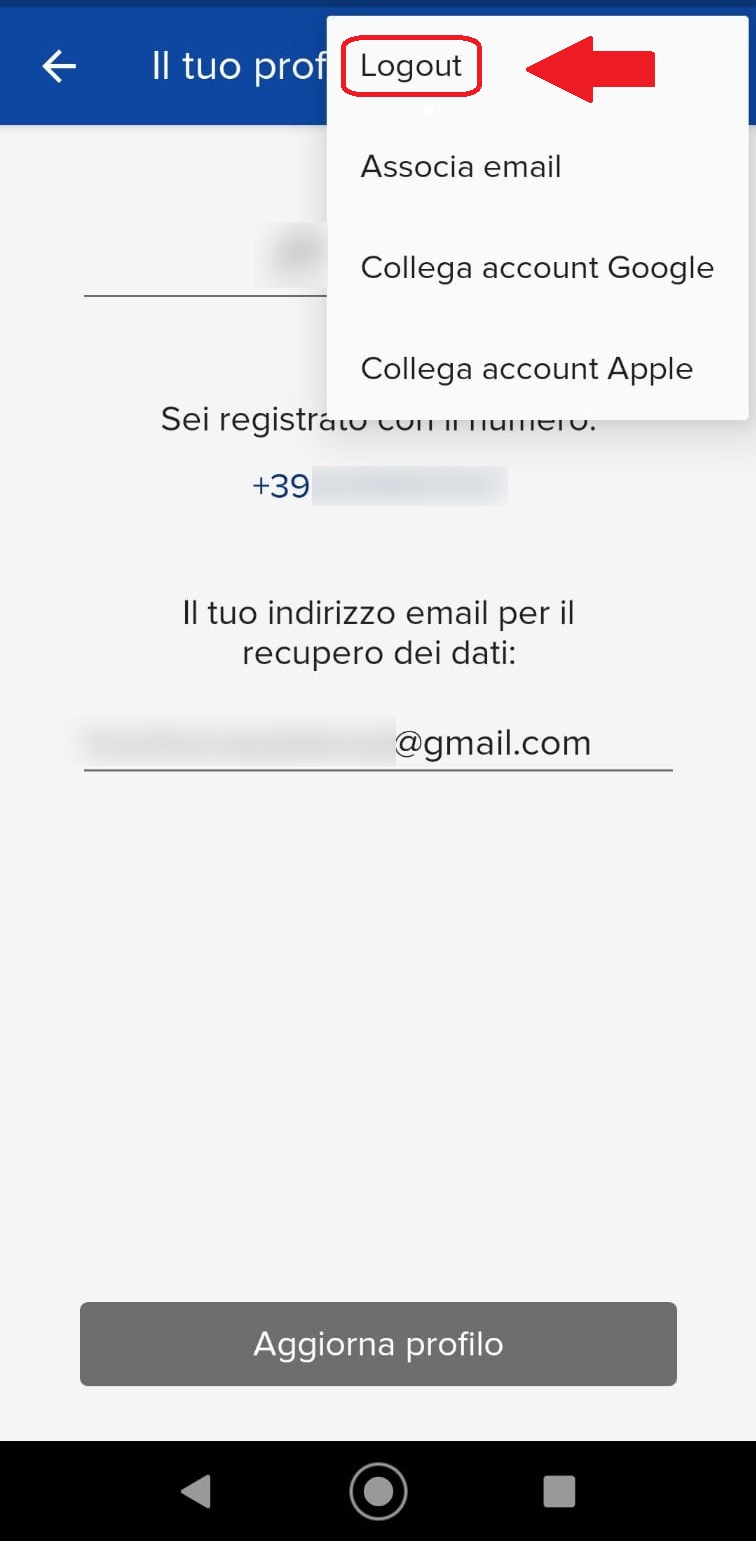
2) Press on the 3 option dots and execute the Logout
 |
 |
iPhones:
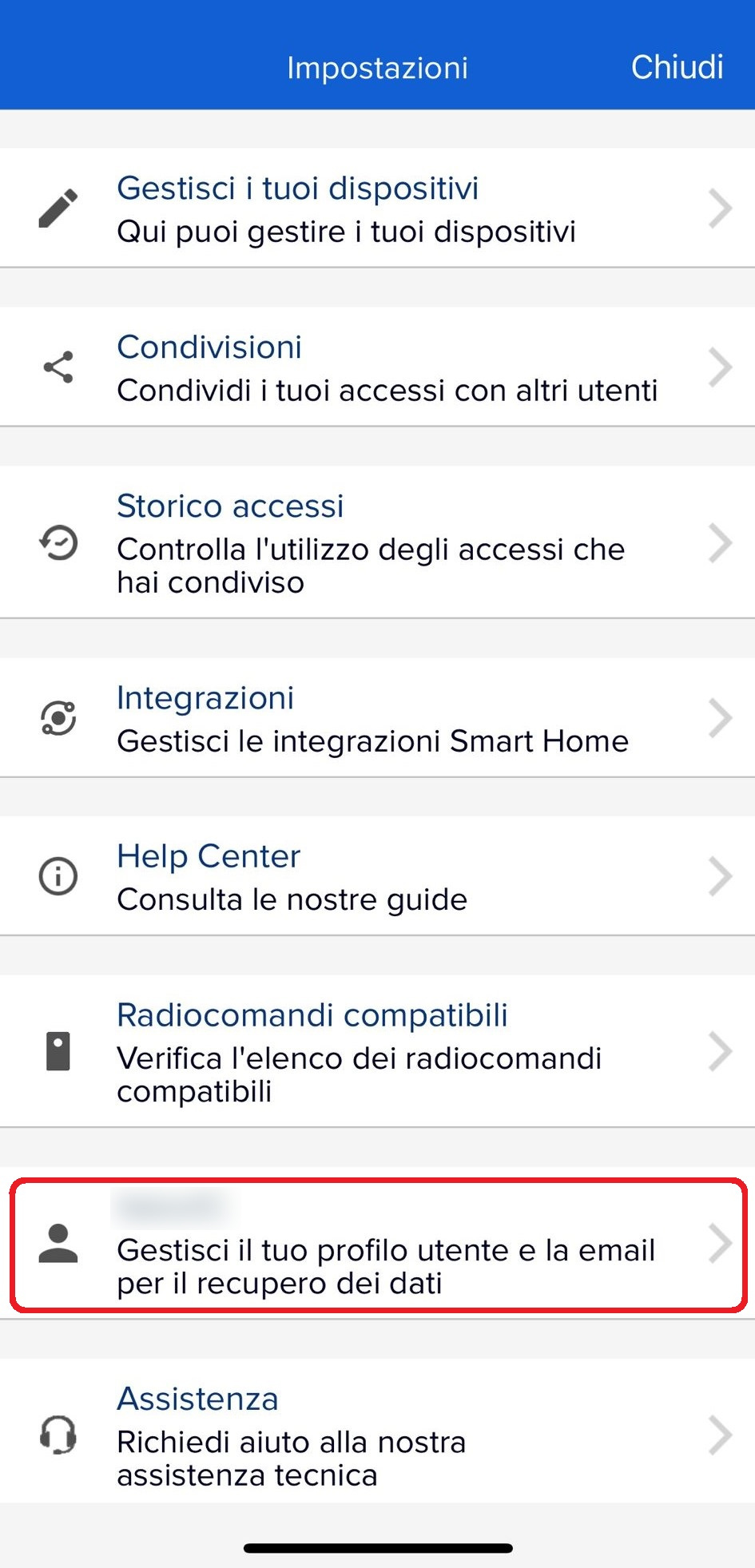
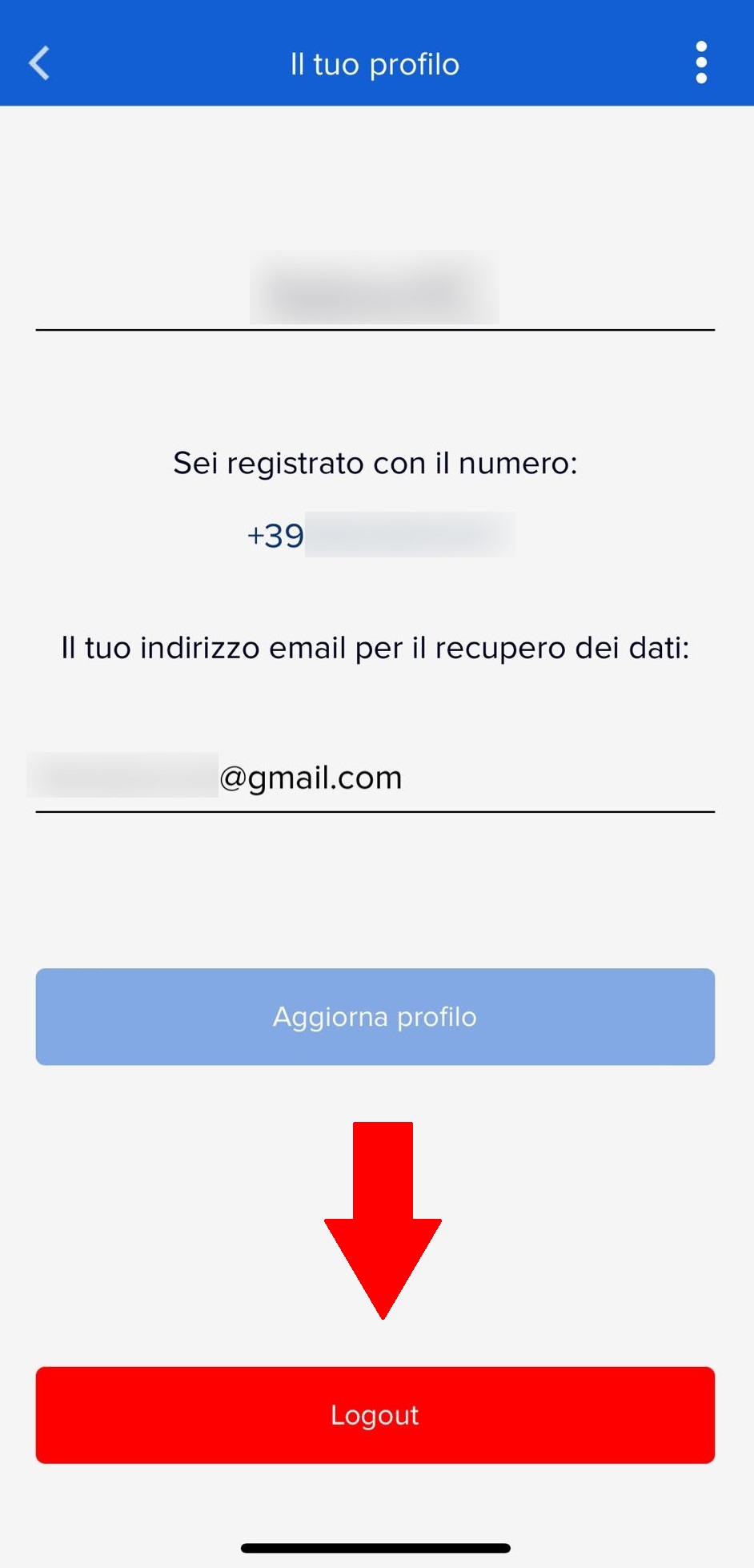
1) From the settings, scroll down to the section of your profile, select it and proceed by pressing Logout
 |
 |